
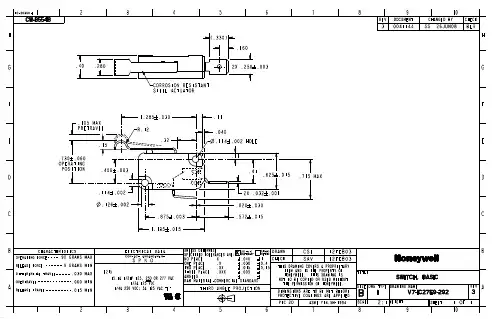
V7-1C27E9-292;中文规格书,Datasheet资料
- 格式:pdf
- 大小:128.85 KB
- 文档页数:2

LJD_eWinV5-ST(K)7产品规格书目录■1. Cortex-A8&Win CE6.0系列嵌入式触控一体机 (2)1.1基本安全注意事项 (2)1.2 修订历史 (2)■2. Cortex-A8&Win CE6.0系列产品规格 (3)2.1 产品规格 (3)2.2 接口设置和功能 (5)2.3 安装尺寸 (6)2.4 安装示意图 (9)LJD_eWinV5-ST7安装示意图 (9)LJD_eWinV5-SK7安装示意图: (9)2.5 Cortex-A8&Win CE6.0系列产品配件及可接外围设备说明 (11)■3. 产品保修及供货周期正常 (12)■4. 后记 (12)■1. Cortex-A8&Win CE6.0系列嵌入式触控一体机本手册包含了LJD_eWinV5-ST(K)7型嵌入式触控一体机的硬件规格、使用和安装过程中的注意事项。
在使用LJD_eWinV5-ST(K)7型人机界面之前请仔细阅读本手册1.1基本安全注意事项1.1.1 注意事项● 请确保所有电缆接头都牢固连接到LJD_eWinV5-ST(K)7上。
●为了保证设备安全,请在接线之前拔下LJD_eWinV5-ST(K)7的电源线。
● 请勿用力或用硬物按压LJD_eWinV5-ST(K)7 的显示屏,以免造成触摸屏和液晶屏的损坏。
● 需要返修的产品,客户需将返修产品包装好避免运输过程中显示屏、触摸屏的碎裂以及产品外壳的损坏。
一切后果由客户承担。
1.1.2 警告(1)系统设计● 请勿在LJD_eWinV5-ST(K)7上制作可能危及设备及人员安全的开关,如紧急停机开关,这些操作应该由独立的硬件开关来执行,以防止电缆以及其它相关设备的损坏导致可能造成重大事故。
● 请勿将LJD_eWinV5-ST(K)7用作可能造成严重人身伤害、设备损坏或系统停机等重要报警的警示设备。
(2)接线● 为了防止触电,请在接线之前拔下LJD_eWinV5-ST(K)7的电源线。

minutes) •Salt Spray :48 hr with Nickel plating 500 hr with Olive Drab Cadmium•Fire Retardant / Low Smoke : UL94 V0 and NF F 16 101 & 1•Vibrations : 10 –500 Hz, 10 g, 3 axes : no discontinuity > 1m•Shocks : IK06 : weight of 250 g drop from 40 cm [15.75 in] on connectors (mated pair)•Humidity : 21 days, 43°C, 98% humidity •Temperature Range : -55°C / +85°CData rate400 Mbits/second over 4.5 metersMechanical•Tri-start thread coupling mechanism (MIL-DTL-38999 series III type) with anti-decoupling device•FW plug retention in the receptacle : 100 N in the axis •Mating cycles : 500 to 1500 timesCan be used with most IEEE 1394 cordset brands : No tools required!Assembly Instructions1.If a fully sealed (IP67) assembly is required: Install the white tape around the plug to cover the 4 holes of the overmolding. If there are no holes omit this step.2.Insert the black O Ring around the front face of the IEEE 1394 plug. This O Ring will ensure the seal.3.Insert the IEEE 1394 cordset into the metallic backshell.4.Insert laterally onto the cable the retention spacer (this spacer is soft so as to adapt to various overmolding styles) and slide the IEEE 1394 plug into this retention spacer.5.Insert the friction ring laterally onto the cable cordset.6.Insert the IEEE 1394 plug into the metallic circular shell. Note at this step that the main key is used for polarization. 7.Screw the backshell on the plug body. A spanner may be required to fully close the backshell to the circular shell.Important Note : The sealing of the connector is not done by theblack retention spacers which are sloted, but rather by the front face O-Ring (Fig 2).Plug AssemblyReceptacle Assembly(For Solder back-termination Styles only)To Solder your cable onto the PCB :1.Attach the 2 metallized plastic inserts around the PCB (Fig 1a & 1b).2.Insert the IEEE 1394 module from the rear of theconnector.123456721a1bRemoving Modules1.Insert the removal tool FWF ODE from the front 2.Push the module back with thumb.«6» Shell«2» Shell Square FlangeType 1 : IEEE 1394 ReceptacleType 2 : Solder6 Tined holes for solderingBack Terminations :7» Shell Jam Nut«2PE »and «7PE »Shellswith Backshell to protect the termination from dust, shocks and vibration.Backshell used with IEEE 1394Receptaclewith back-termination -(Type 1)Non sealedversionReceptacles :Panel DrillingPanel DrillingBackshell used with PCB Receptacle bactermination -(Type 2)S ealed version –IP67View of the PC Type 2version with 6 tined holefor solder terminationFrontBackPlug Cap Receptacle Capcap endSquare flange receptacle cap end Plug Cap endPanel Gasket for square flange receptacle (Thickness : 0,8 mm [.031]) : JE15分销商库存信息:AMPHENOLFWFTV22G FWFTV21G FWFTV72G FWFTV71G FWFTV6G FWFTV2PE1G FWFTV7PE1G FWFTVC2G FWFTVC6G FWFTVC7G。

DatasheetAccelerate application security and networking across private, public and hybrid cloudsToday’s tools for monitoring the dataflow for optimum east-west traffic can be challenging and time-consuming because they involve manual processes. Niche and legacy network management tools do not provide converged visibility across virtual and physical networks to optimize performance. Customers need a simple, easy-to-use, end-to-end management tool to troubleshoot and get best practices compliance for VMware NSX ®, VMware SD-WAN ™, and VMware Cloud ™ deployments.VMware Aria Operations ™ for Networks (formerly VMware vRealize ® Network Insight ™) integrates with many vendors and can help provide end-to-end visibility with both physical and virtual infrastructure with a comprehensive flow assessment. This provides visibility for modeling security and firewall rules, and viewing that network segmentation is working by monitoring compliance postures over time. In addition, VMware Aria Operations for Networks can help you improve performance and availability with converged visibility across physical and virtual networks. You can also simplify NSX operations management with an intuitive UI and natural language search to quickly pinpoint issues and troubleshoot, as well as get best practices deployment and compliance recommendations.VMware Aria Operations for Networks Assurance and Verification enables formal verification by using a unified mathematical model of how the network functions. This improves network performance with more proactive monitoring capabilities in comparison to typical reactive network monitoring. Business intent checks enable better network planning and troubleshooting, which result in the assurance of better uptime and network resiliency.VMware Aria Operations for Networks Universal is available as an on-premises deployment or as a federated cloud software-as-a-service (SaaS) offering.At a glanceVMware Aria Operations for Networks delivers intelligent operations for software-defined networking and security. VMware Aria Operations for Networks consists of both SaaS and on-premises solutions. These offerings help customers build an optimized, highly available and secure network infrastructure across multi-cloud environments. They accelerate application discovery, migration, network segmentation planning and deployment; enable visibility across virtual and physical networks; and provide operational views to manage and scale VMware NSX, VMware Cloud on AWS, VMware SD-WAN, VMware NSX Advanced Load Balancer ™, VMware HCX®, and many other deployments.VMware Aria Operations for NetworksOn-premises, SaaS, and federated SaaS offeringsFigure 1: VMware Aria Operations for Networks provides security planning and network visibility across the virtual cloud network.Use casesNetworking• Gain unified visibility across hybrid and multi-cloud environments• Gain visibility for NSX, VMware SD-WAN, VMware HCX, Kubernetes, VMware Cloud on AWS, Amazon Web Services (AWS), Microsoft Azure, Azure VMware Solution, Google Cloud VMware Engine, Oracle Cloud VMware Solution, and VMware Cloud on Dell• Gain visibility between overlay and underlay networks • Enable end-to-end troubleshooting, traffic and path analytics • Enable network assurance and verification• Utilize guided network troubleshooting for intuitive root-cause analysisApplications• Enable application discovery and plan application migrations • Measure application latency and performance• Reduce mean time to repair (MTTR) for application connectivity issues • Optimize application performance by eliminating network bottlenecks • Analyze traffic and apps across hybrid cloud and multi-cloudSecurity• Plan app security and cloud migration• Plan security; recommend firewall policies and network segmentation apps • Troubleshoot security for hybrid applications and designated crown jewels across virtual machines (VMs), containers and clouds • Map dependencies to reduce risk during app migrationKey benefits• Accelerate network segmentationplanning and deployment with VMware Aria Operations for Networks working together with NSX Intelligence ™• Audit changes to the security posture and ensure compliance• Troubleshoot quickly across virtual and physical network and security infrastructure• Manage and scale NSX deployments with confidence• Manage network and security across private clouds, public clouds and SD-WAN consistently• Reduce business risk by mapping application dependencies during application migration planning • Accelerate performance of your business-critical applications by optimizing your network and eliminating bottlenecks• Operationalize Kubernetes and troubleshoot connectivity issues between containerized workloadsVMware Aria Operations for Networks for VMware SD-WAN• End-to-end visibility of VMware SD-WAN connectivity to the cloud and the data center• Flow and traffic analysis of applications and business services used by edge sites• Site-/branch-level visibility and troubleshooting of connectivity to apps and the data center• Licensing for the VMware Aria Operations for Networks add-on for VMware SD-WAN is based on edges, VMware SD-WAN bandwidth, and term length • When used to monitor the data center, VMware Aria Operations for Networks for VMware SD-WAN requires either VMware Aria Operations for Networks Universal, the SaaS version of VMware Aria Operations for Networks, or VMware Aria Operations for Networks EnterpriseVMware Aria Operations for Networks Assurance and VerificationFor each license purchased, the software will allow monitoring of one network device. The term network device refers to routers, switches, firewalls and load balancers that are not processor or CPU based.Support and professional servicesVMware offers global support and subscription (SnS) services to all VMware Aria Operations for Networks customers. For customers requiring additional services, VMware also offers professional services engagements on bestpractices and getting started with your deployment, both directly and through an extensive network of certified professionals: /services .Learn moreFor more feature packaging details, refer to the VMware Aria Operations for Networks documentation .VMware Aria Operations for Networks on-premises term licenses are also available in one- and three-yearsubscription terms with VMware NSX. Read the VMware Product Guide for more information.Licensing for Remote Office Branch Office is available by VMs instead of CPU. Native public cloud licensing is available with vCPU.VMware Aria Operations for Networks Universal is available in one-, three-, and five-year subscriptions. For more information, read the VMware Cloud Services Guide .The solution is available in VMware Aria Universal Suite ™ (formerly vRealize Cloud Universal ™) Enterprise Plus as one-, three-, and five-year subscriptions. Visibility for VDI is available by CCU.For information or to purchase VMware products, call 877-4-VMWARE (outside North America, +1-650-427-5000), visit /products or search online for an authorized reseller in your area at .For detailed product specifications and system requirements, refer to the VMware Aria Operations for Networks documentation .。
