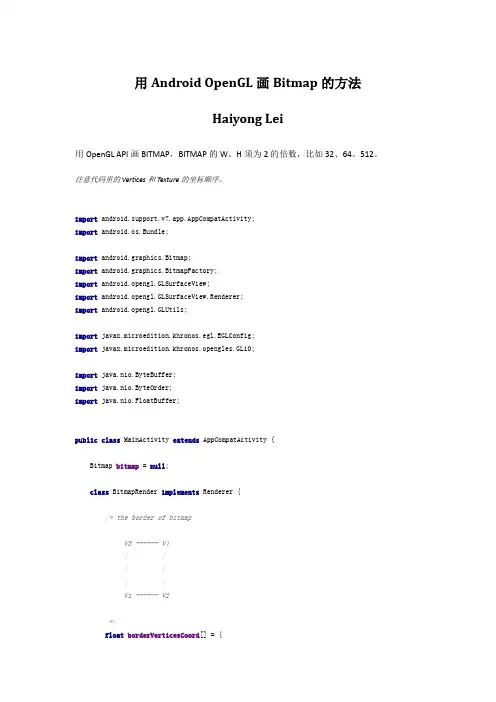
Android bitmap相关
- 格式:pdf
- 大小:186.03 KB
- 文档页数:8
Android Bitmap相关
文章分类:移动开发 Bitmap 相关 1. Bitmap比较特别 因为其不可创建 而只能借助于BitmapFactory 而根据 图像来源又可分以下几种情况: * png图片 如:R.drawable.tianjin Java代码 Bitmap bmp = BitmapFactory.decodeResource(this.getResources(), R.drawable.tianjin); Bitmap bmp = BitmapFactory.decodeResource(this.getResources(), R.drawable.tianjin); * 图像文件 如: /sdcard/dcim/tianjin.jpeg Java代码 Bitmap bmp = BitmapFactory.decodeFile("/sdcard/dcoim/tianjin.jpeg") Bitmap bmp = BitmapFactory.decodeFile("/sdcard/dcoim/tianjin.jpeg") 2. Bitmap 相关应用 - 本地保存 即 把 Bitmap 保存在sdcard中 * 创建目标文件的File Java代码 File fImage = new File("/sdcard/dcim","beijing.jpeg"); FileOutputStream iStream = new FileOutputStream(fImage); File fImage = new File("/sdcard/dcim","beijing.jpeg"); FileOutputStream iStream = new FileOutputStream(fImage); * 取出Bitmap oriBmp Java代码 press(CompressFormat.JPEG, 100, iStream); press(CompressFormat.JPEG, 100, iStream); 上次一位仁兄告诉我的方法: 参照Bitmap 的API方法 compress(pressFormat format, int quality, OutputStream stream) Write a compressed version of the bitmap to the specified outputstream. 写到输出流里,就保存到文件了。 可以保存为几种格式:png,gif等貌似都可以,自己写的: public void saveMyBitmap(String bitName) throws IOException {
File f = new File("/sdcard/Note/" + bitName + ".png"); f.createNewFile(); FileOutputStream fOut = null; try { fOut = new FileOutputStream(f); } catch (FileNotFoundException e) { e.printStackTrace(); } press(pressFormat.PNG, 100, fOut); try { fOut.flush(); } catch (IOException e) { e.printStackTrace(); } try { fOut.close(); } catch (IOException e) { e.printStackTrace(); } } - 得到网路图片 * 定义网络图片对应的BufferedInputStream Java代码 //图片的链接地址 String icoURI = "http://202.140.96.134:8080/FS-RSS/img/RN.png"; URL imgURL = new URL(iu); URLConnection conn = imgURL.openConnection(); conn.connect(); InputStream is = conn.getInputStream(); BufferedInputStream bis = new BufferedInputStream(is); //图片的链接地址 String icoURI = "http://202.140.96.134:8080/FS-RSS/img/RN.png"; URL imgURL = new URL(iu);
URLConnection conn = imgURL.openConnection(); conn.connect(); InputStream is = conn.getInputStream(); BufferedInputStream bis = new BufferedInputStream(is); * 下载之 Java代码 Bitmap bmp = BitmapFactory.decodeStream(bis); Bitmap bmp = BitmapFactory.decodeStream(bis); * 关闭Stream Java代码 bis.close(); is.close(); 位图是我们开发中最常用的资源,毕竟一个漂亮的界面对用户是最有吸 引力的。 1. 从资源中获取位图 可以使用BitmapDrawable或者BitmapFactory来获取资源中的位图。 当然,首先需要获取资源: Resources res=getResources(); 使用BitmapDrawable获取位图 1. 使用BitmapDrawable (InputStream is)构造一个BitmapDrawable; 2. 使用BitmapDrawable类的getBitmap()获取得到位图; // 读取InputStream并得到位图 InputStream is=res.openRawResource(R.drawable.pic180); BitmapDrawable bmpDraw=new BitmapDrawable(is); Bitmap bmp=bmpDraw.getBitmap(); 或者采用下面的方式: BitmapDrawable bmpDraw= (BitmapDrawable)res.getDrawable(R.drawable.pic180); Bitmap bmp=bmpDraw.getBitmap(); 使用BitmapFactory获取位图 (Creates Bitmap objects from various sources, including files, streams, and
@Override public void onCreate(Bundle savedInstanceState) { super.onCreate(savedInstanceState); setContentView(new Panel(this)); } class Panel extends View{ public Panel(Context context) { super(context); } public void onDraw(Canvas canvas){ Bitmap bmp = BitmapFactory.decodeResource(getResources(), R.drawable.pic180); canvas.drawColor(Color.BLACK); canvas.drawBitmap(bmp, 10, 10, null); } } } 4. 位图缩放 (1)将一个位图按照需求重画一遍,画后的位图就是我们需要的了, 与位图的显示几乎一样:drawBitmap(Bitmap bitmap, Rect src, Rect dst, Paint paint)。 (2)在原有位图的基础上,缩放原位图,创建一个新的位图: CreateBitmap(Bitmap source, int x, int y, int width, int height, Matrix m, boolean filter) (3)借助Canvas的scale(float sx, float sy) (Preconcat the current matrix with the specified scale.),不过要注意此时整个画布都缩放了。 (4)借助Matrix: Bitmap bmp = BitmapFactory.decodeResource(getResources(), R.drawable.pic180); Matrix matrix=new Matrix(); matrix.postScale(0.2f, 0.2f); Bitmap dstbmp=Bitmap.createBitmap(bmp,0,0,bmp.getWidth(), bmp.getHeight(),matrix,true); canvas.drawColor(Color.BLACK); canvas.drawBitmap(dstbmp, 10, 10, null); 5. 位图旋转
byte-arrays.) 使用BitmapFactory类decodeStream(InputStream is)解码位图资源,获取位 图。 Bitmap bmp=BitmapFactory.decodeResource(res, R.drawable.pic180); BitmapFactory的所有函数都是static,这个辅助类可以通过资源ID、路 径、文件、数据流等方式来获取位图。 以上方法在编程的时候可以自由选择,在Android SDK中说明可以支持 的图片格式如下:png (preferred), jpg (acceptable), gif (discouraged),和 bmp(Android SDK Support Media Format)。 2. 获取位图的信息 要获取位图信息,比如位图大小、像素、density、透明度、颜色格式 等,获取得到Bitmap就迎刃而解了,这些信息在Bitmap的手册中,这里 只是辅ap.Config定义,仅包括 ALPHA_8、ARGB_4444、ARGB_8888、RGB_565,缺少了一些其他 的,比如说RGB_555,在开发中可能需要注意这个小问题; * Bitmap还提供了compress()接口来压缩图片,不过AndroidSAK只支 持PNG、JPG格式的压缩;其他格式的需要Android开发人员自己补充 了。 3. 显示位图 显示位图可以使用核心类Canvas,通过Canvas类的drawBirmap()显示位 图,或者借助于BitmapDrawable来将Bitmap绘制到Canvas。当然,也可 以通过BitmapDrawable将位图显示到View中。 转换为BitmapDrawable对象显示位图 // 获取位图 Bitmap bmp=BitmapFactory.decodeResource(res, R.drawable.pic180); // 转换为BitmapDrawable对象 BitmapDrawable bmpDraw=new BitmapDrawable(bmp); // 显示位图 ImageView iv2 = (ImageView)findViewById(R.id.ImageView02); iv2.setImageDrawable(bmpDraw); 使用Canvas类显示位图 这儿采用一个继承自View的子类Panel,在子类的OnDraw中显示 public class MainActivity extends Activity { /** Called when the activity is first created. */
文章分类:移动开发 Bitmap 相关 1. Bitmap比较特别 因为其不可创建 而只能借助于BitmapFactory 而根据 图像来源又可分以下几种情况: * png图片 如:R.drawable.tianjin Java代码 Bitmap bmp = BitmapFactory.decodeResource(this.getResources(), R.drawable.tianjin); Bitmap bmp = BitmapFactory.decodeResource(this.getResources(), R.drawable.tianjin); * 图像文件 如: /sdcard/dcim/tianjin.jpeg Java代码 Bitmap bmp = BitmapFactory.decodeFile("/sdcard/dcoim/tianjin.jpeg") Bitmap bmp = BitmapFactory.decodeFile("/sdcard/dcoim/tianjin.jpeg") 2. Bitmap 相关应用 - 本地保存 即 把 Bitmap 保存在sdcard中 * 创建目标文件的File Java代码 File fImage = new File("/sdcard/dcim","beijing.jpeg"); FileOutputStream iStream = new FileOutputStream(fImage); File fImage = new File("/sdcard/dcim","beijing.jpeg"); FileOutputStream iStream = new FileOutputStream(fImage); * 取出Bitmap oriBmp Java代码 press(CompressFormat.JPEG, 100, iStream); press(CompressFormat.JPEG, 100, iStream); 上次一位仁兄告诉我的方法: 参照Bitmap 的API方法 compress(pressFormat format, int quality, OutputStream stream) Write a compressed version of the bitmap to the specified outputstream. 写到输出流里,就保存到文件了。 可以保存为几种格式:png,gif等貌似都可以,自己写的: public void saveMyBitmap(String bitName) throws IOException {
File f = new File("/sdcard/Note/" + bitName + ".png"); f.createNewFile(); FileOutputStream fOut = null; try { fOut = new FileOutputStream(f); } catch (FileNotFoundException e) { e.printStackTrace(); } press(pressFormat.PNG, 100, fOut); try { fOut.flush(); } catch (IOException e) { e.printStackTrace(); } try { fOut.close(); } catch (IOException e) { e.printStackTrace(); } } - 得到网路图片 * 定义网络图片对应的BufferedInputStream Java代码 //图片的链接地址 String icoURI = "http://202.140.96.134:8080/FS-RSS/img/RN.png"; URL imgURL = new URL(iu); URLConnection conn = imgURL.openConnection(); conn.connect(); InputStream is = conn.getInputStream(); BufferedInputStream bis = new BufferedInputStream(is); //图片的链接地址 String icoURI = "http://202.140.96.134:8080/FS-RSS/img/RN.png"; URL imgURL = new URL(iu);
URLConnection conn = imgURL.openConnection(); conn.connect(); InputStream is = conn.getInputStream(); BufferedInputStream bis = new BufferedInputStream(is); * 下载之 Java代码 Bitmap bmp = BitmapFactory.decodeStream(bis); Bitmap bmp = BitmapFactory.decodeStream(bis); * 关闭Stream Java代码 bis.close(); is.close(); 位图是我们开发中最常用的资源,毕竟一个漂亮的界面对用户是最有吸 引力的。 1. 从资源中获取位图 可以使用BitmapDrawable或者BitmapFactory来获取资源中的位图。 当然,首先需要获取资源: Resources res=getResources(); 使用BitmapDrawable获取位图 1. 使用BitmapDrawable (InputStream is)构造一个BitmapDrawable; 2. 使用BitmapDrawable类的getBitmap()获取得到位图; // 读取InputStream并得到位图 InputStream is=res.openRawResource(R.drawable.pic180); BitmapDrawable bmpDraw=new BitmapDrawable(is); Bitmap bmp=bmpDraw.getBitmap(); 或者采用下面的方式: BitmapDrawable bmpDraw= (BitmapDrawable)res.getDrawable(R.drawable.pic180); Bitmap bmp=bmpDraw.getBitmap(); 使用BitmapFactory获取位图 (Creates Bitmap objects from various sources, including files, streams, and
@Override public void onCreate(Bundle savedInstanceState) { super.onCreate(savedInstanceState); setContentView(new Panel(this)); } class Panel extends View{ public Panel(Context context) { super(context); } public void onDraw(Canvas canvas){ Bitmap bmp = BitmapFactory.decodeResource(getResources(), R.drawable.pic180); canvas.drawColor(Color.BLACK); canvas.drawBitmap(bmp, 10, 10, null); } } } 4. 位图缩放 (1)将一个位图按照需求重画一遍,画后的位图就是我们需要的了, 与位图的显示几乎一样:drawBitmap(Bitmap bitmap, Rect src, Rect dst, Paint paint)。 (2)在原有位图的基础上,缩放原位图,创建一个新的位图: CreateBitmap(Bitmap source, int x, int y, int width, int height, Matrix m, boolean filter) (3)借助Canvas的scale(float sx, float sy) (Preconcat the current matrix with the specified scale.),不过要注意此时整个画布都缩放了。 (4)借助Matrix: Bitmap bmp = BitmapFactory.decodeResource(getResources(), R.drawable.pic180); Matrix matrix=new Matrix(); matrix.postScale(0.2f, 0.2f); Bitmap dstbmp=Bitmap.createBitmap(bmp,0,0,bmp.getWidth(), bmp.getHeight(),matrix,true); canvas.drawColor(Color.BLACK); canvas.drawBitmap(dstbmp, 10, 10, null); 5. 位图旋转
byte-arrays.) 使用BitmapFactory类decodeStream(InputStream is)解码位图资源,获取位 图。 Bitmap bmp=BitmapFactory.decodeResource(res, R.drawable.pic180); BitmapFactory的所有函数都是static,这个辅助类可以通过资源ID、路 径、文件、数据流等方式来获取位图。 以上方法在编程的时候可以自由选择,在Android SDK中说明可以支持 的图片格式如下:png (preferred), jpg (acceptable), gif (discouraged),和 bmp(Android SDK Support Media Format)。 2. 获取位图的信息 要获取位图信息,比如位图大小、像素、density、透明度、颜色格式 等,获取得到Bitmap就迎刃而解了,这些信息在Bitmap的手册中,这里 只是辅ap.Config定义,仅包括 ALPHA_8、ARGB_4444、ARGB_8888、RGB_565,缺少了一些其他 的,比如说RGB_555,在开发中可能需要注意这个小问题; * Bitmap还提供了compress()接口来压缩图片,不过AndroidSAK只支 持PNG、JPG格式的压缩;其他格式的需要Android开发人员自己补充 了。 3. 显示位图 显示位图可以使用核心类Canvas,通过Canvas类的drawBirmap()显示位 图,或者借助于BitmapDrawable来将Bitmap绘制到Canvas。当然,也可 以通过BitmapDrawable将位图显示到View中。 转换为BitmapDrawable对象显示位图 // 获取位图 Bitmap bmp=BitmapFactory.decodeResource(res, R.drawable.pic180); // 转换为BitmapDrawable对象 BitmapDrawable bmpDraw=new BitmapDrawable(bmp); // 显示位图 ImageView iv2 = (ImageView)findViewById(R.id.ImageView02); iv2.setImageDrawable(bmpDraw); 使用Canvas类显示位图 这儿采用一个继承自View的子类Panel,在子类的OnDraw中显示 public class MainActivity extends Activity { /** Called when the activity is first created. */