实验1:路由器基本配置命令
- 格式:docx
- 大小:188.38 KB
- 文档页数:6
实验1:路由器基本配置命令 1. 实验目的
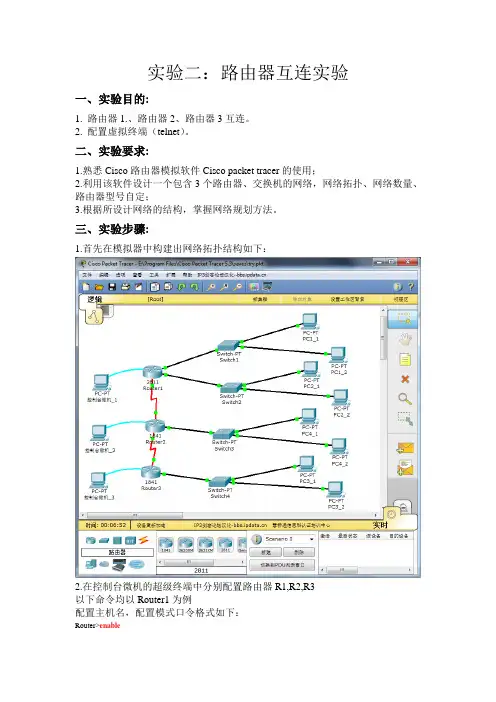
(1) 计算机的串口和路由器console 口的连接方法; (2) 使用Windows 系统自带的超级终端软件配置路由器; (3) 路由器的开机。 2. 实验拓扑 3. 实验步骤 (1) 步骤1:如图1-1,连接好计算机COM 1 口和路由器的CONSOLE 口,路由器开机 (2) 步骤2:打开超级终端 在Windows 中的【开始】→【程序】→【附件】→【通信】菜单下打开“超级终端”程 序,出现图1-1 窗口。在“名称”对话框中输入名称,例如“Router”;按【确定】按钮。 出现图1-2 窗口时,在“连接时使用”下拉菜单中选择计算机的COM 1 口,按【确定】按钮。
图1-1 选择COM 口 图1-2 连接
(3) 步骤3:设置通信参数
图1-3 属性 通常路由器出厂时,波特率为9600bps,因此在图1-3 窗口中,点击【还原为默认值】 按钮设置超级终端的通信参数;再点击【确定】按钮。按【回车】键,看看超级终端窗口上 是否出现路由器提示符或其他字符,如果出现提示符或者其他字符则说明计算机已经连接到 路由器了,我们可以开始配置路由器了。 (4) 步骤4:路由器开机 关闭路由器电源,稍后重新打开电源,观察路由器的开机过程,如下: System Bootstrap, Version 12.4(1r) [hqluong 1r], RELEASE SOFTWARE (fc1) //以上显示BOOT ROM 的版本 Copyright (c) 2005 by CISCO Systems, Inc. Initializing memory for ECC c2821 processor with 262144 Kbytes of main memory Main memory is configured to 64 bit mode with ECC enabled //以上显示路由器的内存大小 Readonly ROMMON initialized program load complete, entry point: 0x8000f000, size: 0x274bf4c Self decompressing the image : ############################################################################################ ############################################################################################ ############################################################################################ ############################################################################################ ##################################################################################### [OK] //以上是IOS 解压过程 --- System Configuration Dialog --- Continue with configuration dialog? [yes/no]: //以上提示是否进入配置对话模式?我们回答“n”结束该模式
(5) 步骤5:基本配置命令 1.模式切换 Router > //用户模式 Router>enable Router# //用户模式进入特权模式 Router# configure terminal Enter configuration commands, one per line. End with CNTL/Z. Router(config)# //特权模式进入全局模式 Router(config)#interface f0/0 Router(config-if)# //进入以太网接口f0/0 Router(config-if)#exit Router(config)# //回退一级 Router(config-if)#end Router# //直接退出到特权模式
2.使用?显示命令 使用TAB补全命令 Router#conf //按tab键,显示下面的完整命令 Router#configure
Router(config)#interface ? Ethernet IEEE 802.3 FastEthernet FastEthernet IEEE 802.3 GigabitEthernet GigabitEthernet IEEE 802.3z Loopback Loopback interface Serial Serial Vlan Catalyst Vlans range interface range command Router(config)#interface //键入interface后,不知道后续命令是什么,这时候键入“?”,下面会提示有哪些命令可用
3.为路由器命名 Router(config)#hostname R1 //更改路由器的名字,“Router”改为“R1” R1(config)#
4.查看路由器信息 Router#clock set 18:18:18 12 june 2010 //设置路由器时间 Router#show clock // 查询路由器时间 Router#show version // 查询路由器IOS版本信息 Router#show running-config //查询内存中的配置文件,显示情况类似下面 Building configuration...
Current configuration : 315 bytes ! version 12.2 no service password-encryption ! hostname Router ! ! ! ! interface FastEthernet0/0 ip address 192.168.1.1 255.255.255.0 duplex auto speed auto ! interface FastEthernet0/1 ip address 192.168.2.1 255.255.255.0 duplex auto speed auto ! ip classless ! ! ! ! line con 0 line vty 0 4 login ! ! End
Router#show interfaces f0/0 // 查询端口“f0/0”的信息,显示情况类似下面 FastEthernet0/0 is up, line protocol is up (connected) Hardware is Lance, address is 0040.0b89.b101 (bia 0040.0b89.b101) Internet address is 192.168.1.1/24 MTU 1500 bytes, BW 100000 Kbit, DLY 100 usec, rely 255/255, load 1/255 Encapsulation ARPA, loopback not set ARP type: ARPA, ARP Timeout 04:00:00, Last input 00:00:08, output 00:00:05, output hang never Last clearing of "show interface" counters never Queueing strategy: fifo Output queue :0/40 (size/max) 5 minute input rate 3 bits/sec, 0 packets/sec 5 minute output rate 3 bits/sec, 0 packets/sec 3 packets input, 120 bytes, 0 no buffer Received 0 broadcasts, 0 runts, 0 giants, 0 throttles 0 input errors, 0 CRC, 0 frame, 0 overrun, 0 ignored, 0 abort 0 input packets with dribble condition detected 2 packets output, 120 bytes, 0 underruns 0 output errors, 0 collisions, 1 interface resets 0 babbles, 0 late collision, 0 deferred 0 lost carrier, 0 no carrier 0 output buffer failures, 0 output buffers swapped out
Router#show arp // 查询路由器中的ARP表,显示情况类似下面 Protocol Address Age (min) Hardware Addr Type Interface Internet 192.168.1.1 - 0040.0B89.B101 ARPA FastEthernet0/0 Internet 192.168.1.2 0 0004.9A93.BBB0 ARPA FastEthernet0/0 Internet 192.168.2.1 - 0040.0B89.B102 ARPA FastEthernet0/1 Internet 192.168.2.2 0 000B.BE4C.2367 ARPA FastEthernet0/1