百度ueditor富⽂本编辑器实现上传⽂件、图⽚、视频到ftp服务器并在页⾯端回显之前⼀直⽤ueditor作为富⽂本编辑器,想要实现图⽚上传到ftp的功能,⽹上搜索了⼀圈,发现都感觉讲的不是很明⽩,⽽且有不少要引⼊其他的java代码,最近⾃⼰试了⼀下,终于调通了,希望能帮到各位。
废话不多说,查看步骤。
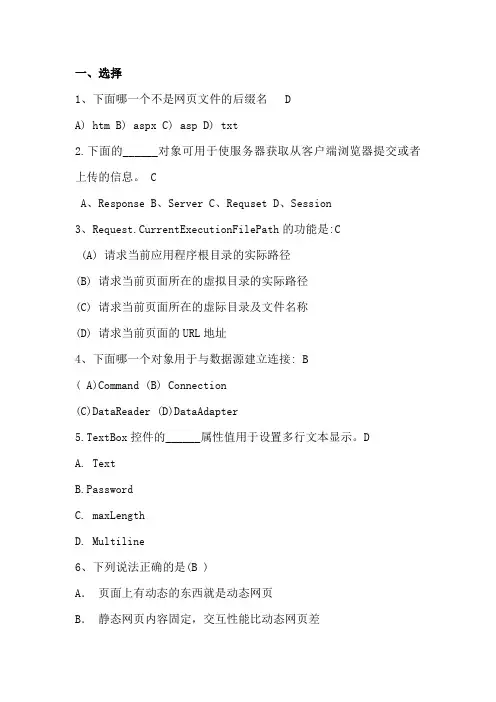
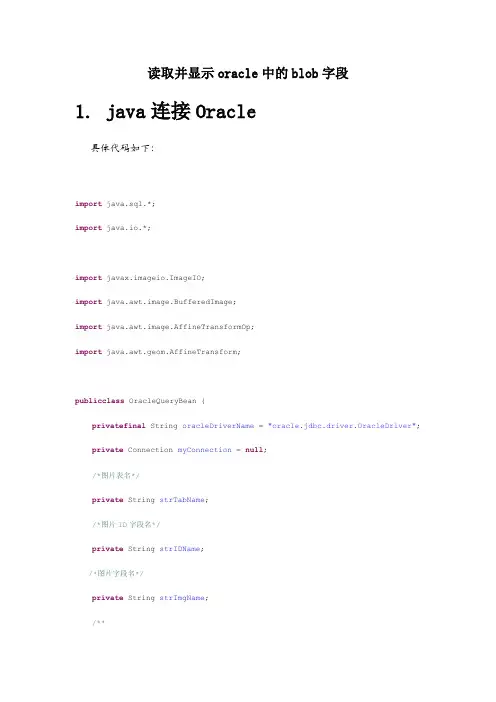
(注意,这个是springboot版本,其实springmvc的也差不多,有⼀点点不同,最后我会说明)1.将utf8-jsp的整个⽂件夹复制到resources的static⽬录下,打开之后⽬录如下。
项⽬⽬录如下(我多加了⼀层ueditor⽬录,不过也⼀样)2.写两个controller,代码如下(请忽略楼主潦草的代码,⾃⼰拿回去调整⼀下,修改⼀下UploadController中ftp的地址,密码即可,总共有三个地⽅)1.UploadControllerpackage com.wang.controller;import lombok.extern.slf4j.Slf4j;import mons.fileupload.FileItem;import mons.fileupload.disk.DiskFileItemFactory;import mons.fileupload.servlet.ServletFileUpload;import .ftp.FTP;import .ftp.FTPClient;import .ftp.FTPConnectionClosedException;import .ftp.FTPReply;import org.slf4j.Logger;import org.slf4j.LoggerFactory;import org.springframework.stereotype.Controller;import org.springframework.web.bind.annotation.RequestMapping;import org.springframework.web.bind.annotation.RequestParam;import org.springframework.web.bind.annotation.ResponseBody;import javax.imageio.ImageIO;import javax.servlet.http.HttpServletRequest;import javax.servlet.http.HttpServletResponse;import java.awt.image.BufferedImage;import java.io.*;import .URLEncoder;import java.text.SimpleDateFormat;import java.util.*;@RequestMapping("/ueditor/file")@Controller@Slf4jpublic class UploadController {private FTPClient ftpClient = new FTPClient();private Logger logger = LoggerFactory.getLogger(UploadController.class);//上传图⽚并回显@RequestMapping("/uploadImg")@ResponseBodypublic Map<String,Object> upload(HttpServletRequest request) throws Exception {Map<String ,Object> map = new HashMap<>();// 判断enctype属性是否为multipart/form-databoolean isMultipart = ServletFileUpload.isMultipartContent(request);if (!isMultipart)throw new IllegalArgumentException("上传内容不是有效的multipart/form-data类型.");// Create a factory for disk-based file itemsDiskFileItemFactory factory = new DiskFileItemFactory();// Create a new file upload handlerServletFileUpload upload = new ServletFileUpload(factory);FileItem item = (FileItem) iter.next();// 如果是⽂件字段String fieldName = item.getFieldName();String orginFileName = item.getName();String imgSunffix = orginFileName.substring(stIndexOf(".")); String uuid = UUID.randomUUID().toString().replaceAll("-", "");String fileName = uuid+imgSunffix;// String contentType = item.getContentType();// boolean isInMemory = item.isInMemory();// long sizeInBytes = item.getSize();// String filePath = STORE_FILE_DIR + fileName;//写⼊⽂件到当前服务器磁盘// File uploadedFile = new File(filePath);SimpleDateFormat formatPath = new SimpleDateFormat("yyMMdd");SimpleDateFormat fromahhPath = new SimpleDateFormat("HH");String yyMMdd = formatPath.format(new Date());String hours = fromahhPath.format(new Date());String ftpfilePath = yyMMdd + "/" + hours;// FileInputStream fileInputStream = (FileInputStream) item.getInputStream(); InputStream inputStream = item.getInputStream();BufferedInputStream bufferedInputStream = null;bufferedInputStream = new BufferedInputStream(inputStream);FTPClient ftp = new FTPClient();try {int reply;ftp.connect("11111", 21);// 连接FTP服务器// 如果采⽤默认端⼝,可以使⽤ftp.connect(url)的⽅式直接连接FTP服务器 ftp.login("11111", "11111");// 登录ftp.setFileType(FTP.BINARY_FILE_TYPE);ftp.setFileTransferMode(FTP.STREAM_TRANSFER_MODE);reply = ftp.getReplyCode();if(!FTPReply.isPositiveCompletion(reply)){ftp.disconnect();throw new IOException("ftp登录失败");}for (String str:ftpfilePath.split("/")){ftp.makeDirectory(str);ftp.changeWorkingDirectory(str);}boolean tag = ftp.appendFile(fileName,bufferedInputStream);if(!tag){throw new Exception("保存到FTP失败");}}catch (Exception e){e.printStackTrace();}finally {try {inputStream.close();ftp.logout();} catch (IOException e) {e.printStackTrace();}if(ftp.isConnected()){try {ftp.disconnect();}catch (IOException e){e.printStackTrace();}}}String path = "/"+ftpfilePath+"/"+fileName;// item.write(uploadedFile);map.put("state","SUCCESS");map.put("url",path);map.put("title",orginFileName);map.put("original",orginFileName);}// response.setCharacterEncoding("UTF-8");// response.getWriter().println("上传成功");return map;}//回显图⽚// imgPath = "ftpfile\\upload\\11.png";OutputStream os = null;ftp = new FTPClient();ftp.setConnectTimeout(1000 * 30);//设置连接超时时间ftp.setControlEncoding("utf-8");//设置ftp字符集ftp.enterLocalPassiveMode();//设置被动模式,⽂件传输端⼝设置try {int reply;ftp.connect("11111", 21);// 连接FTP服务器// 如果采⽤默认端⼝,可以使⽤ftp.connect(url)的⽅式直接连接FTP服务器ftp.login("11111", "11111");// 登录ftp.setFileType(FTP.BINARY_FILE_TYPE);ftp.setFileTransferMode(FTP.STREAM_TRANSFER_MODE);reply = ftp.getReplyCode();if (!FTPReply.isPositiveCompletion(reply)) {ftp.disconnect();throw new IOException("FTP登录失败");}//下载⽂件 FTP协议⾥⾯,规定⽂件名编码为iso-8859-1,所以读取时要将⽂件名转码为iso-8859-1//如果没有设置按照UTF-8读,获取的流是空值nullin = ftp.retrieveFileStream(new String(imgPath.getBytes("UTF-8"), "iso-8859-1"));String picType = imgPath.split("\\.")[1];BufferedImage bufImg = null;bufImg = ImageIO.read(in);os = response.getOutputStream();ImageIO.write(bufImg, picType, os);} catch (IOException e) {e.printStackTrace();} finally {try {in.close();// 在这⾥关闭,保证⼀定要关闭ftp.logout();// 在这⾥登出,保证⼀定要登出} catch (IOException e) {e.printStackTrace();}if (ftp.isConnected()) {try {ftp.disconnect();} catch (IOException ioe) {}}}response.setContentType("image/jpg");}/*** 下载⽂件到浏览器* @param response* @throws IOException*/@RequestMapping("/downloadFile.do")@ResponseBodypublic void downFile(@RequestParam("path")String path, HttpServletResponse response) throws IOException {// 获取ftp信息// 获取⽂件名称String[] strs = path.split("/");String downloadFile = strs[strs.length - 1];try {// 设置⽂件ContentType类型,这样设置,会⾃动判断下载⽂件类型response.setContentType("application/x-msdownload");// 设置⽂件头:最后⼀个参数是设置下载的⽂件名并编码为UTF-8response.setHeader("Content-Disposition", "attachment;filename=" + URLEncoder.encode(downloadFile, "UTF-8")); // 建⽴连接connectToServer();ftpClient.enterLocalPassiveMode();// 设置传输⼆进制⽂件int reply = ftpClient.getReplyCode();// ftpClient.changeWorkingDirectory("./home/ftp");if(!FTPReply.isPositiveCompletion(reply)) {ftpClient.disconnect();throw new IOException("failed to connect to the FTP Server:"+21);}// 此句代码适⽤Linux的FTP服务器String newPath = new String(path.getBytes("GBK"),"ISO-8859-1");bis = new BufferedInputStream(is);OutputStream out = response.getOutputStream();byte[] buf = new byte[1024];int len = 0;while ((len = bis.read(buf)) > 0) {out.write(buf, 0, len);}out.flush();} catch (Exception e) {e.printStackTrace();} finally {closeConnect();if (bis != null) {try {bis.close();} catch (IOException e) {e.printStackTrace();}}if (is != null) {try {is.close();} catch (IOException e) {e.printStackTrace();}}}} catch (FTPConnectionClosedException e) {logger.error("ftp连接被关闭!", e);throw e;} catch (Exception e) {logger.error("ERR : upload file "+ downloadFile+ " from ftp : failed!", e);}}/*** 连接到ftp服务器*/private void connectToServer() throws Exception {// ftpClient.connect(server,21);if (!ftpClient.isConnected()) {int reply;try {ftpClient=new FTPClient();ftpClient.connect("111111", 21);// 连接FTP服务器// 如果采⽤默认端⼝,可以使⽤ftp.connect(url)的⽅式直接连接FTP服务器ftpClient.login("111111", "111111");// 登录reply = ftpClient.getReplyCode();if (!FTPReply.isPositiveCompletion(reply)) {ftpClient.disconnect();("connectToServer FTP server refused connection.");}}catch(FTPConnectionClosedException ex){logger.error("服务器:IP:"+21+"没有连接数!there are too many connected users,please try later", ex); throw ex;}catch (Exception e) {logger.error("登录ftp服务器【"+21+"】失败", e);throw e;}}}/**** 功能:关闭连接*/public void closeConnect() {try {if (ftpClient != null) {ftpClient.logout();ftpClient.disconnect();}} catch (Exception e) {logger.error("ftp连接关闭失败!", e);} 2.ServerControllerpackage com.wang.controller;import com.alibaba.fastjson.JSON;import com.alibaba.fastjson.JSONObject;import com.baidu.ueditor.ActionEnter;import org.springframework.core.io.ClassPathResource;import org.springframework.stereotype.Controller;import org.springframework.util.ClassUtils;import org.springframework.web.bind.annotation.RequestMapping;import javax.servlet.http.HttpServletRequest;import javax.servlet.http.HttpServletResponse;import java.io.FileInputStream;import java.io.IOException;import java.io.InputStream;import java.io.PrintWriter;//ueditor单独上传的controller@Controllerpublic class ServerController {@RequestMapping("/configNew")public void config(HttpServletRequest request, HttpServletResponse response){response.setContentType("application/json");// String res = ClassUtils.getDefaultClassLoader().getResource("km").getPath();// System.out.println("res:"+res);System.out.println("路径:"+ClassUtils.getDefaultClassLoader().getResource("").getPath());// String rootPath = ClassUtils.getDefaultClassLoader().getResource("../../").getPath() + "static/ueditor/jsp"; String rootPath = ClassUtils.getDefaultClassLoader().getResource("").getPath() + "static/ueditor/jsp";System.out.println("root路径:"+rootPath);try {response.setCharacterEncoding("UTF-8");String exec = new ActionEnter(request, rootPath).exec();System.out.println(exec);PrintWriter writer = response.getWriter();writer.write(new ActionEnter(request, rootPath).exec());writer.flush();writer.close();} catch (IOException e) {e.printStackTrace();}}// public void getUEConfig(HttpServletRequest request, HttpServletResponse response){// org.springframework.core.io.Resource res = new ClassPathResource("config.json");// InputStream is = null;// response.setHeader("Content-Type" , "text/html");// try {// is = new FileInputStream(res.getFile());// StringBuffer sb = new StringBuffer();// byte[] b = new byte[1024];// int length=0;// while(-1!=(length=is.read(b))){// sb.append(new String(b,0,length,"utf-8"));// }// String result = sb.toString().replaceAll("/\\*(.|[\\r\\n])*?\\*/","");// JSONObject json = JSON.parseObject(result);// PrintWriter out = response.getWriter();// out.print(json.toString());// } catch (IOException e) {// e.printStackTrace();// }finally {// try {// is.close();// } catch (IOException e) {// e.printStackTrace();// }// }// }} 3.修改ueditor.config.jsvar URL = window.UEDITOR_HOME_URL || getUEBasePath();var server_url = window.location.protocol+"//"+window.location.hostname+":"+window.location.port;/*** 配置项主体。