
ARCHICAD智能立面工具手册
- 格式:pdf
- 大小:682.04 KB
- 文档页数:9
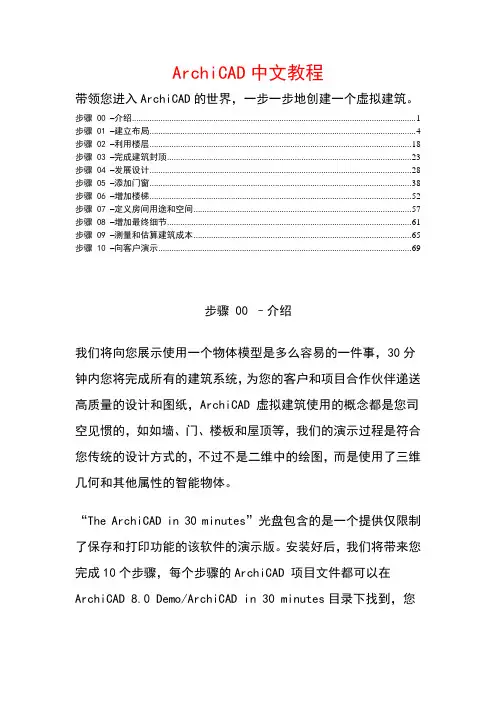
ArchiCAD中文教程带领您进入ArchiCAD的世界,一步一步地创建一个虚拟建筑。
步骤 00 –介绍 (1)步骤 01 –建立布局 (4)步骤 02 –利用楼层 (18)步骤 03 –完成建筑封顶 (23)步骤 04 –发展设计 (28)步骤 05 –添加门窗 (38)步骤 06 –增加楼梯 (52)步骤 07 –定义房间用途和空间 (57)步骤 08 –增加最终细节 (61)步骤 09 –测量和估算建筑成本 (65)步骤 10 –向客户演示 (69)步骤 00 –介绍我们将向您展示使用一个物体模型是多么容易的一件事,30分钟内您将完成所有的建筑系统,为您的客户和项目合作伙伴递送高质量的设计和图纸,ArchiCAD 虚拟建筑使用的概念都是您司空见惯的,如如墙、门、楼板和屋顶等,我们的演示过程是符合您传统的设计方式的,不过不是二维中的绘图,而是使用了三维几何和其他属性的智能物体。
“The ArchiCAD in 30 minutes”光盘包含的是一个提供仅限制了保存和打印功能的该软件的演示版。
安装好后,我们将带来您完成10个步骤,每个步骤的ArchiCAD 项目文件都可以在ArchiCAD 8.0 Demo/ArchiCAD in 30 minutes目录下找到,您必须在一次完成一个步骤,因为您不能保存,您只需要打开对应步骤的文件,该步骤之前的所有步骤完成的内容都有。
您将学习创建一个小展览室,底楼是展览空间,二楼为画廊,以及其他一些员工和参观者所需要的日常设施。
建筑平面图如下,不同的用户界面元素将帮您完成建筑该项目。
坐标框显示光标所在位置的世界坐标或局部坐标,让您控制栅格系统和重力工具的状态。
界面左边的工具箱显示了一系列用于选择、3D建构、2D绘图和视觉化表现的工具。
信息框使您获得建筑部件的即时反馈信息。
用它来设置任何部件并可直接修改它们的参数,在显示当前工具的图标同时还显示其当前建构方式和几何形状。
【AC资讯】ARCHICAD功能分解教程上线啦
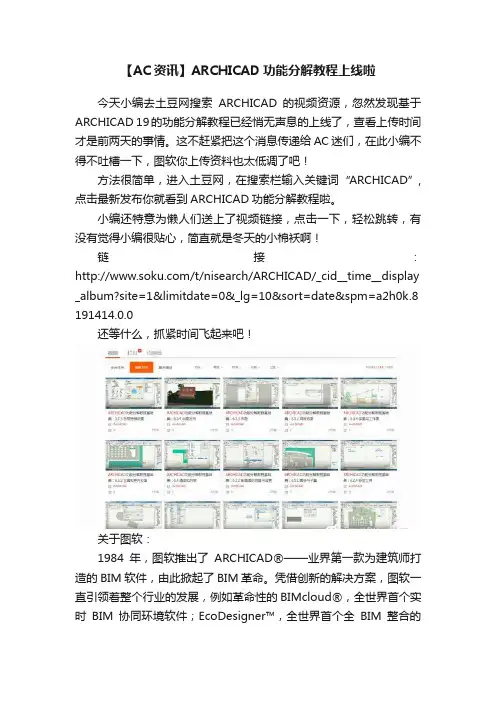
今天小编去土豆网搜索ARCHICAD的视频资源,忽然发现基于ARCHICAD 19的功能分解教程已经悄无声息的上线了,查看上传时间才是前两天的事情。
这不赶紧把这个消息传递给AC迷们,在此小编不得不吐槽一下,图软你上传资料也太低调了吧!
方法很简单,进入土豆网,在搜索栏输入关键词“ARCHICAD”,点击最新发布你就看到ARCHICAD功能分解教程啦。
小编还特意为懒人们送上了视频链接,点击一下,轻松跳转,有没有觉得小编很贴心,简直就是冬天的小棉袄啊!
链接:/t/nisearch/ARCHICAD/_cid__time__display _album?site=1&limitdate=0&_lg=10&sort=date&spm=a2h0k.8 191414.0.0
还等什么,抓紧时间飞起来吧!
关于图软:
1984年,图软推出了ARCHICAD®——业界第一款为建筑师打造的BIM软件,由此掀起了BIM革命。
凭借创新的解决方案,图软一直引领着整个行业的发展,例如革命性的BIMcloud®,全世界首个实时BIM协同环境软件;EcoDesigner™,全世界首个全BIM整合的
“GREEN”设计解决方案;BIMx®,全世界领先的BIM可视化移动App。
图软隶属于Nemetschek集团。
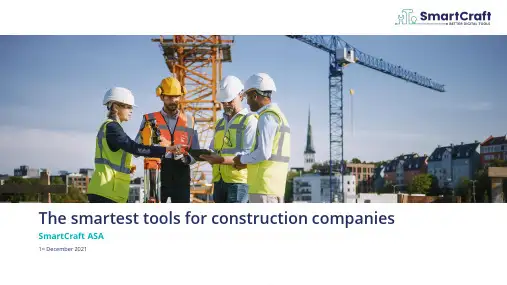
The smartest tools for construction companies SmartCraft ASA1st December 2021•A brief intro to SmartCraft•Our contribution to the construction industry •Q&AAgendaDisclaimerIMPORTANT–You must read the following before continuing.The following applies to this document,the oral presentation of the information in this document by SmartCraft ASA(the"Company")or any person on behalf of the Company,and any question-and-answer session that follows the oral presentation(collectively,the"Information").In accessing the Information,you agree to be bound by the following terms and conditions.The Information does not constitute or form part of,and should not be construed as an offer or the solicitation of an offer to subscribe for or purchase shares or other securities of the Company,and nothing contained therein shall form the basis of or be relied on in connection with any contract or commitment whatsoever,nor does it constitute a recommendation regarding such shares or other securities.Any shares or other securities of the Company may not be offered or sold in the United States or any other jurisdiction where such a registration would be required unless so registered,or an exemption from the registration requirements of the U.S.Securities Act of1933,as amended,or other applicable laws and regulations is available.The Information is not directed to,or intended for distribution to or use by,any person or entity that is a citizen or resident of,or located in,any locality,state, country or other jurisdiction where such distribution or use would be contrary to law or regulation or which would require any registration or licensing within such jurisdiction.The Information is not for publication,release or distribution in any jurisdiction in which offers or sales would be prohibited by applicable law.The Information has been prepared by the Company,and no other party accepts any responsibility whatsoever,or makes any representation or warranty,express or implied,for the contents of the Information,including its accuracy,completeness or verification or for any other statement made or purported to be made in connection with the Company and nothing in this document or at this presentation shall be relied upon as a promise or representation in this respect,whether as to the past or the future.The Information contains forward-looking statements.All statements other than statements of historical fact included in the Information are forward-looking statements.Forward-looking statements give the Company's current expectations and projections relating to its financial condition,results of operations,plans,objectives,future performance and business.These statements may include,without limitation,any statements preceded by,followed by or including words such as"target","ambition","outlook","believe","expect","aim","intend","may","anticipate","estimate","plan","project","will","can","have","likely","should","would","could"and other words and terms of similar meaning or the negative thereof.Such forward-looking statements involve known and unknown risks,uncertainties and other important factors beyond the Company's control that could cause the Company's actual results,performance or achievements to be materially different from the expected results,performance or achievements expressed or implied by such forward-looking statements.Such forward-looking statements are based on numerous assumptions regarding the Company's present and future business strategies and the environment in which it will operate in the future.Furthermore,information about past performance given in this Information is given for illustrative purposes only and should not be relied upon as,and is not,an indication of future performance.No representation,warranty or undertaking,express or implied,is made as to,and no reliance should be placed on,the fairness,accuracy,completeness or correctness of the Information or the opinions contained therein,and no liability whatsoever is accepted as to any errors,omissions or misstatements contained herein,and,accordingly,neither the Company nor any of its parent or subsidiary undertakings or any such person's officers or employees accepts any liability whatsoever arising directly or indirectly from the use of this document.The Information has not been independently verified and will not be updated.The Information,including but not limited to forward-looking statements,applies only as of the date of this document and is not intended to give any assurances as to future results.The Company expressly disclaims any obligation or undertaking to disseminate any updates or revisions to the Information,including any financial data or forward-looking statements,and will not publicly release any revisions it may make to the Information that may result from any change in the Company's expectations, any change in events,conditions or circumstances on which these forward-looking statements are based,or other events or circumstances arising after the date of this document.This presentation contains statistics,data,statements and other information relating to the group's markets and the industry in which it operates.Where such information has been derived from third-party sources,such sources have been identified herein.In addition,the Company has been named as a source for certain market and industry statements included in this presentation.Such"Company information"reflects the Company's views based on one or more sources available to it(some of which are not publicly available,but can be obtained against payment),including data compiled by professional organisations,consultants and analysts and information otherwise obtained from other third party sources.By reviewing this Information you acknowledge that you will be solely responsible for your own assessment of the market and the market position of the Company and that you will conduct your own analysis and be solely responsible for forming your own view of the potential future performance of the businesses of the Company.This Information must be read in conjunction with the recent financial reports of the Company and the disclosures therein.This Information shall be governed by Norwegian law,and any disputes relating to hereto is subject to the sole and exclusive jurisdiction of Norwegian courts.Simplify business for construction companiesBecome the leading provider of specialized digital solutions for construction companies in Northwestern EuropeSmartCraft has a clearly differentiated and unique position inthe value chainSMEEnterpriseDesign andplanning phaseBuildingphaseAccountingphase Architects | Engineers | Planners General and speciality contractors Accountants and administratorsCustomers /User groupsLeastdigitalizedThe leading Nordic provider1of mission critical solutions for the construction industryVast market opportunity, digitizing construction in the Nordics and North-Western EuropeStrong productportfolio with pureconstruction focusAttractive SaaSbusiness modelUnmatchedcombination ofgrowth andprofitability1)Currently penetrated market. Source: ADLStrong financial profile and attractive SaaS metricsNote: Based on YTD 30.09.2021 financials prepared according to IFRS1. Defined as revenues from fixed price subscriptions;2. Defined as subscription revenue on fixed price + transaction based pricing,3. Conversion from meetings to sales in 2020Nordic market leaderOutstanding metricsAttractive and scalable profileNordic leader with domain expertise ~115,000 users ~11,000 customers Complete vertical software offerings41%Adjusted EBITDA margin 55%sales conversion 37acquisitions in 2017-2021NOK 260m ARR 1,6%churn 95% recurring revenue 2, 18% organic growth 16% organic growth in total revenue•Experienced management team with unique industry skills and proven SaaS track record•180 employees of which 1/3 work in R&D •Solid balance sheet with net cash position•Strong investment and acquisition ability•Solid domestic and international shareholder base •Management and Board 10,4% ownershipSolid platform for future growthGradually integrating products and technology to leverage scalabilityPastPresentFutureIndividual autonomous solutions Integrate where it makes senseCommon services; communication, authentication, single sign on, etcCordelHWS/Electro project MgtKvalitetskontrollQA SME general contractorsELVISElectro QA, calc.,documentationByggletSME project mgtgeneral contractorsCongridQA and safety general contractorsHomeRunProject communicationgeneral contractorsCordelHWS/Electro project MgtKvalitetskontrollQA SME general contractorsELVISElectro QA, calc.,documentationByggletSME project mgtgeneral contractorsCongridQA and safety general contractorsHomeRunProject communicationgeneral contractorsSmartCraftSoftware reduces the environmental footprint of construction companies1.The Chartered Institute of Building, 2021The industrychallenges•Generates 30% of world •greenhouse gases 1•Use 32% of world natural resources 1•5% re-work causes extra waste 2The SME company challenges•Too much time spent on unproductive tasks •Low profitability•Lack of control and overviewSmartCraft’s contribution•Reduce manual processes •Increase productivity and cost control•Minimize transportation •Check lists and standardprocedures to reduce re-work •Reduce paperHighly integrated solutions with many touch pointsIn officeIntegrated with ERP, CRM and other software solutionsRegulatoryAutomated reporting to relevant bodiesIn fieldUsed byworkers daily across sitesSuppliersDirectlyintegrated to major suppliersIntegrated with all key customer activitiesMission critical SaaS solutions Solution covers all daily and new project tasks Modular offering«All-in-one» app solution ~80% of users 1use the solutions on a daily basisEasy to implement, easy to use, easy supportNote: 1. Based on Cordel usersMultiple levers for growth… driven by a strong commercial organization and proven go -to-market model Organic growth: Furtheroptimization of marketing and salesM&A in existing and new geographiesUpsales to existingcustomersWin new customersCross sell on existing portfolio Proven M&A trackrecordDetailed M&A methodologyActive M&A pipelineMedium term financial targetsGrowthbolt on M&AMargin15 –20%Organic growthMargin expected to increase due toscalability of the businessShort-term considerations:1)Impact from acquired companies last 12 months 2)Additional costs as a listed company: New accounting system, New controller and IR functionQ&A。
建筑师不能不知的BIM软件之ArchiCADArchiCAD是Graphisoft公司的旗舰产品,也是当今最优秀的三维建筑设计软件之一。
其基于全三维的模型设计,拥有强大的剖/立面、设计图档、参数计算等自动生成功能,以及便捷的方案演示和图形渲染,为建筑师提供了一个无与伦比的'所见即所得'的图形设计工具。
ArchiCAD内置的PlotMaker图档编辑软件使出图过程与图档管理的自动化水平大大提高,而智能化的工具也保证了每个细微的修改在整个图册中相关图档的自动更新,大大节省了传统设计软件大量的绘图与图纸编辑时间,使建筑师能够有更多的时间和精力专注于设计本身,创造出更多激动人心的设计精品。
同时对于各设计企业来说,ArchiCAD不仅仅意味着设计生产力的提升,还能够帮助企业更为高效科学地管理与检索设计文档,完善企业的设计标准,提高知识产品的使用价值。
ArchiCAD完善的团队协作功能为大型项目的多组织、多成员协同设计提供了高效的工具,团队领导者可以根据不同区域、不同功能、不同建筑元素等属性将设计任务分解,而团队成员可以依据权限在一个共同的可视化项目环境里准确无误的完成协同工作;同时ArchiCAD 创建的三维模型,通过IFC标准平台的信息交互,可以为后续的结构、暖通、施工等专业,以及建筑力学、物理分析等提供强大的基础模型,为多专业协同设计提供了有效的保障。
ArchiCAD ——建筑设计建筑设计是一个包含了大量技能与任务的过程,既需要很高的创造性也包括很多的重复性劳动,ArchiCAD的研发源于对这个核心的深刻理解。
通过上百万个项目的实践和验证,Graphisoft为建筑师提供最佳的解决方案,无论是对于大型项目还是私人住宅设计,ArchiCAD 提供了一个不可匹敌的、全面成熟的平台。
现在到了来探索这个强大解决方案的时候了,它支持建筑师在建筑设计全过程中的最复杂需求。
【综合的建筑设计工具】“虚拟建筑”方法使用户获得了竞争的优势。
广联达施工现场三维设计软件学习手册介绍广联达施工现场三维设计软件是一款帮助建筑师和设计师在施工现场进行三维设计的工具。
本手册旨在帮助用户研究如何使用该软件。
环境要求在使用该软件前,请确保您的计算机符合以下要求:- 操作系统:Windows 10/8/7- 处理器:Intel Core i5 或更高版本- 内存:8 GB 或更高版本- 显卡: NVIDIA 或 AMD 显卡,支持 DirectX 11界面概述该软件界面分为以下几个部分:- 菜单栏:包含常用的菜单选项,如文件、编辑、视图等。
- 工具栏:包含常用的工具选项,如新建、打开、保存等。
- 状态栏:显示当前软件状态,如文件名、鼠标位置等。
- 三维窗口:显示建筑模型的三维视图。
- 平面窗口:显示建筑模型的平面视图。
基本操作以下是该软件的基本操作:- 新建文件:单击工具栏上的“新建”按钮,或使用快捷键“Ctrl + N”。
- 打开文件:单击工具栏上的“打开”按钮,或使用快捷键“Ctrl + O”。
- 保存文件:单击工具栏上的“保存”按钮,或使用快捷键“Ctrl + S”。
- 绘制模型:在三维窗口或平面窗口中选择相应的绘图工具,如直线、矩形、多边形等。
- 编辑模型:选择编辑工具,如移动、旋转、缩放等,对建筑模型进行修改。
高级功能该软件还提供了以下几个高级功能:- 自定义材质:用户可以自定义建筑模型的材质,如木质、金属等。
- 动画演示:用户可以将建筑模型转换为动画进行演示。
- 路径规划:用户可以为建筑模型规划路径,如管道、电线等。
总结广联达施工现场三维设计软件是一款功能强大的建筑设计工具,本手册介绍了该软件的基本操作和高级功能。
希望用户通过本手册能够更好地学习和使用该软件。
ArchiCAD中文教程带领您进入ArchiCAD的世界,一步一步地创建一个虚拟建筑。
步骤 00 –介绍 (1)步骤 01 –建立布局 (4)步骤 02 –利用楼层 (18)步骤 03 –完成建筑封顶 (23)步骤 04 –发展设计 (28)步骤 05 –添加门窗 (38)步骤 06 –增加楼梯 (52)步骤 07 –定义房间用途和空间 (57)步骤 08 –增加最终细节 (61)步骤 09 –测量和估算建筑成本 (65)步骤 10 –向客户演示 (69)步骤 00 –介绍我们将向您展示使用一个物体模型是多么容易的一件事,30分钟内您将完成所有的建筑系统,为您的客户和项目合作伙伴递送高质量的设计和图纸,ArchiCAD 虚拟建筑使用的概念都是您司空见惯的,如如墙、门、楼板和屋顶等,我们的演示过程是符合您传统的设计方式的,不过不是二维中的绘图,而是使用了三维几何和其他属性的智能物体。
“The ArchiCAD in 30 minutes”光盘包含的是一个提供仅限制了保存和打印功能的该软件的演示版。
安装好后,我们将带来您完成10个步骤,每个步骤的ArchiCAD 项目文件都可以在ArchiCAD 8.0 Demo/ArchiCAD in 30 minutes目录下找到,您必须在一次完成一个步骤,因为您不能保存,您只需要打开对应步骤的文件,该步骤之前的所有步骤完成的内容都有。
您将学习创建一个小展览室,底楼是展览空间,二楼为画廊,以及其他一些员工和参观者所需要的日常设施。
建筑平面图如下,不同的用户界面元素将帮您完成建筑该项目。
坐标框显示光标所在位置的世界坐标或局部坐标,让您控制栅格系统和重力工具的状态。
界面左边的工具箱显示了一系列用于选择、3D建构、2D绘图和视觉化表现的工具。
信息框使您获得建筑部件的即时反馈信息。
用它来设置任何部件并可直接修改它们的参数,在显示当前工具的图标同时还显示其当前建构方式和几何形状。
ArchiCAD建筑设计实践指南第一章:ArchiCAD软件及其特点ArchiCAD是一种广泛应用于建筑设计领域的三维建模软件,由匈牙利公司Graphisoft开发。
它以其强大的功能和直观的用户界面而受到建筑师和设计师的喜爱。
本章将介绍ArchiCAD软件的主要特点和优势。
1.1 ArchiCAD的基本功能ArchiCAD具有丰富而强大的基本功能,包括建筑信息建模(BIM)、三维建模、模型构建、建筑材料定义等。
它提供了一个全面的工具集,使建筑师能够在数字环境中进行快速且准确的设计。
1.2 ArchiCAD的优势ArchiCAD在建筑设计实践中的优势主要表现在以下几个方面:- BIM功能:ArchiCAD是一个完整的BIM软件,可以实现建筑模型与设计文档之间的无缝连接,提高设计效率。
- 参数化设计:ArchiCAD的参数化设计功能能够快速应对各种设计变化,帮助设计师实现创意构思。
- 协同工作:ArchiCAD支持多用户同时协同工作,方便设计师之间的信息共享和交流。
- 可视化效果:ArchiCAD提供了先进的渲染和可视化功能,可以生成逼真的图像和动画,帮助设计师展示设计概念和方案。
第二章:ArchiCAD建模技巧与工作流程2.1 基本建模技巧在ArchiCAD中进行建模时,掌握一些基本建模技巧能够提高建模效率和准确性。
例如,合理使用构件和元件,利用图层和视图来组织模型,正确定义材料和施工元件等。
2.2 建筑信息建模技巧ArchiCAD的BIM功能使得建筑信息能够在建模过程中被同时创建和管理。
设计师应该善于使用ArchiCAD的参数化对象来创建与建筑元素相关的信息,包括尺寸、材料、结构等,以便于后期的设计修改和文档生成。
2.3 工作流程管理良好的工作流程管理可以提高设计团队的协同效率。
在ArchiCAD中,可以通过组织图层和视图、使用发布功能、制定标准模板等方式来管理工作流程。
此外,合理设置文件夹和命名规则也是优化工作流程的有效方法。
ARCHICAD入门中文教程ArchiCAD中文程教带带带入您 ArchiCAD 的世界~一步一步地带建一带建筑。
个虚步带 00 –介带我带向展示使用一物模型是多带容易的一件事~将您个体30分带内您将您伙完成所有的建筑系带~带的客带和带目合作伴带送高带量的带带和带带~ArchiCAD 带建筑使用的念都是司空带带的~如如带虚概您、带、板和屋带等~我带的演示带程是符合带带的带带方式的~不带不楼您是二带中的带带~而是使用了三带何和其他性的智能物。
几属体“The ArchiCAD in 30 minutes”光带包含的是一提供带限制个了保存和打印功能的带带件的演示版。
安好后~我带带带带装将来您完成10步带~每步带的个个ArchiCAD 带目文件都可以在ArchiCAD 8.0 Demo/ArchiCAD in 30 minutes目带下到~找您必带在一次完成一步带~因带不能保存~只需要打带带带步带的个您您文件~带步带之前的所有步带完成的容都有。
内您将学个楼楼画带带建一小展带室~底是展带空带~二带带廊~以及其他一些带工和带者所需要的日常带施。
参建筑平面带如下~不同的用带界面元素完成建筑带带目。
将帮您坐带框带示光带所在位置的世界坐带或局部坐带~带控制带格系带和您重力工具的带。
状界面左带的工具箱带示了一系列用于带带、3D建、构2D带带和带带化表带的工具。
信息框使带得建筑部件的带反带信息。
用带置任何部件您即它来并可直接修改带的~在带示前工具的带带同带带带示其前建它参数当当构方式和何形。
几状控制框包含了带多带带形式的带带助帮. 带有带带包括相带建方法、光构带捕捉和特殊点捕捉~以及带停成带带带和用于带带元素带带的魔带棒工具。
最大化控制带~带包括一提示带示希望接着采当框它个框您取的带作的信息。
带航按带~位于水平带带带旁~是带示菜带命令的快捷方式。
迅速切带带带比例~方便带带带带器面板。
带带器面板~可以快速地改带我带带示的带目如平面、立面、剖面以及****口的切带~带提供带带易用的界面用于带带排版。
第7任务ArchiCAD基础建模教程一、教学内容二、教学目标1. 学生能够熟练掌握ArchiCAD的基本工具和操作,包括创建和编辑图元、选择和移动操作,以及尺寸和标注功能。
2. 学生能够正确创建和使用建筑元素,如墙体、门和窗户,以及进行对象的复制和镜像操作。
3. 学生能够掌握视角和视图的控制,以便更好地观察和展示我们的模型。
三、教学难点与重点重点:掌握ArchiCAD的基本工具和操作,包括创建和编辑图元、选择和移动操作,以及尺寸和标注功能。
难点:创建和使用建筑元素,如墙体、门和窗户,以及进行对象的复制和镜像操作。
四、教具与学具准备教具:计算机、投影仪、ArchiCAD软件。
学具:学生计算机、ArchiCAD软件安装盘。
五、教学过程1. 实践情景引入:让学生观看一段关于ArchiCAD建模的演示视频,引起学生对建模的兴趣。
2. 基本工具和操作:讲解和演示如何创建和编辑图元、选择和移动操作,以及尺寸和标注功能。
3. 建筑元素的创建和使用:讲解和演示如何创建和使用墙体、门和窗户,以及进行对象的复制和镜像操作。
4. 视角和视图的控制:讲解和演示如何控制视角和视图,以便更好地观察和展示我们的模型。
5. 例题讲解:通过具体的例题,让学生实践和巩固所学的建模技巧。
6. 随堂练习:让学生自主进行练习,教师进行个别指导和解答疑问。
7. 作业布置:布置相关的建模作业,让学生课后进行练习和巩固。
六、板书设计板书设计将包括本节课的主要内容和步骤,以便学生能够清晰地了解和回顾所学的建模技巧。
七、作业设计1. 作业题目:请使用ArchiCAD软件,创建一个简单的房间模型,包括墙体、门和窗户,并使用复制和镜像功能进行操作。
2. 答案:学生根据自己的实践情景,完成创建房间模型的过程,并正确使用复制和镜像功能。
八、课后反思及拓展延伸本节课学生掌握了ArchiCAD的基本建模技巧,但在使用建筑元素和进行复制镜像操作时,部分学生还存在一定的困难。