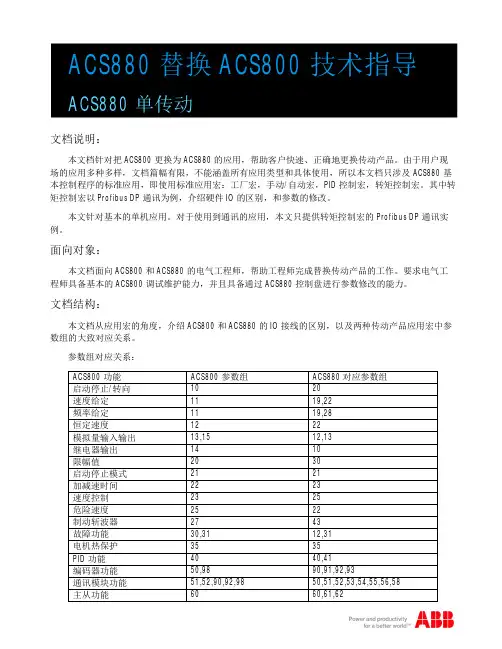
ACS880调试工具使用说明书
- 格式:doc
- 大小:6.14 MB
- 文档页数:40
Hands-On-EXEs PC + panel + ACS880
ACS880, Drive composer DRAFT
EXE : Introduction to Drive composer entry 1.0.2.1
We reserve all rights in this document and in the information contained therein. Reproduction, use or disclosure to third parties without express authority is strictly forbidden. ABB/JUA 1
Start excersise from page 4. Launch Drive composer from PC.s desktop
Finish exercise at page 35
Objectives
After these exercises you are able to:
• Connect PC to ACS880 drive through a panel using USB
cable
• Check COM – port configuration on PC and set the COM port
on a Drive composer
• Modify parameters using Drive composer
• Run the ACS880 drive in local mode using Drive composer
• Set-up custom drive parameter sets
• Save and restore the Drive composer workspace
• Do basic monitoring using Drive composer
• Open event logger of the drive
• Copy parameters from the drive to a PC using Drive
Composer custom parameter window Hands-On-EXEs PC + panel + ACS880
ACS880, Drive composer DRAFT
EXE : Introduction to Drive composer entry 1.0.2.1
We reserve all rights in this document and in the information contained therein. Reproduction, use or disclosure to third parties without express authority is strictly forbidden. ABB/JUA 2
Drive composer entry/pro
Drive composer entry/pro is an easy-to-use 32-bit Windows application for commissioning and
maintaining ABB’ common platform drives. There are 2 versions available.
The full version is called “Drive composer pro”. Limited version is called “Drive composer entry”. Both
versions include Demo, which allows testing user interface functionality without connecting to
physical drive.
The Drive composer versions are:
• Drive composer entry, DCET-01
• Drive composer pro, DCPT-01
NOTE!
This EXE is focusing on the Drive composer entry ver 1.0.2.1
This EXE is focused to be used with primary control program 1.00 or newer versions (FW of the
drive)
Drive composer entry/pro hardware requirements for this EXE
• One USB type B cable for connecting Drive composer entry/pro through control
panel’s USB port to the drive (Max 3m)
Computer hardware requirements
• IBM compatible PC
• Pentium 2000 MHz or faster processor
• 1GB RAM
• 1024 x 768 display resolution with 256 colors
• At least 50 MB free hard disk space
• One free USB port or Ethernet port
Software
• Operating system Windows XP, Vista or Win 7 (32 or 64 bit operating system)
• .NET 3.5 SP1 (By default exists with Win 7)
Hands-On-EXEs PC + panel + ACS880
ACS880, Drive composer DRAFT
EXE : Introduction to Drive composer entry 1.0.2.1
We reserve all rights in this document and in the information contained therein. Reproduction, use or disclosure to third parties without express authority is strictly forbidden. ABB/JUA 3 PC – Drive connection through a panel
NOTE!
This EXE assumes that you have already installed communication drivers and .NET 3.5SP1 Framework to your PC. If this is not the case, please install the drivers and the .NET Framework to
your PC before continuing any further.
❖ Connect PC to ACS880 panel connection using USB cable and connect the other end of the cable
to your PCs’ free USB port.
❖ Check the COM configuration on your PC after USB connection
❖
Left click START
❖ Left click RUN
❖ Type devmgmt.msc on
the prompt and left click
OK
❖ Look for Ports (COM & LPT),
here the panel has COM-4 in
use
❖ Close the device
manager
Hands-On-EXEs PC + panel + ACS880
ACS880, Drive composer DRAFT
EXE : Introduction to Drive composer entry 1.0.2.1
We reserve all rights in this document and in the information contained therein. Reproduction, use or disclosure to third parties without express authority is strictly forbidden. ABB/JUA 4
Launch the Drive composer PC tool
Drive composer entry does not need any installation but the tool can be run from the location where
you have copied the files. Drive composer pro needs installation and the tool can be launched from desktop and or from the location where you have copied the files
❖ Keep the panel connected to your PC (COM port 4 in use as it was checked earlier in the EXE)
❖ Go to the directory where the Drive composer is copied to and look for the .exe file. ❖ Double click on the .exe
OR
Double click the icon on your desktop
❖ Configure the COM port (here COM4) to the Drive composer Com port settings and click OK.
Click CONNECT on the next prompt. (Note! This configuration prompt does not appear if COM
port configuration was done already prior to this exercise)
Select Communication port (set the com as