
GNU RADIO
- 格式:pptx
- 大小:781.02 KB
- 文档页数:22

gnuradio的basic block开发实例GNU Radio是一个开源的无线电通信框架,它允许你使用图形化的接口设计复杂的无线电系统。
基本块(basic block)是GNU Radio中用于构建流图的基本单元。
下面是一个简单的GNU Radio基本块开发实例,该实例是一个简单的振幅调制器。
首先,你需要安装GNU Radio和必要的工具包。
你可以在GNU Radio的官方网站上找到安装指南。
一旦你安装了GNU Radio,你可以使用以下代码创建一个简单的振幅调制器。
这个基本块将输入的复数信号作为I/Q数据,并将它们调制到一个给定的频率。
```pythonfrom gnuradio import grimport mathclass am_modulator(_block):def __init__(self, sample_rate, freq):_block.__init__(self, "am_modulator", _signature(1, 1,_gr_complex), _signature(1, 1, _float))_rate = sample_rate= freq= 0= (2)/_rate_port_register_in(_PY_PORT_NAME)_port_register_out(_PY_PORT_NAME)= _to_short(2)= _to_float()= _to_short(2)((self, 0), (, 0))((, 0), (, 0))((, 0), (, 0))((self, 1), (, 1))((, 1), (, 1))((, 1), (self, 0))def forecast(self, noutput_items, ninput_items_required):setup size of input queue based on history and other factors passdef general_work(self, input_items, output_items):in0 = input_items[0] input complex streamout = output_items[0] output float streamout[:] = in0 (1j) modulation with carrier wavefor i in range(len(in0)): update phase for next iteration+=if > 2: -= 2if < -2: += 2return len(output_items[0]) number of output items produced```这个基本块将输入的复数信号与一个指数相位进行相乘,从而实现振幅调制。

Ubuntu14.04(13.10)安装gnuradio+UHD方法1.更新软件源:$sudo apt-get update2.安装cmake: $ sudo apt-get install cmake(注意:GNU Radio 仅提供了对USRP1 和USRP2 的硬件驱动,且在GNU Radio 3.5.0 和以后的版本中,不再提供对USRP 的驱动,所以可以安装3.4.2之前版本就不需要UHD。
若要在USRP 上使用GNU Radio 3.5.0 和以后的版本,需安装UHD 作为USRP 的驱动。
在GNU Radio 3.4.0 之后的版本提供了gr-uhd 组件,如果希望同时使用UHD 和GNU Radio,应先安装UHD 后再安装GNU Radio。
)3.安装UHD与gnuradio所需要的依赖环境,列举如下:(复制粘贴到终端即可)sudo apt-get -y install libfontconfig1-dev libxrender-dev libpulse-dev \ swig g++ automake autoconf libtool python-dev libfftw3-dev \ libcppunit-dev libboost-all-dev libusb-dev fort77 sdcc sdcc-libraries \ libsdl1.2-dev python-wxgtk2.8 git guile-1.8-dev \libqt4-dev python-numpy ccache python-opengl libgsl0-dev \python-cheetah python-lxml doxygen qt4-dev-tools \libqwt5-qt4-dev libqwtplot3d-qt4-dev pyqt4-dev-tools python-qwt5-qt4 4.UHD的安装:(1)版本号:uhd-source_003.005.003-release下载地址:/binaries/uhd_stable/releases/uhd_003.005.003-re lease/(2)UHD解压缩到主文件夹下(所有路径中不可包含汉字)$cd <uhd 源文件躲在路径>$mkdir build$cd build$cmake ../$make$make test$sudo make installUHD安装参考:/redmine/ettus/projects/uhd/wiki/UHD_Build5.gnuradio的安装(1)版本号:gnuradio-3.6.5下载地址:/releases/gnuradio/gnuradio-3.6.5.tar.gz (如果打不开那是因为这是外网,需要翻墙)(2)将gnuradio源码解压缩放在主文件夹下(所有路径中不可包含汉字)$cd <gnuradio 源文件躲在路径>$mkdir build$cd build$cmake ../$make$make test$sudo make install安装完成后运行$ sudo gnuradio-companion可能会报错错误提示如下:可一运行$ sudo ldconfig消除错误,最后再执行$ sudo gnuradio-companion就可以打开gnuradio了,查看下弹出来的Blocks 是否有UHD模块,没有的话就是UHD未安装成功。
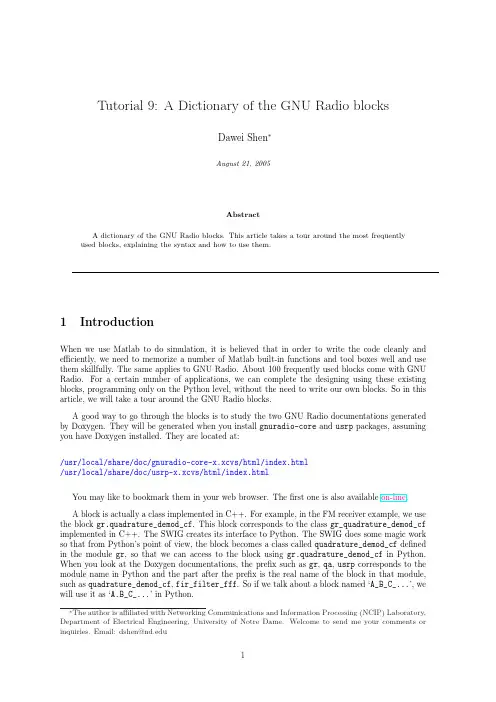
Tutorial9:A Dictionary of the GNU Radio blocksDawei Shen∗August21,2005AbstractA dictionary of the GNU Radio blocks.This article takes a tour around the most frequentlyused blocks,explaining the syntax and how to use them.1IntroductionWhen we use Matlab to do simulation,it is believed that in order to write the code cleanly and efficiently,we need to memorize a number of Matlab built-in functions and tool boxes well and use them skillfully.The same applies to GNU Radio.About100frequently used blocks come with GNU Radio.For a certain number of applications,we can complete the designing using these existing blocks,programming only on the Python level,without the need to write our own blocks.So in this article,we will take a tour around the GNU Radio blocks.A good way to go through the blocks is to study the two GNU Radio documentations generated by Doxygen.They will be generated when you install gnuradio-core and usrp packages,assuming you have Doxygen installed.They are located at:/usr/local/share/doc/gnuradio-core-x.xcvs/html/index.html/usr/local/share/doc/usrp-x.xcvs/html/index.htmlYou may like to bookmark them in your web browser.Thefirst one is also available on-line.A block is actually a class implemented in C++.For example,in the FM receiver example,we use the block gr.quadrature_demod_cf.This block corresponds to the class gr_quadrature_demod_cf implemented in C++.The SWIG creates its interface to Python.The SWIG does some magic work so that from Python’s point of view,the block becomes a class called quadrature_demod_cf defined in the module gr,so that we can access to the block using gr.quadrature_demod_cf in Python. When you look at the Doxygen documentations,the prefix such as gr,qa,usrp corresponds to the module name in Python and the part after the prefix is the real name of the block in that module, such as quadrature_demod_cf,fir_filter_fff.So if we talk about a block named‘A_B_C_...’,we will use it as‘A.B_C_...’in Python.∗The author is affiliated with Networking Communications and Information Processing(NCIP)Laboratory, Department of Electrical Engineering,University of Notre Dame.Welcome to send me your comments or inquiries.Email:dshen@12Tutorial9-Dictionary of GNU Radio blocks 2Signal Sources2.1Sinusoidal and constant sourcesBlock:gr.sig_source_X.Usage:gr.sig_source_c[f,i,s](double sampling_freq,gr_waveform_t waveform,double frequency,double amplitude,gr_complex[float,integer,short]offset)Notes:The suffix X indicates the data type of the signal source.It can be c(complex),f(float), i(4byte integer)or s(2byte short integer).The offset argument is the same type as the signal. The waveform argument indicates the type of the wave form.gr_waveform_t is an enumeration type defined in gr_sig_source_waveform.h.Its value can be:gr.GR_CONST_WAVEgr.GR_COS_WAVEgr.GR_SIN_WAVEWhen you use gr.GR_CONST_WAVE,the output will be a constant voltage,which is the amplitude plus the offset.2.2Noise sourcesBlock:gr.noise_source_X.Usage:gr.noise_source_c[f,i,s](gr_noise_type_t type,float amplitude,long seed)Notes:The suffix X indicates the data type of the signal source.It can be c(complex),f(float), i(4byte integer)or s(2byte short integer).The type argument indicates the type of the noise. gr_noise_type_t is an enumeration type defined in gr_noise_type.h.Its value can be: GR_UNIFORMGR_GAUSSIANGR_LAPLACIANGR_IMPULSEChoosing GR_UNIFORM generates uniformly distributed signal between[-amplitude,amplitude]. GR_GAUSSIAN gives us normally distributed deviate with zero mean and variance amplitude2.Sim-ilarly,GR_LAPLACIAN and GR_IMPLUSE represent a Laplacian distribution and a impulse distribution respectively.All these noise source blocks are based on the pseudo random number generator block gr.random.You may take a look at/gnuradio-core/src/lib/general/gr_random.h(cc)to see how to generate a random number following various distributions.D.Shen32.3Null sourcesBlock:gr.null_source.Usage:gr.null_source(size_t sizeof_stream_item)Notes:gr.null_source produces constant zeros.The argument sizeof_stream_item specifies the data type of the zero stream,such as gr_complex,float,integer and so on.2.4Vector sourcesBlock:gr.vector_source_X.Usage:gr.vector_source_c[f,i,s,b](const std::vector<gr_complex>&data,bool repeat=false)(gr_complex can be replaced by float,integer,short,unsigned char)Notes:The suffix X indicates the data type of the signal source.It can be c(complex),f(float), i(4byte integer),s(2byte short integer),or b(1byte unsigned char).These sources get their data from a vector.The argument repeat decides whether the data in the vector is sent repeatedly.As an example,we can use the block in this way in Python:src_data=(-3,4,-5.5,2,3)src=gr.vector_source_f(src_data)2.5File sourcesBlock:gr.file_sourceUsage:gr.file_source(size_t itemsize,const char*filename,bool repeat)Notes:gr.file_source reads the data stream from afile.The name of thefile is specified by filename.Thefirst argument itemsize determines the data type of the stream,such as gr_complex, float,unsigned char.The argument repeat decides whether the data in thefile is sent repeatedly. As an example,we can use the block in this way in Python:src=gr.file_source(gr.sizeof_char,"/home/dshen/payload.dat",TRUE)2.6Audio sourceBlock:gr.audio_sourceUsage:4Tutorial9-Dictionary of GNU Radio blocks gr.audio_source(int sampling_rate)Notes:audio_source reads data from the audio line-in.The argument sampling_rate specifies the data rate of the source,in samples per second.2.7USRP sourceBlock:usrp.source_c[s]Usage:usrp.source_c(s)(int which_board,unsigned int decim_rate,int nchan=1,int mux=-1,int mode=0)Notes:when you design a receiver using GNU Radio,i.e.working on the RX path,probably you need the USRP as the data source.The suffix c(complex),or s(short)specifies the data type of the stream from USRP.Most likely the complex source(I/Q quadrature from the digital down converter(DDC))would be more frequently used.Some of the arguments have been introduced in tutorial4.which_board specifies which USRP to open,which is probably0if there is only one USRP board.decim_rate tells the digital down converter(DDC)the decimation factor D.nchan specifies the number of channels,1,2or4.mux sets input MUX configuration,which determines which ADC (or constant zero)is connected to each DDC input(see tutorial4for details).‘-1’means we preserve the default settings.mode sets the FPGA mode,which we seldom touch.The default value is0, representing the normal mode.Quite often we only specify thefirst two arguments,using the default values for the others.For example:usrp_decim=250src=usrp.source_c(0,usrp_decim)3Signal Sinks3.1Null sinksBlock:gr.null_sink.Usage:gr.null_sink(size_t sizeof_stream_item)Notes:gr.null_sink does nothing but eat up your stream.The argument sizeof_stream_item specifies the data type of the zero stream,such as gr_complex,float,integer and so on.3.2Vector sinksBlock:gr.vector_sink_X.Usage:D.Shen5 gr.vector_sink_c[f,i,s,b]()Notes:The suffix X indicates the data type of the signal sink.It can be c(complex),f(float),i (4byte integer),s(2byte short integer),or b(1byte unsigned char).These sinks write the data into a vector.As an example,we can use the block in this way in Python:dst=gr.vector_sink_f()3.3File sinksBlock:gr.file_sinkUsage:gr.file_sink(size_t itemsize,const char*filename)Notes:gr.file_source writes the data stream to afile.The name of thefile is specified by filename.Thefirst argument itemsize determines the data type of the input stream,such as gr_complex,float,unsigned char.As an example,we can use the block in this way in Python: src=gr.file_source(gr.sizeof_char,"/home/dshen/rx.dat")3.4Audio sinkBlock:gr.audio_sinkUsage:gr.audio_source(int sampling_rate)Notes:When youfinish the signal processing and wish to play the signal through the speaker,you should use the audio sink.audio_sink will output the data to the sound card at the sampling rate of sampling_rate.3.5USRP sinkBlock:usrp.sink_c[s]Usage:usrp.sink_c(s)(int which_board,unsigned int interp_rate,int nchan=1,int mux=-1)Notes:when you design a transmitter using GNU Radio,i.e.working on the TX path,probably you need the USRP as the data sink.The suffix c(complex),or s(short)specifies the data type of the stream going into USRP.Most likely the complex sink would be more frequently used.Some of6Tutorial9-Dictionary of GNU Radio blocks the arguments have been introduced in tutorial4.which_board specifies which USRP to open,which is probably0if there is only one USRP board.interp_rate tells the interpolator on the FPGA the interpolation factor I.Note that the interpolation rate I must be in the range[4,512],and must be a multiple of4.nchan specifies the number of channels,1or2.mux sets output MUX configuration, which determines which DAC is connected to each interpolator output(or disabled).‘-1’means we preserve the default settings.Quite often we only specify thefirst two arguments,using the default values for the others.For example:usrp_interp=256src=usrp.sink_c(0,usrp_interp)4Simple Operators4.1Adding a constantBlock:gr.add_const_XXUsage:gr.add_const_cc[ff,ii,ss,sf](gr_complex[float,integer,short]k)Notes:The suffix XX contains two characters.Thefirst one indicates the data type of the input stream while the second one tells the type of the output stream.It can be cc(complex to complex), ff(float tofloat),ii(4byte integer to integer),ss(2byte short integer to short integer)or sf (short integer tofloat).The gr.add_const_XX block adds a constant to the input stream so that the signal has a different offset.Note that for gr.add_const_sf,the argument k isfloat.We add afloat constant to a short integer stream,and the output stream becomesfloat.4.2AdderBlock:gr.add_XXUsage:gr.add_cc[ff,ii,ss]()Notes:The suffix XX indicates the data type of the input and output streams.gr.add_XX adds all input streams together.The type of each incoming stream and must be the same.When we use it in Python,multiple upstream block could be connected to it.For example:adder=gr.add_cc()fg.connect(stream1,(adder,0))fg.connect(stream2,(adder,1))fg.connect(stream3,(adder,2))fg.connect(adder,outputstream)Then the output of the adder is stream1+stream2+stream3.4.3SubtractorBlock:gr.sub_XXD.Shen7Usage:gr.sub_cc[ff,ii,ss]()Notes:The suffix XX indicates the data type of the input and output streams.gr.sub_XX subtracts across all input streams.output=input_0-input_1-input_2....The type of each incoming stream and must be the same.When we use it in Python,multiple upstream block could be connectedto it.For example:subtractor=gr.sub_cc()fg.connect(stream1,(subtractor,0))fg.connect(stream2,(subtractor,1))fg.connect(stream3,(subtractor,2))fg.connect(subtractor,outputstream)Then the output of the subtractor is stream1-stream2-stream3.4.4Multiplying a constantBlock:gr.multiply_const_XXUsage:gr.add_const_cc[ff,ii,ss](gr_complex[float,integer,short]k)Notes:The suffix XX indicates the data type of the input and output streams.The gr.multiply_const_XX block multiplies the input stream by a constant k.4.5MultiplierBlock:gr.multiply_XXUsage:gr.multiply_cc[ff,ii,ss]()Notes:The suffix XX indicates the data type of the input and output streams.gr.multiply_XX computes the product of all input streams.The type of each incoming stream and must be the same. When we use it in Python,multiple upstream block could be connected to it.For example:multiplier=gr.multiply_cc()fg.connect(stream1,(multiplier,0))fg.connect(stream2,(multiplier,1))fg.connect(stream3,(multiplier,2))fg.connect(multiplier,outputstream)Then the output of the multiplier is stream1×stream2×stream3.4.6DividerBlock:gr.divide_XXUsage:8Tutorial9-Dictionary of GNU Radio blocks gr.divide_cc[ff,ii,ss]()Notes:The suffix XX indicates the data type of the input and output streams.gr.divide_XX divides across all input streams.output=input_0/input_1/input_2....The type of each incoming stream and must be the same.When we use it in Python,multiple upstream block could be connected to it.For example:divider=gr.divide_cc()fg.connect(stream1,(divider,0))fg.connect(stream2,(divider,1))fg.connect(stream3,(divider,2))fg.connect(divider,outputstream)Then the output of the subtractor is stream1÷stream2÷stream3.4.7Log functionBlock:gr.nlog10_ffUsage:gr.nlog10_ff(float n,unsigned vlen)Notes:gr.nlog10_ff computes n×log10(input).Input and output are bothfloat numbers.Ignore the argument vlen,the vector length,using its default value1.5Type Conversions5.1Complex ConversionsBlock:plex_to_floatplex_to_realplex_to_imagplex_to_magplex_to_argUsage:plex_to_float(unsigned int vlen)plex_to_real(unsigned int vlen)plex_to_imag(unsigned int vlen)plex_to_mag(unsigned int vlen)plex_to_arg(unsigned int vlen)Notes:The argument vlen is the vector length,we almost always use the default value1.So just ignore the argument.These blocks convert a complex signal to separate real&imaginaryfloat streams,just the real part,just the imaginary part,the magnitude of the complex signal and the phase angle of the complex signal.Note that the block plex_to_float could have1or2outputs.If it is connected to only one output,then the output is the real part of the complex signal.Its effect is equivalent to plex_to_real.D.Shen95.2Float ConversionsBlock:gr.float_to_complexgr.float_to_shortgr.short_to_floatUsage:gr.float_to_complex()gr.float_to_short()gr.short_to_float()Notes:These blocks are like‘adapters’,used to provide the interface between two blocks with different types.Note that the block gr.float_to_complex may have1or2inputs.If there is only one,then the input signal is the real part of the output signal,while the imaginary part is constant0. If there are two inputs,they serve as the real and imaginary parts of the output signal respectively. 6Filters6.1FIR DesignerBlock:gr.firdesNotes:gr.firdes has several static public member functions used to design different types of FIR filters.These functions return a vector containing the FIR coefficients.The returned vector is often used as an argument of other FIRfilter blocks.6.1.1Low Pass FilterUsage:vector<float>gr.firdes::low_pass(double gain,double sampling_freq,double cutoff_freq,double transition_width,win_type window=WIN_HAMMING,double beta= 6.76)[static]Notes:low_pass is a static public member function in the class gr.firdes.It designs the FIR filter coefficients(taps)given thefilter specifications.Here the argument window is the type of the window used in the FIRfilter design.Valid values includeWIN_HAMMINGWIN_HANNWIN_BLACKMANWIN_RECTANGULAR10Tutorial9-Dictionary of GNU Radio blocks6.1.2High Pass FilterUsage:vector<float>gr.firdes::high_pass(double gain,double sampling_freq,double cutoff_freq,double transition_width,win_type window=WIN_HAMMING,double beta= 6.76)[static]6.1.3Band Pass FilterUsage:vector<float>gr.firdes::band_pass(double gain,double sampling_freq,double low_cutoff_freq,double high_cutoff_freq,double transition_width,win_type window=WIN_HAMMING,double beta= 6.76)[static]6.1.4Band Reject FilterUsage:vector<float>gr.firdes::band_reject(double gain,double sampling_freq,double low_cutoff_freq,double high_cutoff_freq,double transition_width,win_type window=WIN_HAMMING,double beta= 6.76)[static]6.1.5Hilbert FilterUsage:vector<float>gr.firdes::hilbert(unsigned int ntaps,win_type windowtype=WIN_RECTANGULAR,double beta= 6.76)[static] Notes:gr.firdes::hilbert designs a Hilbert transformfilter.ntaps is the number of taps,which must be odd.6.1.6Raised Cosine FilterUsage:vector<float>gr.firdes::root_raised_cosine(double gain,double sampling_freq,double symbol_rate,double alpha,int ntaps)[static] Notes:gr.firdes::root_raised_cosine designs a root cosine FIRfilter.The argument alpha is the excess bandwidth factor.ntaps is the number of taps.6.1.7Gaussian FilterUsage:vector<float>gr.firdes::gaussian(double gain,double sampling_freq,double symbol_rate,double bt,int ntaps)[static] Notes:gr.firdes::gaussian designs a Gaussianfilter.The argument ntaps is the number of taps.6.2FIR Decimation FiltersBlock:gr.fir_filter_cccgr.fir_filter_ccfgr.fir_filter_fccgr.fir_filter_fffgr.fir_filter_fsfgr.fir_filter_sccUsage:gr.fir_filter_ccc(int decimation,const std::vector<gr_complex>&taps)gr.fir_filter_ccf(int decimation,const std::vector<float>&taps)gr.fir_filter_fcc(int decimation,const std::vector<gr_complex>&taps)gr.fir_filter_fff(int decimation,const std::vector<float>&taps)gr.fir_filter_fsf(int decimation,const std::vector<float>&taps)gr.fir_filter_scc(int decimation,const std::vector<gr_complex>&taps)Notes:These blocks all have a3-character suffix.Thefirst one indicates the data type of the input stream,the second one tells the type of the output stream,and the last one represents for the data type of the FIRfilter taps.Each block has two arguments.Thefirst one is the decimation rate of the FIRfilter.If it is1, then it’s just a normal1:1FIRfilter.The second argument taps is the vector of the FIR coefficients, which we get from the FIRfilter designer block gr.firdes.6.3FIR Interpolation FiltersBlock:gr.interp_fir_filter_cccgr.interp_fir_filter_ccfgr.interp_fir_filter_fccgr.interp_fir_filter_fffgr.interp_fir_filter_fsfgr.interp_fir_filter_sccUsage:gr.interp_fir_filter_ccc(unsigned interpolation,const std::vector<gr_complex>&taps) gr.interp_fir_filter_ccf(unsigned interpolation,const std::vector<float>&taps)gr.interp_fir_filter_fcc(unsigned interpolation,const std::vector<gr_complex>&taps) gr.interp_fir_filter_fff(unsigned interpolation,const std::vector<float>&taps)gr.interp_fir_filter_fsf(unsigned interpolation,const std::vector<float>&taps)gr.interp_fir_filter_scc(unsigned interpolation,const std::vector<gr_complex>&taps) Notes:These blocks all have a3-character suffix.Thefirst one indicates the data type of the input stream,the second one tells the type of the output stream,and the last one represents for the data type of the FIRfilter taps.Each block has two arguments.Thefirst one is the interpolation rate of the FIRfilter.The second argument taps is the vector of the FIR coefficients,which we get from the FIRfilter designer block gr.firdes.6.4Digital Down Converter with FIR Decimation FiltersBlock:gr.freq_xlating_fir_filter_cccgr.freq_xlating_fir_filter_ccfgr.freq_xlating_fir_filter_fccgr.freq_xlating_fir_filter_fcfgr.freq_xlating_fir_filter_sccgr.freq_xlating_fir_filter_scfUsage:gr.freq_xlating_fir_filter_ccc[ccf,fcc,fcf,scc,scf](int decimation,const std::vector<gr_complex[float]>&taps,double center_freq,double sampling_freq)Notes:These blocks all have a3-character suffix.Thefirst one indicates the data type of the input stream,the second one tells the type of the output stream,and the last one represents for the data type of the FIRfilter taps.These blocks are used as FIRfilters combined with frequency translation.Recall that in tutorial 4,in the FPGA there are digital down converters(DDC)translating the signal from IF to baseband. Then the following decimator downsamples the signal and selects a narrower band of the signal by low-passfiltering it.These blocks do the same things except in software.These classes efficiently combine a frequency translation(typically down conversion)with an FIRfilter(typically low-pass) and decimation.It is ideally suited for a‘channel selectionfilter’and can be efficiently used to select and decimate a narrow band signal out of wide bandwidth input.6.5Hilbert Transform FilterBlock:gr.hilbert_fcUsage:gr.hilbert_fc(unsigned int ntaps)Notes:gr.hilbert_fc is a Hilbert transformer.The real output is input appropriately delayed. Imaginary output is Hilbertfiltered(90degree phase shift)version of input.We only need to specify the number of taps ntaps when using the block.The Hilbertfilter designer gr.firdes::hilbert is used implicitly in the implementation of the block gr.hilbert_fc.6.6Filter-Delay Combination FilterBlock:gr.filter_delay_fcUsage:gr.filter_delay_fc(const std::vector<float>&taps)Notes:This is afilter-delay combination block.The block takes one or twofloat stream and outputs a complex stream.If only onefloat stream is input,the real output is a delayed version of this input and the imaginary output is thefiltered output.If twofloats are connected to the input,then the real output is the delayed version of thefirst input,and the imaginary output is the filtered output.The delay in the real path accounts for the group delay introduced by thefilter in the imaginary path.Thefilter taps needs to be calculated using gr.firdes before initializing this block.6.7IIR FilterBlock:gr.iir_filter_ffdUsage:gr.iir_filter_ffd(const std::vector<double>&fftaps,const std::vector<double>&fbtaps)Notes:The suffix ffd meansfloat input,float output and double taps.This IIRfilter uses the Direct Form I implementation,where fftaps contains the feed-forward taps,and fbtaps the feedback ones.fftaps and fbtaps must have equal numbers of taps.The input and output satisfy a difference equation of the formy[n]−Nk=1a k y[n−k]=Mk=0b k x[n−k]with the corresponding rational system functionH(z)=Mk=0b k z−k 1−Nk=1a k z−kNote that some texts define the system function with a‘+’in the denominator.If you’re using that convention,you’ll need to negate the feedback taps.6.8Single Pole IIR FilterBlock:gr.single_pole_iir_filter_ffUsage:gr.single_pole_iir_filter_ff(double alpha,unsigned int vlen)Notes:This is a single pole IIRfilter withfloat input,float output.The input and output satisfy a difference equation of the form:y[n]−(1−α)y[n−1]=αx[n]with the corresponding rational system functionH(z)=α1−(1−α)z−1Note that some texts define the system function with a+in the denominator.If you’re using that convention,you’ll need to negate the feedback tap.The argument vlen is the vector length.We usually use its default value1,so just ignore it.7FFTBlock:gr.fft_vccgr.fft_vfcUsage:gr.fft_vcc(int fft_size,bool forward,bool window)gr.fft_vfc(int fft_size,bool forward,bool window)Notes:These blocks are used to compute the fast Fourier transforms of the input sequence.For gr.fft_vcc,it computes forward or reverse FFT,with complex vector in and complex vector out. For gr.fft_vfc it computes forward FFT withfloat vector in and complex vector out.8Other useful blocks8.1FM Modulation and DemodulationBlock:gr.frequency_modulator_fcgr.quadrature_demod_cfUsage:gr.frequency_modulator_fc(double sensitivity)gr.quadrature_demod_cf(float gain)Notes:The gr.frequency_modulator_fc block is the FM modulator.The instantaneous fre-quency of the output complex signal is proportional to the inputfloat signal.We have seen gr.quadrature_demod_cf in the FM receiver example.It calculates the instantaneous frequency of the input signal.8.2Numerically Controlled OscillatorBlock:gr.fxpt_ncoUsage:This block is used to generate sinusoidal waves.We can set or adjust the phase andfrequency of the oscillator by several public member functions of the class.The functions include: void set_phase(float angle)void adjust_phase(float delta_phase)void set_freq(float angle_rate)void adjust_freq(float delta_angle_rate)void step()void step(int n)float get_phase()constfloat get_freq()constvoid sincos(float*sinx,float*cosx)constfloat cos()constfloat sin()constWe use cos()or sin()function to get the sinusoidal samples.They calculate sin and cos valuesaccording to the current phase.The freq is actually the phase difference between consecutive samples.When we call step()method,the current phase will increase by the freq.8.3Blocks for digital transmissionBlock:gr.bytes_to_symsgr.simple_framergr.simple_correlatorUsage:gr.bytes_to_syms()gr.simple_framer(int payload_bytesize)gr.simple_correlator(int payload_bytesize)Notes:gr.bytes_to_syms()converts a byte sequence(for example,a unsigned char stream)to a±sequence,i.e.the digital binary symbols.gr.simple_framer packs a byte stream into packets, with the length of payload_bytesize.Then necessary synchronization and command bytes are added at the head.gr.simple_correlator is a digital detector,which synchronizes the symbol and frame,finally detects the digital information correctly.The real implementation of these blocks is a little bit complicated.Please study the FSK example fsk_r[t]x.py and the source code of these blocks. These blocks are very helpful when we want to design digital transmission schemes.9Wrap upThis tutorial reviews some of the most frequently used blocks in GNU ing these blocks skillfully would be very important and useful.Certainly we only discuss a fraction of the available blocks.There are some other more advanced,less used blocks that we didn’t talk about.Also more and more blocks are coming as GNU Radio gets more popular(maybe including your block one day). Our introduction is very simple.If you wish to know all the details about a block,please go to its documentation page and then read its source code directly.The source code is the best place to understand what’s going on in a block thoroughly.Studying some of the examples to see how a block a used is also a very good way.References[1]GNU Radio2.x Documentation /software/gnuradio/doc/index.html。
