
Python基础教程--03第三章使用字符串
- 格式:pptx
- 大小:313.00 KB
- 文档页数:14

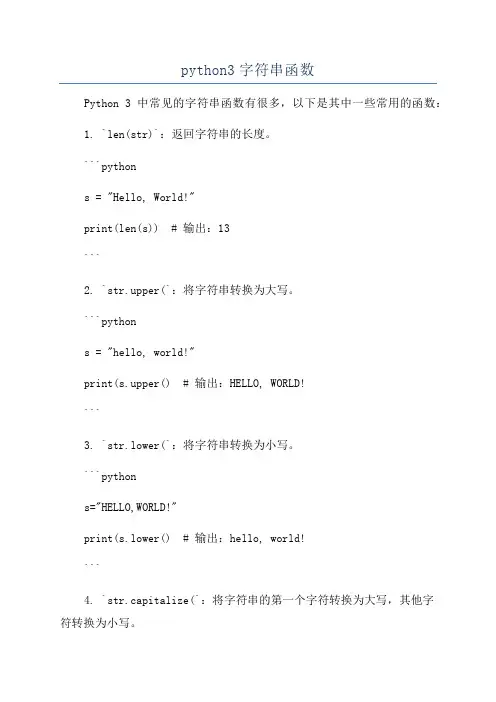
python3字符串函数Python 3中常见的字符串函数有很多,以下是其中一些常用的函数:1. `len(str)`:返回字符串的长度。
```pythons = "Hello, World!"print(len(s)) # 输出:13```2. `str.upper(`:将字符串转换为大写。
```pythons = "hello, world!"print(s.upper() # 输出:HELLO, WORLD!```3. `str.lower(`:将字符串转换为小写。
```pythons="HELLO,WORLD!"print(s.lower() # 输出:hello, world!```4. `str.capitalize(`:将字符串的第一个字符转换为大写,其他字符转换为小写。
```pythons = "hello, world!"print(s.capitalize() # 输出:Hello, world!```5. `str.title(`:将字符串中所有单词的首字母转换为大写。
```pythons = "hello, world!"print(s.title() # 输出:Hello, World!```6. `str.count(substring)`:返回子字符串在字符串中出现的次数。
```pythons = "hello, hello!"print(s.count("hello")) # 输出:2```7. `str.replace(old, new)`:将字符串中的所有旧字符串替换为新字符串。
```pythons = "hello, world!"print(s.replace("world", "Python")) # 输出:hello, Python!```8. `str.split(separator)`:将字符串分割为字符串列表,使用指定的分隔符。


Python中字符串的处理与操作1. 字符串的基本操作字符串是Python中最常用的数据类型之一,它可以表示文本信息并进行相关操作。
以下是一些字符串的基本操作:1.1. 字符串创建与赋值在Python中,可以使用单引号或双引号来创建一个字符串。
例如:```str1 = 'Hello, Python!'str2 = "Welcome to Python!"```在赋值操作中,可以将一个字符串赋值给另一个字符串变量,也可以使用加号(+)将两个字符串进行拼接。
1.2. 字符串的索引字符串中的每个字符都可以使用索引来访问,索引从0开始。
例如:```str = "Python"print(str[0]) # 输出 Pprint(str[2]) # 输出 t```1.3. 字符串的切片Python中可以通过切片的方式来获取字符串的子串。
切片的语法是str[start:end],其中start表示起始索引(包含),end表示结束索引(不包含)。
例如:```str = "Python"print(str[1:4]) # 输出 yth```1.4. 字符串的长度可以使用len()函数来获取字符串的长度。
例如:```str = "Python"print(len(str)) # 输出 6```2. 字符串的常用方法Python中字符串类提供了许多有用的方法来处理和操作字符串。
2.1. 大小写转换- lower(): 将字符串转换为小写形式- upper(): 将字符串转换为大写形式- capitalize(): 将字符串的第一个字母转换为大写,其他字母转换为小写2.2. 字符串的查找与替换- find(sub): 查找子字符串sub在原字符串中的第一个索引位置,如果不存在返回-1- replace(old, new): 将字符串中的所有old子串替换为new子串2.3. 字符串的切分与连接- split(delimiter): 将字符串按照指定的分隔符delimiter进行切分,并返回一个字符串列表- join(iterable): 将一个可迭代对象中的所有元素连接成一个字符串,原字符串通过指定的分隔符进行分隔2.4. 字符串的格式化Python提供了多种字符串格式化方法,其中最常见的是使用格式化字符串:- 使用占位符:%s代表字符串,%d代表整数,%f代表浮点数```name = "Tom"age = 18print("My name is %s, age is %d" % (name, age)) # 输出 My name is Tom, age is 18```- 使用format()方法:通过在字符串中使用{}作为占位符,并通过format()方法传入变量来格式化字符串```name = "Tom"age = 18print("My name is {}, age is {}".format(name, age)) # 输出 My name is Tom, age is 18```- 使用f-string:在字符串的前面加上f,在字符串中使用{}作为占位符,并直接在{}中使用变量名```name = "Tom"age = 18print(f"My name is {name}, age is {age}") # 输出 My name is Tom, age is 18```3. 字符串的编码与解码在Python中,字符串是以Unicode编码存储的。
