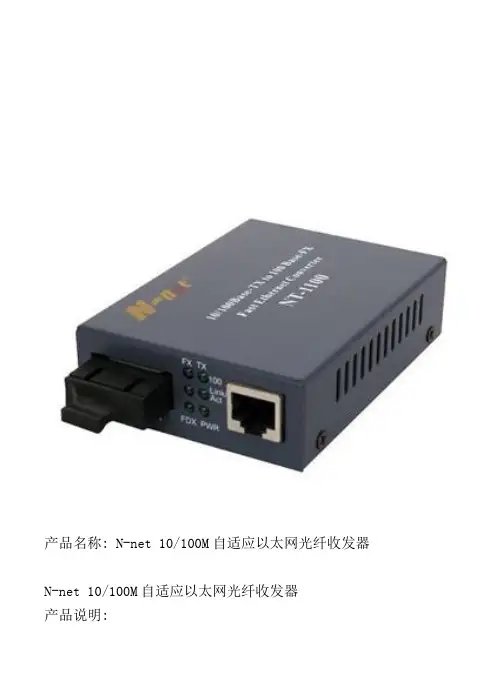
1-port 100M FX 2-Ports10/100M TX Media ConvertersUser’s Manual 1.OverviewThis Media Converter Complies with IEEE802.3 Standards. It is designed to Convert data signal between 10/100Base-TX and 100Base-FX fast Ethernet. The media converter is connected between Fiber cable and twisted cable segments with network operating smoothly. This converter can be used as a standalone unit or asa slide-in module to the 14 converter rack.2.ChecklistBefore you installing the Switch, verify that the package contains the following:1.The TP-Fiber Converter2.AC-DC Power Adapter.3.This User’s Manual.Piease notify your sales representative immediately if any of the aforementioned items is missing or damaged.3. LED DescriptionThere are 6 LED At Front View of 2 port Media ConverterLED Definition SpecificationPWRIndicator ofpowersupplyON when the power supply isturned on and in normal workingstatusFRXOpticalinterfacestatusindicatorBright when optic fiber cable isconnected well, but no datatransmissionBlinking when receiving dataTRXEthernetinterfacestatusindicatorBright when twisted pair isconnected well, but no datatransmissionBlinking, when receiving dataFDXEthernetinterfacemodeindicatorON, Full duplexOFF, Half duplex4.Technical SpecificationsOptical ParametersMultimodeFiber 62.5/125, 50/125,100/140µmOutputopticalpower-20~-14dBmReceivingsensitivity<-31dBDistance 0~2km or 0~5kmConnector SC, ST, FCWavelength 850nm/1310nmSinglemodeFiber 9/125,8.3/125,8.7/125or 10/125µmDistance 0~20km 0~40km 0~60kmOutputopticalpower-12~-8dBm -8~-3dBm -3~ 0dBmReceivingsensitivity< -37dBm < -37dBm < -38dBmConnector SC, ST, FCWavelength 1310nmDistance 0~80km 0~120kmOutputopticalpower-3~ 1dBm -3~ 2dBmReceivingsensitivity< -38dBm < -38dBmConnector SC, ST, FCWavelength 1550nm(DFB)when less than 15km, use attenuator5.Installing the ConverterFor as a standalone unita)Verify the AC-DC adapter conforms to your countryAC Power requirement and insert the power plugb)Connect the media cable for network connectionfor as a slide-in unitc)The slide-in Media Converter and Converter Rackshould be supplied only form the same source, bothMedia Converter and Rack are built to match eachother at dimensions, DC jack, DC receptacle andpower safelyd)Turn off the 19” converter rack powere)Ensure that there is no activity in the networkf)Locate +5VDC power jack on converter back,carefully slide in and plug to 19” rack +5VDCpower receptacleg)Connect the media cable for network connectionh)Turn on the converter rack power , the Power LEDwill light up6.Cable Connection Parameter100Base-X network allows 512-bit time delay between any two node stations in a collision domain. The overall Bit-timeof TP/Fiber wires and devices must be within 512bit in a segment. You may use a switch to break up collision domain and extend the cabling distance.●TP Cable Limitations:Cat.5 100m●Multi-mode Converter Fiber Cable Lions:SC/ST/FC/LC Multi-mode Converter Models:Multi-modeFull-duplexNode to Node :2KmNode to Switch :2KmSC/ST/FC/LC Single Mode Converter Models:SC.S20Full-duplexNode to Node :20KmNode to Switch :20Km7.TP-Fiber Technical Specifications●Standards:I EEE802.3 IEEE802.3u 10/100Base-TX 100Base-Fx●TP Port: RJ45●UTP Cable: Cat.5 cable up to 100m●Wavelength: 1310nm/1550nm●Fiber cable(um):50/125,62.5/125,or 100/140/um multi-mode8.3/125,8.7/125,9/125/or10/125/um single-mode●Max distance:Singlemode:20~120kmMultimode: 2km●LED Indicators:FDX, TRX FRX,PWR●Data Transfer Rate:Speed Forwarding Rate100Mbps 148,800PPS10Mbps 14,880PPS*Flow Control:IEEE802.3x compliant for full-duplex Backpressure flow control for half-duplex* Power Requirement:2A@+5VDC*Ambient Temperatur e:0 to 60℃* Humidity:5% to 90%*Dimensions: 25(H)70 (W)94(D)mm●Note: Connecting to Router, Bridge, or Switch, pleaserefer to the device's Technical Manual。