
Basicflow中最终版
- 格式:ppt
- 大小:1.73 MB
- 文档页数:70
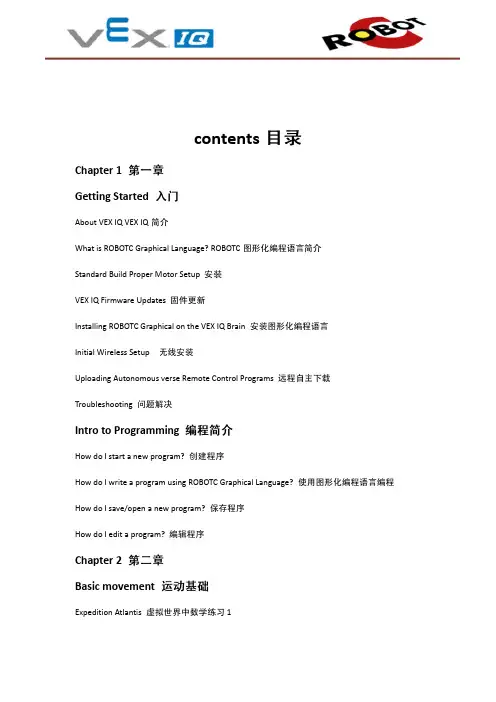
contentsChapter 1Getting StartedAbout VEX IQ VEX IQWhat is ROBOTC Graphical Language? ROBOTCStandard Build Proper Motor SetupVEX IQ Firmware UpdatesInstalling ROBOTC Graphical on the VEX IQ BrainInitial Wireless SetupUploading Autonomous verse Remote Control ProgramsTroubleshootingIntro to ProgrammingHow do I start a new program?How do I write a program using ROBOTC Graphical Language?How do I save/open a new program?How do I edit a program?Chapter 2Basic movementExpedition Atlantis1Moving ForwardTurningThe Ruins of Atlantis 2Chapter 3SensorsThe Repeat Structure RepeatThe Repeat Command Repeat 1The Repeat Forever Command Repeat 2Repeat Until getMotorEncoder ValueRepeat Until getColorSensorValueRepeat Until getDistanceValueRepeat Until getJoystickValueRepeat Until getTouchLEDValueRepeat Until getGyroValueRepeat Until getBumperSensorValueRepeat Until getTimerValueChapter 4Program FlowThe While Structure Program FlowWhile SmartMotor LoopWhile BumperSensor LoopWhile Gyro LoopThe If Structure Program FlowThe If/Else StructureThe waitUntil Structure Program FlowwaitUntil BtnRUp ExampleProgramming Simple BehaviorsMotor CommandsChapter 5Remote ControlDirect ControlOperator AssistHighriseROBOTCVEX IQ ROBOTCROBOTCROBOTCROBOTCROBOTCROBOTC ROBOTCchapter 1ROBOTC”View”>”Convert Graphical File to Text”ROBOTCROBOTCVEX IQ16chapter 1VEX IQVEXIQ123 VEX IQ”Update ALL Components ”chapter 1VEXVEX IQROBOTCROBOTCUSBVEX IQROBOTCVEX IQchapter 11.ROBOTC for VEX Robotics Graphical2.”New File ””New File ”3. ”New File ””Compile Program ””Download to Robot ”在上面的课程中,我们新建了一个程序,现在我们用最简单的方法完成机器人直行的程序。

Juniper防火墙debug flow命令使用编号:20121127-001目录一、Juniper防火墙debug flow简介 (3)二、拓扑图 (3)三、debug跟踪防火墙 (3)四、Snoop捕获防火墙 (5)一、Juniper防火墙debug flow简介通过NetScreen的CLI和WebUI方式配置各种管理和监控选项,使用debug 和snoop工具分析错误。
二、拓扑图三、debug跟踪防火墙windows2003客户端202.100.80.12FTP访问内部服务器192.168.50.3,使用debug跟踪防火墙对数据包的处理过程;1)设置过滤列表,定义捕获包的范围Set ffilter src-ip 202.100.80.12 dst-ip 192.168.50.3 dst-port 212)清除防火墙内存中缓存的分析包clear dbuf3)开启debug数据流跟踪功能debug flow basic4)发送测试数据包或让小部分流量穿越防火墙5)关闭所有debug功能undebug all6)检查防火墙对符合过滤条件数据包的分析结果get dbuf streamsg550-2(M)-> get dbuf stream****** 2351023.0: <Untrust/ethernet0/1> packet received [48]******ipid = 8537(2159), @2d65b110packet passed sanity check.flow_decap_vector IPv4 processethernet0/1:202.100.80.12/3543->192.168.50.3/21,6<Root>no session foundflow_first_sanity_check: in <ethernet0/1>, out <N/A>chose interface ethernet0/1 as incoming nat if.flow_first_routing: in <ethernet0/1>, out <N/A>search route to (ethernet0/1, 202.100.80.12->192.168.50.3) in vr trust-vr for vsd-0/flag-0/ifp-null[ Dest] 5.route 192.168.50.3->192.168.10.5, to ethernet0/2routed (x_dst_ip 192.168.50.3) from ethernet0/1 (ethernet0/1 in 0) to ethernet0/2抓取结果:复制了部分包的数据,共计抓取到48个包,里面的信息是整个防火墙对数据包的处理过程,通过定义源目标地址过滤抓取数据包来分析排除错误。


BASIC语言的基本命令包括以下几种:1. CLS:清除屏幕。
2. PRINT:打印文本或变量。
3. INPUT:从用户输入读取数据并赋值给变量。
4. LET:将值赋给变量。
5. IF...THEN:执行条件语句。
6. FOR...LOOP:执行循环结构。
7. GOSUB:调用子程序。
8. RETURN:从子程序中返回。
9. END:结束程序。
10. WHILE...WEND:执行循环结构(与FOR...LOOP类似)。
11. RESTORE:从文件恢复程序。
12. SAVE:保存程序到文件。
13. OPEN:打开文件进行读写操作。
14. READ/WRITE:读写文件中的数据。
15. CLOSE:关闭已打开的文件。
16. ON...GOTO:跳转到标签位置。
17. ON...CASE:执行多分支条件语句。
18. SELECT CASE...CASE:执行多分支条件语句。
19. ELSE:在IF语句中作为“否则”部分。
20. AND:逻辑与运算符。
21. OR:逻辑或运算符。
22. NOT:逻辑非运算符。
23. XOR:逻辑异或运算符。
24. SHIFT:位移动运算符(左移和右移)。
25. CREATE:创建新的内存变量或数组。
26. DIMENSION:声明数组或用户自定义类型。
27. DO...LOOP:执行循环结构(与FOR...LOOP类似)。
28. EXIT:退出循环或子程序。
29. ELSEIF...THEN:在IF语句中作为“否则如果”部分。
30. WHILE...WEND:执行循环结构(与FOR...LOOP类似)。
希望以上信息能帮到你。