Oracle连接sqlserver2008
- 格式:pdf
- 大小:387.46 KB
- 文档页数:12
Copying oraenv to /usr/local/bin ... The file "coraenv" already exists in /usr/local/bin. Overwrite it? (y/n) [n]: y
Copying coraenv to /usr/local/bin ...
1.2.3.2 配置 listener.ora
[root@localhost admin]# cd $ORACLE_HOME/network/admin [root@localhost admin]# ls listener.ora samples shrept.lst sqlnet.ora tnsnames.ora [root@localhost admin]# vi listener.ora
第 2 页/共 12 页
数据模型文档模版 第 3 页/共 12 页
数据模型文档模版 第 4 页/共 12 页
数据模型文档模版
以 root 用户登录,运行 root.sh [root@localhost ~]# cd /u01/app/oracle/product/11.2.0/db_1/ [root@localhost db_1]# ls
1.2.3 配置透明网关
1.2.3.1 配置 inittestdb.ora [root@localhost dg4msql]# cd $ORACLE_HOME/dg4msql/admin [root@localhost admin]# ls dg4msql_cvw.sql dg4msql_tx.sql initdg4msql.ora listener.ora.sample tnsnames.ora.sample [root@localhost admin]# cp initdg4msql.ora inittestdb.ora [root@localhost admin]# vi inittestdb.ora
第 5 页/共 12 页
数据模型文档模版
apex
clone cv
diagnostics
ide
javavm lib
network OPatch
owb
rdbms
sqlj
uix
assistants config dbs
dv
install
jdbc
localhost_orcl nls
opmn
owmreຫໍສະໝຸດ notesStarting /u01/app/oracle/product/11.2.0/db_1/bin/tnslsnr: please wait...
1.2.2 运行安装
[oracle@localhost ~]$ cd gateways [oracle@localhost gateways]$ ls doc install legacy response runInstaller stage welcome.html [oracle@localhost gateways]$ ./runInstaller 正在启动 Oracle Universal Installer...
Enter the full pathname of the local bin directory: [/usr/local/bin]: The file "dbhome" already exists in /usr/local/bin. Overwrite it? (y/n) [n]: y
Copying dbhome to /usr/local/bin ... The file "oraenv" already exists in /usr/local/bin. Overwrite it? (y/n) [n]: y
第 10 页/共 12 页
数据模型文档模版
LSNRCTL for Linux: Version 11.2.0.1.0 - Production on 26-DEC-2013 11:10:17
Copyright (c) 1991, 2009, Oracle. All rights reserved.
第 6 页/共 12 页
数据模型文档模版
Entries will be added to the /etc/oratab file as needed by Database Configuration Assistant when a database is created Finished running generic part of root.sh script. Now product-specific root actions will be performed. Finished product-specific root actions.
) ) testdb= (DESCRIPTION=
(ADDRESS= (PROTOCOL=TCP) (HOST=192.168.56.101) (PORT=1521)
) (CONNECT_DATA=
(SID=testdb)) (HS=OK) )
1.2.4 重新启动监听
[oracle @localhost admin]# cd $ORACLE_HOME/bin [oracle@localhost bin]$ lsnrctl stop
Running Oracle 11g root.sh script...
The following environment variables are set as: ORACLE_OWNER= oracle ORACLE_HOME= /u01/app/oracle/product/11.2.0/db_1
xdk
cdata
css demo
has
inventory
jlib mesg
olap ord
precomp slax
timingframework
cfgtoollogs ctx dg4msql hs
j2ee
ldap mgw
ons
oui
racg sqldeveloper ucp
[root@localhost db_1]# ./root.sh
# # HS init parameters # HS_FDS_CONNECT_INFO=192.168.56.103;database=testdb #sqlserver ip 和数据库 # alternate connect format is hostname/serverinstance/databasename HS_FDS_TRACE_LEVEL=OFF HS_FDS_RECOVERY_ACCOUNT=RECOVER HS_FDS_RECOVERY_PWD=RECOVER
sqlplus
utl
bin
crs dc_ocm emcli
install.platform jdev log
oc4j oracore
perl root.sh
srvm
wwg
ccr
csmig deinstall EMStagePatches_orcl instantclient
jdk
md
odbc oraInst.loc plsql scheduler sysman
Sqlserver 版本 sqlserver 2008 Ip 192.168.56.103
1.2 安装步骤
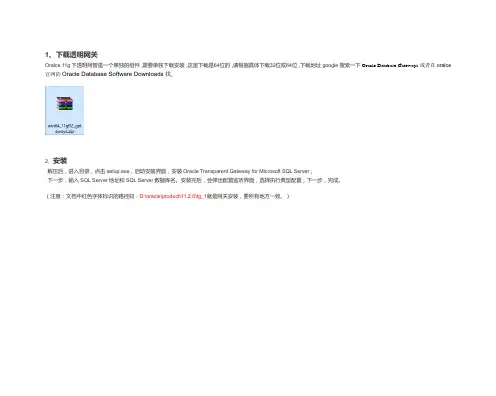
1.2.1 gateways 压缩包并解压
[oracle@localhost db_1]$ cd /home/oracle [oracle@localhost ~]$ ls gateways linux.x64_11gR2_gateways.zip
1 Oracle 透明网关连接 sqlserver2008
1.1 安装环境
Oracle:操作系统 RedHat 5.5-64 Oracle 版本 linux.x64_11gR2_database Ip192.168.56.101
透明网关:与 Oracle 服务器用一台机器 Sqlserver: 操作系统 windows server 2008
第 7 页/共 12 页
数据模型文档模版
# This is a customized agent init file that contains the HS parameters # that are needed for the Database Gateway for Microsoft SQL Server
LSNRCTL for Linux: Version 11.2.0.1.0 - Production on 26-DEC-2013 11:07:58
Copyright (c) 1991, 2009, Oracle. All rights reserved.
Connecting to (DESCRIPTION=(ADDRESS=(PROTOCOL=IPC)(KEY=EXTPROC1521))) The command completed successfully [oracle@localhost bin]$ lsnrctl start
检查临时空间: 必须大于 120 MB。 实际为 176320 MB 通过 检查交换空间: 必须大于 150 MB。 实际为 900 MB 通过
数据模型文档模版
检查监视器: 监视器配置至少必须显示 256 种颜色。 实际为 16777216 通过 准备从以下地址启动 Oracle Universal Installer /tmp/OraInstall2013-12-26_10-39-23AM. 请稍 候...[oracle@localhost gateways]$ Oracle Universal Installer, 版本 11.2.0.1.0 Production 版权所有 (c) 1999, 2009, Oracle。保留所有权利。
Copying coraenv to /usr/local/bin ...
1.2.3.2 配置 listener.ora
[root@localhost admin]# cd $ORACLE_HOME/network/admin [root@localhost admin]# ls listener.ora samples shrept.lst sqlnet.ora tnsnames.ora [root@localhost admin]# vi listener.ora
第 2 页/共 12 页
数据模型文档模版 第 3 页/共 12 页
数据模型文档模版 第 4 页/共 12 页
数据模型文档模版
以 root 用户登录,运行 root.sh [root@localhost ~]# cd /u01/app/oracle/product/11.2.0/db_1/ [root@localhost db_1]# ls
1.2.3 配置透明网关
1.2.3.1 配置 inittestdb.ora [root@localhost dg4msql]# cd $ORACLE_HOME/dg4msql/admin [root@localhost admin]# ls dg4msql_cvw.sql dg4msql_tx.sql initdg4msql.ora listener.ora.sample tnsnames.ora.sample [root@localhost admin]# cp initdg4msql.ora inittestdb.ora [root@localhost admin]# vi inittestdb.ora
第 5 页/共 12 页
数据模型文档模版
apex
clone cv
diagnostics
ide
javavm lib
network OPatch
owb
rdbms
sqlj
uix
assistants config dbs
dv
install
jdbc
localhost_orcl nls
opmn
owmreຫໍສະໝຸດ notesStarting /u01/app/oracle/product/11.2.0/db_1/bin/tnslsnr: please wait...
1.2.2 运行安装
[oracle@localhost ~]$ cd gateways [oracle@localhost gateways]$ ls doc install legacy response runInstaller stage welcome.html [oracle@localhost gateways]$ ./runInstaller 正在启动 Oracle Universal Installer...
Enter the full pathname of the local bin directory: [/usr/local/bin]: The file "dbhome" already exists in /usr/local/bin. Overwrite it? (y/n) [n]: y
Copying dbhome to /usr/local/bin ... The file "oraenv" already exists in /usr/local/bin. Overwrite it? (y/n) [n]: y
第 10 页/共 12 页
数据模型文档模版
LSNRCTL for Linux: Version 11.2.0.1.0 - Production on 26-DEC-2013 11:10:17
Copyright (c) 1991, 2009, Oracle. All rights reserved.
第 6 页/共 12 页
数据模型文档模版
Entries will be added to the /etc/oratab file as needed by Database Configuration Assistant when a database is created Finished running generic part of root.sh script. Now product-specific root actions will be performed. Finished product-specific root actions.
) ) testdb= (DESCRIPTION=
(ADDRESS= (PROTOCOL=TCP) (HOST=192.168.56.101) (PORT=1521)
) (CONNECT_DATA=
(SID=testdb)) (HS=OK) )
1.2.4 重新启动监听
[oracle @localhost admin]# cd $ORACLE_HOME/bin [oracle@localhost bin]$ lsnrctl stop
Running Oracle 11g root.sh script...
The following environment variables are set as: ORACLE_OWNER= oracle ORACLE_HOME= /u01/app/oracle/product/11.2.0/db_1
xdk
cdata
css demo
has
inventory
jlib mesg
olap ord
precomp slax
timingframework
cfgtoollogs ctx dg4msql hs
j2ee
ldap mgw
ons
oui
racg sqldeveloper ucp
[root@localhost db_1]# ./root.sh
# # HS init parameters # HS_FDS_CONNECT_INFO=192.168.56.103;database=testdb #sqlserver ip 和数据库 # alternate connect format is hostname/serverinstance/databasename HS_FDS_TRACE_LEVEL=OFF HS_FDS_RECOVERY_ACCOUNT=RECOVER HS_FDS_RECOVERY_PWD=RECOVER
sqlplus
utl
bin
crs dc_ocm emcli
install.platform jdev log
oc4j oracore
perl root.sh
srvm
wwg
ccr
csmig deinstall EMStagePatches_orcl instantclient
jdk
md
odbc oraInst.loc plsql scheduler sysman
Sqlserver 版本 sqlserver 2008 Ip 192.168.56.103
1.2 安装步骤
1.2.1 gateways 压缩包并解压
[oracle@localhost db_1]$ cd /home/oracle [oracle@localhost ~]$ ls gateways linux.x64_11gR2_gateways.zip
1 Oracle 透明网关连接 sqlserver2008
1.1 安装环境
Oracle:操作系统 RedHat 5.5-64 Oracle 版本 linux.x64_11gR2_database Ip192.168.56.101
透明网关:与 Oracle 服务器用一台机器 Sqlserver: 操作系统 windows server 2008
第 7 页/共 12 页
数据模型文档模版
# This is a customized agent init file that contains the HS parameters # that are needed for the Database Gateway for Microsoft SQL Server
LSNRCTL for Linux: Version 11.2.0.1.0 - Production on 26-DEC-2013 11:07:58
Copyright (c) 1991, 2009, Oracle. All rights reserved.
Connecting to (DESCRIPTION=(ADDRESS=(PROTOCOL=IPC)(KEY=EXTPROC1521))) The command completed successfully [oracle@localhost bin]$ lsnrctl start
检查临时空间: 必须大于 120 MB。 实际为 176320 MB 通过 检查交换空间: 必须大于 150 MB。 实际为 900 MB 通过
数据模型文档模版
检查监视器: 监视器配置至少必须显示 256 种颜色。 实际为 16777216 通过 准备从以下地址启动 Oracle Universal Installer /tmp/OraInstall2013-12-26_10-39-23AM. 请稍 候...[oracle@localhost gateways]$ Oracle Universal Installer, 版本 11.2.0.1.0 Production 版权所有 (c) 1999, 2009, Oracle。保留所有权利。