
REVO 50 用户手册说明书
- 格式:pdf
- 大小:3.59 MB
- 文档页数:6


bME-50Guitar MultipleEffectsTurboStartIt’s a Fact…The ME-50 Guitar Multiple Effects is a floor-basedmulti-effects processor built with the ruggedness andsimplicity of a stompbox. Designed to work with youramplifier, the ME-50 focuses on killer multi-effectssuch as COSM overdrive and distortion. Getting tothe desired sound is easy, thanks to dedicated knobsfor each effect section, three footswitches and a built-in expression pedal. For great-sounding effectswithout all the menu surfing, the ME-50 is the perfectbox to just “plug in and play.” Features include:•Floor-based multi-effects processor with BOSS’most intuitive interface ever•30 preset patches including delay, modulation,reverb, compressor and more•Killer COSM overdrive/distortion effects including“Square” synth sound•Dedicated knobs for each effect section—nomenus to navigate•Tone Modify function offers preset EQ settingsfor quick tone editing•3 footswitches for switching effects on and offwith a stomp•Onboard expression pedal pre-routed to sixmodulation options or volume•Footswitch input used as an ON/OFF toggle, aswell as BANK UP and DOWN in Manual mode•Auxiliary input for connecting an audio device•Rugged metal case with clear panel layoutMaking ConnectionsUse the following procedure to connect your guitar tothe ME-50 and to listen to the ME-50:1.Connect an instrument cable from your guitar tothe INPUT jack of the ME-50.2.To hear the ME-50:•Use the ME-50’s stereo LINE/PHONESoutput if you want to hear it throughheadphones, a PA system, a hard disk ormulti-track recorder’s inputs, or any otherline-level device.•Use the ME-50’s L (MONO) GUITAR AMPjack if you’re connecting the ME-50 to amono guitar amp. If you’re using a stereoguitar amp, connect the amp to the ME-50’sL (MONO) and R GUITAR AMP jacks.Tuning Your GuitarThe ME-50 features a built-in chromatic auto-tunerthat allows you to tune your guitar quickly and easily.Since the sound of your guitar is muted in tunermode, you don’t even have to turn down your ampvolume each time you tune. Here’s how to use thetuner.1.Press the OD/DS 1 and MOD 2 pedalssimultaneously to switch to Tuner mode—thegreen tuner indicator lights.2.Play your high open E string. The display showsthe name of the note closest to the pitch of thestring you’ve played. If the dot in the lower rightcorner of the display flashes, the pitch is a sharpnote.3.Do a rough tuning so that “E” appears in thedisplay.4.Tune the string more precisely until the tuningmeter’s center green indicator lights.5.Repeat Steps 3 and 4 to tune the other fivestrings.6.To leave Tuner mode, press the OD/DS 1 andMOD 2 pedals simultaneously, or pressEDIT/EXIT.Switching BetweenManual and Memory ModeThe ME-50 features a Memory mode that lets you tostore and recall up to 30 user patches, so you canquickly and easily load your favorite settings. TheME-50 also offers Manual mode, in which the currentposition of the ME-50’s knobs sets the sound of theME-50. Use the following procedure to switchbetween Manual and Memory mmodes:1.Press the MOD 2 and DELAY 3 pedalssimultaneously to toggle between Manual andMemory Mode.•When you’re in Memory mode, theMEMORY indicator lights red.•When you’re in Manual mode, a dot appearsin the lower right hand corner of the display.2.In Manual mode, Pedal 1 turns the OD/DS(Overdrive/Distortion) effect on and off, Pedal 2turns the MOD effect on and off, and Pedal 3turns the DELAY effect on and off.bME-50Guitar MultipleEffectsTurboStartSelecting PatchesPatches are stored in the ME-50 in ten “banks,”numbered 0-9. Each bank holds three patches. Toload a patch, you first select the bank that containsthe patch, and then you select the patch. Use thefollowing procedure to load Patch 5-3 (Bank 5, Patch3) as an example:1.Press the MOD 2 and DELAY 3 pedalssimultaneously so MEMORY is lit red.2.Press the BANK 3 or 4 so the number “5”flashes in the screen. This tells you that Bank 5is selected and the the ME-50 is waiting for youto choose the desired patch in Bank 5.3.Now step on Pedal 3. The “5” stops flashing andPatch 5-3 is loaded.Note: Once you’ve selected a bank, it stays selecteduntil you select another one. If you want to select adifferent patch from the current bank, simply press ing the same procedure, try out some of the othereffects in the ME-50:•8-3 (Acoustic Simulator)•2-3 (Rotary)•8-2 (Uni-Vibe)•1-2 (Full Stack)•9-3 (Synth Lead)•0-2 (Octave Up)•7-3 (Slow Gear)Note: When you connect two Boss FS-5Ufootswitches to the BANK UP/DOWN jacks using aninsert cable, you can use your feet to move throughthe banks.Editing PatchesYou can change the sound produced by any of theME-50 patches by editing its parameters. You canuse the knobs and pedals to turn effects on or off andto change their parameters’ e the “Selecting Patches” steps above toselect a patch for editing—for our example,select Patch 5-3 (Clean).2.Press EDIT/EXIT. The MEMORY indicatorflashes to show you’re in Patch Edit mode.3.Press Pedals 1, 2 and 3 to turn the OD/DS, MODand DELAY effects on and off as desired.4.Turn the knobs directly above the pedals tochange the parameter settings for the effects.Note: You may need to fully sweep a knob past theposition stored in the patch to hear a change.Note: When settings are changed—except for theMASTER LEVEL setting—the edited effect’s indicatorflashes.4.Press the VARIATION button in the OD/DSsection to choose the variation effect in thecorresponding box.5.Turn the knobs for the TONE MODIFY,COMPRESSOR, NS, and REVERB effects.Note: For detailed information on the various effects,refer to Pages 8–18 in the ME-50 Owner’s ing the Expression PedalYou can set the ME-50’s expression pedal for volumechanges or for expression. Use the followingprocedure to program the expression pedal:1.To set the pedal to volume or expression control,press the pedal all the way forward and then giveit a stronger push. The PEDAL MODE SWindicator turns on or off. When it’s:•off—the pedal’s controlling volume.•on—the pedal’s controlling expression.2.When the pedal’s controlling expression, turn theEXPRESSION knob and select the effect youwant the expression pedal to control.Note: For detailed information on the various effects,refer to Page 19 in the ME-50 Owner’s Manual.Saving a PatchYou can store your current knob, MASTER LEVELknob and expression pedal settings as one of theME-50’s 30 user patches. Here’s how to store yoursettings in a user patch memory location:1.Press WRITE—the MEMORY indicator starts toflash.Note: To show you the currently selected bank andpatch memory location, the bank number on thedisplay and the indicator on Pedal 1, 2 or 3 alsoflashes.2.Press BANK 3 or 4 to select the bank in whichyou’d like to store your new patch.3.Press Pedal 1, 2 or 3 to select the desired patchlocation within the selected bank.3.Press WRITE. The patch is stored and theMemory mode is turned on—the MEMORYindicator lights.

Home
»
REVOX » REVOX Mini G50 Compact Speaker User Manual
Contents1 REVOX Mini G50 CompactSpeaker2 Product Information3 Product Usage Instructions4 INTRODUCTION5 Installation Instructions6 Connecting the speakers7 Disposal8 Technical data9 Warranty And Maintenance10 Contacts11 Documents / Resources
REVOX Mini G50 Compact SpeakerREVOX Mini G50 Compact Speaker User ManualManuals+ — User Manuals Simplified.
Product Information
The product is a set of speakers called Shelf, Mini, Piccolo. It includes three types of speakers: Shelf G70, MiniG50, and Piccolo S60. The speakers have been developed using state-of-the-art electro-acoustic technology andare built with utmost care to provide high-quality sound.
Technical Specifications
Shelf G70: 2-way BR, frequency response 45 Hz – 30 kHz, power handling capacity 70 / 100 Watt, impedance
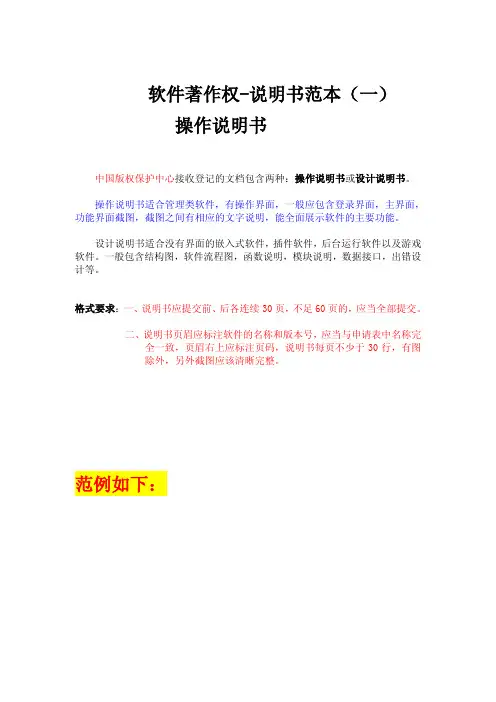
软件著作权-说明书范本(一)
操作说明书
中国版权保护中心接收登记的文档包含两种:操作说明书或设计说明书。 操作说明书适合管理类软件,有操作界面,一般应包含登录界面,主界面,功能界面截图,截图之间有相应的文字说明,能全面展示软件的主要功能。 设计说明书适合没有界面的嵌入式软件,插件软件,后台运行软件以及游戏软件。一般包含结构图,软件流程图,函数说明,模块说明,数据接口,出错设计等。 格式要求:一、说明书应提交前、后各连续30页,不足60页的,应当全部提交。 二、说明书页眉应标注软件的名称和版本号,应当与申请表中名称完全一致,页眉右上应标注页码,说明书每页不少于30行,有图除外,另外截图应该清晰完整。
范例如下:
第1章 系统说明
企业管理软件采用WEB开发标准,可以随时实现在互联网上的应用,提供办
公人员在办公室以外的办公手段,他可以远程拨号或登录到出差地的网络,通过
电话线或广域网络,随时可以访问到企业办公自动化系统;将办公自动化系统应
用地点由固定的物理位置延伸到其他所有被网络覆盖的地方,可提高工作效率和
减少费用,并且符合现代办公方式的发展特点。完全基于B/S结构的设计,可使
用户轻松实现单点维护、全面升级。摆脱了传统C/S结构实施、维护工作复杂,
升级系统时系统管理员需要四处奔波的情况。
本使用手册主要介绍办公OA的主要系统功能,业务流程,用于指导办公人
员的正确使用。 第2章 系统初始化
管理员登录后,进入主界面。
首次使用OA,整个系统只是一个没有任何数据的平台。在这里,您可以通
过机构配置所提供的一系列功能结合您公司的实际情况来完成如下设置:公司机
构体系、职位的建立、职位的分配。
机构配置管理流程:
1) 建立公司内部的机构体系,设置相应的部门。
2) 在各部门中设置行应的职位,同时对职位指定相应的操作权限;用户可以
在此指定一个职位,该职位具有系统管理权限,用来进行系统的日常维
护与管理。
3) 为员工分配相应的职位。
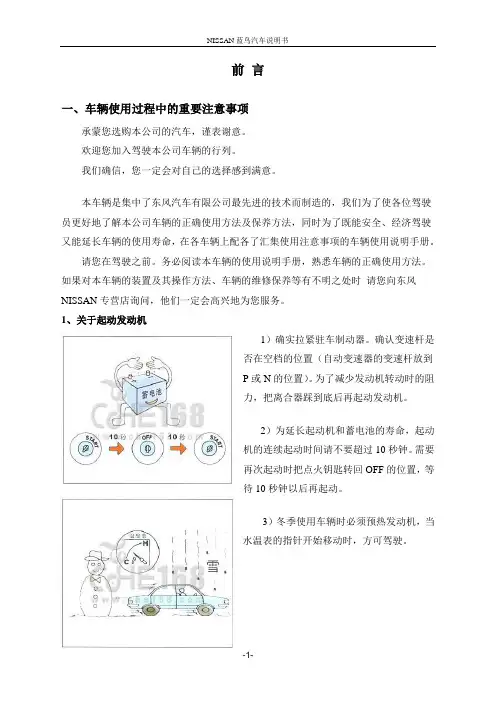
NISSAN蓝鸟汽车说明书
-1- 前 言
一、车辆使用过程中的重要注意事项
承蒙您选购本公司的汽车,谨表谢意。
欢迎您加入驾驶本公司车辆的行列。
我们确信,您一定会对自己的选择感到满意。
本车辆是集中了东风汽车有限公司最先进的技术而制造的,我们为了使各位驾驶员更好地了解本公司车辆的正确使用方法及保养方法,同时为了既能安全、经济驾驶又能延长车辆的使用寿命,在各车辆上配各了汇集使用注意事项的车辆使用说明手册。
请您在驾驶之前。务必阅读本车辆的使用说明手册,熟悉车辆的正确使用方法。如果对本车辆的装置及其操作方法、车辆的维修保养等有不明之处时 请您向东风NISSAN专营店询问,他们一定会高兴地为您服务。
1、关于起动发动机
1)确实拉紧驻车制动器。确认变速杆是否在空档的位置(自动变速器的变速杆放到P或N的位置)。为了减少发动机转动时的阻力,把离合器踩到底后再起动发动机。
2)为延长起动机和蓄电池的寿命,起动机的连续起动时间请不要超过10秒钟。需要再次起动时把点火钥匙转回OFF的位置,等待10秒钟以后再起动。
3)冬季使用车辆时必须预热发动机,当水温表的指针开始移动时,方可驾驶。
NISSAN蓝鸟汽车说明书
-2- 2、关于经济驾驶方法
1)离合器的连接要缓慢,车辆起步要平稳。在发动机高转速的状态下起步,会使燃料的消耗量增加,离合器的寿命也会缩短。
2)绝对禁止二档起步。二档起步会给发动机、离合器、变速器、齿轮等带来不必要的负荷而加速损坏。
3)为了节省燃料和延长发动机的使用寿命,一档起步以后,请务必按照说明手册所推荐的车速来进行换挡。比如四档,车速必须在50公里以上使用;低速(如30公里)时,若过早换到高速档,发动机会发生爆震。运行中发生爆震,除了使发动机的动力下降以外,燃料消耗量也会极端恶化;另外,严重爆震会成为发生汽缸密封垫冲坏、曲轴瓦烧接等重大故障的原因;当然,在低速档运转车辆在推荐速度以上行驶,这也会成为发动机超速运转而造成轴瓦、活塞环烧接等的原因,且在这种情况下燃料消耗量也必然会增加。