centos7安装Oracle
- 格式:docx
- 大小:42.88 KB
- 文档页数:5
一些简单的过程就不列在这里了,网上也有很多,这里主要写下遇到的一些问题,以及解决方案CentOS 7 的环境为[plain]view plaincopyprint?1.$ uname -a2.Linux oracle3.10.0-123.13.1.el7.x86_64 #1 SMP Tue Dec 9 23:06:09 UTC 2014 x86_64 x86_64 x86_64 GNU/Linux注意安装的时候需要安装一个桌面系统(X-Windows + KDE 或者Gnome),否则安装程序无法运行。
然后根据需要修改共享内存等等系统参数。
这个也不写了,网上有很多。
不过据我的测试,CentOS7貌似不需要修改也是可以的,Oracle在进行安装检查的时候没有报告问题(和以前的不一样)。
当然为了调优数据库的性能,还是修改的好。
安装gcc,因为后面Oracle link的时候会用到yum install gcc安装结果为[plain]view plaincopyprint?1.gcc --version2.gcc (GCC) 4.8.2 20140120 (Red Hat 4.8.2-16)3.Copyright (C) 2013 Free Software Foundation, Inc.4.This is free software; see the source for copying conditions. There is NO5.warranty; not even for MERCHANTABILITY or FITNESS FOR A PARTICULAR PURPOSE.(这里注意,因为Oracle需要的3.4和安装的4.8的参数的区别,后面link会失败,解决方法见后)1. 下载,需要下载两个文件p1*******_112030_Linux-x86-64_1of7.zipp1*******_112030_Linux-x86-64_2of7.zip2. 解压缩,把这两个文件解压到同一个目录下3. 运行installer。
中间依赖检查那一步,可以Skip。
因为Oracle要检查是否安装了gcc,glibc 等等比较老的版本(3.4)4. 前面一切顺利。
到了Link那一步,出错了。
Log显示error in invoking target 'agent nmhs'在网上查到了解决方案:[plain]view plaincopyprint?1.vi $ORACLE_HOME/sysman/lib/ins_emagent.mk2.Search for the line3.$(MK_EMAGENT_NMECTL)4.Change it to:5.$(MK_EMAGENT_NMECTL) -lnnz115. Retry重试。
这就OK了。
6. 之后就没啥问题了。
正常安装,执行root脚本,等等。
7. 安装后重启服务器。
8. 重启后,检查oracle用户的环境变量:[plain]view plaincopyprint?1.declare -x ORACLE_HOME="/home/oracle/app/oracle/product/11.2.0/dbhome_1"2.declare -x ORACLE_SID="orcl"9. 进入$ORACLE_HOME/network/admin,检查listener.ora:[plain]view plaincopyprint?1.[oracle@oracle admin]$ cat listener.ora2.# listener.ora Network Configuration File: /home/oracle/app/oracle/product/11.2.0/dbhome_1/network/admin/listener.ora3.# Generated by Oracle configuration tools.4.5.SID_LIST_LISTENER =6.(SID_LIST =7. (SID_DESC =8. (SID_NAME = orcl)9. (ORACLE_HOME = /home/oracle/app/oracle/product/11.2.0/dbhome_1)10. )11.)12.13.LISTENER =14. (DESCRIPTION_LIST =15. (DESCRIPTION =16. (ADDRESS = (PROTOCOL = TCP)(HOST = 10.16.33.212)(PORT = 1521))17. )18. )19.20.ADR_BASE_LISTENER = /home/oracle/app/oracle重点检查其中的SID,HOST,PORT,ORACLE_HOME是否正确。
如果不正确客户端会报告ERROR-ORA-12514:TNS:监听程序当前无法识别连接描述符中请求的服务错误。
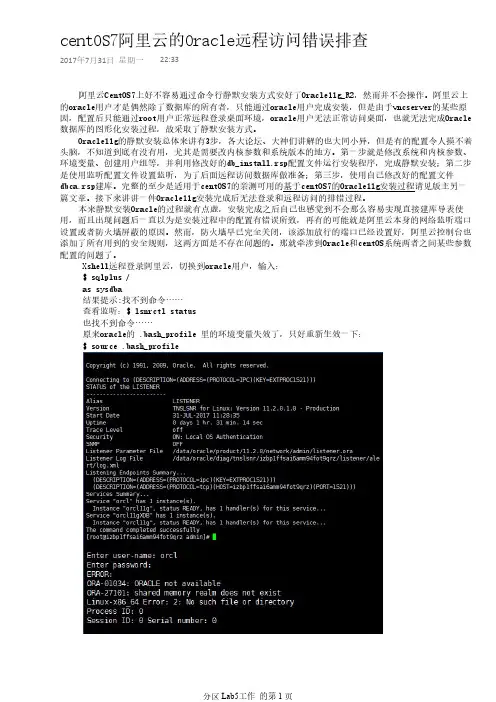
如果没有问题,进入$ORACLE_HOME/bin,启动监听器:[plain]view plaincopyprint?1.[oracle@oracle bin]$ ./lsnrctl2.3.LSNRCTL for Linux: Version 11.2.0.3.0 - Production on 16-DEC-2014 11:22:034.5.Copyright (c) 1991, 2011, Oracle. All rights reserved.6.7.Welcome to LSNRCTL, type "help" for information.[plain]view plaincopyprint?1.LSNRCTL> start2.Starting /home/oracle/app/oracle/product/11.2.0/dbhome_1/bin/tnslsnr: please wait...3.4.5.TNSLSNR for Linux: Version 11.2.0.3.0 - Production6.System parameter file is /home/oracle/app/oracle/product/11.2.0/dbhome_1/network/admin/listener.ora7.Log messages written to /home/oracle/app/oracle/diag/tnslsnr/oracle/listener/alert/log.xml8.Listening on: (DESCRIPTION=(ADDRESS=(PROTOCOL=tcp)(HOST=10.16.33.212)(PORT=1521)))9.10.11.Connecting to (DESCRIPTION=(ADDRESS=(PROTOCOL=TCP)(HOST=10.16.33.212)(PORT=1521)))12.STATUS of the LISTENER13.------------------------14.Alias LISTENER15.Version TNSLSNR for Linux: Version 11.2.0.3.0 - Production16.Start Date 16-DEC-2014 11:22:0717.Uptime 0 days 0 hr. 0 min. 0 sec18.Trace Level off19.Security ON: Local OS Authentication20.SNMP OFF21.Listener Parameter File /home/oracle/app/oracle/product/11.2.0/dbhome_1/network/admin/listener.ora22.Listener Log File /home/oracle/app/oracle/diag/tnslsnr/oracle/listener/alert/log.xml23.Listening Endpoints Summary...24. (DESCRIPTION=(ADDRESS=(PROTOCOL=tcp)(HOST=10.16.33.212)(PORT=1521)))25.Services Summary...26.Service "orcl" has 1 instance(s).27. Instance "orcl", status UNKNOWN, has 1 handler(s) for this service...28.The command completed successfully29.LSNRCTL>启动正常,使用sqlplus启动数据库:[plain]view plaincopyprint?1.[oracle@oracle bin]$ ./sqlplus '/ as sysdba'2.SQL> startup3.ORACLE instance started.4.5.6.Total System Global Area 960372736 bytes7.Fixed Size 2234160 bytes8.Variable Size 557844688 bytes9.Database Buffers 394264576 bytes10.Redo Buffers 6029312 bytes11.Database mounted.12.Database opened.10. Centos7自带了SELINUX,关掉11. Centos7自带了下一代防火墙firewalld,关掉,否则客户端连接过来会报TNS Timeout 异常[plain]view plaincopyprint?1.[root@oracle ~]# service firewalld stop2.Redirecting to /bin/systemctl stop firewalld.service===============================================现在其它机器就应该可以正常连接并使用Oracle了。
另:装Oracle最省事的还是在Oracle自己的Enterprise Linux上安装。
那些依赖,系统参数,等等等都不需要设置了。