
Premiere Pro 第一章
- 格式:ppt
- 大小:520.00 KB
- 文档页数:26
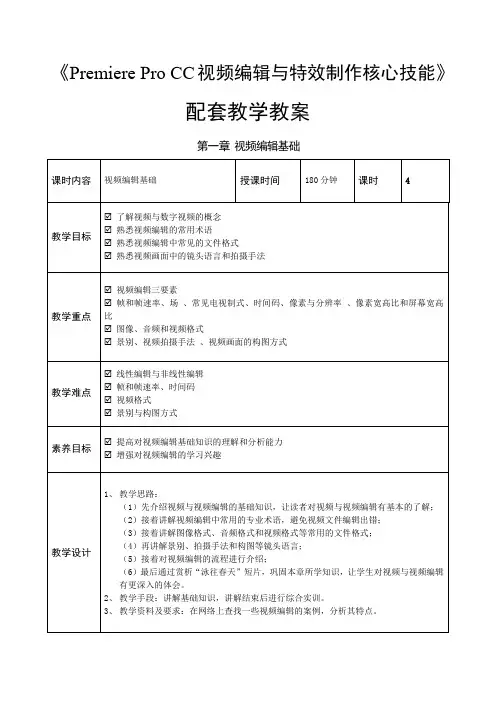
《Premiere Pro CC视频编辑与特效制作核心技能》配套教学教案第一章视频编辑基础.赏析“秘密”剧情短片下图所示为一个剧情短片截图,要求结合短片中的文案内容、画面内容,分析短片的镜头语言、脚本和拍摄手法,熟悉视频的拍摄流程和方法,积累创作经验。
第二章 Premiere快速入门第三章 Premiere视频编辑的基本操第四章视频剪辑.剪辑“一个人的旅行”文艺短片本练习将剪辑一个文艺风格的短片,要求将剪辑后的视频画面根据“近景—中景—远景”的景别顺序重新排列。
在制作时,也可以添加与视频风格相搭配的文案和背景音乐,参考效果如图所示。
.剪辑“美食制作”Vlog本练习需利用提供的素材剪辑“美食制作”Vlog。
由于该素材已经确定了视频片段的播放顺序,因此在剪辑时每个视频片段的顺序不变,只需将各个视频中多余的画面删除,然后添加美食制作的步骤文字和背景音乐,参考效果如图所示。
第五章制作视频过渡效果3、熟悉各种视频过渡效果能产生的作用1.制作产品展示动图本练习将制作一个书包产品展示动图,要求展现产品款式多样的特点。
制作时可在产品图片之间添加过渡效果,让图片之间的过渡更加平缓、自然。
需要注意的是:在导出动图时的“导出设置”对话框中需要选择导出格式为“动画GIF”,参考效果如图所示。
2.制作护肤品展示视频本练习将制作一个护肤品展示视频,要求时长不超过90秒,护肤品海报的展示效.制作海底世界宣传片本练习将利用提供的海底视频素材,制作海底世界宣传片,制作时可用多种方式剪辑视频素材,参考效果如图所示。
第六章创建视频特效第七章关键帧动画和运动效果2.制作清明节动态海报本练习将制作清明节动态海报,要求结合画面效果制作合适的文字内容,并为文字、燕子、雨滴素材添加合适的动画效果,且动画效果要有一定规律,如燕子飞翔应遵循近大远小的透视规律,雨滴应遵循从上往下的重力规律。
参考效果如图所示。
3.制作情人节GIF动画本练习将利用提供的PSD素材制作情人节GIF动画,要求动画效果和缓,画面效果美观,文件格式为GIF动图格式。

AdobePremierePro使用教程Chapter 1: Introduction to Adobe Premiere ProAdobe Premiere Pro is a professional video editing software widely used in the film, television, and advertising industries. It offers a comprehensive set of tools and features that allow users to edit and produce high-quality videos. In this chapter, we will introduce the basic layout and functions of Adobe Premiere Pro.1.1 Interface OverviewThe Adobe Premiere Pro interface consists of several key components. The main workspace is divided into panels such as the Project panel, Source panel, Program panel, and Timeline panel. Each panel plays a specific role in the editing process. Additionally, there are various menus and tools available in the top toolbar, providing additional functionality to users.1.2 Importing FootageTo start editing a video in Adobe Premiere Pro, you need to import your footage into the software. You can do this by selecting "File" in the menu and choosing "Import" or by simply dragging and dropping files from your computer into the Project panel. Premiere Pro supports a wide range of file formats, including videos, images, and audio files.Chapter 2: Basic Editing TechniquesOnce your footage is imported, you can begin editing your video using Adobe Premiere Pro's powerful editing tools. This chapter will cover some of the basic editing techniques to help you get started.2.1 Cutting and Trimming ClipsThe most fundamental editing technique in Adobe Premiere Pro is cutting and trimming clips. You can use the razor tool to split clips at specific points, or you can use the selection tool to trim the beginning or end of a clip. These tools allow you to remove unwanted portions of your footage or rearrange clips within the timeline.2.2 Applying TransitionsTransitions are visual effects that connect one clip to another, creating smooth and seamless transitions. Adobe Premiere Pro offers a wide range of transition effects, including wipes, dissolves, and slides. You can apply these transitions by dragging and dropping them between clips on the timeline.Chapter 3: Advanced Editing TechniquesIn addition to basic editing, Adobe Premiere Pro also provides advanced editing techniques to enhance the quality and creativity of your videos. This chapter will introduce some of these techniques.3.1 Color Correction and GradingColor correction and grading are essential for achieving the desired look and mood of your video. Adobe Premiere Pro offers powerfulcolor correction tools, such as Lumetri Color, which allows you to adjust the exposure, contrast, saturation, and other parameters of your footage.3.2 Adding Effects and FiltersPremiere Pro provides a wide range of effects and filters that can be applied to your footage. These effects can enhance the visual appearance or add creative elements to your video. From basic effects like blur and sharpen to advanced effects like keying and compositing, Premiere Pro has a vast library of effects to choose from.Chapter 4: Audio Editing and MixingIn addition to video editing, Adobe Premiere Pro also offers comprehensive audio editing and mixing capabilities. This chapter will focus on the audio-related features of Premiere Pro.4.1 Audio Editing ToolsPremiere Pro provides tools for editing audio tracks, including trimming, fading, and adjusting volume levels. You can also use audio effects to enhance the quality of your audio, such as reducing noise or applying equalization.4.2 Audio MixingPremiere Pro allows you to mix multiple audio tracks and create a balanced sound mix. You can adjust the volume levels of individualtracks, add effects, and apply automation to create dynamic and professional-sounding audio.Chapter 5: Exporting and PublishingOnce your video editing is complete, you can export your project in various formats for different platforms. This chapter will cover the exporting and publishing options in Adobe Premiere Pro.5.1 Export SettingsAdobe Premiere Pro provides a wide range of export settings to choose from, including different video codecs, resolutions, frame rates, and audio formats. You can customize these settings according to your specific requirements or use one of the preset export settings for popular platforms like YouTube or Vimeo.5.2 Publishing to Online PlatformsPremiere Pro includes built-in features that allow you to directly publish your videos to popular online platforms such as YouTube, Vimeo, and Facebook. You can add metadata, customize thumbnails, and upload your videos directly from the software.Conclusion:Adobe Premiere Pro is a powerful video editing tool that offers a wide range of features and functions. With its intuitive interface and comprehensive set of tools, users can create professional-quality videos with ease. Whether you are a beginner or an experienced editor, AdobePremiere Pro provides the flexibility and functionality required to bring your creative vision to life.。

AdobePremierePro剪辑教程Adobe Premiere Pro剪辑教程第一章:Adobe Premiere Pro简介Adobe Premiere Pro是一个专业的视频编辑软件,广泛应用于电影制作、电视节目制作以及个人视频编辑等领域。
它具备丰富的剪辑功能和强大的后期处理能力,能够满足各类视频编辑需求。
本章将介绍Adobe Premiere Pro的主要特点和使用环境。
第二章:项目设置与导入素材在开始剪辑之前,首先需要进行项目设置。
打开Adobe Premiere Pro,选择新建项目,并设置视频分辨率、帧率和音频采样率等参数。
接下来,可以导入需要剪辑的素材,包括视频、音频、图像等文件。
通过简单的拖拽操作,将素材导入到项目面板中,并进行组织和分类。
第三章:剪辑基础操作本章将介绍Adobe Premiere Pro的基本剪辑操作,包括时间线编辑、剪切与修整、添加转场效果等。
通过拖拽素材到时间轴上,并调整其位置和时长,可以实现视频的剪辑。
此外,还可以使用剪切工具对视频进行修整和切割,以及添加多种转场效果,使剪辑更加流畅自然。
第四章:调色与修饰效果调色与修饰是剪辑的重要环节,它能够改善视频画面的色彩和光影效果,增加视频的艺术感和观赏性。
Adobe Premiere Pro提供了丰富的调色工具和预设效果,可以对视频进行颜色校正、曝光调整、色彩平衡等操作。
此外,还可以添加各类滤镜、特效和动画,进一步提升视频的质感和效果。
第五章:特殊效果与字幕添加在一些特殊的剪辑需求中,特殊效果和字幕添加可以起到重要的作用。
本章将介绍如何在Adobe Premiere Pro中添加倒放效果、速度调整、画中画等特殊效果。
同时,还将讲解如何添加字幕、标题和动态文本,使视频更具信息传达和艺术表现力。
第六章:音频编辑与混音音频编辑对于一个优秀的视频来说同等重要。
Adobe Premiere Pro提供了强大的音频处理功能,可以对音频进行音量调整、去噪、混响等操作。
