
01_Invoice Processing
- 格式:ppt
- 大小:4.71 MB
- 文档页数:47
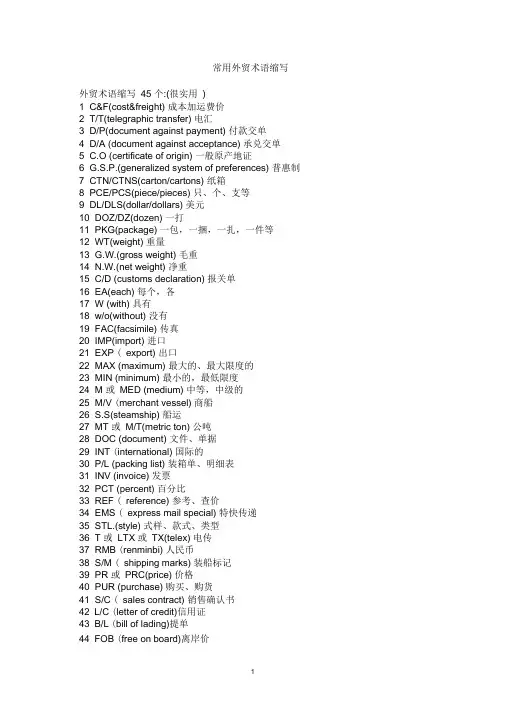
常用外贸术语缩写外贸术语缩写45 个:(很实用)1 C&F(cost&freight) 成本加运费价2 T/T(telegraphic transfer) 电汇3 D/P(document against payment) 付款交单4 D/A (document against acceptance) 承兑交单5 C.O (certificate of origin) 一般原产地证6 G.S.P.(generalized system of preferences) 普惠制7 CTN/CTNS(carton/cartons) 纸箱8 PCE/PCS(piece/pieces) 只、个、支等9 DL/DLS(dollar/dollars) 美元10 DOZ/DZ(dozen) 一打11 PKG(package) 一包,一捆,一扎,一件等12 WT(weight) 重量13 G.W.(gross weight) 毛重14 N.W.(net weight) 净重15 C/D (customs declaration) 报关单16 EA(each) 每个,各17 W (with) 具有18 w/o(without) 没有19 FAC(facsimile) 传真20 IMP(import) 进口21 EXP ( export) 出口22 MAX (maximum) 最大的、最大限度的23 MIN (minimum) 最小的,最低限度24 M 或MED (medium) 中等,中级的25 M/V (merchant vessel) 商船26 S.S(steamship) 船运27 MT 或M/T(metric ton) 公吨28 DOC (document) 文件、单据29 INT (international) 国际的30 P/L (packing list) 装箱单、明细表31 INV (invoice) 发票32 PCT (percent) 百分比33 REF ( reference) 参考、查价34 EMS ( express mail special) 特快传递35 STL.(style) 式样、款式、类型36 T 或LTX 或TX(telex) 电传37 RMB (renminbi) 人民币38 S/M ( shipping marks) 装船标记39 PR 或PRC(price) 价格40 PUR (purchase) 购买、购货41 S/C ( sales contract) 销售确认书42 L/C (letter of credit)信用证43 B/L (bill of lading)提单44 FOB (free on board)离岸价45 CIF (cost,insurance&freight )成本、保险加运费价comprehe nsive package of services 全面的一揽子服务a desig nated ma nned ship 一艘特定的配备船员的船air freight空运货物Airline cooperation 航空公司协作arrival notice 至U货通知as per按照bale or grain capacity 包装或散装容积BALTIME form 波尔的姆格式bank draft银行汇票bareboat charteri ng 光船租船BARECON form贝尔康格式bargaining strenght 讨价还价的能力bill of entry 报关单bills of lading 提单BIMCO波罗的海国际航运运协会blank bill of lading 不记名提单break bulk cargo 杂货,普通货物breakage of pack ing risks 包装破裂险bunker adjustment factor (BAF)燃油价格调整因素;燃油附加费bus in ess corresp ondence 商务通信call at a port 挂靠,停靠cargo transportation 货物运输carriage of goods by sea 海上货物运输carriage of goods by road 公路货物运输carrier承运人carrying capacity 运载能力certificate of registry 登记证书CFR (Cost and Freight) CFR (成本加运费)chargeable weight 计费重量charter party租船合同check list核查单CIF (Cost,lnsuranee and Freight)CIF ( 成本、保险费加运费)CIP (Carriage and In sura nee Paid To)CIP ( 运费、保险费付至)clash and breakage risks 碰损、破碎险class rates等级运价clean bill of lading 清洁提单clear the goods for export 办理货物出口清关手续combined transport 合并运输commissi on age nt 委托代理人com mon carrier公共承运人conference lines 班轮公会运输con sig nee收货人consolidated shipment 集运货物Constructive total loss 推定全损container cargo 集装箱货物containerization 集装箱化con tract of affreightme nt (COA) 包运合同contract of carriage 货物运输合同CPT (Carriage Paid To)CPT (运费付至)lash ing捆扎加固special cargo特殊货物报关单、核销单、提单等的英文翻译出口报关单bill of customs clearanee核销单verification sheet倒签提单antedated B/L直销direct selling传销multi-level selling,pyramid selling唛头mark正唛shipping mark ,main mark, front mark侧唛side markTHC 码头操作费FAF 燃料附加费YAS 码头附加费或者日元升值附加费EPS 是设备位置附加费EXW 工厂交货AIR WAYBILL NUMBER 包裹空运运单号B/L NO 海运的提单M B/L (Ocean Bill of Lading) 海上提单H B/L (House Bill of Lading) 仓库提单报关单英文单词和缩写一.单证( Documents) 进出口业务涉及的单证总的包括三大类:1、金融单证(信用证、汇票、支票和本票)2、商业单证(发票、装箱单、运输单据、保险单等3、用于政府管制的单证(许可证、原产地证明、商检证等)declaration form 报关单nThree steps —declaration, examination of goods andn release of goods, are taken by the Customs to exercise control over general import and export goods. 海关对进出境货物的监管一般经过申报、查验和放行三个环节。

Evaluated ReceiptSettlement 可估价的收货结算PurposeTo simplify the invoice and payment process with vendors, invoices can be automatically generated on the basis of goods receipt documents. It is possible to define that certain products are to be excluded from this procedure.目的是为了简化对供应商发票及付款的处理. 发票可以基于收货凭证的基础上自动产生. 可能要定义一些产品需要排除在这个程序外.Due to an organizational reshaping of its business processes, the Purchasing department would like to minimize operating expenses for Invoice Verification. Price and quantity differences are no longer applicable as a result of the credit memo and/or the ERS procedure. For this reason, Purchasing is initiating a scheduling agreement, whose vendor is subject to an ERS procedure.由于这个业务流程中需要改组一个组织架构, 需采购部门愿意为发票校验将营业费用减少到最小. 结果会导致在进行贷项凭证及或ERS自动收货结算程序后, 价格差异及数量差异将不再适用.You can find the data for this process under .Process Flow1.Displaying the Vendor Master Record2.Displaying the Purchasing Info Record3.Displaying the Scheduling Agreement4.Displaying the SA Schedule Lines5.Creating the Goods Receipt Document6.Generating Invoices Based on GR DocumentsData Used During This ProcessDisplaying the Vendor MasterRecordProcedure1.Call up the transaction as follows:Logistics Materials Management Purchasing Master Data VendorPurchasing Display (Current)Transaction Code MK032.On the Display Vendor: Initial Screen, enter the following data: Field DataVendor1021Purch. organization1000Purchasing data Select3.Choose .On the Display Vendor: Purchasing Data screen, in the Control data screen area, note that AutoEvalGRSetmt Del. has been selected.4.Choose until the overview tree appears.Displaying the Purchasing InfoRecord显示采购信息记录Procedure1.Call up the transaction as follows:From the Master Data node, choose Info Record Display.Transaction Code ME132.On the Display Info Record: Initial Screen enter the following data: Field DataVendor1021Material R-1210Purchasing org.1000Plant 1200(Info category) Standard Select3.Choose .4.On the Display Info Record: General Data screen, choose .data 1.On the Display Info Record: Purch. Organization Data 1 screen, in the Control data screen area, note that No ERS has been selected. To call up the field help, position your cursor on this field, then choose F1. This indicator is selected only if the material is not to participate in the ERS procedure.5.Choose until the overview tree appears.Displaying the SchedulingAgreement 显示计划协议Procedure1.Call up the transaction as follows:From the Outline Agreement node, choose Scheduling Agreement Display2.On the Display Scheduling Agreement: Initial Screen, enter the following data:Fields DataAgreement55000000153.Choose .4.On the Display Scheduling Agreement: Item Overview screen, select the first item of the agreement.5.Choose .On the Display Scheduling Agreement: Item xxx Additional Data screen, in the Administration screen area, you can see the start date of the settlement in the GR-b Sett.from field. This date depends on the goods receipt.6.Choose until the overview tree appears.Displaying the SA ScheduleLines显示计划协议计划行Procedure1.Call up the transaction as follows:From the Outline Agreement node, choose Scheduling Agreement DeliverySchedule Maintain.Transaction Code ME382.On the Maintain Scheduling Agreement Schedule: Initial Screen, enter the following data: Field DataAgreement55000000153.Choose .4.On the Maintain Scheduling Agreement Schedule: Item Overview screen, select the first item and choose.You now see all of the schedule lines created to date.Note the date formats, the time, the scheduled quantities, and the Fixed indicator.5.If no schedule lines have been maintained, enter the following data:D Delivery date Scheduled quantityD Today‘s date200D One week after today’s date3006.Choose .To skip any warning messages, choose .7.Choose .The system confirms you the Scheduling Agreement has been changed.8.Choose until the overview tree appears.Creating the Goods ReceiptDocumentProcedure1.Call up the transaction as follows:From the Inventory Management node, choose Goods Movement GoodsReceipt For Purchase Order PO Number Known.Transaction Code MIGOThe Goods Receipt for Purchase Order <User> screen appears.2.Enter the following data:Field DataPurchase order55000000153.Choose .The system copies the header data of the purchase order into the header data area of the GR document. The purchase order items appear in the GR item overview.The PO number you entered appears in the Current purchase order field of the document overview, and the PO number field is once again ready to accept input.If you click on individual items, the system displays an item data screen (allowing you to change the entered quantity, for example).4.In the header data area of the General tab page, enter the following data:5.Select your item, then choose the Where tab page at the bottom of the screen to check your organization data.6.If required, enter the following data on the Where tab page:7.In the item overview area, select OK for your item.If the OK indicator in the item overview area is not active, either close the item detail area or select Item OK in the lower part of the item detail area.8.Choose Post.The system confirms the posting and assigns a material document number.9.Choose until the overview tree appears.Generating Invoices Based on GRDocuments产生基于收货凭证的发票Procedure1.Call up the transaction as follows:From the Materials Management node, choose Invoice Verification LogisticsInvoice Verification Further Processing Execute ERSTransaction Code MRRL, MR902.On the Evaluated Receipt Settlement (ERS) with Logistics Invoice Verification screen, enter the following data:Field DataVendor1021Doc. selection3Test run Select3.Choose . You now see a log of the valid and invalid GR documents for ERS.4.To return to the Evaluated Receipt Settlement (ERS) with Logistics Invoice Verification screen, choose.5.Enter the same data as in step 2, but this time deselect Test run.6.Choose .You have now created the invoices. The system displays a log of all the GR documents (selected and not selected). Note the number of the invoice document that can be posted.7.To return to the overview tree, choose .8.To display your invoice document, from the Logistics Invoice Verification node, choose Environment Messages Output.9.On the Messages in Logistics Invoice Verification screen, enter the following data: Field DataOutput type ERSInvoice doc. number Number of your document10.Choose .11.Select your document, then choose . The print preview appears.12.Choose until the overview tree appears.。

rpa机器人流程自动化任务练习RPA (Robotic Process Automation) is a technology that allows businesses to automate repetitive tasks and streamline their processes. RPA robots can mimic human actions and interact with applications to perform tasks such as data entry, invoice processing, and customer service. These robots are designed to work 24/7 without breaks, ensuring efficiency and accuracy in the workflow.RPA机器人流程自动化是一种技术,它可以帮助企业自动化重复性的任务,简化他们的流程。
RPA机器人可以模仿人类的行为,并与应用程序交互,执行诸如数据输入、发票处理和客户服务等任务。
这些机器人被设计为可以在不间断地工作24/7,确保工作流程的高效性和准确性。
By implementing RPA, businesses can reduce costs, increase productivity, and improve customer satisfaction. The automation of tasks that were previously done manually frees up employees to focus on higher-value work. This not only improves employee morale but also allows businesses to reallocate resources more effectively.通过实施RPA,企业可以降低成本,提高生产力,并提高客户满意度。
