
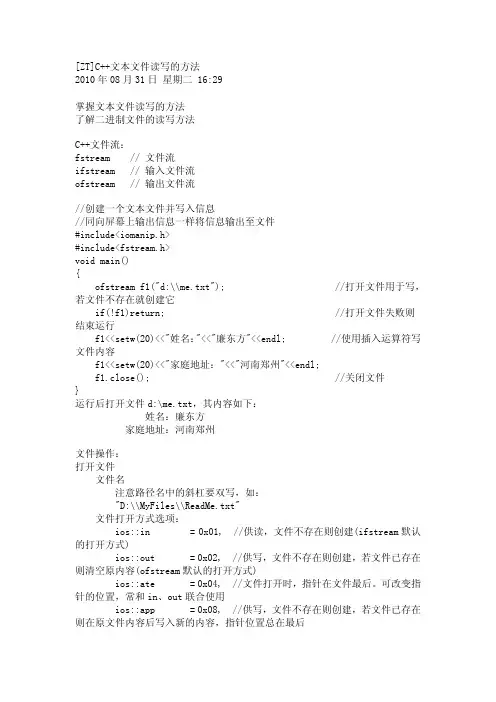
C++文本文件读写的方法
- 格式:pdf
- 大小:107.85 KB
- 文档页数:5
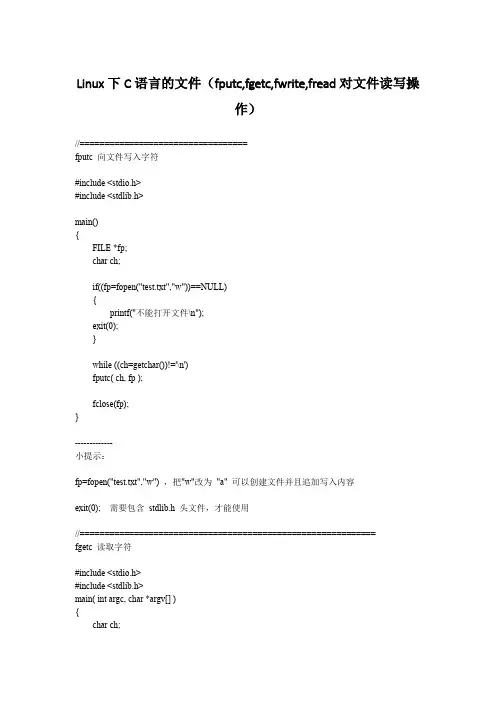
Linux下C语言的文件(fputc,fgetc,fwrite,fread对文件读写操作)//==================================fputc 向文件写入字符#include <stdio.h>#include <stdlib.h>main(){FILE *fp;char ch;if((fp=fopen("test.txt","w"))==NULL){printf("不能打开文件\n");exit(0);}while ((ch=getchar())!='\n')fputc( ch, fp );fclose(fp);}-------------小提示:fp=fopen("test.txt","w") ,把"w"改为"a" 可以创建文件并且追加写入内容exit(0); 需要包含stdlib.h 头文件,才能使用//============================================================fgetc 读取字符#include <stdio.h>#include <stdlib.h>main( int argc, char *argv[] ){char ch;FILE *fp;int i;if((fp=fopen(argv[1],"r"))==NULL){printf("不能打开文件\n");exit(0);}while ((ch=fgetc(fp))!=EOF)putchar(ch);fclose(fp);}文件结尾,通过判断EOF//============================================================== fwrite 的使用使数组或结构体等类型可以进行一次性读写#include <stdio.h>#include <stdlib.h>main(){FILE *fp1;int i;struct student{char name[10];int age;float score[2];char addr[15];}stu;if((fp1=fopen("test.txt","wb"))==NULL){printf("不能打开文件");exit(0);}printf("请输入信息,姓名年龄分数1 分数2 地址:\n");for( i=0;i<2;i++){scanf("%s %d %f %f %s",,&stu.age,&stu.score[0],&stu.score[1], stu.addr);fwrite(&stu,sizeof(stu),1,fp1);}fclose(fp1);}//=============================================================== fread 的使用#include <stdio.h>#include <stdlib.h>main(){FILE *fp1;int i;struct student{char name[10];int age;float score[2];char addr[15];}stu;if((fp1=fopen("test.txt","rb"))==NULL){printf("不能打开文件");exit(0);}printf("读取文件的内容如下:\n");for (i=0;i<2;i++){fread(&stu,sizeof(stu),1,fp1);printf("%s %d %7.2f %7.2f %s\n",,stu.age,stu.score[0],stu.score[1],stu.addr);}fclose(fp1);}。
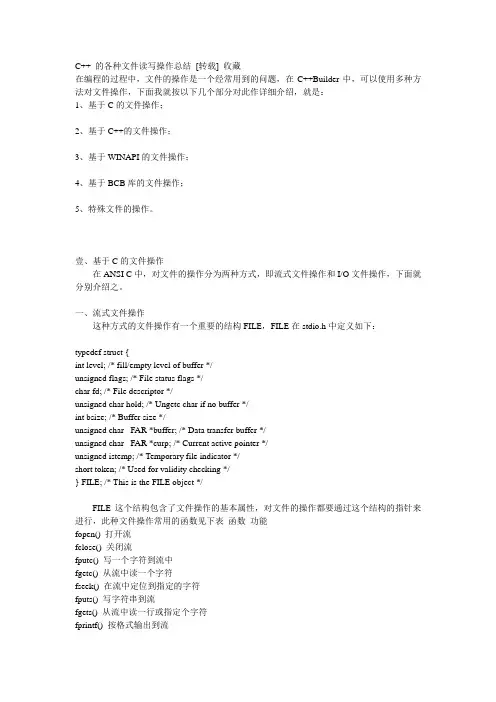
C++ 的各种文件读写操作总结[转载] 收藏在编程的过程中,文件的操作是一个经常用到的问题,在C++Builder中,可以使用多种方法对文件操作,下面我就按以下几个部分对此作详细介绍,就是:1、基于C的文件操作;2、基于C++的文件操作;3、基于WINAPI的文件操作;4、基于BCB库的文件操作;5、特殊文件的操作。
壹、基于C的文件操作在ANSI C中,对文件的操作分为两种方式,即流式文件操作和I/O文件操作,下面就分别介绍之。
一、流式文件操作这种方式的文件操作有一个重要的结构FILE,FILE在stdio.h中定义如下:typedef struct {int level; /* fill/empty level of buffer */unsigned flags; /* File status flags */char fd; /* File descriptor */unsigned char hold; /* Ungetc char if no buffer */int bsize; /* Buffer size */unsigned char _FAR *buffer; /* Data transfer buffer */unsigned char _FAR *curp; /* Current active pointer */unsigned istemp; /* Temporary file indicator */short token; /* Used for validity checking */} FILE; /* This is the FILE object */FILE这个结构包含了文件操作的基本属性,对文件的操作都要通过这个结构的指针来进行,此种文件操作常用的函数见下表函数功能fopen() 打开流fclose() 关闭流fputc() 写一个字符到流中fgetc() 从流中读一个字符fseek() 在流中定位到指定的字符fputs() 写字符串到流fgets() 从流中读一行或指定个字符fprintf() 按格式输出到流fscanf() 从流中按格式读取feof() 到达文件尾时返回真值ferror() 发生错误时返回其值rewind() 复位文件定位器到文件开始处remove() 删除文件fread() 从流中读指定个数的字符fwrite() 向流中写指定个数的字符tmpfile() 生成一个临时文件流tmpnam() 生成一个唯一的文件名下面就介绍一下这些函数1.fopen()fopen的原型是:FILE *fopen(const char *filename,const char *mode),fopen实现三个功能为使用而打开一个流把一个文件和此流相连接给此流返回一个FILR指针参数filename指向要打开的文件名,mode表示打开状态的字符串,其取值如下表字符串含义"r" 以只读方式打开文件"w" 以只写方式打开文件"a" 以追加方式打开文件"r+" 以读/写方式打开文件,如无文件出错"w+" 以读/写方式打开文件,如无文件生成新文件一个文件可以以文本模式或二进制模式打开,这两种的区别是:在文本模式中回车被当成一个字符'\n',而二进制模式认为它是两个字符0x0D,0x0A;如果在文件中读到0x1B,文本模式会认为这是文件结束符,也就是二进制模型不会对文件进行处理,而文本方式会按一定的方式对数据作相应的转换。

C++⽂件读写详解转⾃:/kingstar158/article/details/6859379在看C++编程思想中,每个练习基本都是使⽤ofstream,ifstream,fstream,以前粗略知道其⽤法和含义,在看了⼏位⼤⽜的博⽂后,进⾏整理和总结:这⾥主要是讨论fstream的内容:1 #include <fstream>2 2.ofstream //⽂件写操作内存写⼊存储设备3 3.ifstream //⽂件读操作,存储设备读区到内存中4 4.fstream //读写操作,对打开的⽂件可进⾏读写操作1.打开⽂件在fstream类中,成员函数open()实现打开⽂件的操作,从⽽将数据流和⽂件进⾏关联,通过ofstream,ifstream,fstream对象进⾏对⽂件的读写操作函数:open()1 <span style='font-family: "Times New Roman"; font-size: 16px;'>2public member function34void open ( const char * filename,5 ios_base::openmode mode = ios_base::in | ios_base::out );67void open(const wchar_t *_Filename,8 ios_base::openmode mode= ios_base::in | ios_base::out,9int prot = ios_base::_Openprot);1011 </span>参数: filename 操作⽂件名mode 打开⽂件的⽅式prot 打开⽂件的属性 //基本很少⽤到,在查看资料时,发现有两种⽅式打开⽂件的⽅式在ios类(所以流式I/O的基类)中定义,有如下⼏种⽅式:ios::in为输⼊(读)⽽打开⽂件ios::out为输出(写)⽽打开⽂件ios::ate初始位置:⽂件尾ios::app所有输出附加在⽂件末尾ios::trunc如果⽂件已存在则先删除该⽂件ios::binary⼆进制⽅式这些⽅式是能够进⾏组合使⽤的,以“或”运算(“|”)的⽅式:例如1 ofstream out;2out.open("Hello.txt", ios::in|ios::out|ios::binary) //根据⾃⼰需要进⾏适当的选取打开⽂件的属性同样在ios类中也有定义:0普通⽂件,打开操作1只读⽂件2隐含⽂件4系统⽂件对于⽂件的属性也可以使⽤“或”运算和“+”进⾏组合使⽤,这⾥就不做说明了。

C++⽂件读写详解(ofstream,ifstream,fstream)相关的头⽂件:#include <fstream>需要相关的类fstream提供三种类,实现C++对⽂件的操作ofstream:写操作,由ostream引申⽽来ifstream:读操作,由istream引申⽽来fstream :同时读写操作,由iostream引申⽽来⽂件的类型:⽂本⽂件和⼆进制⽂件⽂件读写的步骤:1、包含的头⽂件:#include <fstream>2、创建流3、打开⽂件(⽂件和流关联)4、读写 (写操作:<<,put( ), write( ) 读操作: >> , get( ),getline( ), read( ))5、关闭⽂件:把缓冲区数据完整地写⼊⽂件,添加⽂件结束标志,切断流对象和外部⽂件的连接⽂件的读写:1、⽂本⽂件的读写:⽅法:⼀次性读写若⼲字符1)使⽤运算符<< 和 >>进⾏读写功能:<< 能实现以⾏为单位写⼊⽂件>> 不能⼀⾏为单位读⼊内存,总是以空格、Tab、回车结束,⽽是以单词为单位代码:函数功能:使⽤<< ,写⼊⽂件⼀⾏字符#include <fstream>#include <iostream>using namespace std;void main(){ ofstream OpenFile("file.txt"); if (OpenFile.fail()) { cout<<"打开⽂件错误!"<<endl; exit(0); } OpenFile<<"abc def ghi"; OpenFile.close(); system("pause");}运⾏结果:⽂件中写⼊内容:abc def ghi函数功能:使⽤>>,从⽂件读⼊⼀个单词#include <fstream>#include <iostream>using namespace std;void main(){ const int len=20; char str[len];ifstream OpenFile("file.txt"); if (OpenFile.fail()){cout<<"打开⽂件错误!"<<endl;exit(0);}OpenFile>>str;cout<<str<<endl;OpenFile.close();system("pause");}运⾏结果:str的内容为abc,⽽不是abc def ghi(见空格停⽌)2)使⽤运算符<<(写)和getline()进⾏读写功能:<<:以⾏为单位输⼊⽂件getline():以⾏为单位读⼊内存,能⼀次读⼊⼀⾏函数原型:istream &getline( char *buffer, streamsize num );功能:getline( )函数⽤于从⽂件读取num-1个字符到buffer(内存)中,直到下列情况发⽣时,读取结束:1):num - 1个字符已经读⼊2):碰到⼀个换⾏标志3):碰到⼀个EOF代码:#include <fstream>#include <iostream>using namespace std;void main(){ const int len=20; char str[len];ifstream OpenFile("file.txt"); if (OpenFile.fail()){cout<<"打开⽂件错误!"<<endl;exit(0);}OpenFile.getline(str,20);cout<<str<<endl;OpenFile.close();system("pause");}运⾏结果:str的内容为abc def ghi (⼀直把⼀⾏读完)⼀次读写⼀个字符:使⽤get( )和put( )函数函数声明:istream& get(char &c);函数功能:使⽤ get( )函数把字符1输⼊到⽂件#include <fstream>#include <iostream>using namespace std;void main(){ char ch='1';ofstream OpenFile("file.txt"); if (OpenFile.fail()){cout<<"打开⽂件错误!"<<endl;exit(0);}OpenFile.put(ch);OpenFile.close();system("pause");}运⾏结果:把字符1写⼊⽂件函数功能:使⽤ put( )函数把⽂件中第⼀个字符输⼊内存#include <fstream>#include <iostream>using namespace std;void main(){ char ch;ifstream OpenFile("file.txt"); if (OpenFile.fail()){cout<<"打开⽂件错误!"<<endl;exit(0);}OpenFile.get(ch);cout<<ch;OpenFile.close();system("pause");}运⾏结果:把字符1从⽂件中读到ch(内存)中2、⼆进制⽂件的读写:1)使⽤运算符get( ) 和 put( )读写⼀个字节功能:get( ) :在⽂件中读取⼀个字节到内存函数原型:ifstream &get(char ch)put( ) :在内存中写⼊⼀个字节到⽂件函数原型:ofstream &put(char ch)代码:功能:把26个字符写⼊⽂件中#include <fstream>#include <iostream>using namespace std;void main(){ char ch='a';ofstream OpenFile("file.txt",ios::binary); if (OpenFile.fail()){cout<<"打开⽂件错误!"<<endl;exit(0);} for (int i=0;i<26;i++){OpenFile.put(ch);ch++;}OpenFile.close();system("pause");}运⾏结果:⽂件内容为abcdefghijklmnopqlst...z 功能:把⽂件中的26个字母读⼊内存#include <fstream>#include <iostream>using namespace std;void main(){ char ch;ifstream OpenFile("file.txt",ios::binary); if (OpenFile.fail()){cout<<"打开⽂件错误!"<<endl;exit(0);} while (OpenFile.get(ch))cout<<ch;OpenFile.close();system("pause");}运⾏结果:ch依次为abc...z2)使⽤read()和write()进⾏读写 read( ):功能:从⽂件中提取 n 个字节数据,写⼊buf指向的地⽅中函数声明:istream & read ( char * buf , int n ) ;代码:函数功能:使⽤write( )函数,⼀次从内存向⽂件写⼊⼀⾏数据#include <fstream>#include <iostream>using namespace std;void main(){ char ch[12]="12 3 456 78";ofstream OpenFile("file.txt"); if (OpenFile.fail()){cout<<"打开⽂件错误!"<<endl;exit(0);}OpenFile.write(ch,12);OpenFile.close();system("pause");}运⾏结果:⽂件内容12 3 456 78write( ):功能:把buf指向的内容取n个字节写⼊⽂件函数声明:ostream & ostream :: write ( char * buf , int n ) ;参数说明:buf表⽰要写⼊内存的地址,传参时要取地址。