
fx-602p-6中文说明书
- 格式:pdf
- 大小:3.33 MB
- 文档页数:1


F602TUBE COMPRESSOROperating ManualThe F602 Compressor is a true variable transconductance, high performance tool for professional recording and mastering engineers. The F602 features the original remote cutoff double triode tube used in many vintage designs (Gates, Fairchild, and GE to name a few) called 6386LGP. The signal path is very short and delivers the smoothness you would expect from a great piece of vintage equipment. The innovative transformer-less input circuit yields clarity while the Lundahl output transformer adds character. The extreme low output impedance with its high current design allows even the most difficult and complex loads to be driven without sonic impact. A wet (compressed) and try (uncompressed) mixer further enhances the flexibility of the F602 Tube Compressor. In addition a true hard bypass, which also works, if the unit is powered down, was implemented as well as a standby switch allowing to shutdown the tube circuitry if the F602 is not in use while the rack is still powered, therefore extending the tube life cycle.Up to ten units can be linked together to form a true multichannel compressor. The engineer can easily change the compression characteristics by tuning threshold, ratio, attack and release times as well as selecting an automatic release mode, which adjusts the release time dynamically according to the source material and input level. The main compression behavior can be switched between hard- and soft-knee. Up to 20dB of make-up gain is provided to compensate for the gain reduction. The VU meter is selectable between gain reduction and output level. A clip LED indicates output levels above +24dBu.The whole package is delivered a single space API 500 series form factor. Due to the high power-consumption of about 8W, not all lunch-boxes and racks are suitable for this module. Of course, Fredenstein boxes and racks are well equipped to handle these loads. As all Fredenstein products, the F602 is designed by a German-American team and manufactured in Taiwan.Overview:Rotary Controls:THR: Threshold ControlCR : Compression RatioREL: Release Time ControlATT: Attack Time ControlMIX : Wet / Dry MixerLEVEL:Make-up Gain ControlSwitches:VU:if the VU-switch is in the upper position (LEDis on), the VU meter shows the output levelinstead of gain reduction.SOFT:if the SOFT-switch is in the upper position(LED is on), the compressor works in the softknee mode.LINK : Enables multichannel link capability indicatedby a blue LED.STANDBY : Powers down the tube to increase its lifeexpectancy, if not in use. Indicated by a yellowLED.BYPASS : True hard bypasss function, also active whenpowered downIndicators:CLIP:Lit, if output level exceeds +24 dBuOT:Internal Temperature exceeds 76 ºC, the unitautomatically activates standby mode.Installation:Please power down your rack or box first, before inserting the F602. Since the F602 uses the link interconnect in the box or rack, it cannot coexist with any other third-party modules using the same link interconnect (PIN 6 on the edge connector). If you are using a Fredenstein Bento box, please turn off the compressor link switches to any third party module(s), only turn the link switches on between F602 modules.Other third party equipment not using the link interconnect, such as most Mic-Pres and EQs etc, can be used simultaneously with the F602 in any enclosure. The power requirements are maximum +16V, +250mA and -16V -200mA. Please make sure, in case you don't use a Fredenstein Bento, that your box or rack can support the required currents. Please consult your third party documentation in case of any doubt. To prevent high internal temperatures leading to over temperature shutdowns, please make sure you have enough airflow through your lunchbox or rack.To understand the function of the F602, let's discuss first some terms:Hard-Knee characteristics means the compressor will evenly compress all signal above the Threshold as set by the Compression Ratio control. Soft-Knee means that the compressor will start softly when the Threshold is almost reached with a reduced Compression Ratio. Then it will increase the Compression Ratio until the Gain Reduction reaches 3 dB and the full Compression Ratio is applied.When using very fast release times < 100 ms, you will get audible artifacts on low frequency signals, so be careful when tracking a bass or using it as a buss compressor on a mix as an example not to choose an ultra fast release time unless you want artifacts for artistic reasons.User Controls:Threshold Control:Determines the input level at which the compressor is activated. If turned completely counter clockwise, a switch engages and the compression is turned off.Compression Ratio:The amount of increase in output level relatively to the threshold level. Minimum is 2:1, maximum is 20:1 (limiting).Release Control:If the signal drops below threshold, the release time determines how fast the compressor falls back to 0 dB gain reduction. If turned completely counter clockwise, a switch engages and the release time is set to automatic mode depending on the program material. The range is 12 ms to 5s.Attack Control:Determines how fast the compressor reacts to signals above threshold.Mix Control:The mix control allows the user to select a ratio between the compressed and uncompressed signal. If turned completely counter clockwise, a switch engages and only the compressed signal will be on the output, if turned completely clockwise only the uncompressed (input) signal is present on the output.Level Control:Make-up gain can be applied in the range of 0 to + 20dB to compensate for the gain reduction. Technical Data:Reference Level:0 db = +4 dBu (American Studio Standard)Make-up Gain:0 to +20 dBThreshold:-25 dB to +9 dBAttack Time Range:250 us to 15.5 msRelease Time Range:12 ms to 5 sCompressions Ratio:2:1 to 20:1Frequency Response:20Hz – 20,000Hz, +/- 1dBDistortion:< 0.01%S/N Ratio :> 90dB at 0dB gainInput Impedance:> 10KOhmMax. Input Level:+ 24 dBuOutput Impedance:20 OhmMax. Output Current :+/- 200 mAMax. Output Level:+ 26 dBuPower Consumption:+16 V +250 mA, -16V -200 mAContact Info:Fredenstein Professional Audio by Orion Communication7F-1, No. 582, Ruei Guang Rd.Neihu DistrictTaipei 114TaiwanPhone: + 886-2-2657-2618 Email:******************** Web: 。
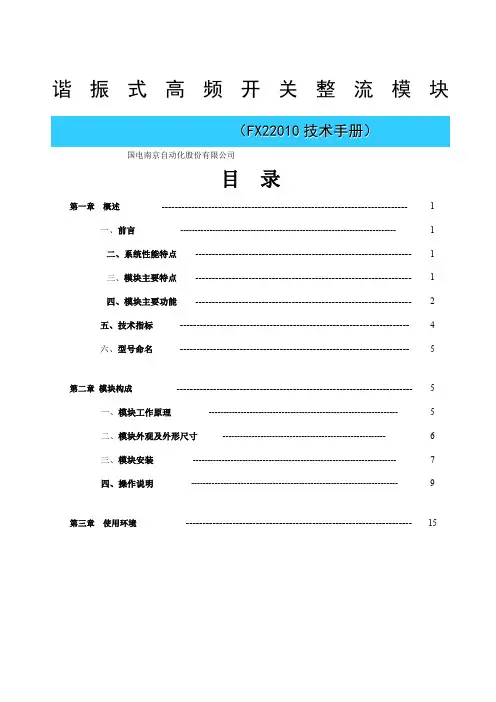
谐振式高频开关整流模块(F X22010技术手册)国电南京自动化股份有限公司目录第一章概述-------------------------------------------------------------------------- 1一、前言-------------------------------------------------------------------------- 1二、系统性能特点----------------------------------------------------------------- 1三、模块主要特点----------------------------------------------------------------- 1四、模块主要功能----------------------------------------------------------------- 2五、技术指标--------------------------------------------------------------------- 4六、型号命名--------------------------------------------------------------------- 5第二章模块构成----------------------------------------------------------------------- 5一、模块工作原理----------------------------------------------------------------- 5二、模块外观及外形尺寸-------------------------------------------------------- 6三、模块安装---------------------------------------------------------------------- 7四、操作说明----------------------------------------------------------------------- 9第三章使用环境-------------------------------------------------------------------- 15第一章概述一、前言当前我国电力系统使用的直流系统大部分采用传统的全桥软开关技术,开关频率是一个恒定值,只在某个输出电流值实现了软开关技术。
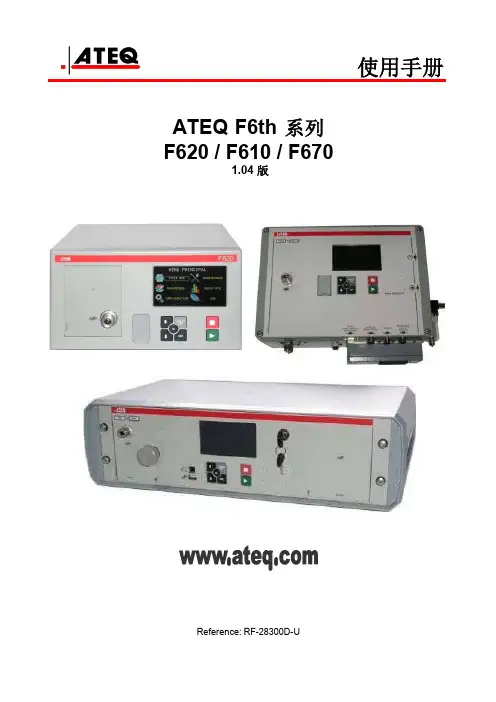
使用手册ATEQ F6th 系列F620 / F610 / F6701.04 版Reference: RF-28300D-UF6系列使用手册修订由于持续更新,本使用手册中包含的信息,本设备的功能和设计如有更改,将不另行通知。
前言/演示:定义、特点和测量原理(#673) 前面板和界面 (#676)安装/ 配件:气源 (#677)启动 (#678)配件 (#682)选配件 (#683)错误消息 (#684)以 CC/min显示结果 (#687)F610 电子连接器 (#692/1)F620 电子连接器(#692/2)F670 电子连接器(#692/7)气动连接器(#693)参数/ 特殊循环:特殊循环 (#623)服务特殊循环 (#631)程序选择 (#679)程序参数 (#680)测试循环管理 (#681)爆裂测试 (#698)程序功能:功能管理 (#601)名称 (#602)程序链接 (#603)单位 (#604)自动连接器 (#605)测试检查 (#606)ATR (#607)预充气模式和充气模式 (#608) 阀代码 & 24V辅助输出 (#609) 循环结束 (#610)迷你阀 (#611)复工界限 (#612)密封零件 (#613)N 测试 (#614)参考容积 (#615)标记 (#617)温度校正 1 (#618)峰值保持 (#620) 正负号 (#621)过滤 (#622)流量水平 (#624)非负 (#625)绝对值 (#626)显示模式 (#627) 不排气(#630)蜂鸣器 (#639)外部排气 (#655)ATF (#685)隔断 (#686)By pass (#691)配置菜单:日期 / 时间 (#635)语言 (#642)电子调压阀 (#645)调压阀控制 (#646)稳定调压阀 (#647)压力传感器自动归零 (#648)自动短归零 (#649)排气水平 (#651)RS232 (#652)安全性 (#653)I/O 配置 (#654)IN7 测试 (#656)智能键 (#688)压力单位 (#695)USB (#696)结果菜单 / USB 菜单:储存 (#638)阀服务 (#658)I/O服务 (#661)系统信息 (#665)重置参数 (#669)结果菜单 (#689)服务 / USB (#690)CAN 状态 (#697)# 601: 功能管理# 602: 名称# 603: 程序链接# 604: 单位# 605: 自动连接器# 606: 测试检查# 607: ATR# 608: 预充气模式和充气模式# 609: 阀代码 & 24V 辅助输出# 610: 循环结束# 611: 迷你阀# 612: 复工界限# 613: 密封零件# 614: N 测试# 615: 参考容积# 617: 标记# 618: 温度校准 1# 620: 峰值保持# 621: 符号取反# 622: 过滤# 623: 特殊循环# 624: 流量水平# 625: 非负# 626: 绝对值# 627: 显示模式# 631: 服务特殊循环# 635: 日期 / 时间# 638: 储存# 639 : 蜂鸣器# 642: 语言# 645: 电子调压阀# 646: 调压阀控制# 647: 稳定调压阀# 648: 压力传感器自动归零# 649: 自动短归零# 651: 排气水平# 652: RS232# 653: 安全性# 654: I/O 配置# 655 : 外部排气# 656: IN7 测试# 658: 阀服务# 661: I/O 服务# 665: 系统信息# 669: 重置参数# 673: 定义,特性和测试原理# 676: 前面板和界面# 677: 气源# 678: 启动# 679: 程序选择# 680: 程序参数 (Leak)# 681: 测试循环管理# 682: 配件# 683: 选配件# 684: 错误消息# 685: ATF# 686: 隔断# 687: 以CC/min显示结果# 688: 智能键# 689: 结果菜单# 690: 服务 / USB# 691: By pass# 692/1: F610电子连接器# 692/2: F620电子连接器# 692/7: F670 电子连接器# 693: 气动# 695: 压力单位# 696: USB# 697: CAN 状态# 698 : 爆裂测试功能管理扩展菜单功能能够进行个性化设置和添加个人选项到测试循环当中。

CASIO FX-602P SimulatorUser ManualTable of Content1 Introduction (3)2 Installation (4)2.1 Android OS (4)2.2 Symbian OS (4)2.3 Mac OS X (4)2.3.1 Desktop Application (4)2.3.2 Dashboard Widget (4)2.4 Other Operating Systems (4)3 De-Installation (5)3.1 Android OS (5)3.2 Symbian OS (5)3.3 Mac OS X (5)3.3.1 Desktop Application (5)3.3.2 Dashboard Widget (5)3.4 Other Operating Systems (5)4 FA-2 Cassette Interface (6)4.1 Android OS (6)4.2 Symbian OS (6)4.3 Mac OS X (6)4.4 MS-Windows (6)4.5 Unix (7)5 Tips and Tricks (8)5.1 All Operating systems (8)5.1.1 Support (8)5.1.2 Download an original Manual (8)5.1.3 Calculator Modes (8)5.2 Android OS (9)5.2.1 Backup (9)5.3 Symbian OS (9)5.3.1 Deactivate the D-Pad (9)5.3.2 Exit the application (9)5.3.3 Open Settings (9)5.3.4 Open Printout (9)5.3.5 Switch on after auto power off (9)PicturesPicture 1: FX-602P (3)Picture 2: FA-2 Tape Interface (3)The CASIO FX-602P Simulator is a fully functional simulator ifthe classic CASIO FX-602P programmable calculator and the FA-1Tape interface.The Simulator supports all mathematical and statistical functionsof the original FX-602P.The mathematical functions are implemented using a powerful 18digits BCD floating point library and precision generally exceedsthose of Java doubles or the original FX-602P. All numbers arerounded to 10 digits before display.The FX-602P Simulators is fully programmable just as the ori-ginal was. All features including indirect addressing or alphanumer-ic display are implemented.Memory wise the Simulator even exceeds the original Calculator:The amount of available program steps has been raised from 512 to999 and the amount of memory register can freely chosen between11 and 110 – without loosing any program steps.Program steps and memory register saved when the simulationends or goes to sleep.The FX-602P Simulator alsosimulates the FA-2 cassette inter-face. Of course instead of savingprogram steps and memory registerto a cassette tape (using the Kansas-City-Standard) the data is stored inpermanent memory (hard drive, flashmemory) on the host computer.Care has been taken to use thesame file format as it was used withthe original Calculator. Using a pro-gram which converts Kansas- City-Standard sound into normal files itshould be possible to exchange programs between an original FX-602P and the FX-602P Simulator.Picture 1: FX-602PPicture 2: F A-2 Tape Interface2.1 Android OSInstallation is usually performed by an installation tool from the Android-Market.Use this. The various Android application marketplaces allow only for the distributionof the Android application itself. Please contact me with your purchasing informationif your are interested in the desktop companion or the source code.2.2 Symbian OSCopy the “Mobile” jar file onto your phone phone. Select the file using the Sym-bian's file manager. The installation process will start automatic.2.3 Mac OS X2.3.1 Desktop ApplicationOpen the downloaded DMG file then drag and drop the application into the Applic-ation folder. If you don't have administrator right any other folder will do as well. Op-tional you can drag and drop the icon to the Dock as well.2.3.2 Dashboard WidgetDouble clicking the Dashboard widget will install and start the widget. You canthen try it out and decide if you want to keep it.If you want to read and write programs from the Widget you need to authorise theWidget – otherwise Java security will block the attempt.For this create a file called “.java.policy in your home directory with the following7 lines in them:grant codeBase "file:///Users/username/Library/Widgets/FX-602P.wdgt/FX-602P-Applet.jar" { permission java.security.AllPermission;};grant codeBase "file:///Library/Widgets/FX-602P.wdgt/FX-602P-Applet.jar" {permission java.security.AllPermission;};Replace username with your own user name.2.4 Other Operating SystemsInstall a Jave-Runtime-Environment if you have not done so already. You can get aJRE for MS-Wndows, Linux and Solaris from /d ownload/m anual.jsp.Copy the “Desktop” jar file anywhere you like. Check your operating systems doc-umentation on how to start a jar. With most modern desktop environments (includingMS-Windows) a double click on the jar's icon will do.3 De-Installation3.1 Android OS3.2 Symbian OSThe application can be de-installed like any other application on Symbian OS.3.3 Mac OS X3.3.1 Desktop ApplicationJust drag and drop the application into the trash can.3.3.2 Dashboard WidgetDe-install the widget using the widget manager.3.4 Other Operating SystemsJust delete the Jar file4 FA-2 Cassette InterfaceThe FX-602P Simulator comes with an build in Simulation of the FA-2 Cassette Interface which is used just like the original – only the programs and data is saved as normal files normal files in-side a normal directory. Note that all files need to be in the same directory – the Simulator has no concept of subdirectories.The needed directory is automatically created on first use. Don't delete it!4.1 Android OSOn Android there are two options open to save your programs and data: Local and sd-card.LocalThe files are stored locally in the phone. The application can be used when the sd-card is re-moved or is mounted via USB. However, you can not copy your files to the desktop and the files will be deleted when you de-install the software.sc-cardThe data is stored on the sd-card. You can use SA VE and LOAD when the sd-card is not available but you can copy simulator data from and to the sd-card to exchange them with the desktop companion.4.2 Symbian OSOn Symbian OS there are two options open to save your programs and data: Record I/O and File I/O.Record I/OThe data is stored inside the JavaME internal database. This is considered a save operation.However the Data cannot be accessed outside JavaME.File I/OThe Data is stored as normal files in “D:\other\FX-602P\”. Java ME considers access to the file system a potential security risk and will ask permission each and every time such an ac-cess takes place. Try installing the MIDlet permissions changer1 to allow file access perman-ently.Note that the data is not copied when you switch locations.4.3 Mac OS XOn Mac OS X the programs and data are stored as normal files in “/Users/username/FX-602P/” with username being your own user name.4.4 MS-WindowsOn Windows the programs and data are stored as normal files in “C:\Documents and Settings\username\FX-602P\”2before Vista and in.“C:\Users\username\FX-602P\” in Vista and beyond.1/uiq3mods2Actually the system property “"user.home" is used to determine the correct home directory even when your computer uses a non standard set-up.4.5 UnixOn Unix systems the programs and data are stored as normal files in “/home/username/FX-602P/”.5 Tips and Tricks5.1 All Operating systems5.1.1 SupportFor support turn to the FX-602P Forum for News to the FX-602P Blog.5.1.2 Download an original ManualTo make the most of your FX-602P Simulator you should download a copy of the original manu-al. There are two version available in English / Spanish or French / German. Both a PDF and about 14 MB in size.The german manual of the FA-2 Cassette interface (pdf, 1.3 MB) and FP10 thermal printer (pdf, 0.5 MB) are also available.And you can download the original program library (pdf, 35.2 MB) again in german.5.1.3 Calculator ModesThe FX-602P hat six calculator modes which are activated by pressing MODE plus a numeric key from 1 to 6 or a •:5.2 Android OS5.2.1 BackupThe FX-602P Simulator supports the new backup framework with came with Android2.2 «Froyo». This will backup your data automatically to an on-line service. Which on-line service de-pends on your network provider. You can switch the backup off to preserve your contingent of net-work traffic.5.3 Symbian OS5.3.1 Deactivate the D-Padwithout the dPad the larger more realistic display is used. You can do that in Settings -> Applica-tion Mgr. -> Installed Apps -> FX 602P Simulator -> Options -> Suite Settings -> On Screen Key-board -> Off.5.3.2 Exit the applicationUse the the red key.5.3.3 Open SettingsClick the left half of the display.5.3.4 Open PrintoutClick the right half of the display.5.3.5 Switch on after auto power offClick the display.。