
MySQL-ZIP版本(5.7.18)安装
- 格式:pdf
- 大小:342.52 KB
- 文档页数:11
# The next three options are mutually exclusive to SERVER_PORT below. # skip-networking
# enable-named-pipe
# shared-memory
# shared-memory-base-name=MYSQL
# The Pipe the MySQL Server will use # socket=MYSQL
# The TCP/IP Port the MySQL Server will listen on port=3307
# Path to installatiusually resolved relative to this. basedir="D:\Program Files\MySQL\MySQL5718"
# The following options will be read by MySQL client applications. # Note that only client applications shipped by MySQL are guaranteed # to read this section. If you want your own MySQL client program to # honor these values, you need to specify it as an option during the # MySQL client library initialization. # [client]
# Query cache is used to cache SELECT results and later return them # without actual executing the same query once again. Having the query # cache enabled may result in significant speed improvements, if your # have a lot of identical queries and rarely changing tables. See the # "Qcache_lowmem_prunes" status variable to check if the current value # is high enough for your load. # Note: In case your tables change very often or if your queries are # textually different every time, the query cache may result in a # slowdown instead of a performance improvement. query_cache_size=0
# The default storage engine that will be used when create new tables when default-storage-engine=INNODB
# Set the SQL mode to strict sql-mode="STRICT_TRANS_TABLES,NO_AUTO_CREATE_USER,NO_ENGINE_SUBSTITUTION"
MySQL ZIP 版本安装
----------------------------------------------------------------------------------------------------版本号 5.7.18
1. 解压
2.把文件夹复制在 D 盘(或者其他),名字改为如下图名字
备注:uploads 这个文件是我在安装的时候一直报错,所以随手就新建。
3. 修改环境变量
复制文件夹路径 D:\Program Files\MySQL\MySQL Server 5.7\bin 添加到环境变量后面(添加,不是覆盖)
4. cmd 命令行安装服务
1)配置文件 修改
备注:如果没有 data 文件夹,就自己新建一个 2)安装服务
# The maximum amount of concurrent sessions the MySQL server will # allow. One of these connections will be reserved for a user with # SUPER privileges to allow the administrator to login even if the # connection limit has been reached. max_connections=151
mysqld --install MySQLXY --defaults-file="C:\Program Files\MySQL\MySQL Server X.Y\my.ini" 如果报错,就用上面的这个安装服务。 备注:MySQL_X ----------------- 这个名字,随便起就好了-----错误:Install/Remove of the Service Denied! 用管理员身份运行 cmd 3)初始化 mysqld --initialize --user=mysql --console 备注:小写 横线是两个
# pipe # socket=0.0 port=3307
[mysql] no-beep
default-character-set=utf8
# SERVER SECTION # ---------------------------------------------------------------------# # The following options will be read by the MySQL Server. Make sure that # you have installed the server correctly (see above) so it reads this # file. # # server_type=3 [mysqld]
# Enable Windows Authentication # plugin-load=authentication_windows.dll
# Server Id. server-id=1
# Secure File Priv. secure-file-priv="D:\Program Files\MySQL\Uploads"
# Path to the database root datadir=E:\MySQL_DATA
# The default character set that will be used when a new schema or table is
# created and no character set is defined character-set-server=utf8
3k58)R%U42La 4)启动服务
5)进入 MySQL
6)修改密码
set password for root@localhost=password('你喜欢就好'); 7)重新登录居然成功了-----------------哈哈哈--------------
附件: my.ini
# Other default tuning values # MySQL Server Instance Configuration File # ---------------------------------------------------------------------# Generated by the MySQL Server Instance Configuration Wizard # # # Installation Instructions # ---------------------------------------------------------------------# # On Linux you can copy this file to /etc/f to set global options, # mysql-data-dir/f to set server-specific options # (@localstatedir@ for this installation) or to # ~/f to set user-specific options. # # On Windows you should keep this file in the installation directory # of your server (e.g. C:\Program Files\MySQL\MySQL Server X.Y). To # make sure the server reads the config file use the startup option # "--defaults-file". # # To run run the server from the command line, execute this in a # command line shell, e.g. # mysqld --defaults-file="C:\Program Files\MySQL\MySQL Server X.Y\my.ini" # # To install the server as a Windows service manually, execute this in a # command line shell, e.g. # mysqld --install MySQLXY --defaults-file="C:\Program Files\MySQL\MySQL Server X.Y\my.ini" # # And then execute this in a command line shell to start the server, e.g. # net start MySQLXY # # # Guildlines for editing this file # ---------------------------------------------------------------------# # In this file, you can use all long options that the program supports. # If you want to know the options a program supports, start the program # with the "--help" option. # # More detailed information about the individual options can also be # found in the manual. # # For advice on how to change settings please see # /doc/refman/5.7/en/server-configuration-defaults.html # # # CLIENT SECTION # ---------------------------------------------------------------------#
# enable-named-pipe
# shared-memory
# shared-memory-base-name=MYSQL
# The Pipe the MySQL Server will use # socket=MYSQL
# The TCP/IP Port the MySQL Server will listen on port=3307
# Path to installatiusually resolved relative to this. basedir="D:\Program Files\MySQL\MySQL5718"
# The following options will be read by MySQL client applications. # Note that only client applications shipped by MySQL are guaranteed # to read this section. If you want your own MySQL client program to # honor these values, you need to specify it as an option during the # MySQL client library initialization. # [client]
# Query cache is used to cache SELECT results and later return them # without actual executing the same query once again. Having the query # cache enabled may result in significant speed improvements, if your # have a lot of identical queries and rarely changing tables. See the # "Qcache_lowmem_prunes" status variable to check if the current value # is high enough for your load. # Note: In case your tables change very often or if your queries are # textually different every time, the query cache may result in a # slowdown instead of a performance improvement. query_cache_size=0
# The default storage engine that will be used when create new tables when default-storage-engine=INNODB
# Set the SQL mode to strict sql-mode="STRICT_TRANS_TABLES,NO_AUTO_CREATE_USER,NO_ENGINE_SUBSTITUTION"
MySQL ZIP 版本安装
----------------------------------------------------------------------------------------------------版本号 5.7.18
1. 解压
2.把文件夹复制在 D 盘(或者其他),名字改为如下图名字
备注:uploads 这个文件是我在安装的时候一直报错,所以随手就新建。
3. 修改环境变量
复制文件夹路径 D:\Program Files\MySQL\MySQL Server 5.7\bin 添加到环境变量后面(添加,不是覆盖)
4. cmd 命令行安装服务
1)配置文件 修改
备注:如果没有 data 文件夹,就自己新建一个 2)安装服务
# The maximum amount of concurrent sessions the MySQL server will # allow. One of these connections will be reserved for a user with # SUPER privileges to allow the administrator to login even if the # connection limit has been reached. max_connections=151
mysqld --install MySQLXY --defaults-file="C:\Program Files\MySQL\MySQL Server X.Y\my.ini" 如果报错,就用上面的这个安装服务。 备注:MySQL_X ----------------- 这个名字,随便起就好了-----错误:Install/Remove of the Service Denied! 用管理员身份运行 cmd 3)初始化 mysqld --initialize --user=mysql --console 备注:小写 横线是两个
# pipe # socket=0.0 port=3307
[mysql] no-beep
default-character-set=utf8
# SERVER SECTION # ---------------------------------------------------------------------# # The following options will be read by the MySQL Server. Make sure that # you have installed the server correctly (see above) so it reads this # file. # # server_type=3 [mysqld]
# Enable Windows Authentication # plugin-load=authentication_windows.dll
# Server Id. server-id=1
# Secure File Priv. secure-file-priv="D:\Program Files\MySQL\Uploads"
# Path to the database root datadir=E:\MySQL_DATA
# The default character set that will be used when a new schema or table is
# created and no character set is defined character-set-server=utf8
3k58)R%U42La 4)启动服务
5)进入 MySQL
6)修改密码
set password for root@localhost=password('你喜欢就好'); 7)重新登录居然成功了-----------------哈哈哈--------------
附件: my.ini
# Other default tuning values # MySQL Server Instance Configuration File # ---------------------------------------------------------------------# Generated by the MySQL Server Instance Configuration Wizard # # # Installation Instructions # ---------------------------------------------------------------------# # On Linux you can copy this file to /etc/f to set global options, # mysql-data-dir/f to set server-specific options # (@localstatedir@ for this installation) or to # ~/f to set user-specific options. # # On Windows you should keep this file in the installation directory # of your server (e.g. C:\Program Files\MySQL\MySQL Server X.Y). To # make sure the server reads the config file use the startup option # "--defaults-file". # # To run run the server from the command line, execute this in a # command line shell, e.g. # mysqld --defaults-file="C:\Program Files\MySQL\MySQL Server X.Y\my.ini" # # To install the server as a Windows service manually, execute this in a # command line shell, e.g. # mysqld --install MySQLXY --defaults-file="C:\Program Files\MySQL\MySQL Server X.Y\my.ini" # # And then execute this in a command line shell to start the server, e.g. # net start MySQLXY # # # Guildlines for editing this file # ---------------------------------------------------------------------# # In this file, you can use all long options that the program supports. # If you want to know the options a program supports, start the program # with the "--help" option. # # More detailed information about the individual options can also be # found in the manual. # # For advice on how to change settings please see # /doc/refman/5.7/en/server-configuration-defaults.html # # # CLIENT SECTION # ---------------------------------------------------------------------#


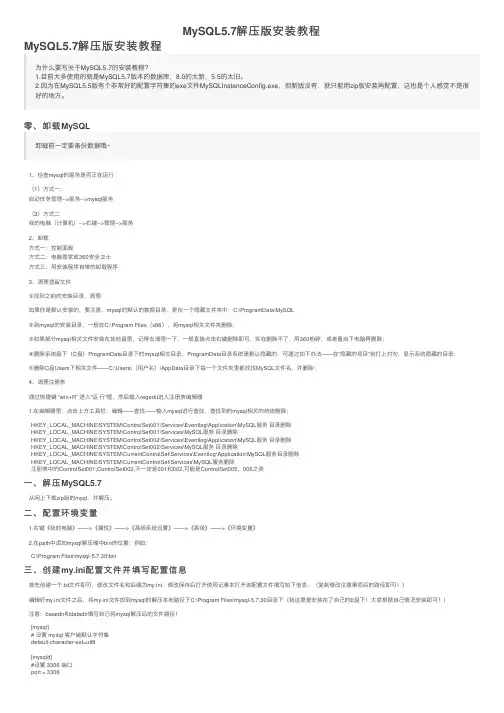
![MySQL5.7解压版安装教程(图文详细)[Windows]](https://imgs-1438308264.cos.ap-hongkong.myqcloud.com/85bf13f87d1cfad6195f312b3169a4517723e537.webp)