
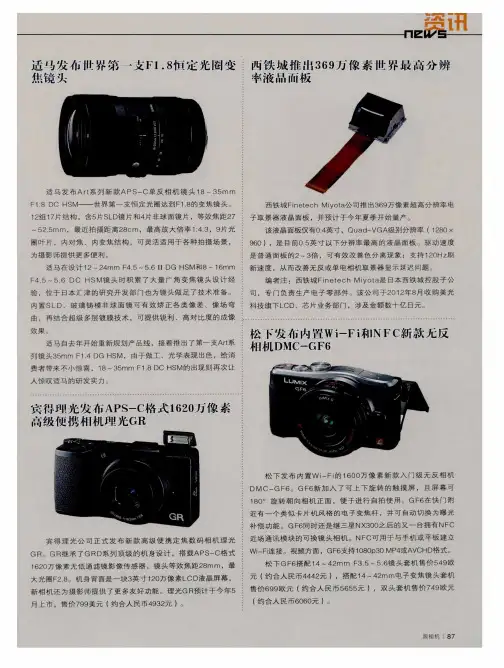
宾得理光发布APS-C格式1620万像素高级便携相机理光GR
- 格式:pdf
- 大小:345.76 KB
- 文档页数:1

今天是你的生日——PENTAX!十分钟回顾Asahi百年百年前今日27日,梶原熊雄(Kumao Kajiwara)在东京丰岛区的大冢,成立了“旭光学工业合资会社(Asahi Kogaku Goshi Kaisha)”,最初从事眼镜的制造工作。
1923年,旭光学生产出日本第一支电影放映镜头ASAHI KOUGAKU 「SPECIAL AOCOPROJECTION F=4」。
1932年,旭光学为Molta Camera Company(美能达前身)6.5X9画幅的折叠相机“Arcadia”生产镜头。
1933年,旭光学取代德国老牌罗敦司德和美国大牌万伦莎,开始为小西六(Konishiroku,即后来的Konica)供货,为折叠相机“Pearlette”提供多款镜头。
1935年,松本三郎(Saburo Matsumoto)从德国买回了一台Reflex-Korelle 6x6 的中画幅单反相机。
他认为单反相机将是未来的发展方向,萌生自己开发相机的念头,但他自己想进入单反领域的计划由于战争而不得不搁置一旁。
1936年,松本三郎接替梶原熊雄,成为旭光学接班人。
1938年,旭光学由合资会社升级为工业株式会社,改名为旭光学工业株式会社(Asahi Optical Co., Ltd),并为日本陆军和空军生产军用望远镜和军用瞄准镜。
1945年5月,美军在东京投下炸弹,将旭光学的厂房变成焦土。
同年,原弘(Hiroshi Hara)加入旭光学。
1946年,松本三郎带领团队顽强恢复旭光学生产。
1948年,旭光学开始生产代工Bushnell(博士能)望远镜。
同年,旭光学推出“Jupiter”6X15望远镜,并在望远镜上镀膜,出口至美国。
1949年,松本三郎决定自己开发防反射镀膜,原弘前往上田良二的实验室学习镀膜技术。
松本三郎开始探索自己生产单反相机的可能性。
1950年,铃木良平(Ryohei Suzuki)加入旭光学,并向松本三郎介绍吉田信行(Nobuyuki Yoshida),吉田信行开始以个人名义开发设计Asahiflex单反原型相机。

卡片机哪个牌子好卡片机型号推荐卡片机哪个牌子好卡片机型号推荐富士 X30富士X30是富士旗下一款定位高端的小型数码相机,该相机继承了富士X系列的出色做工以及高效性能,并配备了革命性的电子取景器,综合性能更加出色,是一款难得的画质与做工并重的卡片数码相机。
富士X30配备了目前业界领先的电子取景器,拥有236万OLED实时取景的能力,可获得真实的显示场景,具备全屏、竖屏模式,可以为用户带来了更好的取景体验。
核心元件方面,富士X30采用了广受好评的2/3英寸X-TransTM CMOS II传感器,达到1200万像素,并使用无光学低通滤镜设计,配合EXR处理器II图像处理引擎,可获得优质的画面影像。
镜头方面4倍手动光学变焦镜头,F2.0-F2.8的光圈,在各焦段都提供了优秀的光学性能。
索尼RX100III索尼RX100III隶属于索尼黑卡系列,是目前黑卡DC产品中的第三代产品,这款相机在市场上具备很好的`口碑,画质也足够优秀,是专业摄影师们经常使用的数码备机。
索尼RX100III采用了约万像素1英寸Exmor R CMOS背照式传感器,以及性能更为强大的BIONZ X影像处理器,具备还原真实影像的技术、减少衍射现象的影响和改良的区域降噪技术,并可以保留影像丰富的细节。
这款机器采用了弹出式取景器设计,有效节约了空间,设计非常巧妙。
拥有蔡司T__涂层,显示效果更为出色。
另外该相机还自带无线功能,可以很方便的将拍摄好的照片传输到电脑手机或者平板电脑中,实现实时分享。
卡西欧 EX-10卡西欧EX-10是卡西欧旗下一款准专业级数码相机。
整机线条硬朗,并采用合成金属材质,在外观上就凸显高端品质,当然画质方面这款相机也并不弱,足以应对日常拍摄。
卡西欧 EX-10搭配一块1/1.7英寸高速CMOS图像传感器,有效像素达到1210W。
搭载一颗4倍光学变焦镜头,采用8组11片镜片( 包括非球面镜),最大光圈达到F1.8,即使是在暗光条件下,也能提供良好的画面明亮度。

宾得你不可不知的历史说起35mm 片幅相机最早当然是二十年代的Leica 旁轴,Contax 则紧随其后。
直到1936 年,德国Ihagee 的Kine-Exakta(图)单反相机的诞生,世人才第一次有了另外一个选择。
1939 年,德国KW 公司(后来的Praktica)推出了世上第二台单反Praktiflex (图)。
这是40mm 直径的螺丝接口系统,世界上从此开始了螺口单反的纪元。
1949 年Contax S 和Praktica 推出了世界上第一个42mm 直径的罗丝接口系统,从此M42 螺口时代开始。
对于Pentax 公司的身世,现存资料上记载的有多个不同版本。
我个人比较倾向下面的说法,也是公司官方网站上说的。
Asahi Kogaku Goshi Kaisha 公司成立于1919 年,为了好记,就说二十年代吧。
开始为别家生产非常简单的电影放映机。
1930 年代初期开始为Chiyoda Kogaku Seiko K.K(Minolta 前身)和Konishiroku Shashin Kogyo K.K. (Konica 前身)的早期中片幅直视式取景相机生产光学镜头。
1935 年公司总裁松本三郎Saburo Matsumoto 从德国买回了一台Reflex-Korelle 6x6 的中篇幅单反相机来做研究。
他当时认为单镜反射式相机将是未来的发展方向。
并且要发展35mm 的单反相机和Leica 和Contax 的旁轴竞争。
他的想法被后来的Kine-Exakta 单反相机的推出所验证。
但他自己想进入单反领域的计划由于战争而不得不搁置一旁。
战争时期公司和军方所有的三菱旗下的Nipon Kogaku (Nikon 的前身)一起为日本军方生产光学产品。
战后公司被勒令解散。
1948 年成立新的Asahi Optical Company,即后来在单反历史上赫赫有名的旭光光学公司,松本三郎依然担认总裁。
战后世界的35mm 相机市场还是被德国的旁轴所垄断。

Ricoh XR-20sp(Never put a Ricoh program lens on a Pentax AF or Digital body, there is a pin on lens that will get stuck on the body. This includes lenses by Sears madeas PK/R, for both film bodies)This camera manual library is for referenceand historical purposes, all rights reserved.This page is © 2001 by M. Butkus, NJ.This page may not be sold or distributed withoutthe expressed permission of the producerOn-line camera manual libraryIf you find this manual useful, how about a donation of $3 to:M. Butkus, 29 Lake Ave., High Bridge, NJ 08829This will help me to continue to host this site,buy new manuals, and pay their shipping costs.It'll make you feel better, won't it?If you use Pay Pal, use the link below. Use the above address for a check, M.O. or cash.www.PayPal.me/butkusVenmo @mike-butkus-cameraThis page copyright byBack to my Camera manual web siteNOMENCLATUREMike Butkus ou=,email=***************,c=USATTACHING THE VIEWFINDER CAP AND STRAP MOUNT THE LENSSET LENS AT "P" POSITIONBatteries for useFour alkaline 1.5V batteries (LR44): Lasting about six months under normal use. Four silver oxide 1.55V batteries (SR44): Lasting about one year under normal use. Two lithium 3V batteries (CR-1/3N): Lasting about one year under normal use.* Also refer to "CARE OF BATTERIES."CHECK CONDITION OF BATTERIESINSERT THE FILM* When inserting the film in a cold place, the film leader may be hard and become brittle. Warm the film leader. with your hand in such conditions.* When inserting the film, it is more convenient to set the Shutter Speed Dial to a high speed rather than "P" (Program) while advancing the film to the number 1 position, to avoid a slow shutter speed (the slowest is 16 seconds) When you are ready for shooting, be sure to set the Shutter Speed Dial back to "P" (Program).SET THE FILM SPEEDHOW TO HOLD YOUR CAMERA* It is important to practice correct shooting position to avoid blurred or tilted pictures. PROGRAM AE PHOTOGRAPHYSPEED PROGRAM (SP) AE PHOTOGRAPHYto the brightness of the subject, and you can see the selected shutter speed as well as f-stop number in the viewfinder. If the brightness of the subject is not enough even at full-open aperture, a slower shutter speed is automatically selected to obtain correct exposure. In this case, the Shutter Speed Indicator blinks to warn that a slower shutter speed than 1/250 is selected.APERTURE-PRIORITY AE PHOTOGRAPHY2. Turn the F-Stop Ring to set the desired f-stop number.When the Shutter Speed Indicator is in the orange range, the shutter speed is too slow. Select a new f-stop number or mount the camera on a tripod or other suitable platform.* When overexposure mark (up arrow) or underexposure mark (down arrow) appears in the viewfinder, exposure is not correct. Turn the F-Stop Ring to change the f-stop number.MANUAL PHOTOGRAPHY1. Set the Shutter Speed Dial to the desired speed.(Webmaster - In ENGLISH this means: the solid bar is what the shutter is currently set at, you can change the camera's shutter speed dial and see the new setting in the viewfinder . You must change the shutter or aperture to get the solid bar [what the shutter is set on the camera] to overlap the blinking bar [what the light meter says is the correct exposure]. When the blinking bar and solid bar overlap, that is the correct exposure for whatever the lens is pointing at that moment. You can then change the shutter one speed and then adjust the aperture for more/less light so the two bars still overlap. EXAMPLE: if you get the two bars to overlap and the shutter speed is set at 1/125 at F16, you can change the shutter to 1/250 at F11, 1/500 at F8 or 1/60 atF22. (Note: you couldn't shoot slower than 1/60 with that lighting situation as this time as most lenses don't go smaller than F22. If you do have yet a smaller aperture, it would be 1/30 at F32)FOCUSINGREWIND THE FILM2. Unfold the Film Rewind Crank and turn it in the arrow direction. When the film has been completely rewound, the tension of the Film Rewind Crank is suddenly released and turns freely. (Fig. 32)3. Open the Back Cover and unload the film. (Fig. 33)* Never open the Back Cover until film rewinding is completed. Immediately close the Back Cover to save some of your shots if the Back Cover is opened by mistake during or before rewinding.* If you wind the film beyond the set number of frames, the Film Advance Lever may get stuck mid-stroke. The Film Rewind Release Button will not stay depressed in. If this occurs, rewind the film while holding the Film Rewind Release Button pressed down.SELF-TIMER PHOTOGRAPHY2. Press the Self-Timer Button. The Self Timer Indicator Lamp blinks. In 10 seconds, the shutter is automatically released. (Fig. 34)* To cancel the Self-Timer after it is set, press the Self-Timer Button again.* Use the Viewfinder Cap attached to the strap to cover the Viewfinder Eyepiece when using the Self-Timer in modes other than "Manual" to avoid incorrect exposure due to incident-light from the Viewfinder Eyepiece. (Fig. 35)* B (Bulb) setting is not available when the Self-Timer is used. FLASH PHOTOGRAPHY (PROGRAMMED FLASH PHOTOGRAPHY)Focus the subject and press the Shutter Release Button for shooting.* Refer to Operating Instructions for the flash unit for more creative techniques and technical details.FLASH PHOTOGRAPHY WITH RICOH FLASH UNIT OTHER THAN 300P & 2401. RICOH flash units (SPEEDLITE 400 and 180) can be used with XR-20SP with the Shutter Speed Dial set to "P" or "SP" and with the F-Stop Ring set to the designated number. When the flash is fully charged, the Flash Ready Indicator in the viewfinder will light up.* Shutter speed is automatically set to 1/125 sec.* You may set shutter speed and f-stop number manually but shutter speed must be slower than 1/125 sec., however, when you select shutter speed faster than 1/125 sec., the shutter speed is automatically set to 1/125 sec.* Refer to Operating Instructions for flash units for further details.FLASH PHOTOGRAPHY WITH "NON-DEDICATED" FLASH UNITS(General use of flash)1. Set the Shutter Speed Dial to 1/125 sec. when a generic flash unit is used.Note: Such units cannot be used in P mode.* Avoid use of flash units other than RICOH with special contact pins, incorrect exposure or other problems may result.* The Flash Ready Lamp does not light in the viewfinder if such a "non-dedicated" flash is used.* Refer to operating instructions for these flash units for further details.EXPOSURE COMPENSATIONExposure adjustment examples: AE LOCK* Press AE Lock Button a second time to cancel without taking a picture.* AE Lock can be used continuously if the AE Lock Button is kept pressed in.DEPTH OF FIELD (GENERAL GUIDE LINES)The depth of field can be checked in the following way.1. A depth of field indicator is engraved on every lens. When a 50 mm standard lens is set to f-16 and focused ata distance of 3 meters, the depth of field indicator is the scale of numbers on each side of mark, ranging from 16 to 16 (about 2m to em). Subjects in this distance range will be in good focus.(Fig. 45)B (BULB) SETTING* Use a tripod and cable release for Bulb photography to prevent unintentional movement of the camera. VIEWFINDER LIGHTINGPOWER ON-OFF SWITCHXR-20SP is designed to shut off the power supply automatically to save the battery energy, i.e. the electric supply will be shut off automatically when the camera is not in use for 1 minute even the Power ON-OFF Switch is ON. Press the Shutter Release Button lightly to turn ON the power. However, we suggest you should turn the Power ON-OFF Switch to the OFF position when the camera is not used.MEMO HOLDERINFRARED MARK* Always refer to infrared film operating instructions when the infrared film is used.XR WINDER 2XR DATA BACK2 When the Back Cover of XR-20SP camera is replaced by the XR Data Back, "Year, month and date" "Hour, minute, second" and "Stop watch" can be printed on your film.The automatic dating mechanism is incorporated into the XR Data Back. Once the date is set, no adjustment is necessary until 1999, because leap years and months with 31 or less days are automatically adjusted. When the switch is turned OFF, it can be used as digital watch. (Fig. 52) (Mike - I don't have one so I can't tell you if it is Y2K compliant)DIOPTRIC LENSESIf a dioptric lens is fitted, you do not have to wear eye-glasses when taking pictures. Slip the lens in the groove in the finder eyepiece.Dioptric lenses are available in 7 types: -4, -3, -2, -1, +1, +2 and +3 (Diopters) (Fig. 53)Note: Some forms of astigmatism etc. may make dioptric eyepiece correction impossible. Please check with your vision specialist for a recommendation based on your prescription.CARE OF BATTERIES1. After handling, do not leave sweat or grease on battery surface. This could result in poor contact. Wipe both ends of the battery with a clean cloth.2. Do not attempt to disassemble the batteries and do not throw them into fire or expose to high temperatures.3. When batteries are unloaded from the camera, keep them away from children. If a child should swallow a battery, immediately consult with a doctor. Battery chemicals are highly poisonous.4. Unload batteries when the camera is not used for a long period of time.CARE AND STORAGE OF YOUR CAMERA* Do not touch the lens or mirror with your fingers to clean them. Blow dust away with a blower or wipe them gently with soft cloth.* Shock, humidity or salt may make the camera malfunction. When you use your camera at the beach or in a place where chemicals are used, wipe it clean carefully.* Do not use chemically-treated dusters to clean the camera.* Do not expose your camera to temperature extremes.* Do not leave your camera in a car or at the beach or in high temperature conditions to prevent possible trouble. When using a tripod, do not try to force a long screw into the socket. (The screw length should be less than 5.7 mm)* Do not store your camera near a television, radio or other magnetic substance.* Remove batteries f ram your camera before storing it. Store it in a humidity and dust free place. SPECIFICATIONSType: 35 mm SLR with focal plane shutter and automatic electronic exposure control.Photographic Modes: Program automatic exposure mode, speed program automatic exposure mode, aperture-priority automatic exposure mode and manual exposure mode.Film Format and Frame Size: 35mm film, J135, 24 x36 mmLens Mount: RICOH system R-K mountShutter: Electronically controlled, vertically moving metal focal plane shutter.Automatic: 16 sec. to 1/2000 sec.Manual: 4 sec. to 1/2000 sec.,B (Bulb)Self-Timer:Operating time: 10 seconds View finder. During operation, red lamp blinks.Viewfinder:Field of view covers 93% horizontally and vertically.Magnification: 0.88X (with 50 mm F1.4 standard lens)Displays in the viewfinder:Exposure adjustment, AE lock, manual, program mode, overexposure mark, shutter speed indicator, long time exposure, underexposure mark, bulb, battery low warning signal, and programmed f-stop number. LED indicator: Flash ready indicator.Focusing: Diagonal split-image spot in microprism bandExposure Meter: TTL full open metering for center-weighted average light reading.Exposure Coupling Range: EV 0 to EV 18 (with ASA 100 film, 50 mm F1.4 standard lens)Film Speed Range: ISO 12 to 3200Accessory Shoe: Hot Shoe (with Flash Ready Signal Contact)Exposure Adjustment: Exposure adjustment system (+2 to -2, in 1/3 steps), AE lock system,Film Advance: Single stroke film advance lever, 135° winding angle and 35° stand-off. Automatic Film Advance: Possible with XR winder 2 or motor drive.Exposure Counter: Additive, automatic resetting.Film Rewind: Film rewind crank system.Mirror: Swing back type quick return mirror.Back Cover: Hinged type, opened by pulling up Film rewind knob.Other Functions: Interchangeable grip and direct contact for data back.Power Source: Four LR44 1.5V alkaline batteries, four SR44 1.55V silver oxide batteries or two CR-1/3N 3V lithium batteries.Dimensions: 137 (W) x 89 (H) x 51 (D) mm (Body only)Weight: 490g (Body only)。