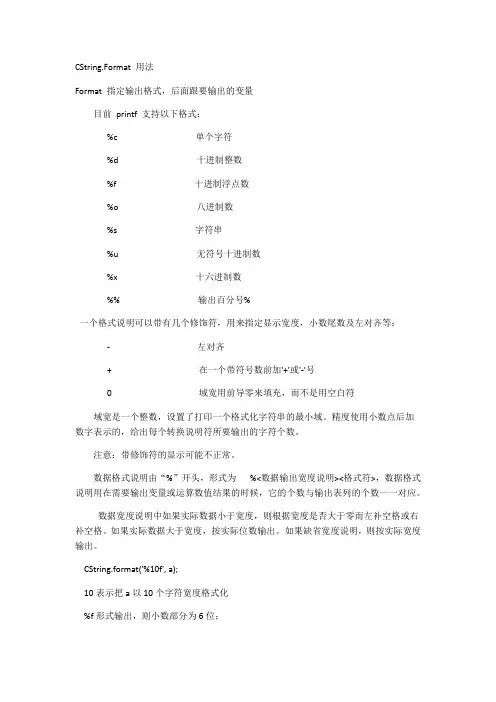
format 用法
- 格式:docx
- 大小:11.84 KB
- 文档页数:3
Format 用法
1. 什么是 Format?
Format 是一个在编程中广泛使用的函数,用于格式化字符串。它是一种将变量和其他数据类型插入到字符串中的方法,使得输出更加具有可读性和灵活性。
在 Python 中,format() 方法是一种字符串格式化的方式,它使用大括号 {} 作为占位符。通过在大括号中指定相应的参数,可以将数据动态地插入到字符串中。
2. 格式化字符串
2.1 基本用法
name = "Alice"
age = 25
print("My name is {} and I am {} years old.".format(name, age))
输出结果为:
My name is Alice and I am 25 years old.
在这个例子中,我们使用了 format() 方法来格式化字符串。大括号 {} 表示占位符,它会被传入 format() 方法中的参数依次替换。这样就可以将变量 name 和
age 的值插入到字符串中。
2.2 指定参数位置
name = "Bob"
age = 30
print("My name is {0} and I am {1} years old.".format(name, age))
输出结果为:
My name is Bob and I am 30 years old.
在这个例子中,我们通过 {0} 和 {1} 来指定参数的位置。这样可以精确地控制参数的插入位置,使得字符串的格式更加清晰。
2.3 指定参数类型
pi = 3.14159
print("The value of pi is {:.2f}.".format(pi))
输出结果为:
The value of pi is 3.14. 在这个例子中,我们使用 :.2f 来指定浮点数的格式。其中 : 表示格式化的开始,.2 表示保留两位小数,f 表示浮点数类型。
3. 格式化数字
3.1 整数
num = 12345
print("The number is {:,}.".format(num))
输出结果为:
The number is 12,345.
在这个例子中,我们使用 {:} 来指定整数的格式。其中 , 表示千位分隔符。
3.2 浮点数
num = 3.14159
print("The number is {:.2%}.".format(num))
输出结果为:
The number is 314.16%.
在这个例子中,我们使用 {:.2%} 来指定浮点数的格式。其中 : 表示格式化的开始,.2 表示保留两位小数,% 表示百分比类型。
3.3 科学计数法
num = 1234567890
print("The number is {:e}.".format(num))
输出结果为:
The number is 1.234568e+09.
在这个例子中,我们使用 {} 来指定科学计数法的格式。其中 e 表示科学计数法。
4. 格式化日期和时间
4.1 当前日期和时间
import datetime
now = datetime.datetime.now()
print("Current date and time is {}.".format(now))
输出结果为:
Current date and time is 2022-01-01 12:34:56.789012.
在这个例子中,我们使用 {} 来指定日期和时间的格式。默认情况下,datetime
对象会以 ISO 8601 格式显示。 4.2 自定义日期和时间格式
import datetime
now = datetime.datetime.now()
print("Current date and time is {:%Y-%m-%d %H:%M:%S}.".format(now))
输出结果为:
Current date and time is 2022-01-01 12:34:56.
在这个例子中,我们使用 {} 来指定日期和时间的格式。其中 %Y 表示四位数的年份,%m 表示两位数的月份,%d 表示两位数的日期,%H 表示24小时制的小时,%M
表示分钟,%S 表示秒。
5. 结论
Format 是一个非常有用的函数,在字符串处理和输出方面提供了很大的灵活性。通过使用占位符和参数,可以轻松地将变量和其他数据类型插入到字符串中。同时,还可以通过指定参数位置、参数类型和格式化方式来自定义字符串的输出格式。
希望本文对你理解 Format 的用法有所帮助,并能在实际编程中灵活运用。感谢阅读!