css属性整理版
- 格式:pdf
- 大小:181.99 KB
- 文档页数:10
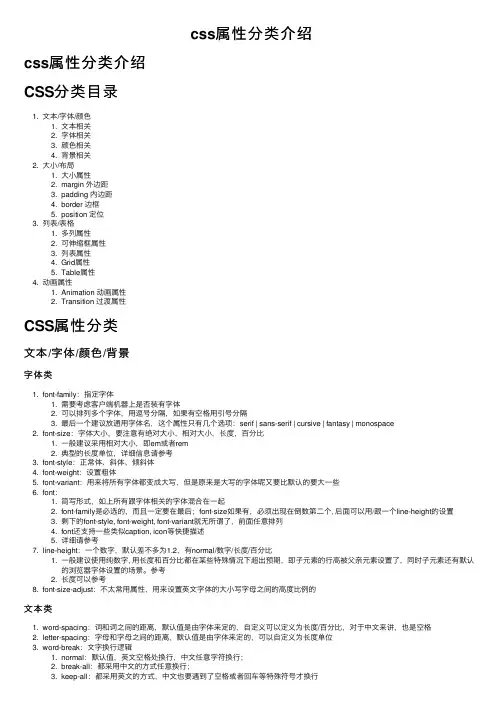
CSS属性整理字体属性 font:属性含义属性值font-family:字体各种字体font-style:字体样式italic、obliquefont-variant:小体大写small-capsfont-weight:字体粗细bold、bolderfont-size:字体大小absolute、relative、%Color:字体颜色颜色值任意浏览器的默认字体高都是16px。
所有未经调整的浏览器都符合: 1em=16px。
了简化font-size的换算,需要在css中的body选择器中声明Font-size=62.5%,这就使e 12px=1.2em, 10px=1em, 也就是说只需要将你的原来的px数值除以10,然后换上em作颜色与背景属性 Background:属性含义属性值Background-color:背景色#ff0000Background-image:背景图案url(img/button1.jpg) Background-repeat:背景图案重复方式repeat-x | repeat-y | no-repeat Background-attachment:背景的滚动Scroll | fixBackground-position:背景图案初始位置%|n em|top|right|bottom|left…#ff0000 url(img/button1.jpg) no-repeat Scroll 1px 3px;文本属性 text-属性含义属性值word-spacing:单词间距n em letter-spacing:字母间距n emtext-decoration:装饰样式underline| overline| blink| line-throughvertical-align:垂直对齐方向位置sub| super |top |text-top| middle| bottom| text-bottomtext-align:水平对齐center|inherit |justify | left |righttext-transform:转为其他形式capitalize| uppercase| lowercase text-indent:首行缩进n em| %line-height:行高px、n em、%列表链接代码蓝色红色二选一A:link 未访问时A:visited访问过后时A:hover 鼠标经过时A:active 鼠标点中不放时#div2{width:700px;} #div2 ul{list-style:none;}宽:700px去掉符号#div2 li{float:left;text-align:center;width:100px;}#div2 a{display:block;区块显示/一列显示#div2 a:hover{text-decoration:underline;width:100px;height:33px;line-height:33px;text-decoration:none; background:no-repeat url(img/button1.jpg); color:#C00;}border-right:#fff 1px solid 宽100px高33px行高33px没有下划线背景不重复图片链接颜色 #000右边框 #fff 1px单实线color:#FFFFFF;background: no-repeaturl(img/button1_bg.jpg);opacity:0.5;}没设置宽高是因为被图片撑开图片宽高:100*33background-color:rgba(102,102,102,0.3);#div2 a:hover{text-decoration:underline;color:#FFFFFF;background:url(img/button1.jpg) no-repeat;}文字装饰加下划线颜色 #fff背景图片链接不重复#div2 a:link,#div2 a:visited{display:block;padding:9px 6px 11px 6px;background:no-repeaturl(img/button1_bg.jpg) ;margin:0px;color:#630002;text-decoration:none;边距属性 margin:外边距 margin:0px auto 0px auto 居中属性含义属性值margin-top:上边距n em | % margin-right:右n em | %margin-bottom:下n em | %margin-left:左n em | %填充属性 padding:内边距属性含义属性值padding-top:上填充n em | %padding-right:右n em | %padding-bottom:下n em | %padding-left:左n em | %边框属性 border:属性含义属性值Border-top-width:上边框宽度n em | thin | medium | thick Border-right-width:右同上Border-bottom-width:下同上Border-left-width:左同上Border-width:四边同上Border-color:边框颜色ColorBorder-style:边框样式Dotted |dashed |solid |double | groove| ridge |inset |outset |Border:top|right|bottom|left|width|style|color上(右|底|左)所有属性合集图文混排属性含义属性值Width:宽度n em | % Height:高度n emFloat: 文字环绕浮动Left | rightLeft | rightClear: 去除文字环绕清除浮动Left | right | bothClear:both列表属性属性含义属性值Display:显示Block |inline |list-item |none display:Blockdisplay:none;White-space:空格Pre | nowrap | normal(是否合List-style-type:项目编号Disc|circle|square|decimal|lower-roman|upper-roman|lower-alpha|upper-alpha|noneList-style-image:项目前图片Img-urlList-style-position:第二行位置Inside | outsideList-style:全部属性Keyword | position | url 鼠标属性 cursor:hand属性值含义属性值Auto自动N-resize Crosshair"+"Se-resizeDefault默认Sw-resizeHand手形S-resizeMove移动W-resizeE-resize右箭头TextNe-resize右上WaitNw-resize左上help定位属性 Position:属性含义属性值Position:位置Absolute|relative|staticLeft: | top:横向|纵向位置N em | %Width: | height:宽度|高度同上Shape | autoClip:剪切Overflow:内容超出时Visible | hidden | scroll | autoZ-index:立体效果IntegerVisibility:可见性Inherit | visible | hidden滤镜属性 -webkit-filter:none -webkit-filter:blur(10px);属性值含义属性值Alpha半透明InvertBlur模糊LightChroma指定颜色透明MaskDropshadow投射阴影ShadowFliph水平翻转WaveFlipv垂直翻转XrayGlow光效Grayscale样式链接链接外部样式<link rel="stylesheet" type="text/css" href="yangshi.css本页样式<style>*{padding:0px;margin:0px;} body{font-family:"幼圆"; font-size:16px;line-height:30px;} </style>表单运用: <form></form><div><form><p>用户: <input type="text" class="text"></p>...</form></div>type属性取值单行文本域<p>用户: <input type="text" class="text"></p>多行文本域<input type="text" size="" maxlength="">单行的文本输入区域,size与maxlength属性用来定义此种输入区域显示的尺寸大小与输入的最大字符数 <p> <textarea cols Cols:字符宽提交重置<p> <input type="submit" id="按钮" value="提交" /><input type="reset" id="重置" value="重置" /></p>提交到服务器的按钮,当这个按钮被点击时,就会连接到表单form属性action指定的url地址。
普通按钮<p><input type="bu <input type="butt </p>普通按钮,当这个事件复选框<p><input type="checkbox" name="复选框" id="复选框" /><input type="checkbox" name="复选框2" id="复选框2" checked/></p>一个复选框,checked(默认选项)属性用来设置该复选框缺省时是否被选中,name要不同的单选<p><input type="rad 选" /><input type="rad value="单选" /></p>单选按钮类型,chec 选框缺省时是否被图像域<input type="image" src="url">输入密码<p>密码: <input typ使用图像来代替Submit按钮,图像的源文件名由src属性指定,用户点击后,表单中的信息和点击位置的X、Y坐标一起传送给服务器输入密码的显示"*"号隐藏区域<input type="hidden">隐藏区域,用户不能在其中输入,用来预设某些要传送的信息选择菜单<select><option val<option val</select>文件域<input type="file" />。