
JSP中使用数据库
- 格式:doc
- 大小:618.00 KB
- 文档页数:14
__________________________________________________
__________________________________________________ 实验报告
实验名称:JSP中使用数据库
实验目的:
1、掌握使用JDBC查询数据库中表的记录
2、掌握使用JDBC更新数据库中表的记录
3、掌握使用JDBC删除数据库中表的记录
实验环境:Windows平台,tomcat7,jdk,Microsoft
Access 2003
实验内容:
使用Microsoft Access 2003创建一个数据库Book,在数据库中创建表bookForm。
1、编写一个JSP页面inputMess.jsp和一个Tag文件FindBook.tag。
2、编写一个JSP页面updateRecord.jsp和两个Tag文件UpdateRecord.tag、GetRecord.tag。updateRecord.jsp负责调用GetRecord.tag文件,显示GetRecord.tag返回待更新的记录的有关字段的值,updateRecord.jsp调用UpdateRecord.tag文件,并显__________________________________________________
__________________________________________________ 示UpdateRecord.tag返回的有关更新记录是否成功的信息。
3、编写一个JSP页面inputDeletedISBN.jsp和一个Tag文件DelRecord.tag。
实验结果:
见附页
小结:
本次试验中学习了如何连接数据库,如何查询、更新、删除信息等重要知识。
评定成绩: 批阅教师: 年 月 日
实验前准备
使用Microsoft Access 2003创建数据库Book,然后在数据库中再创建名为bookForm的表,设置表的字段和属性,如下图所示:
在表bookForm中按格式要求输入内容,如下图所示: __________________________________________________
__________________________________________________
使用JDBC-ODBC桥接器方式和数据库建立连接,将数据库Book设置为名字为information的数据源,如下图所示:
实验一:
编写一个JSP页面inputMess.jsp和一个Tag文件FindBook.tag,使用JDBC查询数据库中表的记录,结果如下:
inputMess.jsp的代码如下所示: __________________________________________________
__________________________________________________ <%@ page contentType="text/html;charset=GB2312" %>
<%@ taglib tagdir="/WEB-INF/tags" prefix="findBook"%>
输入查询内容:
ISBN
书名
作者
出版社
出版时间
内容摘要
前方一致
后方一致
包含
<%
String findContent = request.getParameter("findContent");
String condition = request.getParameter("condition");
String findMethod = request.getParameter("findMethod");
if(findContent==null){
findContent="";
}
if(condition==null){
condition="";
}
if(findMethod==null){
findMethod="";
}
%>
查询到的图书:
tableName="bookForm"
findContent="<%=findContent%>"
condition="<%=condition%>"
findMethod="<%=findMethod%>"/>
<%=giveResult%>
__________________________________________________
__________________________________________________ FindBook.tag的代码如下所示:
<%@ tag import="java.sql.*" %>
<%@ tag pageEncoding="gb2312" %>
<%@ attribute name="dataSource" required="true" %>
<%@ attribute name="tableName" required="true" %>
<%@ attribute name="findContent" required="true" %>
<%@ attribute name="condition" required="true" %>
<%@ attribute name="findMethod" required="true" %>
<%@ variable name-given="giveResult" variable-class="ng.StringBuffer"
scope="AT_END" %>
<%
byte b[]=findContent.getBytes("iso-8859-1");
findContent=new String(b);
try{ Class.forName("sun.jdbc.odbc.JdbcOdbcDriver");
}
catch(ClassNotFoundException e){
out.print(e);
}
Connection con;
Statement sql;
ResultSet rs;
StringBuffer queryResult=new StringBuffer(); //查询结果
String uri="jdbc:odbc:"+dataSource;
try{ con=DriverManager.getConnection(uri,"","");
sql=con.createStatement();
String s="";
if(findMethod.equals("start"))
s= "select * from "+tableName+" where "+condition+"
Like'"+findContent+"%'";
if(findMethod.equals("end"))
s= "select * from "+tableName+" where "+condition+"
Like'%"+findContent+"'";
if(findMethod.equals("contains"))
s= "select * from "+tableName+" where "+condition+"
Like'%"+findContent+"%'";
rs=sql.executeQuery(s);
queryResult.append("
| ISBN"); queryResult.append(" | 图书名称"); queryResult.append(" | 作者"); queryResult.append(" | 价格"); queryResult.append(" | 出版社"); queryResult.append(" | 出版时间");
合集下载
jsp的功能jsp的功能 JSP(JavaServer Pages)是一种用来开发动态Web页面的Java技术。它可以将Java代码嵌入到HTML文档中,以实现更丰富的页面交互和动态数据展示功能。以下是JSP的一些常见功能。 1. 动态页面生成:JSP可以根据用户请求,动态生成HTML页面,并将页面内容返回给浏览器。这使得网页内容可以根据不同的条件和参数进行自适应的展示。开发者可以在JSP中使用Java代码来处理用户请求,调用数据库、调用其他Java对象等。 2. 数据库访问:JSP可以直接连接数据库,并执行数据库操作。通过使用Java的数据库连接API,JSP可以从数据库中查询、添加、修改和删除数据,然后将结果展示在Web页面上。这可以实现数据的持久化和动态更新。 3. 表单处理:JSP可以处理用户提交的表单数据。通过在JSP页面中定义HTML表单元素,并在表单的提交动作中指定JSP的URL,JSP可以接收表单数据,并对数据进行验证、处理和存储。这些可以用来实现用户注册、登录、数据录入等功能。 4. 条件判断和循环:JSP支持使用Java的条件语句和循环语句。这使得可以在JSP页面中根据不同的条件展示不同的内容,或者重复展示一段代码块。通过使用if语句、switch语句和for循环等,可以实现更复杂的页面逻辑。 5. 页面重定向和转发:JSP可以将请求重定向到其他页面,或者将请求转发到另一个JSP或Servlet。这使得可以在不同的页面之间进行跳转和协作,实现业务流程的分步处理。 6. 用户认证和会话管理:JSP提供了与用户认证和会话管理相关的内置对象。通过这些对象,可以实现用户登录、注销、用户角色权限控制等功能。同时,JSP还支持在页面级别和应用程序级别上进行会话管理。 7. 页面模板和复用:JSP支持使用页面模板和标签库进行页面复用。可以将多个JSP页面中的公共部分抽取出来,形成一个模板文件,然后在其他JSP页面中引用该模板文件。这样可以提高代码复用性和维护性。 
jsp连接mysql数据库我写的一个用jsp连接MySQL数据库的代码。 要正确的使用这段代码,你需要首先在MySQL数据库里创建一username表,表里面创建两个字符型的字段,字段名分别为:uid,pwd,然后插入几条测试数据。 欢迎各位提出改进的意见。 以下用两种方式来实现JSP连接MySql数据库。 第一种方式,用JSP实现。 程序代码 <%@ page contentType="text/html; charset=gb2312" language="java" import="java.sql.*"%>
<% //************************************** ********* JDBC_ODBC连接MySql数据库,不需要设置数据源 *********************************/ //********** 数据库连接代码 开始 ******/ //以下几项请自行修改 String server="localhost"; //MYSQL 服务器的地址 String dbname="students"; //MYSQL 数据库的名字 String user="root"; //MYSQL 数据库的登录用户名 String pass="y1angsen333"; //MYSQL 数据库的登录密码 String port="8080"; //SQL Server 服务器的端口号,默认为1433 //数据库连接字符串 String url ="jdbc:mysql://"+server+":"+port+"/"+dbname+"?user="+user+"&password="+pass+"&useUnicode=true&characterEncoding=GB2312"; //加载驱动程序 Class.forName("org.gjt.mm.mysql.Driver").newInstance(); //建立连接 Connection conn= DriverManager.getConnection(url); //创建语句对象 Statement stmt=conn.createStatement(ResultSet.TYPE_SCROLL_SENSITIVE,ResultSet.CONCUR_UPDATABLE); // **** 数据库连接代码 结束 ******* String sql="select * from username"; ResultSet rs=stmt.executeQuery(sql); //rs.first(); while(rs.next()){ out.print("用户名:"); out.print(rs.getString("uid")+" 密码:"); out.println(rs.getString("pwd")+" } rs.close(); stmt.close(); conn.close(); %> 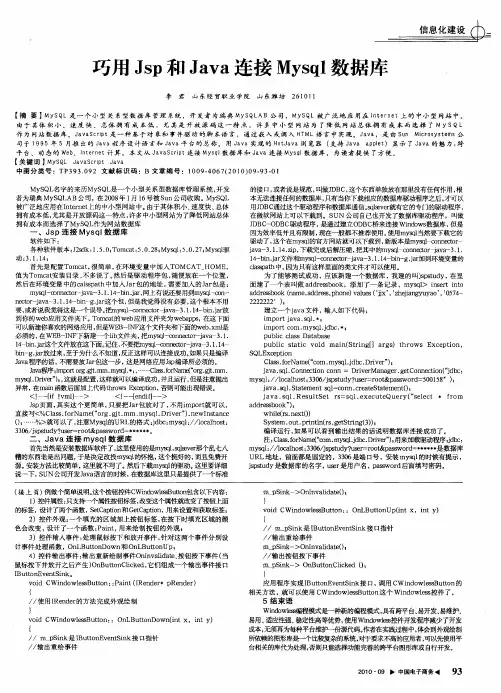
巧用Jsp和Java连接Mysql数据库巧用Jsp和Java连接Mysql数据库 李君山东经贸职业学院山东潍坊261 011 【摘要】MYSqL是一个小型关系型数据库管理系统,开发者为瑞典My SQ LAB公司,MySQL被广泛地应用在1 nt e r n et上的中小型网站中。 由于其体积小、速度快、总体拥有成本低,尤其是开放源码这一特点,许多中小型网站为了降低网站总体拥有成本而选择了M Y S Q L 作为网站数据库。JavaS cNpt是一种基于对象和事件驱动的脚本语言,通过嵌入或调入HTML语言中实现。Java,是由Sun Mic rosystem¥公 司于1 9 95年5月推出的Jaya程序设计语言和Jaya平台的总称。用da va实现的HotJaya浏览器(支持Java applet)显示了Java的魅力:跨 平台、动态的Web、lnt e r net计算。本文从JavaS c ript连接MysqI数据库和Java连接My s qI数据库,为读者提供了方便。 【关键词】MYSqL davaSc ript Java 中图分类号:TP393.092文献标识码:B文章编号:1009.4067(20l0)09.93—0l MySQL名字的来历MySQL是一个小型关系型数据库管理系统,开发 者为瑞典MySQLAB公司,在2008年1月l6号被Sun公司收购。MySQL 被广泛地应用在Internet上的中小型网站中。由于其体积小、速度快、总体 拥有成本低,尤其是开放源码这一特点,许多中小型网站为了降低网站总体 拥有成本而选择了MySQL作为网站数据库 一、JsP连接MysqI数据库 软件如下: 各种软件版本:J2sdk:1.5.0;Tomcat:5.0.28;Mysql:5.0.27{Mysql驱 动:3.1.14; 首先是配置Tomcat,很简单,在环境变量中加入TOMCAT—HOME, 值为Tomcat安装目录,不多说了。然后是驱动程序包,随便放在一个位置, 然后在环境变量中的cal ̄path中加入Jar包的地址,需要加入的Jar包是: mysql-connector-java一3.1.14-t ̄n.jar,网上有说还要用到mysql ̄on— nmmr ̄ava一3.1.14一bin—g.jar这个包,但是我觉得没有必要,这个根本不用 要,或者说我觉得这是—个误导。把m娜1—伽珂幔加r1ava一3.1.14-bin.jar放 到你的web应用文件夹下。Tomcat的web应用文件夹为webapps,在这下面 可以新建你喜欢的网络应用,但是wEB—INF这个文件夹和下面的w出.Ⅺnl是 必须的,在WEB-INF下新建一个lib文件夹,把mysql-conn ̄tor-java 3.1. 14 bin.jar这个文件放在这下面。记住,不要把m网l—℃0rⅡ】eC土0r-java一3.1.14一 bin—g.jar ̄t来,至于为什么不知道,反正这样可以连接成功。如果只是编译 Java程序的话,不需要放JarN_ ̄--步,这是网络应用Jsp编译所必须的。 Java程序..importorg.at.mil1.mysq1. …一Class.forName(“org.at.inin. mysq1.Driver”),,这就是配置,这样就可以编译成功,并且运行,但是注意抛出 异常,在main函数后面加上代码throws Exception,否则可能出现错误。 <!一-[if!vm1]一> <!一一【endif]一一> Jsp页面,其实这个更简单,只要把Jar包放对了,不用import就可以, 直接写<%Class.forName(“org.gjr.mm.mysq1.Driver”).newlnstance ()}……%>就可以了,注意Mysql的URL的格式:jdbc:mysql://localhost: 3306/jspstudy?user=root&password=******。 二、Java连接mysqI数据库 首先当然是安装数据库软件了,这里使用的是mysql,sqlsever ̄"乱七八 糟的东西老是出问题,于是决定改投mysql☆g怀抱,这个挺好的,而且免费开 源。安装方法比较简单,这里就不写了。然后下载mysql的驱动。这里要详细 说一下,SUN公司开发Java语言的时候,在数据库这里只是提供了一个标准 的接口,或者说是规范,叫做JDBC,这个东西单独放在那里没有任何作用,根 本无法连接任何的数据库,只有当你下载相应的数据库驱动程序之后,才可以 用JDBC通过这个驱动程序和数据库通信。sqlsever ̄f它的专门的驱动程序, 在微软网站上可以下载到。SUN公司自己也开发了数据库驱动程序,叫做 JDBC—ODBC驱动程序,是通过建立ODBc桥来连接Windows数据库,但是 因为效率低并且有限制,现在一般都不推荐使用。使用mysql当然要下载它的 驱动了,这个在my 的官方网站就可以下载到,新版本是m connector— java一3.1.14.zip,下载完成后解压缩,把其中的mysc ̄一connmor ̄ava一3.1. 14一 1.jar文件和my l—conn。咖r1ava一3.1.14一bin-g.jar加到环境变量的 classpath中,因为只有这样里面的类文件才可以使用。 为了能够测试成功,应该新建一个数据库,我建的叫jspstudy,在里 面建了一个表叫做addressbook,添加了一条记录,mysql>insert into addressbook(name,address,phone)values(‘jjx’,’zhejiangyuyao’,’0574- 2222222 ); 建立一个java文件,输入如下代码: import java.sq1. l import corn.mysq1.jdbc.+l public class Database public static void main(String[】args)throws Exception SQLException Class.forName(“corn.mysq1.jdbc.Driver”)l java.sqi.Conn ̄fion corm=DriverManager.getConnection("jdbc: mysql://localhost:3306/jspstudy?user=root&password=500158 )l java.sq1.Statement sql=conn.createStatement()I java.sq1.ResultSet rs=sq1.executeQuery(“select}from addressbook”); while(rs.next()) System.out.println(rs.getString(3))l 编译运行,如果可以看到输出结果的话说明数据库连接成功了。 注:Class.forName(“com.mysq1.jdbc.Driver”)I用来加载驱动程序;jdbc: mysq ̄:/Aocalhost:3306/jspstudy?user=root&password=******是数据库 URL地址,前面都是固定的,3306是端口号,安装mysql的时候有提示, jspstudy是数据库的名字,user是用户名,password后面填写密码。 (接上页)例做个简单说明。这个按钮控件cwind0W1 Butc0n包含以下内容: 1)控件属性:只支持—个屙陛按钮标签,改变这个屙陛就改变了按钮匕面 的标签,设计了两个函数,SetCaption和GetCapfion,用来设置和获取标签; 2)控件外观:一个填充的区域加上按钮标签,在按下时填充区域的颜 色会改变,设计了一个函数:Paint,用来绘制按钮的外观, 3)控件输人事件:处理鼠标按下和放开事件,针对这两个事件分别设 计事件处理函数,OnLButtonDown和OnLButtonUpl 4)控件输出事件:输出重新绘制事件Onlnvalidate、按钮按下事件(当 鼠标按下并放开之后产生)OnButtonClicked,它们组成一个输出事件接口 IButtonEventSink。 void CWindowlessButton::Paint(IRender*pRender) { //使用IRender的方法完成外观绘制 } void CWindowlessButton::OnLButtonDown(int x,int Y) { //m pSink是IButtonEventSink接口指针 //输出重绘事件 m pSink>Ontnvalidate()l } void CWindowlessButton::OnLButtonUp(int x,int Y) { //m_pSink是IButtonEventSink接口指针 //输出重绘事件 m_pSink一>OnInvalidate()l //输出按钮按下事件 n ̄pSink->OnButtonClicked 0, } 应用程序实现IButtonEventSink接口,调用CWindowlessButton的 相关方法,就可以使用CWindowlessButton这个Windowless控件了。 5结束语 wind0w1瞪编程模式是一种新的编程模式,具有跨平台、易开发、易维护、 易用、适应性强、稳定性高等优势,使用Windowless控件开发程序减少了开发 成本,无须再为每种平台维护一份源代码。作者在实践过程中,体会到外观绘制 所f 濑的图形库是—个比较复杂的系统,对于要求不高的应用者,可以先使用平 台相关的库代为处理,否则只能选择功能完善的跨平台图形库或自行开发。 2010・09 中国电子商务.I 
浅谈JSP及访问数据库技术30 信息科学 ,2科01 1 , 睥第4期穰L 浅谢sP及访问数据库技术 孙媛 (河南濮阳职业技术学院,河南濮阳457000) 擅要在现阶段开发网站时大多都使用JSP技术,所以分析JsP对数据库的访问极其重要,对于网站建设过程中正确的使用Js呦问数据库 技术极其重要。在不同的环境中使用不同的访问技术对于提高网站的运行速度很重要。 关t诃JsP技术;HTML;XML;JAVA库单元;JDBC技术;连接池技术 中圈分类号TP3 文献标识码A 文章编号1673—9671~(2010)072—0030—01 J8va被公认为是第—个专门面向Intemet和web环境的语言。它具有面 向对象的、分布式的、与平台无关的、高性能的、多线程的、动态的等 许多优异的特点。这决定了它是发展数据库极好的语言。JsP是基于Java 语言的脚本技术,可用于创建跨平台、跨web服务器的动态网页,其中 经常要调用数据库。 JDBC(Java Database Connectivity,简称为JDBC)是Jav龉言访问数 据库的标准接口,是一种真正意义上通用的、与平台无关的数据库标准 API。它允许各类系统互相兼容和共享,为网络上的跨平台数据库应用 提供了一种简洁、有效、安全的实现手段。JDBC不仅解决了数据库的互 操作问题和跨平台应用,而且客户机只需安装少量代码就可以通过JDBc 访问数据库。 数据库连接池技术是建立 ̄LJDBC技术之上的优化数据库访问技术, 它的基本思想就是为数据库连接建立一个“缓冲池”。预先在缓冲池中 放入一定数量的连接,可以通过设定连接池最大连接数来防止系统无尽 的与数据库连接。更为重要的是我们可以通过连接池的管理机制监视数 据库的连接的数量、使用情况,为系统开发、测试及性能调整提供依 据。 1 JSP技术 JSP(Java Server Pages)是以Jaca语言作为脚本语言的,JSP网页为 整个服务器端的Java库单元提供了一个接口来服务于HT1T的应用程序。 Java代码和特定的预定义动作可以嵌入到静态页面中。JsP句法增加了被 称为JS嘞作的xML标签,它们用来调用内建功能。JsP技术使用Java ̄程 语言编写类XML的tags和scriptle ̄,来封装产生动态网页的处理逻辑。网 页还能通过tags和sel:ipⅡet妨问存在于服务端的资源的应用逻辑。JsP将网 页逻辑与网页设计和显示分离,支持可重用的基于组件的设计,使基于 Web的应用程序的开发变得迅速和容易。另外,可以创建JsP标签库,然 后像使用标准HTMI威xML标签一样使用它们。标签库提供了一种和平 台无关的扩展服务器性能的方法。 Js确览JsP编译器编译成Java Servlets。~个JsP编译器可以把JsP编译成 JAvA代码写的serv]et然后再由似VA编译器来编译成机器码,也可以直接 编译成二进制码。we明艮务器在遇到访问JSP网页的请求时,首先执行其 中的程序段,然后将执行结果连同JSP文件中的}I1'ML代码一起返回给客 户。插入的Java ̄序段可以操作数据库、重新定向网页等,以实现建立 动态网页所需要的功能。JSP与Java Senrlet一样,是在服务器端执行的, 通常返回该客户端的就是一个HTML文本,因此客户端只要有浏览器就 能浏览。 2 JDBC技术及实现方法 JDBC(Java Database connecdvi婶) ̄dava的开发者suN的Java soft ̄司 制订的Jav擞据库连接技术的简称,可为各种常用数据库提供无缝连接 技术。JDBC也 ̄_Java用于访问数据库的一套标准API,由Java语言编写的 一组类与接口组成。JDBC作为一种数据库访问技术存在:易于掌握、使 用方便、移植性强、良好的复用性和JDBC—ODBC桥技术等优点,所以在 JDBC技术在网站开发过程中得到了广泛的使用。 目前,很多数据库系统都带有JDBC驱动程序,Java ̄序通过JDBc骆 动程序与数据库相连,执行相应的处理操作。而对于只带有ODBC驱动 程序而没有JDBC驱动程序的数据库,Sun公司开发了JDBC—ODBC桥,利 用JDBC—ODBC桥可以使用带有ODBC驱动程序的数据库。JDBC—ODBC 桥是将JDBc访问指令转 ̄ODBC指令,然后通过ODBC驱动程序完成对 数据库的访问。所以Java3 ̄序能访问诸女IIMS SQL Server,Oracle,D132, sysbase,MySQL等目前流行的各种数据库系统。下面就分析JI)Bc两种实 现方法: 1)通xLN ̄IDBC专用驱动程序实现数据库访问的方法是通过 ,a提供的 用于各种数据库(MSSQL Server,Oracle,DB2,sysbase,MySQL ̄)的 专用驱动程序来实现对数据库的访问。在使用这种方法之前,首先将相 关的数据库专用驱动程序放到服务器的classP日tl璐径下,然后在闾);隍序 中创建数据库连接就可以使用数据库中的信息进行数据处理操作。 2)通过JDBc—ODBC驱动桥访问各种支持ODBc驱动程序数据库,目 前大多数的数据库3 ̄11MS Access,MS SQL Server,Oracle,DB2,sya, ̄, MySQL等都支持这种方法。通过JDBc—ODBC驱动桥访问MS Acoess数据 库的方法,对其它数据库进行访问的实现方法和它类似。为了提高Java 代码的可重用性,完善其分布性应用体系的建立,Sun公司又开发了一 种组件技术JavaBean技术,这种技术为软件开发者提供了一种极佳的解 决方案,使他们可以利用JavaBean技术封装事务逻辑,很好地实现了业 务逻辑和客户端操作的分离,使系统具有更好的适用性和灵活性。利 用Java Be 技术进行数据库访问的工作原理是将数据库基本的处理逻辑 封装在JavaBean包中,在JSP程序中通过调用JavaBean实现对数据库的访 问。 3连接池技术 JSP连接池技术是建立在JDBC数据库连接技术之上的一种优化方 案,数据库连接池的基本思想就是为数据库连接建立一个“缓冲池”。 预先在缓冲池中放人一定数量的连接,当需要建立数据库连接时,只需 从“缓冲池”中取出一个,使用完毕之后再放回去。我们可以通过设定 连接池最大连接数来防止系统无尽的与数据库连接。更为重要的是我们 可以通过连接池的管理机制监视数据库的连接的数量,使用情况,为系 统开发、测试及性能调整提供依据。数据库连接池在初始化时将创建一 定数量的数据库连接放到连接池中,这些数据库连接的数量是由最小数 据库连接数来设定的。 数据库连接池技术可以解决JDBC技术效率低下,连接数量少等缺 陷。它很好的弥补了JDBC技术,为JDBC技术在互联网的广泛应用提供 很好的技术支持。同时也为更前的JsP技术提供很好的发展基础。 4结束语 无论采用何种技术解决数据库开发,其宗旨都是为前台能更好、更 快的访问数据库,在后面的技术发展长河中 的得到发展和继承。 参考文献 [1]动态网站制作指南.JSP数据库连接池的必要 www.knowsky.com[M].2003。8. [2JIorishinier.Net与Oracle的数据库连接池[M】. [3】胡永飘,梁荣光,张勇.JSP技术及其在OA系统中的应用[J].计算机技术与发 甓.2006,16(1):204-206. 作者简介 孙媛(1981~),女,汉族,助教,硕士,毕业于华中科技大学,主要 研究方向顺序标出:计算机软件。
文档推荐
|
|---|