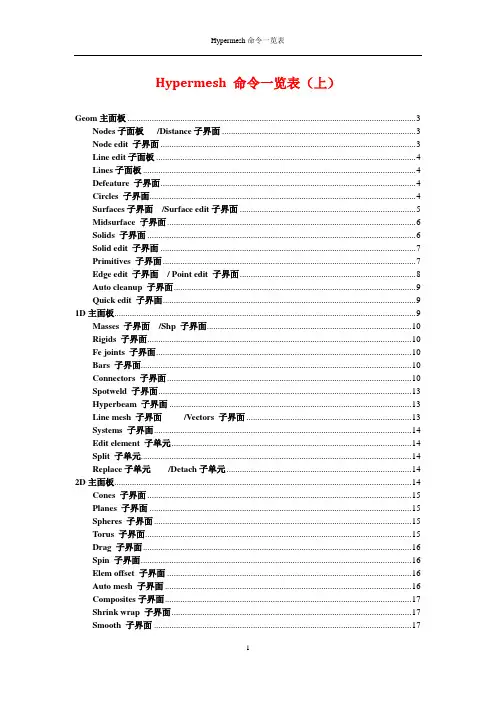
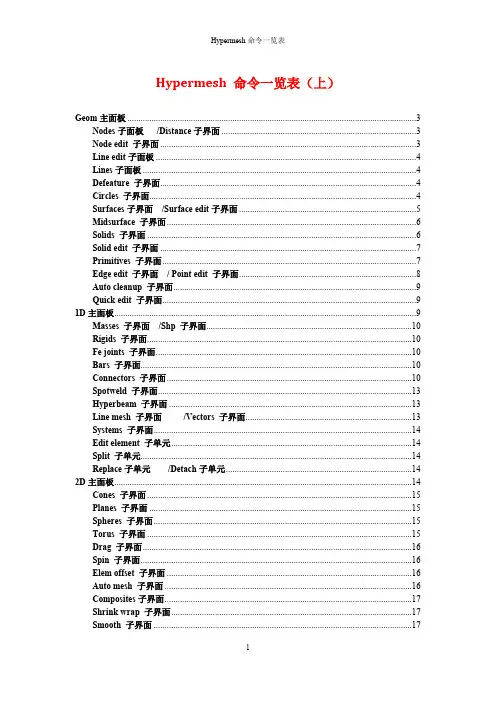
Hypermesh 命令一览表(上)Geom主面板 (3)Nodes子面板/Distance子界面 (3)Node edit 子界面 (3)Line edit子面板 (4)Lines子面板 (4)Defeature 子界面 (4)Circles 子界面 (4)Surfaces子界面/Surface edit子界面 (5)Midsurface 子界面 (6)Solids 子界面 (6)Solid edit 子界面 (7)Primitives 子界面 (7)Edge edit 子界面/ Point edit 子界面 (8)Auto cleanup 子界面 (9)Quick edit 子界面 (9)1D主面板 (9)Masses 子界面/Shp 子界面 (10)Rigids 子界面 (10)Fe joints 子界面 (10)Bars 子界面 (10)Connectors 子界面 (10)Spotweld 子界面 (13)Hyperbeam 子界面 (13)Line mesh 子界面/Vectors 子界面 (13)Systems 子界面 (14)Edit element 子单元 (14)Split 子单元 (14)Replace子单元/Detach子单元 (14)2D主面板 (14)Cones 子界面 (15)Planes 子界面 (15)Spheres 子界面 (15)Torus 子界面 (15)Drag 子界面 (16)Spin 子界面 (16)Elem offset 子界面 (16)Auto mesh 子界面 (16)Composites子界面 (17)Shrink wrap 子界面 (17)Smooth 子界面 (17)Quality index 子界面 (17)Elem cleanup 子界面 (17)3D 主面板 (18)Solid map 子界面 (18)Linear solid子界面/ Solid mesh 子菜单 (18)Tetramesh子界面 (19)Geom 主面板Nodes 节点Lines 线Surface 曲面Solid 实体Quick edit 快速编辑Node edit 节点编辑Line edit 线编辑Surface edit 曲面编辑Solid edit 实体编辑Edge edit 边编辑Temp nodes 临时节点Circles 圆Defeature简化几何模型Primitives 基本体Point edit 点编辑Distance 距离Length 长度Midsurface 中间面Auto clean up 自动清理Nodes 子面板 Distance 子界面Node edit 子界面Lineedit 子面板Create node 创造节点Create point 创造点 Type in 输入Reject 取消Pick geom.在几何体上建点Number of nodes 节点个数On line 在线上建点Bias intensity 偏置At point 在点上建立节点Number of nodes 建立几个节点Between 两点之间Bias intensity 偏置On plane 在面上建立节点Distance 距离Xdist X 方向的距离Ydist Y 方向的距离Zdist Z 方向的距离Angle节点之间的角度Two nodes 两个节点的距离Nodes between 两点之间放置几个节点Three nodes 三个节点Circle center圆心Two points 两个点的距离Three points 三个点Associate关联Tolerance 公差Move node 移动节点Step size移动尺寸大小Destination surf目标曲面Place node 放置节点Node to place节点到另一个地方Remap 重映射Node list 节点目录Align node 对齐节点Combine 合并Smooth 光滑Split at point指定点分割Split at joint 在连接处分割Split at line 用线分割Cut line剪切线Split at plane 用面分割Lines 子面板DDefeature 子界面Circles 子界面Circle 圆Radius 半径Center & radius 圆心& 半径Offset 偏移量Points & vector 点 & 向量Three points 三个点Find center 寻找中心Smooth corners 平滑转角Smooth line 使线光滑Min tangent angel最小切线角度Extend line 延长线Follow curvature 原有曲率From nodes 通过节点Linear 线性的Offset 偏移Offset by midline 通过中线偏移From surf edges 曲面边缘偏移Original component 偏移到原始组件里Ignore element normal 忽略法向单元Break angle 打断角度From features 通过特性选取Feature angle 特性角度Surfs with plane 面上的曲面Elements with plane 面上的单元Line with plane 面上的线At intersection 交集处Smooth lines 光滑线At tangent 切线Check points 检查点Radius 半径Fillets 圆角Trim original lines 修剪线段Pinholes 小孔Surf fillets 曲面倒角Diameter 直径Find fillets by profile 通过轮廓选取倒角Surf fillets 曲面倒角Find fillets in selected 在选择的部分选取倒角Edge fillets 边倒角Trim-intersect 修剪相交Duplicates 复制Cleanup tolerance 清除公差Find symmetry 寻找对称Reorganize 重组Delete positive 删除当前Symmetry 对称面Delete negative 删除复制体Surfaces 子界面Surface edit 子界面Multiple node 多个节点Trim with nodes 通过节点修剪Node normal to edge 矢量节点到边界Along a vector 沿着矢量Entire surface 全部的曲面Keep line Endpoints 保持线的终点Trim with lines 通过线修剪All attached surface 所有接触面With plane 用平面With surfs 用曲面Trim with surfs/plane 用曲面/平面修剪Self intersecting surfs自定义曲面At cursor 手动选取All trim lines of surfs所有曲面上的修剪线Untrim 还原修剪Internal trim lines 内部修剪线Disjoint offset 部分偏移Offset 偏移Remove degenerations 移除Cross Extension 同过延伸使交叉ExtendExtend selected surf edges延伸选择的曲面边界Shrink 缩放Ruled 规则面Auto reverse自动翻转Spline /filler样条线 / 填充线Auto create (free edges only )自动创建(自由边)Skin 蒙皮Keep tangency 相切Drag along vector 沿着矢量拉伸Drag / spin 拉伸 / 旋转Drag along line 沿着线拉伸Auto detect features 自动检查特性Mesh-based auto tolerance网格自动调整公差Surface complexity 曲面复杂度Split by components 通过组件分割From FE 通过单元Associate nodes 关联节点auto select whole edge自动选择整个边界Pick angel 拾取角度Fillets 圆角Radius 角度Midsurface 子界面Solids 子界面Closed solid 闭合实体Extract 抽取Auto midsurface 自动抽取中间面Extraction options 提取选项Sort 分类Combine with adjacent plates连接与之相邻的板Combine all adjacent plates 连接所有相邻的板Surface pair 配对曲面Result in middle surface comp结果保存在中面组件中Target type 目标样式Point to offset 指定偏移量Quick edit 快速编辑Target location 目标位置Pilot pointPoint to offset 指定偏移量Accept target 接受目标Assign target 赋值目标Pilot pointRemove target 移除目标Retained edge 要保留的边缘Replace edge 替代边缘Edge to move 要移动的边界Extend surface 延伸曲面Surfaces to extend 延长曲面Max extension distension 最大移动距离View thickness 查看厚度Show surfaces thickness 观察曲面厚度Set thickness 设置厚度Auto select solid surfaces 自动选择实体曲面Bounding surfs 曲面边界Surfs component 保存到曲面组件中Drag along vector 沿着向量拖动Merge solids at shared edges 合并重合实体边界Drag along normal 沿着法向拖动Frame mode 框架模式Reference node 参照节点Drag along line 沿着线拖动Transformation planeSolid edit 子界面Primitives 子界面变换平面Spin 旋转Trim with nodes 通过节点修剪Extend trimmer 延伸修剪With cut line 通过剖切线With bounding lines通过边界线Drag a cut line 手动画剖切线With sweep lines 通过扫率曲线Trim with lines线修剪Sweep to 选择曲线Trim with plane/surf 平面/曲面修剪With plane 通过面With surfs 通过曲面To be merged 选取合并的实体Merge by removal 通过分割面合并实体Merge 合并Remove scratches删除刮伤Detach 分离To Detach 要分离的实体Boolean 布尔运算Operating type 操作类型Operating 具体操作Square/block 正方形/块Full cone 整个圆锥Partial cone 部分圆锥Botton center 底面中心Botton center 底面中心Normal vector 法向量Normal vector 法向量Top radius 顶部半径Major vector 主向量Base radius 根部半径Start angle 起始角度Height 高度End angle 终止角度Cylinder/cone 圆柱体/圆锥Axis ratio 轴比率By center and radius 通过中心和半径For partial sphere部分球体Sphere For 4 nodes sphere 通过四点创建球体Theta begin 起始角度Edge edit 子界面Point edit 子界面Theta end 终止角度Phi begin 起始直径Phi end 终止直径Minor radius 内环半径Major center 外环中心Torus 圆环Major radius 外环半径Minor center 内环中心Add 增加At cursor 光标选取Suppress 废除Multiple points 多重边界Break angle 打断角度Replace 替代Move point 去除的点Retained point 保留的点Release 释放Points to edges 点投影到线Points to surfs 点投影到曲面Distance tolerance 距离公差Angle tolerance 角度公差Project 投影Internal points onto its surfs 内部点映射到曲面At cursor 光标选取Toggle 忽略Cleanup tolerance 公差Suppress 压缩Break angle 打断角度Move edge 要移动的边Replace 替代Retained edge 要保存的边Equiv across comps 通过组件合并Equivalence 合并Equiv free edges only仅合并自由边Unsplit 清除分割Multiple edges 混合边界Min radius 最小半径Max radius 最大半径Min angle 最小角度Edge fillets 边界倒角Trim-intersect 修剪相交Close orphan 关闭孤行Angle surfs 曲面角度Offset surfs 偏移曲面Min filletAuto cleanup 子界面Quick edit 子界面1D 主面板最小倒角Max fillet 最大倒角Angel vertex 顶点角度Shape ratio 形状比例Min edge 最小边缘Topology cleanup parameters 拓扑清理参数Use current parameters 使用当前参数Elements quality criteria 元素质量标准Use current criteria 使用当前标准Split surf-node通过节点分割曲面Adjust/set density 调整/创建密度Split surf-line通过节点和目标线分割曲面Replace point 合并点Washer split 偏置分割线Add/remove point 添加/删除点Unsplit surf 合并分割曲面Add point on line 在线上增加点Toggle edge 忽略自由边Release point 释放点Filler surf 曲面倒角Project point 投影点Delete surf 删除曲面Trim-intersect 切除相交Masses 集中质量Bars 梁单元Connectors 连接器Line mesh 线性网格Edit element 编辑单元Fe joint 铰单元Rods 杆单元Spotweld 点焊单元Linear 1d 一维线性Split 分割Sph 球Rigids 刚性单元Hyperbeam Hyper 梁Replace 替代Rbe3橡胶单元Detach 分离Springs 弹簧单元Order change 改变阶次Gaps 间隙单元Vectors 向量Config edit 配置编辑Systems 坐标系Elem types 单元类型Masses 子界面Shp 子界面Rigids 子界面Fe joints 子界面Bars 子界面Connectors 子界面Organize 管理Spot焊点Add links增加连接Compare比较Find 查询Bolt螺栓Unrealize不真实Quality质量Mask 隐藏Seam 缝焊Delete 删除Area 面连接Translate 移动Apply mass 施加质量Numbers 数量Fe absorb FE吸附Renumbers从编号二级子界面OrganizeCollectors 集合Dest component 目标组件Includes 包括Dest目标Mass质量Create创造Property属性Update 更新System系统Simple cubic简单的立方体Pitch边长Material density材质密度Create创建Independent固定点Dependent连接点Attach dependent nodes as a set连接独立的点做设置Dof自由度Connectivity连接性Switch转换Update更新Attach/detach set连接/分离设置Combine合并Combine rigids with合并刚性单元通过Joint type连接类型Create创造Orientation定位Update 更新Spherical 球形的Bar2二维梁Pins aBar3三维梁Orientation/offsets in basic 简单的定位/偏移Update 更新Offset a a 偏移二级子界面Mask 二级子界面find 二级子界面translate 二级子界面deleteGlobal system 坐标系统Magnitude 偏移量二级子界面renumberStart with 从~~开始Single 单个Increment by 增加到二级子界面spot Location 位置Mesh independent 独立网格Spot 焊点Connect what 与~连接Non-normal projection 非均匀投影Creat 创建Tolerance 公差No systems 无系统Realize 实现Add location nodes as line 增加位置节点产生线Spacing 间距End offset 末端偏移Edit 编辑Retain line 保持线二级子界面boltLocation 位置Hole diameter 孔直径Bolt 螺栓Connect what 与~连接Use dynamic vector 使用动态矢量Creat 创建Tolerance 公差Mask 隐藏Reverse显示与隐藏颠倒Reverse all所有都相反状态Mask not shown 隐藏不显示Unmask all 全部显示Unmask 取消隐藏Reject 放弃Find entities 查找对象Find attached 查找连接Attached to 连接到Between 两者之间Delete associated solids 删除相关的实体Delete entity 删除实体Delete associated elems 删除相关的单元Delete model 删除模型Realize 实现Elems to current comp 创建单元到当前组件中中二级子界面seam Location 位置Mesh independent 独立网格Seam 缝焊Connect with 与~连接Creat 创建Tolerance 公差Realize 实现Elems to current comp 创建单元到当前组件中Spacing 间距Params 参数End offset 末端偏移Edit 编辑Group 组Connect rule 连接规则二级子界面area Location 位置Mesh independent 独立网格Area 面Connect with 与~连接Non-normal projection 非均匀投影Creat 创建Tolerance 公差No systems 无系统Realize 实现Elems to current comp 创建单元到当前组件中Mapped type 映射类型Size and bias 尺寸和偏移量Edit 编辑Free type 自由样式Element size 单元尺寸二级子界面Apply mass二级子界面Add links Location 位置Add links 增加连接Connect when 连接时间Connect what 与~~连接Re-connect rule 重新连接的规则Location 位置Mass type 网格类型Connect method 连接方法Distribution 分布Connect what 与~~连接Search tolerance 查询公差二级子界面QualitySpotweld 子界面Hyperbeam 子界面Merge tolerance 合并公差Cross section plane 通过界面Create node at centroid 创建节点在图心Plane base node 平面基准点Shell section 壳截面Create node at shear center 创建节点在剪切中心Part generation 产生部分Solid section 实体截面Analysis type 分析类型Standard section 标准截面Standarad section library 标准截面数据库Standarad section type 标准截面形式Generic section 普通截面Edit section 编辑截面Plot centroid 显示型心Review sections 审查截面Shear center 切变中心Line mesh 子界面Vectors 子界面Preview duplicates 预览重复单元Preview combine 预览合并Connectors 连接Remove duplicates 移除重复单元Projection check 投影校核Find too long 寻找太长的1D elems 1D 单元Length 长度Angle 角度3D elems 3D 单元Jacobian 雅克比All surfs 所有曲面Element config 单元配置Using geom.使用几何Weld location 焊接位置Using nodes 使用节点Without systems 无系统Using elems 使用单元Attach to shell elems 附在壳上的单元Switch nodes 转换节点Element size 单元格大小Segment is whole line 整个线段分段Peoperty 性质Element config 单元配置Vector update method 矢量修正方法Create 创建Magnitude 量Update 更新Global system 坐标系统Systems 子界面Edit element 子单元Split 子单元Replace子单元Detach子单元2D主面板Planes 平面Ruled规则面Connectors连接器Automesh自动划分网格Edit element编辑单元Cones 圆锥Spline样条线HyperlaminateHyper薄板Shrink wrap收缩翘曲Split分割Spheres 球体Skin三角形Composites复合材料Smooth光滑Replace替代Torus 圆环Drag拉伸Qualityindex质量指标Detach分离Create by axis direction 通过轴方向创建create by node reference通过参照节点创建Rectangular 矩形Set reference 设置参考Assign赋值Set displacement设置位移Material orientation 定义材料Material orientationalmethod定义材料方法Plot绘图Tria三角形Quad正方形Tetra四面体Pyramid棱锥Penta五面体Create创建Hex六面体Combine合并Combine to quad合并成正方体Split分割Displayed elems显示单元Cleanup清理Plate elements 板单元Split all sides 分割所有的边Solid elements 实体单元Split into hexas 分割成六面体Hexa elements 六面体单元Two pentas二个五边形Refine to target element size 改善目标单元的尺寸Refine elements改善单元体Target element edge length目标单元边界长度Replace 移动的点Equivalent 等价With不动的点At mid-point在混合节点Detach分离Detach elements分离单元Detach from从~中分离Spin 旋转Elem cleanup 单元清理Order change 改变阶次Line drag 拉伸Config edit 配置编辑Elem offset 单元偏置Elem types 单元类型Cones 子界面Botton center 底面中心Mesh, keep surf划分网格,保留曲面Normal vector 法向量Radius 半径Top radius 顶部半径Ratio 比率Full cone 完整的圆锥Height 高度Major radius 外环半径Start angle 起始角User controlled 自定义Cone 圆锥End angle 终止角Planes 子界面Spheres 子界面Torus 子界面Mesh, keep surf划分网格 , 保留曲面Trimmed 修剪Calculate plane 估算面Square 正方形Full sphere 整个球Mesh, keep surf 划分网格,保留曲面Four points 四个点画球Radius 半径Theta begin 起始角度Theta end 终止角度Phi begin 起始直径User controlled 自定义Phi end 终止直径Center 中心Mesh, keep surf 划分网格,保留曲面Full torus 整个圆环Normal vector 法向量Minor radius 内环半径User controlledMajor vector 主向量Major radius 外环半径Drag 子界面Spin 子界面Elem offset 子界面Connectors 子界面参照1D Connectors Auto mesh 子界面Minor start 内环起始角Major center 外环中心Minor end 内环结束角Minor center 内环中心Major start 外环起始角Three points 三点确定Minor radius 内环半径Major end 外环结束角Distance 距离Drag geoms 拉伸几何体Mesh, keep surf 划分网格,保留曲面Bias style 偏载类型Drag elems 拉伸单元Bias intensity 偏载强度Angle 角度Spin geoms 旋转几何体Mesh, keep surf 划分网格,保留曲面On spin Bias style 偏载类型Spin elems 旋转单元Bias intensity 偏载强度Number of layer 层的数量Solid layers 实体层Initial offset 初始偏移量Tolal thickness 总体厚度Shell layers 壳层Elems to offset 单元偏移Linear or no biasing 线性或不偏载Bias intensity 偏载强度Shell offset 壳偏移量Elements to current comp 创建创建单元到当前组件中CFD corners CFD 角Thicken shells 加厚壳Along geom to follow 沿着几何偏移Shells are on the midsurfaces壳加在中间层Elements size 单元尺寸Elems to surf component 创建单元到面组件Composites 子界面Shrink wrap 子界面Smooth 子界面Quality index 子界面Elem cleanup 子界面Mesh type 单元类型First order 一阶Break connectivity 打断当前连接Previous settings 先前的设置Link opposite edges 连接对面的边QI optimize QI 优化Use current criteria 使用当前条件Smooth across common edges with feature angle光滑有特性角度的共同边Min elem size 最小单元尺寸Edge deviation 边界偏差Max elem size 最大单元尺寸Max angle 最大角度Closed volume proximity封闭附近的体积Surface deviation曲面偏差Mesh type 网格形式Free edge deviation 自由边的偏差Rigid body mesh 刚性体网格Max feature ang 最大的特性角度Material orientation 指定材料Material orientational method 指定材料方法Ply directions厚度方向Tight 紧的Element size 单元尺寸Loose 松散的Generate solid mesh 产生实体网格Mesh orientation 网格方向Iteration 迭代次数Plates 板AnchorSolids 实体Autodecide 自动决定Min size 最小尺寸Place node 放置节点Max size 最大尺寸Swap edge 交换边界Aspect ratio 长宽比Node optimize 节点优化Warpage 翘曲Element optimize 单元优化Skew 扭曲度Jacobian 雅克比Fix folded elems ,angles 修复折叠的单元,角Use surrounding elems 使用周围的单元Reduce tria elems 减少三角单元Use current criteria 使用现有标准QI smooth elems with target QI 光滑单元的目标Feature angle 特征角Fix elems failing QI check 修复单元QI 故障检查Edit element、split、replace、detach参照1D 3D 主面板Solid map 实体映射Drag拉伸Connectors链接Tetramesh四面体格划分Edit element编辑单元Linear solid 线性实体Spin旋转Smooth光滑Split分割Solid mesh 实体网格Line drag拉伸Replace替代Elem offset单元偏置Detach分离Order change改变阶次Config edit配置编辑Elem types单元类型Solid map 子界面Source geom 起始几何Along parameters 参数设置Dest geom 目标几何体Along bias style 偏置形式General 普遍方法Along geom 沿着几何体Elem size 单元尺寸Line drag沿着线拉伸Show solidmap mesh显示实体网格Linear线性Linear solid 线性实体Apply orthogonality to along 相交延长Ends only 终止处One volume 一个实体Smooth dest目标光滑Interactive互动Stop meshing on bad jacobian在不好的雅可比处停止划分网格Multi solids 混合实体Source shell 壳源Previous setting 先前的设置Linear solid子界面Solid mesh 子菜单Alignment 对齐方式Distribute layer 分布的层Density 密度Bais intensity偏载强度Start region开始区域End region结束区域Connecting连接Uniform mesh统一的网格Drag 、Spin 、Line drag 、Elem offset 、Connectors 参照2DTetramesh 子界面Select trias/quads to tetra mesh 选择三面体/四面体进行四面体网格自动划分Optimize mesh quality 优化网格质量Tetra mesh 四面体网格No fixed trias/quads 不修复三面体/四面体Standard 标准Tetra remesh四面体网格重新自动划分Fixed with boundary layer 修复边界网格Number of layers 层的数量Comps 组件First layer thickness 第一层的厚度Single thickness 单一厚度Growth rate 增长率Float w/o boundary layer 浮动w/o 边界层Simple transition :ratio 单个旋转比CFD mesh CFD 网格Remesh重新划分网格Enclose volume 闭合的实体Volume tetra 四面体体积Match existing mesh 匹配存在的网格Elems to current comp 创建单元到当前组件中Smooth 参照2D。