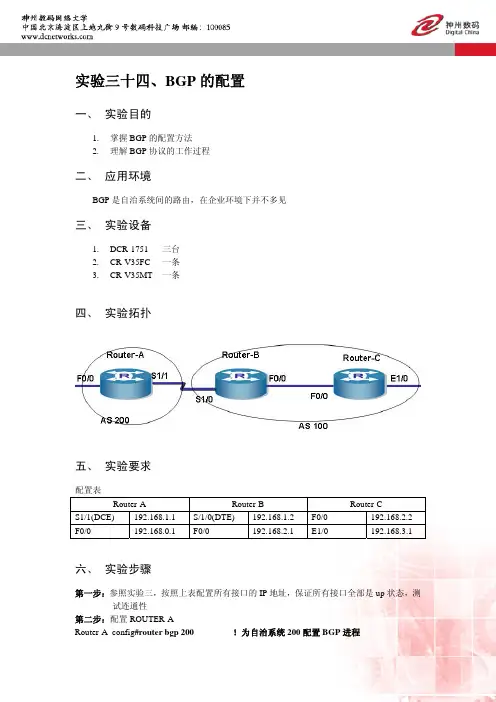
实验拓扑及配置说明
- 格式:doc
- 大小:182.50 KB
- 文档页数:15
实验拓扑及配置说明注:以下蓝色字体部分是设备进行相应配置后自动生成的提示信息或日志信息。
(一)S2328G配置步骤及配置说明:Ruijie>en \\进入特权层Ruijie#conf \\进入全局配置层Enter configuration commands, one per line. End with CNTL/Z.Ruijie(config)#host S23 \\配置主机名为S23S23(config)#vlan 10 \\创建VLAN10并命名为renshiS23(config-vlan)#name renshiS23(config-vlan)#vlan 20 \\创建VLAN20并命名为caiwuS23(config-vlan)#name caiwuS23(config-vlan)#vlan 100 \\创建VLAN100并命名为guanliS23(config-vlan)#name guanliS23(config-vlan)#exiS23(config)#int ran f 0/1-10 \\将1-10口划入VLAN10S23(config-if-range)#sw acc vl 10S23(config-if-range)#int ran f 0/11-20 \\将11-20口划入VLAN20S23(config-if-range)#sw acc vl 20S23(config-if-range)#exiS23(config)#spanning-tree \\开启生成树,防止环路Enable spanning-tree.*Dec 10 16:58:24: %SPANTREE-5-TOPOTRAP: Topology Change Trap for instance 0.*Dec 10 16:58:39: %SPANTREE-5-TOPOTRAP: Topology Change Trap.S23(config)#span mo rstp \\配置生成树的模式为RSTPS23(config)#int ran f 0/1-24 \\在用户接口1-24开启bpduguard和portfast S23(config-if-range)#span bpduguard enableS23(config-if-range)#span portfast%Warning: portfast should only be enabled on ports connected to a singlehost. Connecting hubs, switches, bridges to this interface when portfast is enabled,can cause temporary loops.%Warning: portfast should only be enabled on ports connected to a singlehost. Connecting hubs, switches, bridges to this interface when portfast is enabled,can cause temporary loops.%Warning: portfast should only be enabled on ports connected to a singlehost. Connecting hubs, switches, bridges to this interface when portfast is enabled,can cause temporary loops.%Warning: portfast should only be enabled on ports connected to a singlehost. Connecting hubs, switches, bridges to this interface when portfast is enabled,can cause temporary loops.%Warning: portfast should only be enabled on ports connected to a singlehost. Connecting hubs, switches, bridges to this interface when portfast is enabled,can cause temporary loops.%Warning: portfast should only be enabled on ports connected to a singlehost. Connecting hubs, switches, bridges to this interface when portfast is enabled,can cause temporary loops.%Warning: portfast should only be enabled on ports connected to a singlehost. Connecting hubs, switches, bridges to this interface when portfast is enabled,can cause temporary loops.%Warning: portfast should only be enabled on ports connected to a singlehost. Connecting hubs, switches, bridges to this interface when portfast is enabled,can cause temporary loops.%Warning: portfast should only be enabled on ports connected to a singlehost. Connecting hubs, switches, bridges to this interface when portfast is enabled,can cause temporary loops.%Warning: portfast should only be enabled on ports connected to a singlehost. Connecting hubs, switches, bridges to this interface when portfast is enabled,can cause temporary loops.%Warning: portfast should only be enabled on ports connected to a singlehost. Connecting hubs, switches, bridges to this interface when portfast is enabled,can cause temporary loops.%Warning: portfast should only be enabled on ports connected to a singlehost. Connecting hubs, switches, bridges to this interface when portfast is enabled,can cause temporary loops.%Warning: portfast should only be enabled on ports connected to a singlehost. Connecting hubs, switches, bridges to this interface when portfast is enabled,can cause temporary loops.%Warning: portfast should only be enabled on ports connected to a single host. Connecting hubs, switches, bridges to this interface when portfast is enabled,can cause temporary loops.%Warning: portfast should only be enabled on ports connected to a single host. Connecting hubs, switches, bridges to this interface when portfast is enabled,can cause temporary loops.%Warning: portfast should only be enabled on ports connected to a single host. Connecting hubs, switches, bridges to this interface when portfast is enabled,can cause temporary loops.%Warning: portfast should only be enabled on ports connected to a single host. Connecting hubs, switches, bridges to this interface when portfast is enabled,can cause temporary loops.%Warning: portfast should only be enabled on ports connected to a single host. Connecting hubs, switches, bridges to this interface when portfast is enabled,can cause temporary loops.%Warning: portfast should only be enabled on ports connected to a single host. Connecting hubs, switches, bridges to this interface when portfast is enabled,can cause temporary loops.%Warning: portfast should only be enabled on ports connected to a single host. Connecting hubs, switches, bridges to this interface when portfast is enabled,can cause temporary loops.%Warning: portfast should only be enabled on ports connected to a single host. Connecting hubs, switches, bridges to this interface when portfast is enabled,can cause temporary loops.%Warning: portfast should only be enabled on ports connected to a single host. Connecting hubs, switches, bridges to this interface when portfast is enabled,can cause temporary loops.%Warning: portfast should only be enabled on ports connected to a single host. Connecting hubs, switches, bridges to this interface when portfast is enabled,can cause temporary loops.%Warning: portfast should only be enabled on ports connected to a single host. Connecting hubs, switches, bridges to this interface when portfast is enabled,can cause temporary loops.S23(config-if-range)#exiS23(config)#int gi 0/25 \\将25口设置为TRUNK口,并进行描述S23(config-if-GigabitEthernet 0/25)#sw mo truS23(config-if-GigabitEthernet 0/25)#des link_to_S57-G0/1S23(config-if-GigabitEthernet 0/25)#exiS23(config)#int vla 100 \\配置S23的管理IP为172.16.100.1S23(config-if-VLAN 100)#ip add 172.16.100.1 255.255.255.0S23(config-if-VLAN 100)#exi*Dec 10 17:01:18: %LINK-3-UPDOWN: Interface VLAN 100, changed state to up.*Dec 10 17:01:18: %LINEPROTO-5-UPDOWN: Line protocol on Interface VLAN 100, changed state to up.S23(config)#ip def 172.16.100.254 \\配置S23的缺省网关S23(config)#ena sec lev 15 0 ruijie \\配置特权密码为ruijieS23(config)#line vty 0 4 \\配置telnet密码为ruijieS23(config-line)#password 0 ruijieS23(config-line)#exi \\退到上一层S23(config)#service pass \\将telnet密码进行加密S23(config)#end \\退到特权层*Dec 10 17:04:41: %SYS-5-CONFIG_I: Configured from console by consoleS23#wr \\保存配置Building configuration...[OK]以下为S23的配置信息:S23#sh runBuilding configuration...Current configuration : 3323 bytes!version RGOS 10.2(5), Release(67430)(Fri Oct 23 17:54:38 CST 2009 -ngcf49)!!!vlan 1!vlan 10name renshi!vlan 20name caiwu!vlan 100name guanli!!service password-encryption!!ip default-gateway 172.16.100.254!!enable secret 5 $1$yLhr$Bq1s9tzwt26qs7sy !!!!spanning-treespanning-tree mode rstphostname S23interface FastEthernet 0/1switchport access vlan 10spanning-tree bpduguard enable spanning-tree portfast!interface FastEthernet 0/2switchport access vlan 10spanning-tree bpduguard enable spanning-tree portfast!interface FastEthernet 0/3switchport access vlan 10spanning-tree bpduguard enable spanning-tree portfast!interface FastEthernet 0/4switchport access vlan 10spanning-tree bpduguard enable spanning-tree portfast!interface FastEthernet 0/5switchport access vlan 10spanning-tree bpduguard enable spanning-tree portfast!interface FastEthernet 0/6switchport access vlan 10spanning-tree bpduguard enable spanning-tree portfast!interface FastEthernet 0/7switchport access vlan 10spanning-tree bpduguard enable spanning-tree portfast!interface FastEthernet 0/8 switchport access vlan 10 spanning-tree bpduguard enable spanning-tree portfast!interface FastEthernet 0/9 switchport access vlan 10 spanning-tree bpduguard enable spanning-tree portfast!interface FastEthernet 0/10 switchport access vlan 10 spanning-tree bpduguard enable spanning-tree portfast!interface FastEthernet 0/11 switchport access vlan 20 spanning-tree bpduguard enable spanning-tree portfast!interface FastEthernet 0/12 switchport access vlan 20 spanning-tree bpduguard enable spanning-tree portfast!interface FastEthernet 0/13 switchport access vlan 20 spanning-tree bpduguard enable spanning-tree portfast!interface FastEthernet 0/14 switchport access vlan 20 spanning-tree bpduguard enable spanning-tree portfast!interface FastEthernet 0/15 switchport access vlan 20 spanning-tree bpduguard enable spanning-tree portfast!interface FastEthernet 0/16 switchport access vlan 20 spanning-tree bpduguard enable spanning-tree portfast!interface FastEthernet 0/17 switchport access vlan 20 spanning-tree bpduguard enable spanning-tree portfast!interface FastEthernet 0/18 switchport access vlan 20 spanning-tree bpduguard enable spanning-tree portfast!interface FastEthernet 0/19 switchport access vlan 20 spanning-tree bpduguard enable spanning-tree portfast!interface FastEthernet 0/20 switchport access vlan 20 spanning-tree bpduguard enable spanning-tree portfast!interface FastEthernet 0/21 spanning-tree bpduguard enable spanning-tree portfast!interface FastEthernet 0/22 spanning-tree bpduguard enable spanning-tree portfast!interface FastEthernet 0/23 spanning-tree bpduguard enable spanning-tree portfast!interface FastEthernet 0/24 spanning-tree bpduguard enable spanning-tree portfast!interface GigabitEthernet 0/25 switchport mode trunk description link_to_S57-G0/1!interface GigabitEthernet 0/26!interface VLAN 100ip address 172.16.100.1 255.255.255.0no shutdown!!line con 0line vty 0 4loginpassword 7 06142b0a251c17!!endS23#(二)S5750配置步骤及配置说明:Ruijie>en \\进入特权层Ruijie#conf \\进入全局配置层Enter configuration commands, one per line. End with CNTL/Z.Ruijie(config)#hostname S57 \\配置主机名为S57S57(config)#vlan 10 \\创建VLAN10并命名为renshiS57(config-vlan)#name renshiS57(config-vlan)#vlan 20 \\创建VLAN20并命名为caiwuS57(config-vlan)#name caiwuS57(config-vlan)#vlan 100 \\创建VLAN100并命名为guanliS57(config-vlan)#name guanliS57(config-vlan)#int vlan 10 \\配置VLAN10的IP地址,作为VLAN10用户的网关S57(config-if-VLAN 10)#ip add 172.16.10.254 255.255.255.0S57(config-if-VLAN 10)#int vlan 20 \\配置VLAN20的IP地址,作为VLAN20用户的网关S57(config-if-VLAN 20)#ip add 172.16.20.254 255.255.255.0S57(config-if-VLAN 20)#int vlan 100 \\配置VLAN100的IP地址,作为VLAN100的网关(设备的网关)S57(config-if-VLAN 100)#ip add 172.16.100.254 255.255.255.0S57(config-if-VLAN 100)#exiS57(config)#int gi 0/1 \\将1口设置为TRUNK口,并进行描述S57(config-if-GigabitEthernet 0/1)#sw mo tru*Dec 10 17:16:44: %LINEPROTO-5-UPDOWN: Line protocol on Interface VLAN 10, changed state to up*Dec 10 17:16:44: %LINEPROTO-5-UPDOWN: Line protocol on Interface VLAN 20, changed state to up*Dec 10 17:16:44: %LINEPROTO-5-UPDOWN: Line protocol on Interface VLAN 100, changed state to upS57(config-if-GigabitEthernet 0/1)#des link_to_S23-G0/25S57(config-if-GigabitEthernet 0/1)#int gi 0/24 \\将24口设置为路由口,并配置IP地址为10.0.0.1,并进行描述S57(config-if-GigabitEthernet 0/24)#no swS57(config-if-GigabitEthernet 0/24)#ip add 10.0.0.1 255.255.255.0S57(config-if-GigabitEthernet 0/24)#des link_to_R1-F0/0S57(config-if-GigabitEthernet 0/24)#exiS57(config)#ip rou 0.0.0.0 0.0.0.0 gi 0/24 10.0.0.2 \\配置默认路由S57(config)#end*Dec 10 17:20:00: %SYS-5-CONFIG_I: Configured from console by console S57#wr \\保存配置Building configuration...[OK]以下为S57的配置信息:S57#sh runBuilding configuration...Current configuration : 3323 bytes!version RGOS 10.2(5), Release(67430)(Fri Oct 23 17:54:38 CST 2009 -ngcf49) !!!vlan 1!vlan 10name renshi!vlan 20name caiwu!vlan 100name guanli!!!!hostname S57interface GigabitEthernet 0/1switchport mode trunkdescription link_to_S23-G0/25!interface GigabitEthernet 0/2!interface GigabitEthernet 0/3 !interface GigabitEthernet 0/4 !interface GigabitEthernet 0/5 !interface GigabitEthernet 0/6 !interface GigabitEthernet 0/7 !interface GigabitEthernet 0/8 !interface GigabitEthernet 0/9 !interface GigabitEthernet 0/10 !interface GigabitEthernet 0/11 !interface GigabitEthernet 0/12 !interface GigabitEthernet 0/13 !interface GigabitEthernet 0/14 !interface GigabitEthernet 0/15 !interface GigabitEthernet 0/16 !interface GigabitEthernet 0/17 !interface GigabitEthernet 0/18 !interface GigabitEthernet 0/19 !interface GigabitEthernet 0/20 !interface GigabitEthernet 0/21 !interface GigabitEthernet 0/22 !interface GigabitEthernet 0/23 !interface GigabitEthernet 0/24no switchportip address 10.0.0.1 255.255.255.0description link_to_R1-F0/0!!!interface VLAN 10ip address 172.16.10.254 255.255.255.0no shutdown!interface VLAN 20ip address 172.16.20.254 255.255.255.0no shutdown!interface VLAN 100ip address 172.16.100.254 255.255.255.0no shutdown!!ip route 0.0.0.0 0.0.0.0 GigabitEthernet 0/24 10.0.0.2!!!!!line con 0line vty 0 4login!!endS57#(三)RSR20配置步骤及配置说明:Ruijie>en \\进入特权层Ruijie#conf \\进入全局配置层Enter configuration commands, one per line. End with CNTL/Z.Ruijie(config)#hos R1 \\配置主机名为R1R1(config)#ena sec lev 15 ruijie \\配置特权密码为ruijieR1(config)#line vty 0 4 \\配置telnet密码为ruijieR1(config-line)#pass ruijieR1(config-line)#exiR1(config)#serv pass \\配置telnet密码加密R1(config)#int f 0/0 \\配置F 0/0口IP为10.0.0.2,并进行描述R1(config-if-FastEthernet 0/0)#ip add 10.0.0.2 255.255.255.0R1(config-if-FastEthernet 0/0)#des link_to_S57-G0/24R1(config-if-FastEthernet 0/0)#exiR1(config)#int f 0/1 \\配置F 0/0口IP为10.0.0.2,并进行描述R1(config-if-FastEthernet 0/1)#ip add 1.1.1.2 255.255.255.0R1(config-if-FastEthernet 0/1)#des link_to_CNIIR1(config-if-FastEthernet 0/1)#exi\\配置到S57上各个VLAN的回指路由R1(config)#ip rou 172.16.10.0 255.255.255.0 f 0/0 10.0.0.1R1(config)#ip rou 172.16.20.0 255.255.255.0 f 0/0 10.0.0.1R1(config)#ip rou 172.16.100.0 255.255.255.0 f 0/0 10.0.0.1\\配置到外网的默认路由R1(config)#ip rou 0.0.0.0 0.0.0.0 f 0/1 1.1.1.1\\配置访问控制列表ACL1,这里只允许172.16.10.0/24网段通过R1(config)#access-list 1 permit 172.16.10.0 0.0.0.255R1(config)#int f 0/0 \\指定F 0/0为NAT的内网口R1(config-if-FastEthernet 0/0)#ip nat insideR1(config-if-FastEthernet 0/0)#exiR1(config)#int f 0/1 \\指定F 0/1为NAT的外网口R1(config-if-FastEthernet 0/1)#ip nat outsideR1(config-if-FastEthernet 0/1)#exi\\配置NAT地址池,从1.1.1.2到1.1.1.10R1(config)#ip nat pool CNII prefix-length 24R1(config-ipnat-pool)#address 1.1.1.2 1.1.1.10 match int f 0/1R1(config-ipnat-pool)#exi\\将访问控制列表ACL1(172.16.10.0/24)进行NAT地址转换,转换为1.1.1.2到1.1.1.10中的地址R1(config)#ip nat inside source list 1 pool CNII overload\\将内网的WEB服务器(172.16.10.10)和FTP服务器(172.16.10.20)映射到外网R1(config)#ip nat inside source static tcp 172.16.10.10 80 1.1.1.2 80R1(config)#ip nat inside source static tcp 172.16.10.20 21 1.1.1.2 21R1(config)#endR1#*Dec 10 17:28:04: %SYS-5-CONFIG_I: Configured from console by console以下为RSR20的配置信息:R1#sh runBuilding configuration...Current configuration : 1304 bytes!version RGOS 10.3(5b1), Release(84749)(Thu May 13 09:09:02 CST 2010 -ngcf66) hostname R1!!!!!!service password-encryption!!!!!!!!!!!!!!!ip access-list standard 110 permit 172.16.1.0 0.0.0.255!!!enable secret 5 $1$rjkX$xC8pD6994xD6E838!!!!!!!!!interface FastEthernet 0/0ip nat insideip address 10.0.0.2 255.255.255.0duplex autospeed autodescription link_to_S57-G0/24!interface FastEthernet 0/1ip nat outsideip address 1.1.1.2 255.255.255.0duplex autospeed autodescription link_to_CNII!!ip nat pool CNII prefix-length 24address 1.1.1.2 1.1.1.10 match interface FastEthernet 0/1!ip nat inside source static tcp 172.16.1.20 21 1.1.1.2 21ip nat inside source static tcp 172.16.1.10 80 1.1.1.2 80ip nat inside source list 1 pool CNII overload!!!!!!!ip route 0.0.0.0 0.0.0.0 FastEthernet 0/1 1.1.1.1ip route 172.16.1.0 255.255.255.0 FastEthernet 0/0 10.0.0.1 ip route 172.16.2.0 255.255.255.0 FastEthernet 0/0 10.0.0.1 ip route 172.16.100.0 255.255.255.0 FastEthernet 0/0 10.0.0.1 !!!ref parameter 50 400line con 0line aux 0line vty 0 4loginpassword 7 13170743072817!!endR1#sh ip rou \\查看路由表Codes: C - connected, S - static, R - RIP, B - BGPO - OSPF, IA - OSPF inter areaN1 - OSPF NSSA external type 1, N2 - OSPF NSSA external type 2E1 - OSPF external type 1, E2 - OSPF external type 2i - IS-IS, su - IS-IS summary, L1 - IS-IS level-1, L2 - IS-IS level-2ia - IS-IS inter area, * - candidate defaultGateway of last resort is no setC 10.0.0.0/24 is directly connected, FastEthernet 0/0C 10.0.0.2/32 is local host.S 172.16.1.0/24 [1/0] via 10.0.0.1, FastEthernet 0/0S 172.16.2.0/24 [1/0] via 10.0.0.1, FastEthernet 0/0S 172.16.100.0/24 [1/0] via 10.0.0.1, FastEthernet 0/0R1#sh ip nat tran \\查看NAT转换表Pro Inside global Inside local Outside local Outside global。