【VIP专享】NGB-W 双向无线网络
- 格式:pdf
- 大小:1.74 MB
- 文档页数:6

AC6AC1200 Smart Dual-band WiFi RouterProduct OverviewWith Gigabit speeds complaint with IEEE802.11ac, the TENDA AC6 smart dual-band WiFi router offers throughput as high as 1167Mbps.Powered with the latest features including beamforming+ technology and the innovative MU-MIMO, that's just the start. With the 28nm CPU, independent power amplifiers, four 5dBi high-gain antennas, you are assured to have an uninterrupted gaming experience and 4K video streaming.Tenda’s AC6 has great eco credentials too. With a power saving function, App-based management and migration of PPPoE user credentials allows for a smarter and eco-friendly digital life.Features•11ac speed up to 1167Mbps (5GHz: 867Mbps + 2.4GHz: 300Mbps)•Realtek chipset for stable and fast WiFi connection•High powered amplifiers and external antennas for whole-home coverage•Beamforming+ for longer range of IEEE802.11ac-compliant WiFi clients•Innovative MU-MIMO technology for more connected clients•Smart WiFi Schedule for lower power consumption•Migration PPPoE user name and password for hassle-free configurationCompliant with IEEE802.11ac, AC6 offers a data rate as high as of 1167Mbps (5GHz: 867Mbps + 2.4GHz: 300Mbps), triple times faster than 11n-compliant routers. Its fast and stable performance makes it the ideal choice for lag-free HD streaming, online gaming and other bandwidth-intensive tasks.5th Generation WiFi: 802.11ac with Dual-band ConnectivityWith four 5dBi high-gain antennas that powered by the multi-oscillator radiation technology, AC6 blankets you home with reliable WiFi.Four 5dBi high-gain antennas for whole-home WiFi coverageWith the high-powered amplifiers for WiFi on both 2.4GHz and 5GHz bands, Tenda’s AC6 delivers a stronger signal through walls, allowing you to enjoy uninterrupted connection in every corner of your home.High-powered amplifiersWith 28nm CPU, AC6 allows you to enjoy a fast and stable connection throughout your home.28nm CPU for stabilityThe innovative MU-MIMO technology delivered in AC6 allows communi-cation with more wireless devices simultaneously and offers you the fastest possible connection.Innovative MU-MIMO technologyBeamforming+ technology enables AC6 to lock on to your WiFi receiv-ing clients rather than blast WiFi in all directions, and mitigates co-channel interference, letting you enjoy fast internet connection. Beamforming+ for wider WiFi coverage and internet stabilityWhat if you forget your PPPoE user name or password when replacing your older router? Are you still troubled by complicated setup and configurations?AC6 allows you to replicate the user name and password provided by your ISP by connecting the WAN port of your old router to the LAN port of AC6, letting you go from laborious configurations.Hassle-free configurationSpecificationAC6 AC1200 Smart Dual-Band WiFi RouterMade in China。

TP-Link TL-WR740N无线路由器无线桥接怎么设置用TP-Link TL-WR740N无线路由器,去无线桥接另一台无线路由器的wifi信号;桥接设置成功后,可以扩大无线网络的覆盖范围。
本文店铺主要介绍TP-Link TL-WR740N无线路由器无线桥接的设置方法!TP-Link TL-WR740N无线路由器无线桥接的设置方法1、查看主路由器的无线参数请进入主路由器的设置界面,查看并记录下:无线信号名称、无线加密方式、无线密码以、无线信道(信道请手动设置一个),如下图所示:2、登录TL-WR740N路由器的设置界面,点击“无线设置”——>“无线基本设置”——>“SSID号”设置为与主路由器相同——>“信道”选择:6(与主路由器相同)——>勾选“开启WDS”——>点击“扫描”。
3、在扫描的结果中找到主路由器的SSID(WiFi名称),然后点击“连接”。
注意问题:如果在扫描结果中未找到主路由器的信号,请把主路由器与副路由器B放得近一些。
4、“密钥类型”选择:WP-PSK/WP2-PSK(与主路由器的密钥类型相同)——>“密钥”输入:12b3c4d(与主路由器的密钥一致)——>点击“保存”。
温馨提示:点击保存后,路由器会提示重启,这里先不要进行重启,直接进行步骤45、设置TL-WR740N路由器的无线安全:点击“无线设置”——>“无线安全设置”——>选择“WP-PSK/WP2-PSK”——>“PSK密码”输入:12b3c4d(与主路由器的PSK密码相同)——>点击“保存”。
6、关闭TL-WR740N的DHCP服务器:点击“DHCP服务器”——>“D HCP服务”——>“DHCP服务器”选择:不启用——>“保存”。
7、修改TL-WR740N路由器LN口IP:点击“网络参数”——>“LN口设置”——>“IP地址”修改为:192.168.1.2——>点击“保存”。
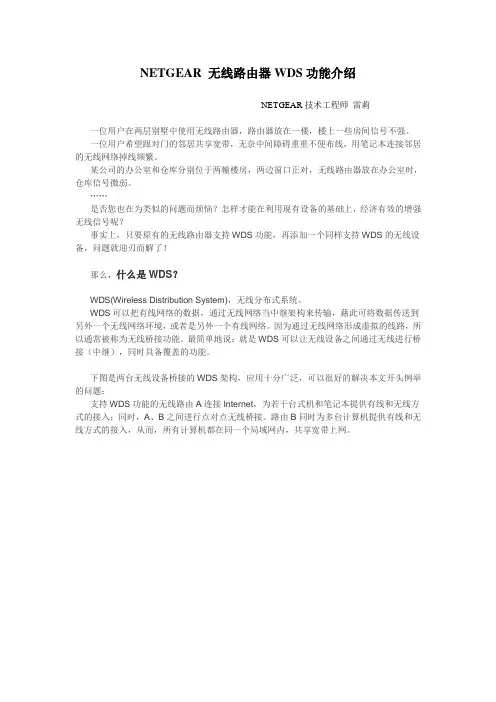
NETGEAR 无线路由器WDS功能介绍NETGEAR技术工程师雷莉一位用户在两层别墅中使用无线路由器,路由器放在一楼,楼上一些房间信号不强。
一位用户希望跟对门的邻居共享宽带,无奈中间障碍重重不便布线,用笔记本连接邻居的无线网络掉线频繁。
某公司的办公室和仓库分别位于两幢楼房,两边窗口正对,无线路由器放在办公室时,仓库信号微弱。
……是否您也在为类似的问题而烦恼?怎样才能在利用现有设备的基础上,经济有效的增强无线信号呢?事实上,只要原有的无线路由器支持WDS功能,再添加一个同样支持WDS的无线设备,问题就迎刃而解了!那么,什么是WDS?WDS(Wireless Distribution System),无线分布式系统。
WDS可以把有线网络的数据,通过无线网络当中继架构来传输,藉此可将数据传送到另外一个无线网络环境,或者是另外一个有线网络。
因为通过无线网络形成虚拟的线路,所以通常被称为无线桥接功能。
最简单地说:就是WDS可以让无线设备之间通过无线进行桥接(中继),同时具备覆盖的功能。
下图是两台无线设备桥接的WDS架构,应用十分广泛,可以很好的解决本文开头例举的问题:支持WDS功能的无线路由A连接Internet,为若干台式机和笔记本提供有线和无线方式的接入;同时,A、B之间进行点对点无线桥接。
路由B同时为多台计算机提供有线和无线方式的接入,从而,所有计算机都在同一个局域网内,共享宽带上网。
下图左半部分,即是上述架构的简化表示。
另一种架构,是多台无线设备之间的点对多点的无线桥接,下图中A做为中心,同时与B、C、D、E四个无线设备进行桥接。
这种架构被广泛应用与办公楼、校园、酒店等商用范畴。
此类环境,推荐使用NETGEAR企业级无线AP,如WG102和WG302等。
NETGEAR哪些产品具有WDS功能?NETGEAR无线产品线中,所有无线AP都支持WDS功能。
部分无线路由器也逐步扩展了这项功能,具体型号见下表。