交换VLAN划分实验
- 格式:doc
- 大小:143.50 KB
- 文档页数:6
《 网络系统管理与维护 》 实验报告
实验名称 交换VLAN划分实验 实验室 419 实验日期 2014.3.19
一、实验目的及要求
1、了解VLAN原理;
2、熟练掌握二层交换机VLAN的划分方法;
3、了解如何验证VLAN的划分。
二、实验环境
学校实验楼中有两个实验室位于同一楼层,一个是计算机软件实验室,一个是多媒体实验室,两个实验室的信息端口都连接在一台交换机上。学校已经为实验楼分配了固定的IP地址段,为了保证两个实验室的相对独立,就需要划分对应的VLAN,使交换机某些端口属于软件实验室,某些端口属于多媒体实验室,这样就能保证它们之间的数据互不干扰,也不影响各自的通信效率。
1、DCS-3926S交换机1台
2、PC机2台
3、Console线1根
4、直通网线2根
三、实验拓扑
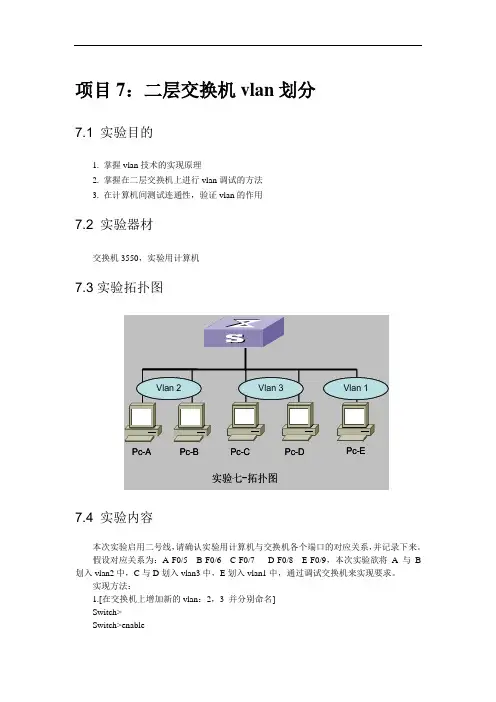
使用一台交换机和两台PC机,还将其中PC1作为控制台终端,使用Console口配置方式;使用两根网线分别将PC1和PC2连接到交换机的RJ-45接口上。
四、实验内容
在交换机上划分两个基于端口的VLAN:VLAN100,VLAN200。
VLAN 端口成员
100 1~8
200 9~16 使得VLAN100的成员能够互相访问,VLAN200的成员能够互相访问;VLAN100和VLAN200成员之间不能互相访问。
PC1和PC2的网络设置为:
设备 IP地址 Mask
交换机A 192.168.1.11 255.255.255.0
PC1 192.168.1.101 255.255.255.0
PC2 192.168.1.102 255.255.255.0
PC1、PC2接在VLAN100的成员端口1~8上,两台PC互相可以ping通;PC1、PC2接在VLAN的成员端口9~16上,两台PC互相可以ping通;PC1接在VLAN100的成员端口1~8上,PC2接在VLAN200的成员端口9~16上,则互相ping不通。
若实验结果和理论相符,则本实验完成。
五、实验步骤
第一步:交换机恢复出厂设置
switch#set default
switch#write
switch#reload
第二步:给交换机设置IP地址即管理IP。
switch#config
switch(Config)#interface vlan 1
switch(Config-If-Vlan1)#ip address 192.168.1.11 255.255.255.0
switch(Config-If-Vlan1)#no shutdown
switch(Config-If-Vlan1)#exit
switch(Config)#exit
第三步:创建vlan100和vlan200。
switch(Config)#
switch(Config)#vlan 100
switch(Config-Vlan100)#exit
switch(Config)#vlan 200
switch(Config-Vlan200)#exit
switch(Config)#
验证配置:
switch#show vlan
VLAN Name Type Media Ports
---- ------------ ---------- --------- ----------------------------------------
1 default Static ENET Ethernet0/0/1 Ethernet0/0/2
Ethernet0/0/3 Ethernet0/0/4
Ethernet0/0/5 Ethernet0/0/6
Ethernet0/0/7 Ethernet0/0/8
Ethernet0/0/9 Ethernet0/0/10
Ethernet0/0/11 Ethernet0/0/12
Ethernet0/0/13 Ethernet0/0/14
Ethernet0/0/15 Ethernet0/0/16
Ethernet0/0/17 Ethernet0/0/18 Ethernet0/0/19 Ethernet0/0/20
Ethernet0/0/21 Ethernet0/0/22
Ethernet0/0/23 Ethernet0/0/24
100 VLAN0100 Static ENET !已经创建了vlan100,vlan100中没有端口;
200 VLAN0200 Static ENET !已经创建了vlan200,vlan200中没有端口;
第四步:给vlan100和vlan200添加端口。
switch(Config)#vlan 100 !进入vlan 100
switch(Config-Vlan100)#switchport interface ethernet 0/0/1-8
!给vlan100加入端口1-8
Set the port Ethernet0/0/1 access vlan 100 successfully
Set the port Ethernet0/0/2 access vlan 100 successfully
Set the port Ethernet0/0/3 access vlan 100 successfully
Set the port Ethernet0/0/4 access vlan 100 successfully
Set the port Ethernet0/0/5 access vlan 100 successfully
Set the port Ethernet0/0/6 access vlan 100 successfully
Set the port Ethernet0/0/7 access vlan 100 successfully
Set the port Ethernet0/0/8 access vlan 100 successfully
switch(Config-Vlan100)#exit
switch(Config)#vlan 200 !进入vlan 200
switch(Config-Vlan200)#switchport interface ethernet 0/0/9-16
!给vlan200加入端口9-16
Set the port Ethernet0/0/9 access vlan 200 successfully
Set the port Ethernet0/0/10 access vlan 200 successfully
Set the port Ethernet0/0/11 access vlan 200 successfully
Set the port Ethernet0/0/12 access vlan 200 successfully
Set the port Ethernet0/0/13 access vlan 200 successfully
Set the port Ethernet0/0/14 access vlan 200 successfully
Set the port Ethernet0/0/15 access vlan 200 successfully
Set the port Ethernet0/0/16 access vlan 200 successfully
switch(Config-Vlan200)#exit
验证配置:
switch#show vlan
VLAN Name Type Media Ports
---- ------------ ---------- --------- ----------------------------------------
1 default Static ENET Ethernet0/0/17 Ethernet0/0/18
Ethernet0/0/19 Ethernet0/0/20
Ethernet0/0/21 Ethernet0/0/22
Ethernet0/0/23 Ethernet0/0/24
100 VLAN0100 Static ENET Ethernet0/0/1 Ethernet0/0/2
Ethernet0/0/3 Ethernet0/0/4
Ethernet0/0/5 Ethernet0/0/6
Ethernet0/0/7 Ethernet0/0/8
200 VLAN0200 Static ENET Ethernet0/0/9 Ethernet0/0/10 Ethernet0/0/11 Ethernet0/0/12