linux 5.7 bond
- 格式:docx
- 大小:221.48 KB
- 文档页数:4
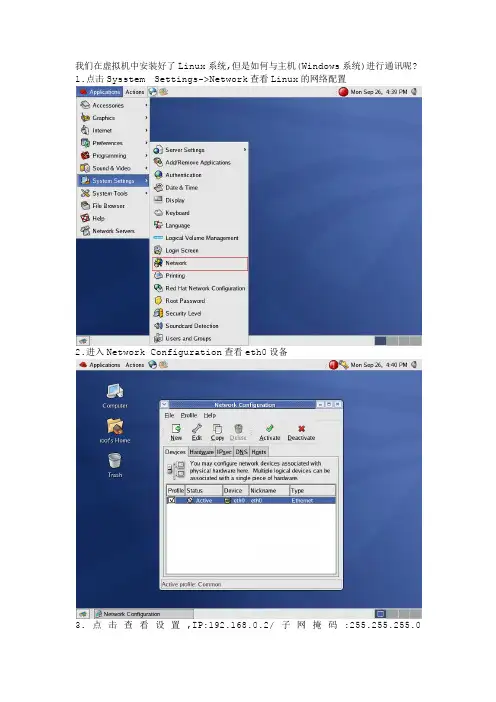
在service network restart时候报“bonding device bond0 dose
not seem to be present”错误,解决办法是先打modprobe
bonding命令,然后在重新service network restart。(文档最后附图)。
1,新建/etc/sysconfig/network-scripts/ifcfg-bond0
DEVICE=bond0
IPADDR=x.x.x.x
NETMASK=255.255.255.0
GATEWAY=x.x.x.x
ONBOOT=yes
USERCTL=no
BOOTPROTO=none
2.更改/etc/sysconfig/network-scripts/ifcfg-eth0
DEVICE=eth0
MASTER=bond0
SLAVE=yes
ONBOOT=yes
BOOTPROTO=none
USERCTL=no
3.更改/etc/sysconfig/network-scripts/ifcfg-eth1
DEVICE=eth1
MASTER=bond0 SLAVE=yes
ONBOOT=yes
BOOTPROTO=none
USERCTL=no
4.编辑/etc/modprobe.conf文件,最后面加入以下内容 alias bond0 bonding
options bond0 miimon=100 mode=1
-------------------------------------------------------------------------- mode的值表示工作模式,他共有0,1,2,3四种模式,常用的为0,1两种。 unix mode=0表示load balancing (round-robin)为负载均衡方式,两块网卡都工作。 mode=1表示fault-tolerance (active-backup)提供冗余功能,工作方式是主备的工作方式,也就是说默认情况下只有一块网卡工作,另一块做备份.。 linux中冗余功能的模式为
mode=3
5.在 /etc/rc.d/rc.local 中加入以下命令
ifenslave bond0 eth0 eth1 ---此时系统才是主备方式
系统进行网卡重启或者是重启系统即可。重启系统之后,在命令行中输入ifconfig 此时eth0和eth1对应的mac地址应该是一致的。