
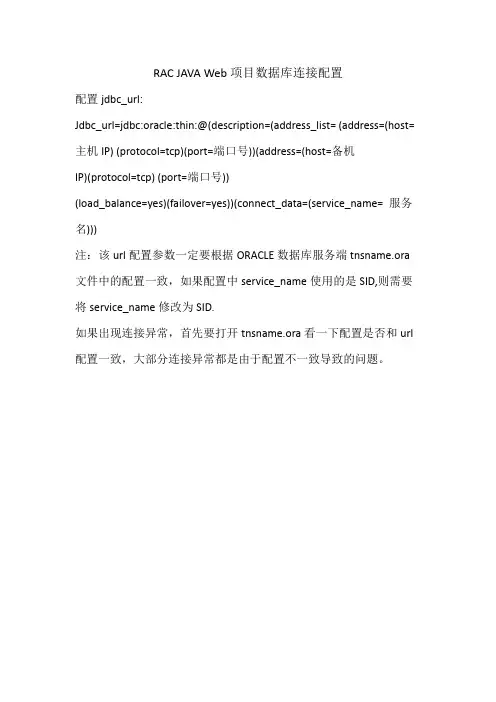
RAC数据库连接配置
- 格式:docx
- 大小:12.13 KB
- 文档页数:1
ORACLE 12C R2 RAC+DG集群主备部署搭建目录1、ORACLE 12.2软硬件要求 (3)1.1 硬件最低配置要求 (3)1.2 ORACLE 12.2认证的OS软件版本 (3)2、整体规划部分 (4)2.1 IP地址规划 (4)2.2 操作系统本地磁盘分区规划 (4)2.3 共享存储与ASM磁盘组规划 (5)3、操作系统配置部分 (5)3.1 配置hosts文件 (5)3.2 安装RPM包 (5)3.3创建用户组 (6)3.4 创建文件目录及权限配置 (7)3.5 配置环境变量 (8)3.6 安装cvuqdisk (9)4、修改操作系统配置 (9)4.1 开启nscd (9)4.2 关闭防火墙 (9)4.3 禁用selinux (9)4.4 关闭TransparentHugePages (10)4.5 配置/etc/security/limits.conf (10)4.6 配置/etc/sysctl.conf (10)4.7 配置/etc/pam.d/login (11)4.8 配置DNS (11)4.9 修改时间同步方式 (12)4.10 修改nsswitch.conf (12)4.10 配置NOZEROCONF (12)4.11 配置互信 (13)5、ASM磁盘配置部分 (13)5.1 UDEV配置asm磁盘(两个节点都执行) (13)5.2 验证asm disk生成 (14)5.2 修改磁盘属性 (14)6、grid软件安装 (14)6.1 检测安装环境 (15)6.2 安装GI(Grid Infrastructure) (16)7 、asmca创建其它asmdiskgroup (26)8、database软件安装 (27)9、创建CDB (32)10、创建PDB (37)10.1 以命令方式创建PDB (37)10.2 查看创建成功的PDB (38)11、备库安装ORACLE12C R2 数据库软件 (38)12、DG 主库配置 (38)13、DG 备库配置 (42)14、RAC+DG 主备切换switchover (48)15、RAC + DG主备切换failover Failover切换一般是PRIMARY 数据库发生故障后的切换,这种情况是STANDBY数据库发挥其作用的情况。

出入境RAC日常检查数据库名db_name:orclDb_unique_name:orclservice_names:orcl实例名主机(1)IP:orcl1实例名主机(2)IP:orcl2主机名主机(1)IP:hporcl1主机名主机(2)IP:hporcl2查看实例数据库状态:$ ./srvctl status database -d orclInstance orcl1 is running on node hporcl1Instance orcl2 is running on node hporcl2查看数据库实例状态:$ ./srvctl status instance -d orcl -i orcl1,orcl2Instance orcl1 is running on node hporcl1Instance orcl2 is running on node hporcl2查看hporcl1(主机(1)IP)ASM实例状态$ ./srvctl status asm -n hporcl1ASM instance +ASM1 is running on node hporcl1.查看hporcl2(主机(2)IP)ASM实例状态$ ./srvctl status asm -n hporcl2ASM instance +ASM2 is running on node hporcl2.查看节点hporcl1(主机(1)IP)应用程序(VIP、GSD、Listener、ONS)的状态:$ ./srvctl status nodeapps -n hporcl1VIP is running on node: hporcl1GSD is running on node: hporcl1Listener is running on node: hporcl1ONS daemon is running on node: hporcl1查看节点hporcl2(主机(2)IP)应用程序(VIP、GSD、Listener、ONS)的状态:$ ./srvctl status nodeapps -n hporcl2VIP is running on node: hporcl2GSD is running on node: hporcl2Listener is running on node: hporcl2ONS daemon is running on node: hporcl2用crsctl命令,检查crs相关服务的状态:crsctl check crs查看crs及所有的service的状态:crs_stat –tcrs_stat -ls列出配置的所有数据库:srvctl config database列出RAC数据库的配置:srvctl config database -d orcl显示节点(IP:主机(1)IP,主机名:hporcl1)应用程序的配置—(VIP、GSD、ONS、监听器):srvctl config nodeapps -n hporcl1 -a -g -s –l显示节点(IP:主机(2)IP,主机名:hporcl2)应用程序的配置—(VIP、GSD、ONS、监听器):srvctl config nodeapps -n hporcl2 -a -g -s –lORACLE进程检查:ps -ef|grep ora_CRS进程检查:ps -ef|grep oracm查看监听程序状态:lsnrctl statuslistener日志检查(主机(1)IP):/oracle/app/product/10.2/db_1/network/log/listener.log/oracle/app/product/10.2/db_1/network/log/listener_hporcl1.loglistener日志检查(主机(2)IP):/oracle/app/product/10.2/db_1/network/log/listener.log/oracle/app/product/10.2/db_1/network/log/listener_hporcl2.log检查SGA和PGA:show sgaselect name ,value from gv$sysstat where name like'%pga%';select name ,value from v$sysstat where name like'%pga%';检查参数:show parameter集群中所有正在运行的实例:SELECT inst_id,instance_number inst_no,instance_name inst_name,parallel,status,database_status db_status,active_state state,host_name hostFROM gv$instanceORDER BY inst_id;SELECT inst_id,instance_name,host_name,VERSION,TO_CHAR(startup_time, 'yyyy-mm-dd hh24:mi:ss') startup_time, status,archiver,database_statusFROM gv$instance;检查查询服务器的运行模式和数据库安装选项:select * from v$option;检查用户:select username,account_status,default_tablespace,temporary_tablespace,createdfrom dba_users;select ername,a.temporary_tablespace "Temporary Tablespace",b.contentsfrom dba_users a, dba_tablespaces bwhere a.temporary_tablespace = b.tablespace_nameand b.contents <> 'TEMPORARY';控制文件检查:select * from v$controlfile;无效对象检查:SELECT owner, object_name, object_type, status, LAST_DDL_TIME FROM dba_objectsWHERE status like'INVALID';表空间和数据文件检查:select , , tablespace_name, autoextensiblefrom dba_data_files;select count(*) from v$datafile;select name from v$dataselect member from v$logselect name from v$controlselect name from v$tempfile;SELECT file#, ts#, NAME, status, BYTES / 1024 / 1024 size_mb FROM v$data ALL SELECT file#, ts#, NAME, status, BYTES / 1024 / 1024 size_mb FROM v$tempfile;检查表空间使用情况:SELECT upper(f.tablespace_name) "tablespace_name",d.Tot_grootte_Mb "tablespace(M)",d.Tot_grootte_Mb - f.total_bytes "used(M)",round((d.Tot_grootte_Mb - f.total_bytes) / d.Tot_grootte_Mb * 100, 2) "use%",f.total_bytes "free_space(M)",round(f.total_bytes / d.Tot_grootte_Mb * 100, 2) "free%",f.max_bytes "max_block(M)"FROM (SELECT tablespace_name,round(SUM(bytes) / (1024 * 1024), 2) total_bytes,round(MAX(bytes) / (1024 * 1024), 2) max_bytesFROM sys.dba_free_spaceGROUP BY tablespace_name) f,(SELECT dd.tablespace_name,round(SUM(dd.bytes) / (1024 * 1024), 2) Tot_grootte_MbFROM sys.dba_data_files ddGROUP BY dd.tablespace_name) dWHERE d.tablespace_name = f.tablespace_nameORDER BY4DESC;SELECT df.tablespace_name,COUNT(*) data,ROUND(SUM(df.BYTES) / ) size_mb,ROUND(SUM(free.BYTES) / , 2) free_mb,ROUND(SUM(df.BYTES) / - SUM(free.BYTES) / , 2) used_mb,ROUND(MAX(free.maxbytes) / , 2) maxfree,100 - ROUND(100.0 * SUM(free.BYTES) / SUM(df.BYTES), 2) pct_used,ROUND(100.0 * SUM(free.BYTES) / SUM(df.BYTES), 2) pct_freeFROM dba_data_files df,(SELECT tablespace_name,,SUM(BYTES) BYTES,MAX(BYTES) maxbytesFROM dba_free_spaceGROUP BY tablespace_name, ) freeWHERE df.tablespace_name = free.tablespace_name(+)AND df. = free.(+)GROUP BY df.tablespace_nameORDER BY df.tablespace_name;检查表空间可用性:select tablespace_name,status from dba_tablespaces;临时表空间使用情况和性能检查:SELECT tablespace_name,extent_management,block_size,initial_extent,next_extent,min_extents,max_extents,pct_increaseFROM dba_tablespacesWHERE CONTENTS = 'TEMPORARY';SELECT username, default_tablespace, temporary_tablespace FROM dba_users;select tablespace_name,initial_extent,next_extent,max_extents,pct_increase,extent_management,statusfrom dba_tablespacesorder by extent_management;select tablespace_name, EXTENT_MANAGEMENT, SEGMENT_SPACE_MANAGEMENTfrom dba_tablespaces;表和索引分析信息:SELECT'table', COUNT(*)FROM dba_tablesWHERE last_analyzed IS NOT NULLGROUP BY'table'UNION ALLSELECT'index', COUNT(*)FROM dba_indexesWHERE last_analyzed IS NOT NULLGROUP BY'index';未建索引的表:SELECT/*+ rule */owner,segment_name,segment_type,tablespace_name,TRUNC(BYTES / 1024 / 1024, 1) size_mbFROM dba_segments tWHERE NOT EXISTS (SELECT'x'FROM dba_indexes iWHERE t.owner = i.table_ownerAND t.segment_name = i.table_name)AND t.segment_type IN ('TABLE', 'TABLE PARTITION')AND t.owner NOT IN ('SYS', 'SYSTEM')ORDER BY5DESC;sort_segment检查:select tablespace_name,extent_size db_blocks_per_extent,total_extents,used_extents,free_extentsfrom v$sort_segment;数据库总大小:select round(sum(space)) all_space_Mfrom (select sum(bytes) / 1024 / 1024spacefrom dba_data_filesunion allselect nvl(sum(bytes) / 1024 / 1024, 0) spacefrom dba_temp_filesunion allselect sum(bytes) / 1024 / 1024space from v$log);检测连接数情况:select SW.Sid,ername,SW.Event,SW.Wait_Time,SW.State,SW.Seconds_In_Wait SEC_IN_WAITfrom v$session S, v$session_wait SWwhere ername is not nulland SW.Sid = S.Sidand SW.event not like'%SQL*Net%'order by SW.Wait_Time Desc;select count(*) from v$session;select sid, serial#, username, program, machine, status from v$session;回滚段信息:select segment_name, owner, tablespace_name, dba_rollback_segs.status from dba_rollback_segs, v$Datafilewhere = file#;select segment_name,initial_extent,next_extent,min_extents,owner,dba_rollback_segs.status status,optsizefrom dba_rollback_segs, v$rollstatwhere dba_rollback_segs.segment_id = v$n;select substr(V$, 1, 20) "Rollback_Name",substr(V$rollstat.EXTENTS, 1, 6) "EXTENT",v$rollstat.RSSIZE,v$rollstat.WRITES,substr(v$rollstat.XACTS, 1, 6) "XACTS",v$rollstat.GETS,substr(v$rollstat.WAITS, 1, 6) "WAITS",v$rollstat.HWMSIZE,v$rollstat.SHRINKS,substr(v$rollstat.WRAPS, 1, 6) "WRAPS",substr(v$rollstat.EXTENDS, 1, 6) "EXTEND",v$rollstat.AVESHRINK,v$rollstat.AVEACTIVEfrom v$rollname, v$rollstatwhere v$N = v$Norder by v$N;select Rollback_Name,p.pid Oracle_PID,p.spid OS_PID,nvl(ername, 'NO TRANSACTION') Transaction,p.terminal Terminalfrom v$lock l, v$process p, v$rollname rwhere l.addr = p.addr(+)and trunc(l.id1(+) / 65536) = nand l.type(+) = 'TX'and l.lmode(+) = 6order by ;回滚段的争用情况:select name, waits, gets, waits / gets "Ratio"from v$rollstat a, v$rollname bwhere n = n;rollback信息:select substr(sys.dba_rollback_segs.SEGMENT_ID, 1, 5) "ID#",substr(sys.dba_segments.OWNER, 1, 8) "Owner",substr(sys.dba_segments.TABLESPACE_NAME, 1, 17) "Tablespace Name", substr(sys.dba_segments.SEGMENT_NAME, 1, 12) "Rollback Name",substr(sys.dba_rollback_segs.INITIAL_EXTENT, 1, 10) "INI_Extent", substr(sys.dba_rollback_segs.NEXT_EXTENT, 1, 10) "Next Exts",substr(sys.dba_segments.MIN_EXTENTS, 1, 5) "MinEx",substr(sys.dba_segments.MAX_EXTENTS, 1, 5) "MaxEx",substr(sys.dba_segments.PCT_INCREASE, 1, 5) "%Incr",substr(sys.dba_segments.BYTES, 1, 15) "Size (Bytes)",substr(sys.dba_segments.EXTENTS, 1, 6) "Extent#",substr(sys.dba_rollback_segs.STATUS, 1, 10) "Status"from sys.dba_segments, sys.dba_rollback_segswhere sys.dba_segments.segment_name = sys.dba_rollback_segs.segment_name and sys.dba_segments.segment_type = 'ROLLBACK'order by sys.dba_rollback_segs.segment_id;Redo log信息检查:Redo Log 文件状态:select f.member "member",f.group# "group",l.bytes / 1024 / 1024 "size",l.statusfrom v$logfile f, v$log lwhere f.group# = l.group#order by f.group#, f.member;LogGroup信息:SELECT group#, sequence#, bytes, members, status from v$log;关于log_buffer:select name, valuefrom v$sysstatwhere name in ('redo entries', 'redo buffer allocationretries');IO情况检查:select ,fs.phyrds reads,fs.phywrts writes,(fs.readtim / decode(fs.phyrds, 0, -1, fs.phyrds)) readtime,(fs.writetim / decode(fs.phywrts, 0, -1, fs.phywrts)) writetimefrom v$data, v$ fswhere df.file# = fs.file#order by ;Shared Pool Size 命中率:select round((sum(gets) - sum(reloads)) / sum(gets) * 100, 1) "libiary cache hit ratio %" from v$librarycachewhere namespace in ('SQL AREA', 'TABLE/PROCEDURE', 'BODY', 'TRIGGER');数据字典命中率:select round((1 - sum(getmisses) / sum(gets)) * 100, 1) "data dictionary hit ratio %"from v$rowcache;锁竞争:select substr(, 1, 25) Name,l.gets,l.misses,100 * (l.misses / l.gets) "% Ratio (STAY UNDER 1%)"from v$latch l, v$latchname lnwhere in ('cache buffers lru chain')and tch# = tch#;排序命中率:select a.value "Sort(Disk)", b.value "Sort(Memory)",round(100*(a.value/decode((a.value+b.value), 0,1,(a.value+b.value))),2) "% Ratio (STAY UNDER 5%)"from v$sysstat a, v$sysstat bwhere = 'sorts (disk)'and = 'sorts (memory)';数据缓冲区命中率:select round((1 - (phy.value / (cur.value + con.value))) * 100, 1) || '%' ratio from v$sysstat phy, v$sysstat cur, v$sysstat conwhere = 'physical reads'and = 'db block gets'and = 'consistent gets';Miss LRU Hit命中率:select name, (sleeps / gets) "Miss LRU Hit%"from v$latchwhere name = 'cache buffers lru chain';检查内存排序性能:select , to_char(value)from v$statname a, v$sysstatwhere a.statistic# = v$sysstat.statistic#and in ('sorts (disk)', 'sorts (memory)', 'sorts (rows)');redo log buffer retry ratio:select to_char(r.value / e.value) "redo log buffer retry ratio"from v$sysstat r, v$sysstat ewhere = 'redo buffer allocation retries'and = 'redo entries';wait等待检查:select count(*) total_in_wait from v$session_waitwhere event='log buffer space';select event, total_waits, time_waited, average_waitfrom v$system_eventwhere event like'%undo%';select sid, seq#, event, WAIT_TIME, SECONDS_IN_WAITfrom v$session_waitwhere event not like'SQL%'and event not like'rdbms%';查询lock锁:SELECT lpad(' ', DECODE(request, 0, 0, 1)) || sid sess,id1,RAC日常检查id2,lmode,request,typeFROM V$LOCKWHERE id1 IN (SELECT id1 FROM V$LOCK WHERE lmode = 0) ORDER BY id1, request;11 / 11。

RAC数据库服务器配置文档一、系统基础配置1.安装软件包2.修改系统参数3.添加用户和组4 修改用户环境变量Grid用户5 通过ASMLIB管理磁盘二、安装集群软件密码:system123[root@pthello1 ~]# /u01/app/oraInventory/orainstRoot.sh Changing permissions of /u01/app/oraInventory.Adding read,write permissions for group.Removing read,write,execute permissions for world.Changing groupname of /u01/app/oraInventory to oinstall.The execution of the script is complete.[root@pthello1 ~]# /u01/app/11.2.0/grid/root.shPerforming root user operation for Oracle 11gThe following environment variables are set as:ORACLE_OWNER= gridORACLE_HOME= /u01/app/11.2.0/gridEnter the full pathname of the local bin directory: [/usr/local/bin]: Copying dbhome to /usr/local/bin ...Copying oraenv to /usr/local/bin ...Copying coraenv to /usr/local/bin ...Creating /etc/oratab file...Entries will be added to the /etc/oratab file as needed by Database Configuration Assistant when a database is createdFinished running generic part of root script.Now product-specific root actions will be performed.Using configuration parameter file: /u01/app/11.2.0/grid/crs/install/crsconfig_params Creating trace directoryInstalling Trace File AnalyzerOLR initialization - successfulroot walletroot wallet certroot cert exportpeer walletprofile reader walletpa walletpeer wallet keyspa wallet keyspeer cert requestpa cert requestpeer certpa certpeer root cert TPprofile reader root cert TPpa root cert TPpeer pa cert TPpa peer cert TPprofile reader pa cert TPprofile reader peer cert TPpeer user certpa user certAdding Clusterware entries to upstartCRS-2672: Attempting to start 'ora.mdnsd' on 'pthello1'CRS-2676: Start of 'ora.mdnsd' on 'pthello1' succeededCRS-2672: Attempting to start 'ora.gpnpd' on 'pthello1'CRS-2676: Start of 'ora.gpnpd' on 'pthello1' succeededCRS-2672: Attempting to start 'ora.cssdmonitor' on 'pthello1'CRS-2672: Attempting to start 'ora.gipcd' on 'pthello1'CRS-2676: Start of 'ora.cssdmonitor' on 'pthello1' succeededCRS-2676: Start of 'ora.gipcd' on 'pthello1' succeededCRS-2672: Attempting to start 'ora.cssd' on 'pthello1'CRS-2672: Attempting to start 'ora.diskmon' on 'pthello1'CRS-2676: Start of 'ora.diskmon' on 'pthello1' succeededCRS-2676: Start of 'ora.cssd' on 'pthello1' succeededASM created and started successfully.Disk Group OCR created successfully.clscfg: -install mode specifiedSuccessfully accumulated necessary OCR keys.Creating OCR keys for user 'root', privgrp 'root'..Operation successful.CRS-4256: Updating the profileSuccessful addition of voting disk a6bad62405144f4bbf5ff6551ea45a59.Successful addition of voting disk 538bba4d8aa14f8dbf111803543072a8.Successful addition of voting disk 59db1c91b1f04fb9bf6454344c5774e4.Successfully replaced voting disk group with +OCR.CRS-4256: Updating the profileCRS-4266: Voting file(s) successfully replaced## STATE File Universal Id File Name Disk group-- ----- ----------------- --------- ---------1. ONLINE a6bad62405144f4bbf5ff6551ea45a59 (ORCL:OCR_VOL1) [OCR]2. ONLINE 538bba4d8aa14f8dbf111803543072a8 (ORCL:OCR_VOL2) [OCR]3. ONLINE 59db1c91b1f04fb9bf6454344c5774e4 (ORCL:OCR_VOL3) [OCR]Located 3 voting disk(s).CRS-2672: Attempting to start 'ora.asm' on 'pthello1'CRS-2676: Start of 'ora.asm' on 'pthello1' succeededCRS-2672: Attempting to start 'ora.OCR.dg' on 'pthello1'CRS-2676: Start of 'ora.OCR.dg' on 'pthello1' succeededConfigure Oracle Grid Infrastructure for a Cluster ... succeeded1:pdksh ########################################### [100%] [root@pthello2 ~]# /u01/app/oraInventory/orainstRoot.shChanging permissions of /u01/app/oraInventory.Adding read,write permissions for group.Removing read,write,execute permissions for world.Changing groupname of /u01/app/oraInventory to oinstall.The execution of the script is complete.[root@pthello2 ~]# /u01/app/11.2.0/grid/root.shPerforming root user operation for Oracle 11gThe following environment variables are set as:ORACLE_OWNER= gridORACLE_HOME= /u01/app/11.2.0/gridEnter the full pathname of the local bin directory: [/usr/local/bin]:Copying dbhome to /usr/local/bin ...Copying oraenv to /usr/local/bin ...Copying coraenv to /usr/local/bin ...Creating /etc/oratab file...Entries will be added to the /etc/oratab file as needed byDatabase Configuration Assistant when a database is createdFinished running generic part of root script.Now product-specific root actions will be performed.Using configuration parameter file: /u01/app/11.2.0/grid/crs/install/crsconfig_paramsCreating trace directoryInstalling Trace File AnalyzerOLR initialization - successfulAdding Clusterware entries to upstartCRS-4402: The CSS daemon was started in exclusive mode but found an active CSS daemon on node pthello1, number 1, and is terminatingAn active cluster was found during exclusive startup, restarting to join the clusterConfigure Oracle Grid Infrastructure for a Cluster ... succeeded[root@pthello1 ~]# /u01/app/oracle/product/11.2.0/db_1/root.shPerforming root user operation for Oracle 11gThe following environment variables are set as:ORACLE_OWNER= oracleORACLE_HOME= /u01/app/oracle/product/11.2.0/db_1Enter the full pathname of the local bin directory: [/usr/local/bin]:The contents of "dbhome" have not changed. No need to overwrite.The contents of "oraenv" have not changed. No need to overwrite.The contents of "coraenv" have not changed. No need to overwrite.Entries will be added to the /etc/oratab file as needed byDatabase Configuration Assistant when a database is createdFinished running generic part of root script.Now product-specific root actions will be performed.Finished product-specific root actions.[root@pthello1 ~]#[root@pthello2 ~]# /u01/app/oraInventory/orainstRoot.shChanging permissions of /u01/app/oraInventory.Adding read,write permissions for group.Removing read,write,execute permissions for world.Changing groupname of /u01/app/oraInventory to oinstall.The execution of the script is complete.[root@pthello2 ~]# /u01/app/oracle/product/11.2.0/db_1/root.sh Performing root user operation for Oracle 11gThe following environment variables are set as:ORACLE_OWNER= oracleORACLE_HOME= /u01/app/oracle/product/11.2.0/db_1Enter the full pathname of the local bin directory: [/usr/local/bin]: The contents of "dbhome" have not changed. No need to overwrite. The contents of "oraenv" have not changed. No need to overwrite. The contents of "coraenv" have not changed. No need to overwrite.Entries will be added to the /etc/oratab file as needed by Database Configuration Assistant when a database is created Finished running generic part of root script.Now product-specific root actions will be performed.Finished product-specific root actions.[root@pthello2 ~]#三、安装数据库软件[root@pthello1 ~]# /u01/app/oracle/product/11.2.0/db_1/root.sh Performing root user operation for Oracle 11gThe following environment variables are set as:ORACLE_OWNER= oracleORACLE_HOME= /u01/app/oracle/product/11.2.0/db_1Enter the full pathname of the local bin directory: [/usr/local/bin]: The contents of "dbhome" have not changed. No need to overwrite. The contents of "oraenv" have not changed. No need to overwrite. The contents of "coraenv" have not changed. No need to overwrite.Entries will be added to the /etc/oratab file as needed by Database Configuration Assistant when a database is created Finished running generic part of root script.Now product-specific root actions will be performed.Finished product-specific root actions.[root@pthello2 ~]# /u01/app/oracle/product/11.2.0/db_1/root.sh Performing root user operation for Oracle 11gThe following environment variables are set as:ORACLE_OWNER= oracleORACLE_HOME= /u01/app/oracle/product/11.2.0/db_1Enter the full pathname of the local bin directory: [/usr/local/bin]: The contents of "dbhome" have not changed. No need to overwrite. The contents of "oraenv" have not changed. No need to overwrite. The contents of "coraenv" have not changed. No need to overwrite.Entries will be added to the /etc/oratab file as needed by Database Configuration Assistant when a database is created Finished running generic part of root script.Now product-specific root actions will be performed.Finished product-specific root actions.四、配置数据库密码:system123五、集群状态验证。
oracle rac 安装部署文档oracle oracle rac搭建][常见问题汇总oracle rac 安装部署文档物理硬件配置需求:oracle 虚拟机需求:oracle rac两节点脚本搭建方法操作系统安装数据库安装oracle rac 图形界面搭建方法(适用于两个节点和多个oracle节点)创建磁盘组安装oracle数据库dbca 创建数据库配置oracle性能测试相关的参数关闭iolog常见问题汇总问题一:oracle在运行过程中,异常中断存储进程(gluster,tgtd等)会导致oracle异常报错ORA-01078。
问题二:查看数据库实例状态的时候报错ORA-01034问题三:删除问题表失败问题四:通过系统镜像安装桌面。
问题五:执行完oracle_install_rac.sh 如果oracleasm 命令未别找到,要先解压rpm文件夹问题六:rac01 和rac02 sid配置成一样的了怎么修改问题七:请求spfile错误问题八:ora 12516报错监听程序找不到符合协议堆栈要求的可用处理程序问题九:问题启动数据库报错 ORA-01078物理硬件配置需求:oracle 虚拟机需求:oracle rac两节点脚本搭建方法操作系统安装1.页面选择部署oracle rac2.选择共享盘创建,单机下一步3.配置虚拟机基本信息,– cpu改成2*16核,– 内存改成96G,– 添加一个网卡,连接心跳交换机– 磁盘添加iso redhat镜像文件– 磁盘设置为80G 预先分配网络配置第一个网口作为虚拟机的公网,第二个网口作为虚拟机的私网网口(连接heartbeat交换机的网口)4.单击下一步,安装redhat操作系统 [以下简略提示4点]1.hostname可以先不改2.创建分区的时候,选择Create Custom Layout自己配置分区大小3.创建分区/boot 分区1024M,swap 分区20480M,剩余的空间分配给/分区4.安装的时候选择带桌面的5.red hat系统安装完成后,按页面提示,安装虚拟机性能优化工具(不安装性能优化工具,会导致测试性能的时候,性能大幅下降)6.安装完成后,将虚拟机关机。