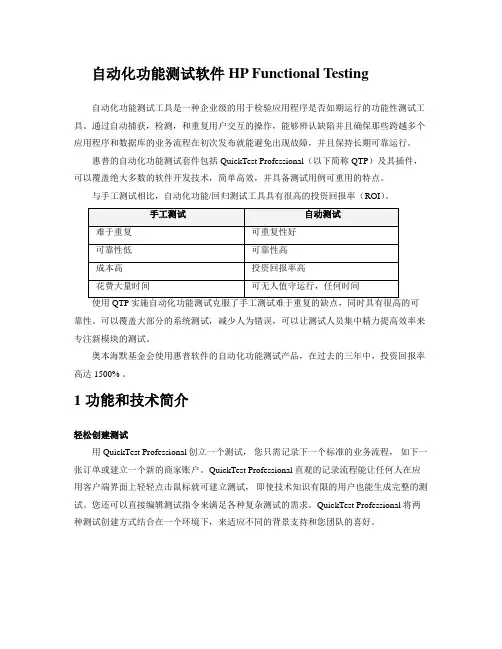
HP QC Demo 测试用例
- 格式:pdf
- 大小:1.20 MB
- 文档页数:46
An error message should appear indicating that you must enter valid Email. User profile should not be registered.
Step 7: No
An error message should appear
Password fields. Step Valid 1: 1. Complete the Email field, as follows: - The Email field can be empty. - For any non-empty value, the e-mail should be of type: USER@DOMAIN where: DOMAIN must contain at least one period "." Both USER and DOMAIN may not contain: parenthesis: ( and ) brackets: [ and ] semicolon: ; comma: , less -than sign: < greater -than sign: > quotation mark: " 2. Click the Submit button. 3. Check the results on the next page. Step 2: Valid Email using Maximal Field Size Step Empty 3: 1. Complete the the Email field with valid value using the maximum field size. To find out the maximal field size, check the HTML source page. 2. Click the Submit button. 3. Check the results on the next page. 1. Skip the Email field. 2. Click the Submit button. 3. Check the results on the next page. 1. Complete the the Email field, as follows: - Complete NAME part of the e-mail with a valid value. - Skip the at "@" symbol. - Complete the ADDRESS part of the e-mail with a valid value. 2. Click the Submit button. 3. See results on the next page. 1. Complete the the Email field, as follows: - Complete NAME part of the e-mail with a valid value. - Type the at "@" symbol 2 or more times. - Complete the ADDRESS part of the e-mail with a valid value. 2. Click the Submit button. 3. See results on the next page. 1. Complete the the Email field, as follows: - Skip the NAME part of the e-mail. - Type the at "@" symbol. - Complete the ADDRESS part of the e-mail with a valid value. 2. Click the Submit button. 3. See results on the next page. 1. Complete the the Email field, as follows: User profile registered. should be User profile registered. should be
步骤名称 连接到被 测网站 预制条件
步骤描述 打开你的 Web 浏览器(IE),输入被测网站网址 在你执行以下所有步骤之前都有执行此预制条件。 1. 点击“注册按钮” 2. 用正确的内容填写除了 Email 以外的“联系信息”和“邮寄信 息”部分内容 3. 正确填写“用户名”字段 4. 在“密码”和“验证密码”部分填写相同的密码 1. 按以下要求填写 Email 内容: 输入的字段内容应该符合标准:用户名@域 其中: “域”部分至少要包含一个小数点"." “用户名”和“域”部分都不能包括以下内容: 原括号: “(” 和 “)” 中括号: “[” 和 “]” 分号: “;” 逗号: “,” 小于号: “<” 大于号: “>” 双引号: “"” 2. 点击“提交”按钮 3. 在下一页验证结果
用户信息被注册成功
Step 3: 空 Step 4: 不填写 “@” 符号
弹出错误提示信息,提示: “必须输 入 Email” 用户信息注册失败 弹出错误提示信息,提示: “必须输 入有效的 Email” 用户信息注册失败
Step 5: 超过一个 以上的 “@”
弹出错误提示信息,提示: “必须输 入有效的 Email” 用户信息注册失败
ADDRESS part
- Complete the NAME part of the e-mail with a valid value. - Type the at "@" symbol. - Skip the ADDRESS part of the e-mail. 2. Click the Submit button. 3. See results on the next page. 1. Type invalid special characters in the Email field. 2. Click the Submit button. 3. See results on the next page. Note: Special characters are non-alphanumeric characters, such as: ~!@ #$ %& *()+ -={ }|[] \<>? / Certain special characters can be used when completing the the Email field. See Step 1 for valid values.
Step 5: More Then One "@" Symbol
An error message should appear indicating that you must enter valid Email. User profile should not be registered.
Step 6: No NAME part
User profile registered.
should
be
Step 4: "@" Symbol Missing
An error message should appear indicating that you must enter valid Email. User profile should not be registered.
HP QC Demo 测试用例
【幻天火焰】 QC_Demo 功能测试用例 页面:注册 Registration
【功能】邮箱(中文) 用例名称 Email (联系方式) 详细 内容 摘要 本用例用以验证用户注册页面中联系方式部分的 Email 字段 描述 本用例由以下部分组成: 1.连接到 Mercury Tours 应用程序 2.除了 Email 字段以外,完成注册页面联系人信息部分其他表单内容的填写, 3.确认 Email 字段输入不同的值均被测试过
Step 8: 输入特殊 符号
弹出错误提示信息,提示: “必须输 入有效的 Email” 用户信息注册失败
Step 9: 只输入空 格
弹出错误提示信息,提示: “必须输 入有效的 Email” 用户信息注册失败
【功能】邮箱(英文) Email (Contact Information) TestName Details Summary The test verifies the Email field in the Contact Information section on the Registration page. Description The test is composed of the following stages: 1. Connection to Mercury Tours application. 2. Completion of the Registration page form, except the Email field in Contact Information section. 3. Verification of Email field completed with the different values. Test Calls Connect: Connection to Mercury Tours application. Parameters See attached document Parameters.htm Step Name Call <Connect> Preparation Description Call <Connect> with the following parameters: mercury tours url=? Execute the Preparation step before you execute each step in the test. 1. Click the Register button. 2. Complete the Contact (skip the Email) and Mailing information sections with valid values. 3. Complete the User Name field with a valid value 4. Type the same valid password in the Password and Confirm Expected Result