AlertDialog的使用
- 格式:pdf
- 大小:266.89 KB
- 文档页数:4
AlertDialog的使⽤
1.Alertdialog的⼏种形式:
2.第⼀种:简单对话框
AlertDialog.Builder localBuilder = new AlertDialog.Builder(this);
localBuilder.setTitle("简单对话框");
localBuilder.setIcon(R.mipmap.ic_launcher);
localBuilder.setMessage("提⽰信息?");
localBuilder.setPositiveButton("确定", new DialogInterface.OnClickListener()
{
public void onClick(DialogInterface paramAnonymousDialogInterface, int paramAnonymousInt)
{
/**
* 确定操作
* */
}
});
localBuilder.setNegativeButton("取消", new DialogInterface.OnClickListener()
{
public void onClick(DialogInterface paramAnonymousDialogInterface, int paramAnonymousInt)
{
/**
* 确定操作
* */
}
}); /***
* 设置点击返回键不会消失
* */
localBuilder.setCancelable(false).create();
localBuilder.show();
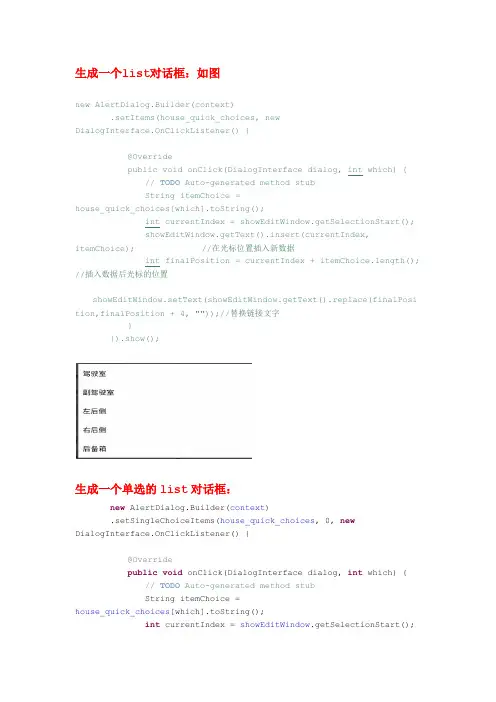
3.第⼆种:列表式对话框
AlertDialog.Builder localBuilder = new AlertDialog.Builder(this);
final String[] arrayOfString = { "选项1", "选项2", "选项3", "选项4", "选项5", "选项6" };
localBuilder.setTitle("简单列表对话框").setIcon(R.mipmap.ic_launcher).setItems(arrayOfString, new DialogInterface.OnClickListener()
{
public void onClick(DialogInterface paramAnonymousDialogInterface, int paramAnonymousInt)
{
/**
* 操作
* */
Toast.makeText(MainActivity.this, "你选择了: " + arrayOfString[paramAnonymousInt], Toast.LENGTH_SHORT).show();
/**
* 列表对话框不加这句,点击选择后也后不会消失
* */
paramAnonymousDialogInterface.dismiss();
}
}).create().show();
4.第三种形式:单选对话框
AlertDialog.Builder localBuilder = new AlertDialog.Builder(this);
final String[] arrayOfString = { "1", "2", "3", "4", "5", "6"};
localBuilder.setTitle("单选对话框").setIcon(R.mipmap.ic_launcher);
localBuilder.setSingleChoiceItems(arrayOfString, 3, new DialogInterface.OnClickListener()
{
public void onClick(DialogInterface paramAnonymousDialogInterface, int paramAnonymousInt)
{
/**
* 操作
* */
Toast.makeText(MainActivity.this, "你选择了: " + arrayOfString[paramAnonymousInt], Toast.LENGTH_SHORT).show(); paramAnonymousDialogInterface.dismiss();
}
}).setCancelable(false).create().show();
5.第四种形式:多选对话框
AlertDialog.Builder localBuilder = new AlertDialog.Builder(this);
final String[] arrayOfString = { "0", "1", "2", "3", "4" };
localBuilder.setTitle("多选对话框").setIcon(R.mipmap.ic_launcher);
localBuilder.setMultiChoiceItems(arrayOfString, new boolean[] { true, true, true, false, true }, new DialogInterface.OnMultiChoiceClickListener()
{
public void onClick(DialogInterface paramAnonymousDialogInterface, int paramAnonymousInt, boolean paramAnonymousBoolean)
{
if (paramAnonymousBoolean) {
Toast.makeText(MainActivity.this, "你选择了: " + arrayOfString[paramAnonymousInt], Toast.LENGTH_SHORT).show();
}
}
}).setPositiveButton("提交", new DialogInterface.OnClickListener()
{
public void onClick(DialogInterface paramAnonymousDialogInterface, int paramAnonymousInt)
{
paramAnonymousDialogInterface.dismiss();
}
}).create().show();
6.第五种形式:⾃定义对话框
AlertDialog.Builder localBuilder = new AlertDialog.Builder(this);
localBuilder.setTitle("⾃定义列表对话框").setIcon(R.mipmap.ic_launcher);
localBuilder.setView(getLayoutInflater().inflate(R.layout.layout, null));
localBuilder.setPositiveButton("确定", new DialogInterface.OnClickListener()
{
public void onClick(DialogInterface paramAnonymousDialogInterface, int paramAnonymousInt)
{
/**
*
* 操作
* */
}
}).setNegativeButton("取消", new DialogInterface.OnClickListener()
{ public void onClick(DialogInterface paramAnonymousDialogInterface, int paramAnonymousInt)
{
/**
*
* 操作
* */
}
}).create().show();
⾃定义列表对话框:
AlertDialog.Builder localBuilder = new AlertDialog.Builder(this);
final String[] arrayOfString = { "0", "1", "2", "3", "4", "5", "6", "7", "8" };
localBuilder.setTitle("⾃定义列表对话框").setIcon(R.mipmap.ic_launcher);
localBuilder.setAdapter(new ArrayAdapter(this,R.layout.support_simple_spinner_dropdown_item, arrayOfString), new DialogInterface.OnClickListener()
{
public void onClick(DialogInterface paramAnonymousDialogInterface, int paramAnonymousInt)
{
Toast.makeText(MainActivity.this, "你选择了 : " + arrayOfString[paramAnonymousInt], Toast.LENGTH_SHORT).show();
}
}).create().show();
传统主题:
AlertDialog.Builder builder = new AlertDialog.Builder(DialogActivity.this,AlertDialog.THEME_TRADITIONAL)
深⿊⾊主题:
AlertDialog.Builder builder = new AlertDialog.Builder(DialogActivity.this,AlertDialog.THEME_HOLO_DARK);
蓝⾊主题:
AlertDialog.Builder builder = new AlertDialog.Builder(DialogActivity.this,AlertDialog.THEME_HOLO_LIGHT);
深⾊主题:
AlertDialog.Builder builder = new AlertDialog.Builder(DialogActivity.this,AlertDialog.THEME_DEVICE_DEFAULT_DARK);
浅蓝主题:
AlertDialog.Builder builder = new AlertDialog.Builder(DialogActivity.this,AlertDialog.THEME_DEVICE_DEFAULT_LIGHT);