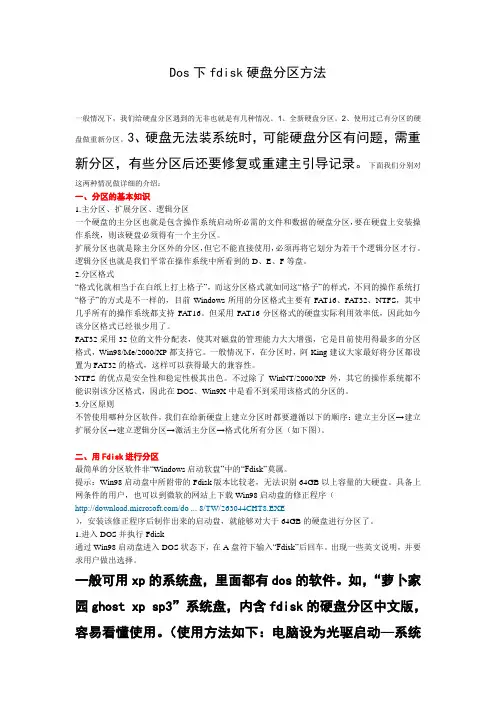
DOS硬盘分区
- 格式:doc
- 大小:64.50 KB
- 文档页数:28
DOS硬盘分区Microsoft Windows 98 Startup Menu美国微软公司窗口98 启动菜单1: Start computer with CD-ROM support.从光驱启动2: Start computer without CD-ROm support.不从光驱启动3: View the help file.帮助Enter a choice: 1进入选择:1A: > FDISKDOS硬盘分区0-01页进入FDISK界面Your computer has a disk larger 512 MB.This version of Windows你的计算机有一个比512MB大的磁盘,这个版本的Windows includes improved support for large disks resultng in more efficient包含了对大硬盘的支持,使你更高效地使用大容量驱动器,use of disk space on large drives and allowing disks over 2 GB to be并允许使用超过2GBformatted as a single drive_单一驱动器。
INPORTANT: If you enble large disk support and create any new drives on this注意:如果你在这个磁盘上使用了大磁盘支持并创建任何新驱动disk you will not be able to access the new drive(s) using otheroperating器,你将不能使用其它操作系统,systems including some versions of windows 95 and windows NT, as well as包括一些版本的Windows98与Windows NT,earlier versions of windows and MS-DOS.In addition disk utilities that以及更早版本的Windows与MS-DOS.were not designed explicitly for the FAT32 tile system will not be able此外那些不是特别为FAT32文件系统设计的磁盘工具或旧的磁to work with this disk If you need to access this disk with other operating盘工具将不能在这个磁盘上工作,如果你需要用其它操作系统或systems or older disk utilites, do not enabie large drive support 旧的磁盘实用工具访问这个磁盘,请不要使用大的硬盘支持。
Do you wish to enable large disk support (Y/N)………..?[Y] 你想使用大硬盘支持吗(是Y/N否)……………….?[是Y]按:【Enter】键确定0-12页Microsoft Windows98Fixed Disk Setup Program硬盘设置程序(C)Copyright Microsft Corp 1983-1998 (C)版权所有微软公司,1983 ——1998FDISK Options硬盘分区选项Current fixed disk drive : 1当前硬盘驱动器:1Choose one of the following :选[ze择]下面的某一项:1:Create DOS Partition or LogicaI DOS Drive创建[DOS道史]分区或逻辑[DOS道史]驱动器。
2:Set active partition设置活动分区。
3:Delete partition or LogicaI DOS Drive删除分区或逻辑DOS驱动器。
4:Display partition information显示分区信息。
5:Change current fixed disk drive用于改变当前设置的硬盘,该项只有在电脑中连接有双硬盘时才会出现。
Enter cboice:[ 1]输入选择:[1]Press ESC to exit FDISK请按ESC退出FDISK1-13页Create DOS Partition or Logical DOS Drive创建[DOS道史]分区或逻辑[DOS道史]驱动器。
Current fixed disk drive: 1当前硬盘驱动器:1Choose one of the following:选[ze择]下面的某一项:1:Create Primary DOS Partition创建主DOS 分区2:Create Extended DOS Partition创建扩展DOS 分区3:Create Logical DOS Drive(s) in the Extended DOS Partition 在扩展{中文读DOS道史}分区创建逻辑DOS 分区Enter choice : [1]输入选择项:【0】输入选择:选:【1】项Press Esc to return to FDISK Options请按Esc 返回到FDISK 选择项。
1-24页Create Primary DOS Partition创建主DOS 分区Current fixed disk drive:1当前硬盘驱动器:1verify Drive Integrity 00% completed 确认驱动器完整性00% 完成。
Press Esc to retum to FDISK Options请按ESC 返回到FDISK选项。
5页Create Primary DOS Partition创建主DOS 分区Current fixed disk drive:1当前硬盘驱动器:1Do you wish to use the maximum available size for a primary DOS Partition你希望将所有剩余磁盘空间用于创建主DOS 分区and make the partition active (Y是/N 否)………………………?[ N否]并自动将之设为活动分区吗?输入选择项:否。
Press Esc to retum to FDISK Options 请按ESC 返回到FDISK选项。
1-46页Create Primary DOS Partition创建主DOS 分区Current fixed disk drive:1当前硬盘驱动器:1verify Drive Integrity 00% completed确认驱动器完整性00% 完成。
Press Esc to retum to FDISK Options请按ESC 返回到FDISK选项。
1-57页Create Primary DOS Partition创建主DOS 分区Current fixed disk drive: 1当前硬盘驱动器:1Total disk space is 6400 Mbytes <1 Mbyte = 1048576 bytes 总硬盘空间是6400用多少兆字节《1兆字节=1048576字节。
Maximum space available for partition is 6400 Mbytes<100%>分区的最大可用空间为划分6400用多少兆字节《100%》Enter partition size in Mbytes or percent of disk space <%> to进入分区大小在用多少兆字节或百分之的磁盘空间的百分数《%》Create a Primary DOS Partition (6400)输入分区大小来创建一个主DOS 分区 (6400)输入:【2000】Press Esc to return to FDISK Options请按ESC 返回到FDISK选项按Enter 确认键1-68页Create Primary DOS Partition创建主DOS 分区Current fixed disk drive: 1当前硬盘驱动器:1Partition Status Type V olume Label Mbytes System Usage分区状态类型卷标字节文件系统使用C: 1 PRI DOS 2000 UNKNOWN 31%优先磁盘操作系统Primary DOS Partition created主DOS 分区被创建Press Esc to continue按ESC键继续1-79页Create Extended DOS Partition创建扩展DOS 分区Current fixed disk drive: 1当前硬盘驱动器:1Partition Status Type V olume Label Mbytes System Usage分区状态类型卷标字节文件系统使用C: 1 PRI DOS 2000 UNKNOWN 31%优先磁盘操作系统Total disk space is 6400 Mbytes <1 Mbyte = 1048576 bytes>总硬盘空间是6400 用多少兆字节《1兆字节=1048576 字节》。
Maximum space available for partition is 4400 Mbytes<69%>分区的最大可用空间为划分4400用多少兆字节《69%》Enter partition size in Mbytes or percent of disk space <%> to进入分区大小在用多少兆字节或百分之的磁盘空间的百分数《%》Create an Extended DOS Partition (6400)创建一个扩展DOS 分区 (6400)输入:【4400】Press Esc to return to FDISK Options请按ESC 返回到FDISK选择按Enter 确认键1-810页Create Extended DOS Partition创建扩展DOS 分区Current fixed disk drive: 1当前硬盘驱动器:1Partition Status Type V olume Label Mbytes System Usage分区状态类型卷标字节文件系统使用C: 1 PRI DOS 2000 UNKNOWN 31%优先磁盘操作系统2 EXT DOS 4400UNKNOWN 69%扩展磁盘操作系统Extended DOS Partition created扩展DOS 分区被创建Press Esc to continue按ESC键继续1-911页Create Logical DOS Drive <s> in the Extended DOS Partition在扩展{中文读DOS道史}分区创建逻辑DOS 分区No logical drives defined无已定义的逻辑驱动器Total Extended DOS Partition size is 4400 Mbytes<1 Mbyte = 1048576 bytes总计扩展DOS 分区大小是4400 兆字节1兆字节= 1048576字节Maximum space available for logical drive is 4400 Mbytes <100%>最大空间可用为逻辑驱动器是4400用多少兆字节【100%】Enter logical drive size in Mbytes or percent of disk space <%> (4400)输入逻辑驱动器容量在用多少兆字节或百分之的磁盘空间<%> (4400)输入:【2200】Press Esc to return to FDISK Options请按ESC 返回到FDISK选择确认:按【Enter】键1-1012页Create Logical DOS Drive <s> in the Extended DOS Partition在扩展{中文读DOS道史}分区创建逻辑DOS 分区Drv V olume Label Mbytes System Usage驱动程序扩展名卷标兆字节文件系统使用D: 2200 UNKNOWN 50%Total Extended DOS Partition size is 4400 Mbytes<1 Mbyte = 1048576 bytes>总计扩展DOS 分区大小是4400 兆字节1兆字节= 1048576字节Maximum space available for logical drive is 2200 Mbytes <50%>最大空间可用为逻辑驱动器是2200用多少兆字节【50%】Enter logical drive size in Mbytes or percent of disk spa ce <%> (2200)输入逻辑驱动器容量在用多少兆字节或百分之的磁盘空间<%> (2200)Logical DOS Drive created ,drive letters changed or added逻辑DOS 驱动器被创建,驱动器字母改变或增加Press Esc to return to FDISK Options请按ESC 返回到FDISK选择按:【Enter】键:确认1-1113页Create Logical DOS Drive <s> in the Extended DOS Partition在扩展{中文读DOS道史}分区创建逻辑DOS 分区Drv V olume Label Mbytes System Usage驱动程序扩展名卷标兆字节文件系统使用D: 2200 UNKNOWN 50%E: 2200 UNKNOWN 50%All available space in the Extended DOS Partition全部可用空间的扩展DOS 分区is assigned to logical drives都被用于逻辑驱动器.Press Esc to continue按ESC 键继续1-1214页Set Active Partition设置活动分区Current fixed disk drive:1当前硬盘驱动器:1Partition Status Type V olume Label Mbytes System Usage分区状态类型卷标兆字节文件系统使用C:1 PRI DOS 2000 UNKNOWN 31%2 EXT DOS 4400 UNKNOWN 69%Total disk space is 6400 Mbytes <1 Mbyte = 1048576bytes>总硬盘空间是6400 用多少兆字节《1兆字节=1048576 字节》。