
数字转英文大写金额
- 格式:xls
- 大小:38.50 KB
- 文档页数:1
英文金额大写介绍在书写英文文档或财务文件时,我们可能会遇到需要将阿拉伯数字金额转为英文大写金额的情况。
本文档将介绍如何使用英文表达方式将阿拉伯数字转为大写金额。
规则在将阿拉伯数字金额转为英文大写金额时,通常需要使用以下规则:1. 分解整数和小数部分将金额分解为整数部分和小数部分,其中小数部分应以小数点开头。
2. 对整数部分的转换将整数部分分解成每三位一组的数字,从右到左分别为个位、百位和千位。
•当数字小于20时,直接使用预设的单词进行转换,如1到19分别对应one到nineteen。
•当数字大于等于20且小于100时,首先将十位数转换为对应的英文单词,然后再转换个位数。
例如25表示为twenty-five。
•当数字大于等于100且小于1000时,使用百位数字加上hundred,再根据十位和个位数的规则进行转换。
例如284表示为two hundred eighty-four。
•当数字大于等于1000且小于1000000时,使用千位数字加上thousand,再根据百位、十位和个位数的规则进行转换。
例如97362表示为ninety-seven thousand three hundred sixty-two。
3. 对小数部分的转换对小数部分的转换相对简单,将小数点读为point,然后将小数的每一位数字转换为对应的英文单词即可。
示例下面是一些示例以及它们对应的英文大写金额:• 1.25 => one point twenty-five•10 => ten•100 => one hundred•345.63 => three hundred forty-five point sixty-three•6200 => six thousand two hundred•10397.08 => ten thousand three hundred ninety-seven point zero eight实现下面是一个示例函数以及它的实现代码,用于将阿拉伯数字金额转为英文大写金额:```python def number_to_words(number): # 单词对应的字典 ones = [。

阿拉伯数字金额转换为英文会计金额第一篇:阿拉伯数字金额转换为英文会计金额怎样用自定义函数将阿拉伯数字金额转换为英文会计金额,如:123.45 变为:One Hundred Twenty Three Dollars and Forty Five CentsA:按Alt+F11,插入→模块→在VBE窗口中输入以下代码:1.Function SpellNumber(ByValMyNumber)2.Dim Dollars, Cents, Temp3.Dim DecimalPlace, Count4.ReDim Place(9)As String5.Application.Volatile True6.Place(2)= “ Thousand ”7.Place(3)= “ Million ” 8.Place(4)= “ Billion ” 9.Place(5)= “ Trillion ” ' String representation o f amount 10.MyNumber = Trim(Str(MyNumber))' Position of decimal place 0 if none 11.DecimalPlace = InStr(MyNumber, “.”)12.'Convert cents and set MyNumber to dollar amount 13.If DecimalPlace> 0 Then 14.Cents = GetTens(Left(Mid(MyNumber, DecimalPlace + 1)& “00”, 2))15.MyNumber = Trim(Left(MyNumber, DecimalPlace3)23.Else 24.MyNumber = “" 25.End If 26.Count = Count + 1 27.Loop 28.Select Case Dollars 29.Case ”“ 30.Dollars = ”No Dollars“ 31.Case ”One“ 32.Dollars = ”One Dollar“ 33.Case Else 34.Dollars = Dollars & ”Dollars“ 35.End Select 36.Select Case Cents 37.Case ”“ 38.Cents = ” and No Cents“ 39.Case ”One“ 40.Cents = ” and One Cent“ 41.Case Else 42.Cents = ” and “ & Cents & ” Cents“ 43.End Select 44.SpellNumber = Dollars & Cents 45.End Function 46.'******************************************* 47.' Converts a number from 100-999 into text * 48.'******************************************* 49.Function GetHundreds(ByValMyNumber)50.Dim Result As String 51.If Val(MyNumber)= 0 Then Exit Function 52.MyNumber =Right(”000“ &MyNumber, 3)'Convert the hundreds place 53.If Mid(MyNumber, 1, 1)<> ”0“ Then 54.Result = GetDigit(Mid(MyNumber, 1, 1))& ” Hundred “ 55.End If 56.'Convert the tens and ones place 57.If Mid(MyNumber, 2,1)<> ”0“ Then 58.Result = Result &GetTens(Mid(MyNumber,2))59.Else 60.Result = Result &GetDigit(Mid(MyNumber,3))61.End If 62.GetHundreds = Result 63.End Function 64.'********************************************* 65.' Converts a number from 10 to 99 into text.* 66.'********************************************* 67.Function GetTens(TensText)68.Dim Result As String 69.Result = ”“ 'null out the temporary function value 70.If Val(Left(TensText, 1))= 1 Then ' If value between 10-19 71.Select Case Val(TensText)72.Case 10: Result = ”Ten“ 73.Case 11: Result = ”Eleven“ 74.Case 12: Result = ”Twelve“ 75.Case 13: Result = ”Thirteen“ 76.Case 14: Result = ”Fourteen“ 77.Case 15: Result = ”Fifteen“ 78.Case 16: Result = ”Sixteen“ 79.Case 17: Result = ”Seventeen“ 80.Case 18: Result = ”Eighteen“ 81.Case 19: Result = ”Nineteen“ 82.Case Else 83.End Select 84.Else ' If value between 20-99 85.Select Case Val(Left(TensText, 1))86.Case 2: Result = ”Twenty “ 87.Case 3: Result = ”Thirty “ 88.Case 4: Result = ”Forty “ 89.Case 5: Result = ”Fifty “ 90.Case 6: Result = ”Sixty “ 91.Case 7: Result = ”Seventy “ 92.Case 8: Result = ”Eighty “ 93.Case 9: Result = ”Ninety “ 94.Case Else 95.End Select 96.Result = Result &GetDigit _ 97.(Right(TensText, 1))'Retrieve ones place 98.End If 99.GetTens = Result 100.End Function 101.'******************************************* 102.' Converts a number from 1 to 9 into text.* 103.'******************************************* 104.Function GetDigit(Digit)105.Select Case Val(Digit)106.Case 1: GetDigit= ”One“ 107.Case 2: GetDigit = ”Two“ 108.Case 3: GetDigit = ”Three“ 109.Case 4: GetDigit = ”Four“ 110.Case 5: GetDigit = ”Five“ 111.Case 6: GetDigit = ”Six“ 112.Case 7: GetDigit = ”Seven“ 113.Case 8: GetDigit = ”Eight“ 114.Case 9: GetDigit = ”Nine“ 115.Case Else: GetDigit = ”" 116.End Select 117.End Function 复制代码然后在A1单元格输入需要的数值,在其他单元格输入=SpellNumber(A1)即可第二篇:EXCEL表格中将数字金额转换为英文Excel表格中如何将数字金额转换为英文(如B1列写162890元,自动转换为英文ONE HUNDRED SIXTY TWO THOUSAND EIGHT HUNDRED NINETY DOLLARS AND NO CENTS)1、新建Excel表格2、按住“Alt+F11”打开VBA编辑器3、在VBA编辑器中单击菜单栏“插入”——模块4、在打开的模块中输入如下代码: Option Explicit Function 数字转英文(ByValMyNumber)Dim Dollars, Cents, Temp Dim DecimalPlace, Count ReDimPlace(9)As String Place(2)= “ Thousand ” Place(3)= “ Million ” Place(4)= “ Billion ” Place(5)= “ Trillion ” MyNumber = Trim(Str(MyNumber))DecimalPlace = InStr(MyN umber, “.”)If DecimalPlace> 0 Then Cents = GetTens(Left(Mid(MyNumber, DecimalPlace + 1)& _“00”, 2))MyNumber = Trim(Left(MyNumber, DecimalPlace3)Else MyNumber = “" End If Count = Count + 1 Loop Select Case Dollars Case ”“ Dollars = ”No Dollars“ Case ”One“ Dollars = ”One Dollar“ Case Else Dollars = Dollars &” Dollars“ End Select Select Case Cents Case ”“ Cents = ” and No Cents“ Case ”One“ Cents = ”and One Cent“ Case Else Cents = ” and “ & Cents & ” Cents“ End Select 数字转英文 = Dollars & Cents End Function Function GetHundreds(ByValMyNumber)Dim Result As String If Val(MyNumber)= 0 Then Exit Function MyNumber = Right(”000“ &MyNumber, 3)If Mid(MyNumber, 1, 1)<> ”0“ Then Result = GetDigit(Mid(MyNumber, 1, 1))& ” Hundred “ End If If Mid(MyNumber, 2, 1)<> ”0“ Then Re sult = Result &GetTens(Mid(MyNumber, 2))Else Result = Result &GetDigit(Mid(MyNumber, 3))End If GetHundreds = Result End Function Function GetTens(TensText)Dim Result As String Result = ”“ If Val(Left(TensText, 1))= 1 Then Select Case Val(TensText)Case 10: Result = ”Ten“ Case 11: Result = ”Eleven“ Case 12: Result = ”Twelve“ Case 13: Result = ”Thirteen“ Case 14: Result = ”Fourteen“ Case 15: Result = ”Fifteen“ Case 16: Result = ”Sixteen“ Case 17: Result = ”Seventeen“ Case 18: Result = ”Eighteen“ Case 19: Resul t = ”Nineteen“ Case Else End Select Else Select Case Val(Left(TensText, 1))Case 2: Result = ”Twenty “ Case 3: Result = ”Thirty “ Case 4: Result = ”Forty “ Case 5: Result = ”Fifty “ Case 6: Result = ”Sixty “ Case 7: Result = ”Seventy “ Case 8: Result = ”Eighty “ Case 9: Result = ”Ninety “ Case Else End Select Result = Result &GetDigit _(Right(TensT ext, 1))End If GetTens = Result End FunctionFunction GetDigit(Digit)Select Case Val(Digit)Case 1: GetDigit = ”One“ Case 2: GetDigit = ”Two“ Case 3: GetDigit = ”Three“ Case 4: GetDigit = ”Four“ Case 5: GetDigit = ”Five“ Case 6: GetDigit = ”Six“ Case 7: GetDigit = ”Seven“ Case 8: GetDigit = ”Eight“ Case 9: GetDigit = ”Nine“ Case Else: GetDigit = ”" End Select End Function 5/现在回到Excel表格中,单击“B1”单元格,在菜单栏选择“插入”——函数。

美金大写金额转换在您的合同,财务部门收据中,形式发票(pi),采购订单(po),支票金额,做外贸时要做单据或任何与财务有关的数字中,你可能需要转换到规范的美元或者人民币的大写金额格式.我们工具就可以把你的阿拉伯数字转换到美元(美金)或者人民币的大写金额,即可以告诉你金额中间的数值是怎么表达的,你可以把数字,字母,金额,号码,变成你要的大写金额格式•美分表达(数字转换到文字),比如: usd 123.12美金写成英语大写字母是 say us dollars one hundred andtwenty-three and cents twelve only•美点表达:(拼出大写字母) 比如: jpy1 456.36 用英文大写拼出来是 say japanese yuan four hundred andfifty-six and point thirty-five only•分数表达法: (只接受数字),eg:usd 987.36 转换到分数是: say us dollars nine hundred and eighty-seven and thirty-six 36/100 only•规范标准是excel中的人民币大写:看看excel写的人民币大写规范..•20万的外币港币,英镑,澳元,日元大写写法港币是:say hongkong dollar two hundred thousand only. 澳元是:say australian dollar two hundred thousandonly.日元是:say japan yen two hundred thousand only 英镑是:say pounds sterling two hundred thousand.人民币中文和外贸英文金额大写规范and只能出现一次因为美金金额大写中每次只能出现一个and.西方习惯将数字每三位一分隔 five hundred and three thousand, and fifteen, dot thirty-one cents. 所以422015.31对应的写法为:422,015.31美元的汉语读法因为英语中对常用10分(10cents)代替我们说的1角所以422,015.31叫法为:肆佰贰拾贰(仟),零壹拾伍(元),三十一分美元的中文大写要用'整' 美金的中文大写写法是美金壹仟叁佰捌拾贰元伍角整,而不是壹仟叁佰捌拾贰元伍拾美分,因为人民币元和美金刀的比率也是1:10,性质是一样的.美元英文大写快问快答•17026.08美元的英文大写怎么表达,主要是小数点后面是难点say us dollars seventeen thousand,twenty-six and cents eight only•比如usd203,000.00在财务上大小写都怎么表达?大写英文:say us dollars two hundred and three thousand only 大写中文:贰拾万零叁仟元整•$49028.40 这个美金金额大写怎么写?say us dollars forty-nine thousand,twenty-eight and cents forty only•美元219.25大写怎么写?say us dollars two hundred and nineteen and cents twenty-five only•35326.23美元的英文大写?say us dollars thirty-five thousand,three hundred and twenty-six and cents twenty-three only•请问美元2120.8大写用中文怎么表达?say us dollars two thousand,one hundred and twenty and cents eight only•英语数字292000美元翻译成大写?say us dollars two hundred and ninety-twothousand only数字大写(大写金额)用于在商业发票上要显示的金额,收据,含有钱的日期和金额数字的单据,大写金额主要是防止对财务信息修改•外企出纳美元转利息中的外币支款需要支款传票中要写外币大写金额•支票金额需要大写阿拉伯数字•采购订单需要大写阿拉伯数字•银行汇款单和水单上的大写数字金额•财务部门收据中美元大写格式•做外贸时要做单据要注明金额并且下面要写上大写金额•汇款时银行柜台书写的数字金额•其他财务方面涉及到金额的部分都要使用到大写阿拉伯数字。
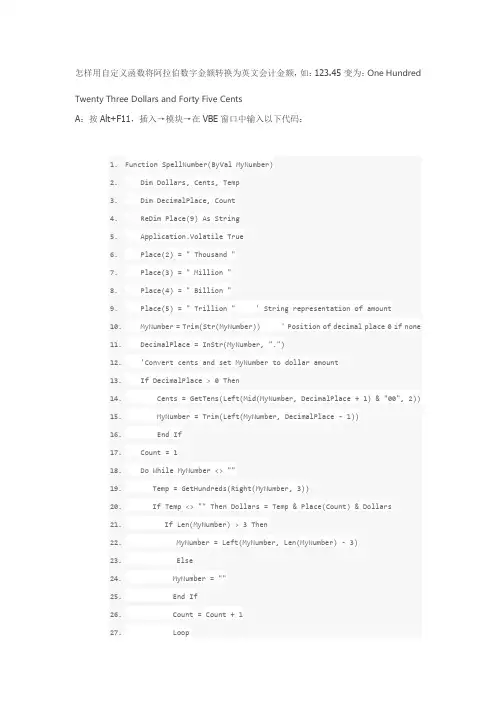
怎样用自定义函数将阿拉伯数字金额转换为英文会计金额,如:123.45 变为:One Hundred Twenty Three Dollars and Forty Five CentsA:按Alt+F11,插入→模块→在VBE窗口中输入以下代码:1.Function SpellNumber(ByVal MyNumber)2. Dim Dollars, Cents, Temp3. Dim DecimalPlace, Count4. ReDim Place(9) As String5. Application.Volatile True6. Place(2) = " Thousand "7. Place(3) = " Million "8. Place(4) = " Billion "9. Place(5) = " Trillion " ' String representation of amount10. MyNumber = Trim(Str(MyNumber)) ' Position of decimal place 0 if none11. DecimalPlace = InStr(MyNumber, ".")12. 'Convert cents and set MyNumber to dollar amount13. If DecimalPlace > 0 Then14. Cents = GetTens(Left(Mid(MyNumber, DecimalPlace + 1) & "00", 2))15. MyNumber = Trim(Left(MyNumber, DecimalPlace - 1))16. End If17. Count = 118. Do While MyNumber <> ""19. Temp = GetHundreds(Right(MyNumber, 3))20. If Temp <> "" Then Dollars = Temp & Place(Count) & Dollars21. If Len(MyNumber) > 3 Then22. MyNumber = Left(MyNumber, Len(MyNumber) - 3)23. Else24. MyNumber = ""25. End If26. Count = Count + 127. Loop28. Select Case Dollars29. Case ""30. Dollars = "No Dollars"31. Case "One"32. Dollars = "One Dollar"33. Case Else34. Dollars = Dollars & " Dollars"35. End Select36. Select Case Cents37. Case ""38. Cents = " and No Cents"39. Case "One"40. Cents = " and One Cent"41. Case Else42. Cents = " and " & Cents & " Cents"43. End Select44. SpellNumber = Dollars & Cents45. End Function46.'*******************************************47.' Converts a number from 100-999 into text *48.'*******************************************49.Function GetHundreds(ByVal MyNumber)50. Dim Result As String51. If Val(MyNumber) = 0 Then Exit Function52. MyNumber = Right("000" & MyNumber, 3) 'Convert the hundreds place53. If Mid(MyNumber, 1, 1) <> "0" Then54. Result = GetDigit(Mid(MyNumber, 1, 1)) & " Hundred "55. End If56. 'Convert the tens and ones place57. If Mid(MyNumber, 2, 1) <> "0" Then58. Result = Result & GetTens(Mid(MyNumber, 2))59. Else60. Result = Result & GetDigit(Mid(MyNumber, 3))61. End If62. GetHundreds = Result63. End Function64.'*********************************************65.' Converts a number from 10 to 99 into text. *66.'*********************************************67.Function GetTens(TensText)68. Dim Result As String69. Result = "" 'null out the temporary function value70. If Val(Left(TensText, 1)) = 1 Then ' If value between 10-1971. Select Case Val(TensText)72. Case 10: Result = "Ten"73. Case 11: Result = "Eleven"74. Case 12: Result = "Twelve"75. Case 13: Result = "Thirteen"76. Case 14: Result = "Fourteen"77. Case 15: Result = "Fifteen"78. Case 16: Result = "Sixteen"79. Case 17: Result = "Seventeen"80. Case 18: Result = "Eighteen"81. Case 19: Result = "Nineteen"82. Case Else83. End Select84. Else ' If value between 20-9985. Select Case Val(Left(TensText, 1))86. Case 2: Result = "Twenty "87. Case 3: Result = "Thirty "88. Case 4: Result = "Forty "89. Case 5: Result = "Fifty "90. Case 6: Result = "Sixty "91. Case 7: Result = "Seventy "92. Case 8: Result = "Eighty "93. Case 9: Result = "Ninety "94. Case Else95. End Select96. Result = Result & GetDigit _97. (Right(TensText, 1)) 'Retrieve ones place98. End If99. GetTens = Result100. End Function101.'*******************************************102.' Converts a number from 1 to 9 into text. *103.'*******************************************104.Function GetDigit(Digit)105. Select Case Val(Digit)106. Case 1: GetDigit = "One"107. Case 2: GetDigit = "Two"108. Case 3: GetDigit = "Three"109. Case 4: GetDigit = "Four"110. Case 5: GetDigit = "Five"111. Case 6: GetDigit = "Six"112. Case 7: GetDigit = "Seven"113. Case 8: GetDigit = "Eight"114. Case 9: GetDigit = "Nine"115. Case Else: GetDigit = ""116. End Select117.End Function复制代码然后在A1单元格输入需要的数值,在其他单元格输入=SpellNumber (A1)即可。