LinkStar室内单元硬件驱动软件程序使用说明
- 格式:docx
- 大小:17.65 KB
- 文档页数:2
一、软降运行环境:
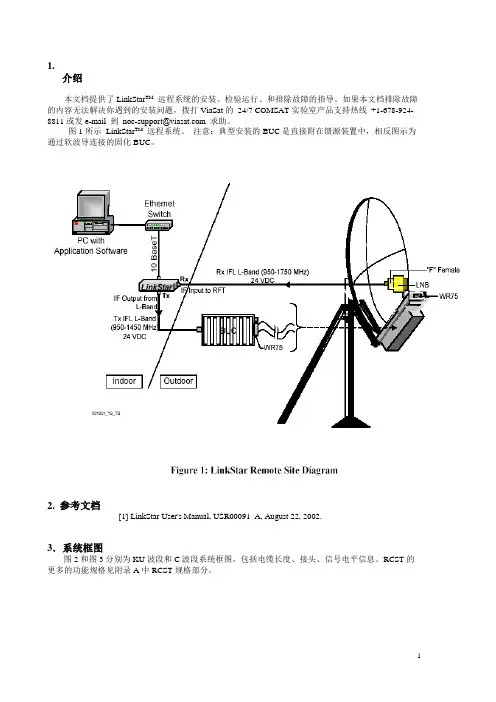
WindowsXP系统,关闭杀毒软件和防火墙软件,保证计算机网卡为开启状态(笔记本则需关闭无线网卡),电脑与RCST网线直连(台式机网线应为交叉网线)。
二、将“pcl-3.0.0005.rar”拷贝至计算机硬盘,解压缩。
运
行软件安装程序“pcdsetup.bat”安装软件。
三、进入windows系统“dos”窗口,输入“cd
X:\pcl-3.0.0005”,进入软件目录下,保证计算机与RCST 之间网线连接,运行“rload -s2a –L0 -a -f rcst6.17060308L.xilinx.dat 00.a0.94.xx.xx:xx(RCST ETH Addr)”软件正常运行显示如下信息
Resetting destination processor 00.a0.94.03.06.c7 Destination processor reset.
Sending flash write code file (flwr_rcst_acm.abs) to destination...
Success -- file completely sent (238928 bytes)
Sending rcst6.17060308L.xilinx.dat to destination... Success -- file completely sent (481182 bytes)
Starting code to write into flash...
Erasing flash at offset 0x37fc00 length 0x7579e... flashcmd: erase unit= 00.a0.94.03.06.c7 offset= 37fc00 len= 7579e
Command completed successfully
Writing flash at offset 0x37fc00 length 0x7579e... flashcmd: write unit= 00.a0.94.03.06.c7 memaddr= 100000 offset= 37fc00 len= 7579e
Command completed successfully
软件运行完毕后,RCST正常启动。