
网页设计第4章
- 格式:ppt
- 大小:762.00 KB
- 文档页数:54

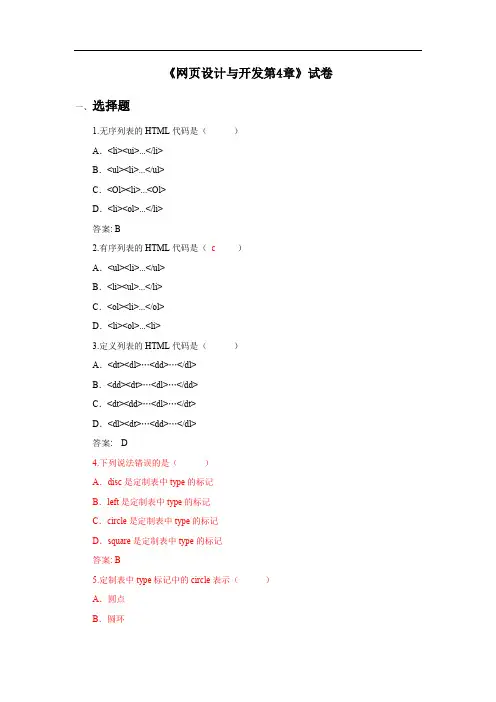

【例4-1】网页中文字上下滚动循环显示。
<html><head><title>文字上下滚动循环显示</title><meta http-equiv="Content-Type" content="text/html; charset=gb2312"><script language=JavaScript>var messages=new Array()messages\[0\]="<font color=#8000FF>欢迎使用本书学习</font></a>"messages\[1\]="<font color=#FB2500>这里有织网梦工厂</font></a>"messages\[2\]="<font color=#FF0066F>是网页初学者的最佳选择</font></a>" messages\[3\]="<font color=#000000>这里有…………有精彩的内容等着你</font></a>" var scrollerwidth=320var scrollerheight=100var scrollerbgcolor=′#FFFFFF′if (messages.length>1)i=2elsei=0function move1(whichlayer){tlayer=eval(whichlayer)if (tlayer.top>0&&tlayer.top<=5){tlayer.top=0setTimeout("move1(tlayer)",3000)setTimeout("move2(document.main.document.second)",3000)return}if (tlayer.top>=tlayer.document.height*-1){tlayer.top-=5setTimeout("move1(tlayer)",100)}else{tlayer.top=scrollerheighttlayer.document.write(messages\[i\])tlayer.document.close()if (i==messages.length-1)i=0elsei++}}function move2(whichlayer){tlayer2=eval(whichlayer)if (tlayer2.top>0&&tlayer2.top<=5){tlayer2.top=0setTimeout("move2(tlayer2)",3000)setTimeout("move1(document.main.document.first)",3000)return}if (tlayer2.top>=tlayer2.document.height*-1){tlayer2.top-=5setTimeout("move2(tlayer2)",100)}else{tlayer2.top=scrollerheighttlayer2.document.write(messages\[i\])tlayer2.document.close()if (i==messages.length-1)i=0elsei++}}function move3(whichdiv){tdiv=eval(whichdiv)if (tdiv.style.pixelTop>0&&tdiv.style.pixelTop<=5){ tdiv.style.pixelTop=0setTimeout("move3(tdiv)",3000)setTimeout("move4(second2)",3000)return}if (tdiv.style.pixelTop>=tdiv.offsetHeight*-1){tdiv.style.pixelTop-=5setTimeout("move3(tdiv)",100)}else{tdiv.style.pixelTop=scrollerheighttdiv.innerHTML=messages\[i\]if (i==messages.length-1)i=0elsei++}}function move4(whichdiv){tdiv2=eval(whichdiv)if (tdiv2.style.pixelTop>0&&tdiv2.style.pixelTop<=5){ tdiv2.style.pixelTop=0setTimeout("move4(tdiv2)",3000)setTimeout("move3(first2)",3000)return}if (tdiv2.style.pixelTop>=tdiv2.offsetHeight*-1){tdiv2.style.pixelTop-=5setTimeout("move4(second2)",100)}else{tdiv2.style.pixelTop=scrollerheighttdiv2.innerHTML=messages\[i\]if (i==messages.length-1)i=0elsei++}}function startscroll(){if (document.all){move3(first2)second2.style.top=scrollerheight}else if (yers){move1(document.main.document.first)document.main.document.second.top=scrollerheight+5document.main.document.second.visibility='show'}}window.onload=startscroll</script><ilayer id="main" width=&{scrollerwidth}; height=&{scrollerheight};bgcolor=&{scrollerbgcolor};><layer id="first" left=0 top=1 width=&{scrollerwidth};><script language="JavaScript1.2">if (yers)document.write(messages\[0\])</script></layer><layer id="second" left=0 top=0 width=&{scrollerwidth}; visibility=hide><script language="JavaScript1.2">if (yers)document.write(messages\[1\])</script></layer></ilayer><script language="JavaScript1.2">if (document.all){document.writeln('<span id="main2" style="position:relative;width:'+scrollerwidth+';height:'+scrollerheight+';overflow:hiden;backgrou nd-color:'+scrollerbgcolor+'">')document.writeln('<divstyle="position:absolute;width:'+scrollerwidth+';height:'+scrollerheight+';clip:rect(0'+scrollerwidth+' '+scrollerheight+' 0);left:0;top:0">')document.writeln('<divid="first2"style="position:absolute;width:'+scrollerwidth+';left:0;top:1;">') document.write(messages\[0\])document.writeln('</div>')document.writeln('<divid="second2"style="position:absolute;width:'+scrollerwidth+';left:0;top:0" >')document.write(messages\[1\])document.writeln('</div>')document.writeln('</div>')document.writeln('</span>')}</script></head><body bgcolor="#FFFFFF" text="#000000"> </body></html>。

