
Matlab_3_4
- 格式:ppt
- 大小:399.50 KB
- 文档页数:17


2,3,4次曲线拟合matlab程序2,3,4次曲线拟合matlab程序【程序代码】clf resetH=axes('unit','normalized','position',[0,0,1.5,1],'visible','off');set(gcf,'currentaxes',H);str='\fontname{微软雅⿊}2,3,4次曲线拟合程序';text(0.17,0.9,str,'fontsize',15);%这是设置字体位置的h_fig=get(H,'parent');set(h_fig,'unit','normalized','position',[0.1,0.2,0.8,0.5]);%这是设置出现窗⼝的⼤⼩的h_axes=axes('parent',h_fig,'unit','normalized','position',[0.1,0.15,0.55,0.7],'xlim',[015],'ylim',[0 1.8],'fontsize',8);h_text=uicontrol(h_fig,'style','text','unit','normalized','position',[0.69,0.90,0.24,0.03],'horizontal','left','s tring',{'左区间'});h_text1=uicontrol(h_fig,'style','text','unit','normalized','position',[0.69,0.75,0.24,0.03],'horizontal','left',' string',{'右区间'});h_text2=uicontrol(h_fig,'style','text','unit','normalized','position',[0.69,0.62,0.24,0.03],'horizontal','left',' string',{'步长'});h_text3=uicontrol(h_fig,'style','text','unit','normalized','position',[0.69,0.48,0.24,0.03],'horizontal','left',' string',{'拟合矩阵'});h_edit=uicontrol(h_fig,'style','edit','unit','normalized','position',[0.69,0.82,0.24,0.08],'horizontal','left','callback',['a=str2num(get(gcbo,''string''));','t=a:n:b;','x=x;','p2=polyfit(t,x,2);','f2=polyval(p2,t);','p3=polyfit(t,x,3);','f3=polyval(p3,t);','p4=polyfit(t,x,4);','f4=polyval(p4,t);','plot(t,x,t,f2,t,f3,t, f4)']);h_edit1=uicontrol(h_fig,'style','edit','unit','normalized','position',[0.69,0.67,0.24,0.08],'horizontal','left','callback',['b=str2num(get(gcbo,''string''));','t=a:n:b;','x=x;','p2=polyfit(t,x,2);','f2=polyval(p2,t);','p3=polyfit(t,x,3);','f3=polyval(p3,t);','p4=polyfit(t,x,4);','f4=polyval(p4,t);','plot(t,x,t,f2,t,f3,t, f4)']);h_edit2=uicontrol(h_fig,'style','edit','unit','normalized','position',[0.69,0.54,0.24,0.08],'horizontal','left','callback',['n=str2num(get(gcbo,''string''));','t=a:n:b;','x=x;','p2=polyfit(t,x,2);','f2=polyval(p2,t);','p3=polyfit(t,x,3);','f3=polyval(p3,t);','p4=polyfit(t,x,4);','f4=polyval(p4,t);','plot(t,x,t,f2,t,f3,t, f4)']);h_edit3=uicontrol(h_fig,'style','edit','unit','normalized','position',[0.69,0.38,0.24,0.1],'horizontal','left','callback',['x=str2num(get(gcbo,''string''));','t=a:n:b;','x=x;','p2=polyfit(t,x,2);','f2=polyval(p2,t);','p3=polyfit(t,x,3);','f3=polyval(p3,t);','p4=polyfit(t,x,4);','f4=polyval(p4,t);','plot(t,x,t,f2,t,f3,t, f4)']);h_push1=uicontrol(h_fig,'style','pushbutton','unit','normalized','position',[0.69,0.24,0.12,0.08],'string',' grid on','callback','grid on');h_push2=uicontrol(h_fig,'style','pushbutton','unit','normalized','position',[0.69,0.15,0.12,0.08],'string',' grid off','callback','grid off');h_push3=uicontrol(h_fig,'style','pushbutton','unit','normalized','position',[0.81,0.15,0.12,0.08],'string','退出','callback','exit'); h_push4=uicontrol(h_fig,'style','pushbutton','unit','normalized','position',[0.81,0.24,0.12,0.08],'string','关闭','callback','close(gcbf)');【操作界⾯】。
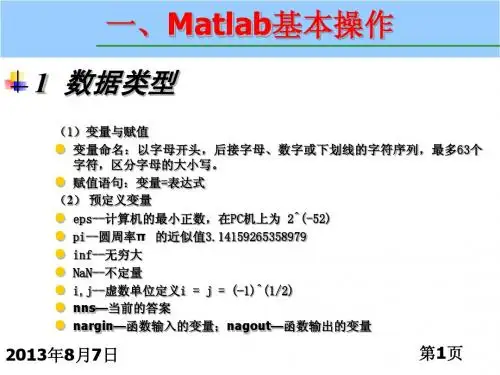

matlab中的数组Matlab中的数组Matlab是一种强大的数学计算软件,广泛用于科学计算、数据分析、图像处理等领域。
在Matlab中,数组是一种重要的数据类型,它可以存储多个数值或字符串,并且可以进行各种数学运算和统计分析。
本文将介绍Matlab中的数组及其常见操作。
一、数组的定义和初始化在Matlab中,可以使用以下方式定义和初始化数组:1. 直接输入数组元素,用空格或逗号分隔,用方括号括起来:a = [1 2 3 4 5];b = [1, 2, 3, 4, 5];2. 使用冒号运算符和步长来生成等差数列:c = 1:5; % 生成[1 2 3 4 5]d = 1:2:9; % 生成[1 3 5 7 9]3. 使用linspace函数生成指定范围和元素个数的等差数列:e = linspace(0, 1, 5); % 生成[0 0.25 0.5 0.75 1]4. 使用rand函数生成指定大小的随机数矩阵:f = rand(3, 2); % 生成一个3行2列的随机数矩阵二、数组的索引和切片Matlab中可以使用下标操作符(方括号)来访问数组元素。
下标从1开始,可以使用单个下标或多个下标来访问单个元素或多个元素。
例如:a = [1 2 3 4 5];b = a(2); % b等于2c = a(1:3); % c等于[1 2 3]Matlab还支持使用逗号来进行多维数组的索引和切片。
例如:A = [1 2 3; 4 5 6; 7 8 9];B = A(2,:); % B等于[4 5 6]C = A(:,1:2); % C等于[1 2; 4 5; 7 8]三、数组的运算和函数Matlab中的数组支持各种数学运算和函数,包括加、减、乘、除、幂次方、三角函数、指数函数、对数函数等。
例如:a = [1 2 3];b = [4 5 6];c = a + b; % c等于[5 7 9]d = a .* b; % d等于[4 10 18]e = a .^ 2; % e等于[1 4 9]f = sin(a); % f等于[0.8415 0.9093 0.1411]g = exp(a); % g等于[2.7183 7.3891 20.0855]h = log(a); % h等于[0 0.6931 1.0986]Matlab还提供了许多常用的数组函数,例如mean、sum、max、min、std、sort等,用于计算数组的平均值、总和、最大值、最小值、标准差、排序等统计信息。