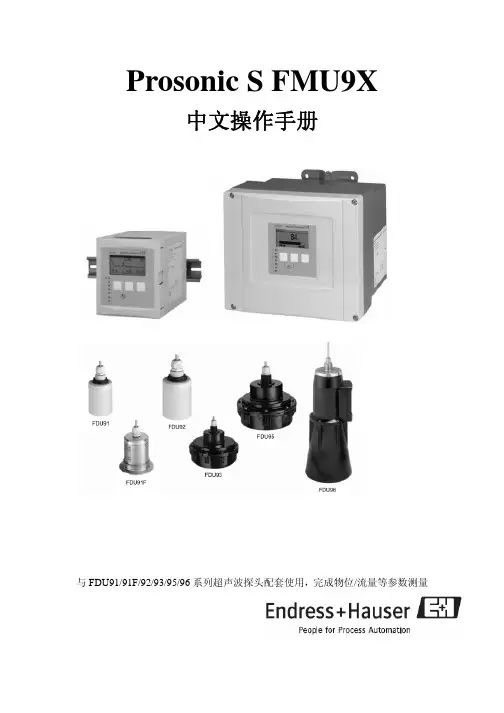
FMU90_中文简体
- 格式:pdf
- 大小:460.64 KB
- 文档页数:12
Prosonic S FMU90超声波界面计中文操作简本更详细的资料见英文操作手册接线端子定义:端子意义端子区域 备注附属设备 1, 2 L (交流版本) L+ (直流版本) A 2 N (交流版本) L- (直流版本) A 取决于仪表版本: 90 ... 253 VAC " 10.5 ... 32 VDC" 3 等电势(接地端) A保险丝A取决于版本:400 mA T (交流版本) " 2 A T (直流版本) "模拟输出(总线结构不可见)4, 5 模拟量输出 1; 4 ... 20 mA 带HART/0 ... 20 mA 不带 HART A 总线版本中不可见41, 42模拟量输出 2 (可选); 4 ... 20 mA/ 0 ... 20 mAB只见于双通道版本模拟量输出; 此处无HART 输出继电器输出 6, 7, 8 继电器 1A50, 51, 52 继电器 2 (可选) C 值可见于 3或6 继电器版本 53, 54, 55 继电器 3 (可选) C 值可见于 3或6 继电器版本 56, 57, 58 继电器 4 (可选) C 值可见于 6 继电器版本 59, 60, 61 继电器 5 (可选) C 值可见于 6 继电器版本 62, 63, 64 继电器 6 (可选) C 值可见于 6 继电器版本 总线通讯 65 PROFIBUS A (RxT/TxD - N) D 只可见于PROFIBUS DP 版本 66 PROFIBUS B (RxT/TxD - P) D同步 39, 40 同步 A现场有多台FMU90时,连接同步线超声波探头输入探头 1 (FDU8x/9x)YE: 黄色电缆BK: 黑色电缆RD: 红色电缆9 (YE),10 (BK),11 (RD)A: 一个探头输入 B: 两个探头输入12 (YE),13 (BK),14 (RD)探头 2 (FDU8x/9x) (可选)YE: 黄色电缆BK: 黑色电缆RD: 红色电缆B 只用于双通道输入外部开关输入 71, 72, 73 外部开关信号输入 1 D 0: < 8 V or 72 和 73 短接 1: > 16 V or 72 和 73 不短接 74, 75, 76 外部开关信号输入 2 D 0: < 8 V or 75 和 76 短接 1: > 16 V or 75 和 76 不短接 77, 78, 79 外部开关信号输入 3 D 0: < 8 V or 78 和 79 短接 1: > 16 V or 78 和 79不短接 80, 81, 82外部开关信号输入 4D0: < 8 V or 81 和 82 短接 1: > 16 V or 81 和 82 不短接接线前请仔细查看下图端子:典型单通道版本接线图一定要确认电源端子以及电压规格 正确接地是仪表安全工作的保证操作原理(a): 参数名称;(b): 参数值, 包括单位;(c): 显示符号;(d): 操作键符号;(e): LED显示操作状态;(f): LED显示继电器的开关状态;(g): 操作键显示符号:按键定义:首次上电设定:液位测量组态"input"(输入:分配传感器通道)• no sensor(无传感器)• sensor 1(传感器1)•sensor 2 (传感器2,只适用于2通道)"sensor selection"(传感器选择,选择传感器型号)如果你不知道传感器型号请选择"automatic",仪表将自动检测传感器型号"detected" (检测,只适用于"sensor selection" = "automatic")开始自动检测传感器型号"tank shape"(选择罐形状)• dome ceiling(拱顶罐)• horizontal cyl(水平卧罐)• bypass(旁通管)• stilling well(导波管)• no ceiling(无顶)• sphere(球罐)• flat ceiling(平顶罐)"medium property"(介质特性)• liquid(液体)• paste like(糊状物)•solid < 4 mm(固体颗粒<4mm)•solid > 4 mm(固体颗粒>4mm)• unknown(未知)"process conditions"(选择过程条件)•standard liquid(标准液体)•calm surface(平静液面)•turbulent surface(波动液面)•additional agitator(带搅拌器)•fast change(快速变化)•standard solid(标准固体)•solid dusty(固体粉料)•conveyor belt(皮带)•test: no filter(测试:无滤波)"empty E"(输入空罐高度,超声波探头表面到罐底距离)"full F"(输入上料最大高度,此值也是20mA对应值,要求与上位计一致)至此,基本设定完成,同时按+和-键退出。
"Relay/Controls" 继电器设置选择将要组态的继电器选择继电器功能"limit"(限位).选择继电器限位类型为“standard”(标准)输入继电器开点和闭点料位高度。
至此,继电器功能设定完成,同时按+和-键退出。
流量测量组态步骤:Step步骤 Parameter setParameter Remarks 参数设置 参数备注1 Open the "flow 1" or "flow 2" submenu. 进入"flow 1" o或 "flow 2"子菜单 2Open the "basic setup" submenu. 进入"basic setup"菜单 input 输入 Allocate a sensor to the channel. 分配传感器通道sensor selection Specify the type of sensor ("automatic" for FDU9x) 指定传感器型号flow N sensor selection (N = 1 or 2) 选择流量传感器通道detected 检测only available for "sensor selection" = "automatic"; 传感器现在为“自动检测”时 indicates the detected type of sensor. 自动检测传感器型号 3type 类型Select type of linearisation1): 选择线性化类型• "flume/weir" (for the pre-programmed flumes and weirs) 水槽/堰 • "table" (to enter a linearistion table manually) 手动线性化 • "formula" (for the flow formula Q = C (hα + γhβ)) 公式flow unit 流量单位Select the flow unit. 选择流量单位curve 曲线Select the type of flume or weir; 选择水槽或堰的类型(only present for "type" = "flume/weir"); 本菜单只有"type" = "flume/weir"时出现A second page appears in which the size of the respective flume and weir must be selected (for details refer to chapter 15.1 "Pre-programmed flow cur- ves".)edit 编辑Used to enter, change or delete a linearisation table; 修改或删除线性化表格 (only available for "type" = "table")本菜单只有"type" = "table"时出现 status table 表格状态 Enables or disables the linearisation table; 激活或禁止信息化表格 (only available for "type" = table")本菜单只有"type" = "table"时出现 alpha Specify the value of the parameter α; 特殊参数(only available for "type" = "formula"本菜单只有"type" ="formula"时出现 beta Specify the value of the parameter β; 特殊参数(only available for "type" = "formula")本菜单只有"type" ="formula"时出现 gamma Specify the value of the parameter γ; 特殊参数(only available for "type" = "formula")本菜单只有"type" ="formula"时出现 C Specify the value of the parameter C; 特殊参数(only available for "type" = "formula")本菜单只有"type" ="formula"时出现 4flow N linearisation (N = 1 or 2) 选择流量线性化max. flowSpecify the maximum flow of the flume or weir; 指定水槽或堰的最大流量 (not available for "type" = "table") ,"type" = "table"不可见empty E 空高Specify the distance E between the sensor membrane and the zero of the measurement. The zero is 指定传感器膜片到水槽或堰最底部的距离 • the bottom of the weir or • the lowest point of the weir crestblocking distance 盲区 indicates the blocking distance of the respective sensor; 输入传感器盲区 the maximum level may not project into the blocking distance. 5flow N empty calibration (N = 1 or 2) 空标flow N 流量 displays the currently measured flow,显示当前测量流量值(N = 1 or 2)level 液位displays the currently measured level ,显示当前测量液位flow N(N = 1 or 2) 流量distance 距离displays the currently measured distance between the sensor membrane and the liquid surface (for checking purposes) ,显示当前测量距离6Step Parameter set Parameter Remarksdistance 距离displays the currently measured distance between the sensor membrane and the liquid surface. 显示测量距离7flow N check value (N = 1 or 2) 检查值check distance 检查距离 Compare the displayed distance with the real value: • "distance = ok" → "flow N mapping" (see below) • "distance too small" → "flow N mapping" (see below) • "distance too big" → basic setup completed • "distance unknown" → basic setup completed • "manual" → "flow N mapping" (see below) 基本不用distance 距离displays the currently measured distance between the sensor membrane and the liquid surface 显示当前测量距离range of mapping 抑制范围 Determines the range over which the mapping is recorded; confirm the predefined value or enter your own value. 输入抑制距离8flow N mapping (N = 1 or 2) 流量抑制start mapping 开始抑制Select: • no: the mapping is not recorded • yes: the mapping is recorded; after completion, the "flow N state" function appears (see below) 开始抑制level 液位 displays the currently measured level 显示当前测量液位distance 距离displays the currently measured distance between the sensor membrane and the liquid surface. Check the value: • Value correct: → Basic calibration completed. Press several times to return to the measured value display. • Value incorrect: → go back to step 7 ("flow N check value") 显示距离 flow N (N = 1 or 2) displays the currently measured flow 显示当前测量流量9 flow N state (N = 1 or 2) 流量状态status 状态Used to enable, disable or delete a mapping 开启或删除抑制曲线10Parametrization of the counters (in the operating menu: "flow/flowcounter")计数器组态:Step Parameter setParameterRemarks1 Open the "flow/flow counter" submenu. 进入"flow/flow counter"子菜单 2Select the type of counter: 选择计数器类型 • totalizer (not resettable) 累加器(不能清零) • daily counter (resettable) 日累加器(可以清零)3选择累加器 Select the number of the totalizer or daily counter you are going to calibrate. allocation 分配 Select the flow to which the counter refers. 4totalizer N daily counter N (N = 1 - 3)counting unit Select the counting unit. 选择累计单位value 值 Indicates the current value of the counter. 显示当前累计值overflow 溢出值Indicates the number of times the counter has passed the overflow. The total flow volume is : overflow x 107 + value5 totalizer N daily counter N (N = 1 - 3)reset 复位Select "yes" to reset the counter (not available for totalizers).6totalizer N daily counter N (N = 1 - 3)error handling 故障处理Define the reaction of the counter in the case of an error: • actual value: the current flow value is used (although its reliability is not ensured) • hold: the counter uses the flow value which was present when the error ocurred. • stop: Counting is interrupted. 故障模式选择故障检查以及处理故障代码故障描述处理方法A 00 100 软件和硬件不匹配联系E+H故障校验复位并重新上电A 00 101故障校验复位并重新上电A 00 102W 00 103 正在初始化-请等待 30秒之内不消失,更换电子插件A 00 106 正在现在-请等待等待下载完成A 00 110 故障校验复位并重新上电A00 111A00 112A00 114A00 115 电子插件故障断电重新上电,如果仍然有故障,联系E+H A 00 116 下载故障重新下载A 00 117 更换硬件后不认可联系E+HA01 121A02 121 电流输出 01 或 02 未校准联系E+HA 00 125 电子插件故障更换电子插件A 00 152 故障校验复位并重新上电W 00 153 正在初始化 30秒之内不消失,更换电子插件A 00 155 电子插件故障更换电子插件A 00 164 电子插件故障更换电子插件A 00 171 电子插件故障更换电子插件A 00 180 同步故障检查同步接线A 00 183 硬件不支持检查是否安装了合适的电路板,联系E+H A01 231A02 231 传感器1或2故障,检查接线检查传感器接线外接传感器故障检查传感器和接线A 00 250A01 281A02 281 温度测量 01 或 02 故障 - 检查接线检查传感器接线W 01 501W 02 501 通道1或2传感器未选择分配传感器A01 502A02 502 未认出传感器1和2 手动输入传感器型号A 00 511 无工厂校准A01 512A02 512 正在做抑制等待抑制完成W01 521W02 521 直到新的传感器1或2W01 601W02 601 液位线性化曲线非单调01 or 02 重新输入线性化曲线W 01 602W 02 602W 01 603W 02 603 流量线性化曲线非单调01 or 02 重新输入线性化曲线A01 604A02 604 液位01 or 02 标定错误重新标定A01 605A02 605A01 606A02 606 流量01 or 02 标定错误重新标定W01 611W02 611 液位线性化点少于2点输入更多的线性化点W01 612W02 612W01 613W02 613 流量线性化点少于2点输入更多的线性化点故障代码故障描述处理方法W 01 620 ...W 06 620 继电器的脉冲值太小01 - 06 检查计数器单位E01 641E02 641 无可以回波01 or 02 检查参数以及传感器A01 651A02 651 液位进入安全距离因为太高E01 661E02 661 温度1、2传感器太高W 01 682W 02 682 电流输出 01 、 02 超限检查基本参数以及线性化W01 691W02 691 填补噪声检测传感器1、2W00 692 污垢检测W00 693 污垢检测W 01 701 泵控制报警 1 ctrl 1 复位时间W 02 701 泵控制报警 1 ctrl 2 复位时间W 01 702 泵控制报警 2 ctrl 1 复位时间W 02 702 泵控制报警 2 ctrl 2 复位时间W 01 703 泵控制报警 3 ctrl 1 复位时间W 02 703 泵控制报警 3 ctrl 2 复位时间W 01 704 泵控制报警 4 ctrl 1 复位时间W 02 704 泵控制报警 4 ctrl 2 复位时间W 01 705 泵控制报警 5 ctrl 1 复位时间W 02 705 泵控制报警 5 ctrl 2 复位时间W 01 706 泵控制报警 6 ctrl 1 复位时间W 02 706 泵控制报警 6 ctrl 2 复位时间W 01 711 控制泵失败 1 ctrl 1 检查泵W 02 711 控制泵失败 1 ctrl 2 检查泵1W 01 712 控制泵失败 2 ctrl 1 检查泵1W 02 712 控制泵失败 2 ctrl 2 检查泵1W 01 713 控制泵失败 3 ctrl 1 检查泵1W 02 713 控制泵失败 3 ctrl 2 检查泵1W 01 714 控制泵失败 4 ctrl 1 检查泵1W 02 714 控制泵失败 4 ctrl 2 检查泵1W 01 715 控制泵失败 5 ctrl 1 检查泵1W 02 715 控制泵失败 5 ctrl 2 检查泵1W 01 716 控制泵失败 6 ctrl 1 检查泵1W 02 716 控制泵失败 6 ctrl 2 检查泵1W00 801 液位模拟打开关闭模拟功能W01 802W02 802 模拟传感器01 or 02 打开关闭模拟功能W01 803W02 803W01 804W02 804 流量模拟打开关闭模拟功能W01 805 电流模拟 01打开关闭模拟功能W02 806 电流模拟 02打开关闭模拟功能W01 807 ... W06807 继电器模拟01 - 06 打开关闭模拟功能W01 808W02 808 传感器01 or 02关闭打开传感器W01 809W02 809 电流调整D/A 激活A00 820 ... A00832 不同的单位之间计算平均值、和等值检查参数设置。