
12_W4Jobaid
- 格式:ppt
- 大小:528.50 KB
- 文档页数:2

⽹络-02-端⼝号-linux端⼝详解⼤全端⼝详解 1 tcpmux TCP Port Service Multiplexer 传输控制协议端⼝服务多路开关选择器 2 compressnet Management Utility compressnet 管理实⽤程序 3 compressnet Compression Process 压缩进程 5 rje Remote Job Entry 远程作业登录 7 echo Echo 回显 9 discard Discard 丢弃 11 systat Active Users 在线⽤户 13 daytime Daytime 时间 17 qotd Quote of the Day 每*引⽤ 18 msp Message Send Protocol 消息发送协议 19 chargen Character Generator 字符发⽣器 20 ftp-data File Transfer [Default Data] ⽂件传输协议(默认数据⼝) 21 ftp File Transfer [Control] ⽂件传输协议(控制) 22 ssh SSH Remote Login Protocol SSH远程登录协议 23 telnet Telnet 终端仿真协议 24 ? any private mail system 预留给个⼈⽤邮件系统 25 smtp Simple Mail Transfer 简单邮件发送协议 27 nsw-fe NSW User System FE NSW ⽤户系统现场⼯程师 29 msg-icp MSG ICP MSG ICP 31 msg-auth MSG Authentication MSG验证 33 dsp Display Support Protocol 显⽰⽀持协议 35 ? any private printer server 预留给个⼈打印机服务 37 time Time 时间 38 rap Route Access Protocol 路由访问协议 39 rlp Resource Location Protocol 资源定位协议 41 graphics Graphics 图形 42 nameserver WINS Host Name Server WINS 主机名服务 43 nicname Who Is "绰号" who is服务 44 mpm-flags MPM FLAGS Protocol MPM(消息处理模块)标志协议 45 mpm Message Processing Module [recv] 消息处理模块 46 mpm-snd MPM [default send] 消息处理模块(默认发送⼝) 47 ni-ftp NI FTP NI FTP 48 auditd Digital Audit Daemon 数码⾳频后台服务 49 tacacs Login Host Protocol (TACACS) TACACS登录主机协议 50 re-mail-ck Remote Mail Checking Protocol 远程邮件检查协议 51 la-maint IMP Logical Address Maintenance IMP(接⼝信息处理机)逻辑地址维护 52 xns-time XNS Time Protocol 施乐⽹络服务系统时间协议 53 domain Domain Name Server 域名服务器 54 xns-ch XNS Clearinghouse 施乐⽹络服务系统票据交换 55 isi-gl ISI Graphics Language ISI图形语⾔ 56 xns-auth XNS Authentication 施乐⽹络服务系统验证 57 ? any private terminal access 预留个⼈⽤终端访问 58 xns-mail XNS Mail 施乐⽹络服务系统邮件 59 ? any private file service 预留个⼈⽂件服务 60 ? Unassigned 未定义 61 ni-mail NI MAIL NI邮件? 62 acas ACA Services 异步通 63 whois+ whois+ WHOIS+ 64 covia Communications Integrator (CI) 通讯接⼝ 65 tacacs-ds TACACS-Database Service TACACS数据库服务 66 sql*net Oracle SQL*NET Oracle SQL*NET 67 bootps Bootstrap Protocol Server 引导程序协议服务端 68 bootpc Bootstrap Protocol Client 引导程序协议客户端 69 tftp Trivial File Transfer ⼩型⽂件传输协议 70 gopher Gopher 信息检索协议 71 netrjs-1 Remote Job Service 远程作业服务 72 netrjs-2 Remote Job Service 远程作业服务 73 netrjs-3 Remote Job Service 远程作业服务 74 netrjs-4 Remote Job Service 远程作业服务 75 ? any private dial out service 预留给个⼈拨出服务 76 deos Distributed External Object Store 分布式外部对象存储 77 ? any private RJE service 预留给个⼈远程作业输⼊服务 78 vettcp vettcp 修正TCP? 79 finger Finger FINGER(查询远程主机在线⽤户等信息) 80 http World Wide Web HTTP 全球信息⽹超⽂本传输协议 81 hosts2-ns HOSTS2 Name Server HOST2名称服务 82 xfer XFER Utility 传输实⽤程序 83 mit-ml-dev MIT ML Device 模块化智能终端ML设备 84 ctf Common Trace Facility 公⽤追踪设备 85 mit-ml-dev MIT ML Device 模块化智能终端ML设备 86 mfcobol Micro Focus Cobol Micro Focus Cobol编程语⾔ 87 ? any private terminal link 预留给个⼈终端连接 88 kerberos Kerberos Kerberros安全认证系统 89 su-mit-tg SU/MIT Telnet Gateway SU/MIT终端仿真⽹关 90 dnsix DNSIX Securit Attribute Token Map DNSIX 安全属性标记图 91 mit-dov MIT Dover Spooler MIT Dover假脱机 92 npp Network Printing Protocol ⽹络打印协议 93 dcp Device Control Protocol 设备控制协议 94 objcall Tivoli Object Dispatcher Tivoli对象调度 95 supdup SUPDUP 96 dixie DIXIE Protocol Specification DIXIE协议规范 97 swift-rvf Swift Remote Virtural File Protocol 快速远程虚拟⽂件协议 98 tacnews TAC News TAC(东京⼤学⾃动计算机?)新闻协议 99 metagram Metagram Relay 101/tcp hostname NIC Host Name Server 102/tcp iso-tsap ISO-TSAP Class 0 103/tcp gppitnp Genesis Point-to-Point Trans Net 104/tcp acr-nema ACR-NEMA Digital Imag. & Comm. 300 105/tcp cso CCSO name server protocol 105/tcp csnet-ns Mailbox Name Nameserver 106/tcp 3com-tsmux 3COM-TSMUX 107/tcp rtelnet Remote Telnet Service 108/tcp snagas SNA Gateway Access Server 109/tcp pop2 Post Office Protocol - Version 2 110/tcp pop3 Post Office Protocol - Version 3 111/tcp sunrpc SUN Remote Procedure Call 112/tcp mcidas McIDAS Data Transmission Protocol 113/tcp ident 114/tcp audionews Audio News Multicast 115/tcp sftp Simple File Transfer Protocol 116/tcp ansanotify ANSA REX Notify 117/tcp uucp-path UUCP Path Service 118/tcp sqlserv SQL Services 119/tcp nntp Network News Transfer Protocol 120/tcp cfdptkt CFDPTKT 121/tcp erpc Encore Expedited Remote Pro.Call 122/tcp smakynet SMAKYNET 123/tcp ntp Network Time Protocol 124/tcp ansatrader ANSA REX Trader 125/tcp locus-map Locus PC-Interface Net Map Ser 126/tcp unitary Unisys Unitary Login 127/tcp locus-con Locus PC-Interface Conn Server 128/tcp gss-xlicen GSS X License Verification 129/tcp pwdgen Password Generator Protocol 130/tcp cisco-fna cisco FNATIVE 131/tcp cisco-tna cisco TNATIVE 132/tcp cisco-sys cisco SYSMAINT 133/tcp statsrv Statistics Service 134/tcp ingres-net INGRES-NET Service 135/tcp epmap DCE endpoint resolution 136/tcp profile PROFILE Naming System 137/tcp netbios-ns NETBIOS Name Service 138/tcp netbios-dgm NETBIOS Datagram Service 139/tcp netbios-ssn NETBIOS Session Service 140/tcp emfis-data EMFIS Data Service 141/tcp emfis-cntl EMFIS Control Service 142/tcp bl-idm Britton-Lee IDM 143/tcp imap Internet Message Access Protocol 144/tcp uma Universal Management Architecture 145/tcp uaac UAAC Protocol 146/tcp iso-tp0 ISO-IP0 147/tcp iso-ip ISO-IP 148/tcp jargon Jargon 149/tcp aed-512 AED 512 Emulation Service 150/tcp sql-net SQL-NET 151/tcp hems HEMS 152/tcp bftp Background File Transfer Program 153/tcp sgmp SGMP 154/tcp netsc-prod NETSC 155/tcp netsc-dev NETSC 156/tcp sqlsrv SQL Service 157/tcp knet-cmp KNET/VM Command/Message Protocol 158/tcp pcmail-srv PCMail Server 159/tcp nss-routing NSS-Routing 160/tcp sgmp-traps SGMP-TRAPS 161/tcp snmp SNMP 162/tcp snmptrap SNMPTRAP 163/tcp cmip-man CMIP/TCP Manager 164/tcp cmip-agent CMIP/TCP Agent 165/tcp xns-courier Xerox 166/tcp s-net Sirius Systems 167/tcp namp NAMP 168/tcp rsvd RSVD 169/tcp send SEND 170/tcp print-srv Network PostScript 171/tcp multiplex Network Innovations Multiplex 172/tcp cl/1 Network Innovations CL/1 173/tcp xyplex-mux Xyplex 174/tcp mailq MAILQ 175/tcp vmnet VMNET 176/tcp genrad-mux GENRAD-MUX 177/tcp xdmcp X Display Manager Control Protocol 178/tcp nextstep NextStep Window Server 179/tcp bgp Border Gateway Protocol 180/tcp ris Intergraph 181/tcp unify Unify 182/tcp audit Unisys Audit SITP 183/tcp ocbinder OCBinder 184/tcp ocserver OCServer 185/tcp remote-kis Remote-KIS 186/tcp kis KIS Protocol 187/tcp aci Application Communication Interface 188/tcp mumps Plus Five磗 MUMPS 189/tcp qft Queued File Transport 190/tcp gacp Gateway Access Control Protocol 191/tcp prospero Prospero Directory Service 192/tcp osu-nms OSU Network Monitoring System 193/tcp srmp Spider Remote Monitoring Protocol 194/tcp irc Internet Relay Chat Protocol 195/tcp dn6-nlm-aud DNSIX Network Level Module Audit 196/tcp dn6-smm-red DNSIX Session Mgt Module Audit Redir 197/tcp dls Directory Location Service 198/tcp dls-mon Directory Location Service Monitor 199/tcp smux SMUX 200/tcp src IBM System Resource Controller 201/tcp at-rtmp AppleTalk Routing Maintenance 202/tcp at-nbp AppleTalk Name Binding 203/tcp at-3 AppleTalk Unused 204/tcp at-echo AppleTalk Echo 205/tcp at-5 AppleTalk Unused 206/tcp at-zis AppleTalk Zone Information 207/tcp at-7 AppleTalk Unused 208/tcp at-8 AppleTalk Unused 209/tcp qmtp The Quick Mail Transfer Protocol 210/tcp z39.50 ANSI Z39.50 211/tcp 914c/g Texas Instruments 914C/G Terminal 212/tcp anet ATEXSSTR 214/tcp vmpwscs VM PWSCS 215/tcp softpc Insignia Solutions 216/tcp CAIlic Computer Associates Int磍 License Server 217/tcp dbase dBASE Unix 218/tcp mpp Netix Message Posting Protocol 219/tcp uarps Unisys ARPs 220/tcp imap3 Interactive Mail Access Protocol v3 221/tcp fln-spx Berkeley rlogind with SPX auth 222/tcp rsh-spx Berkeley rshd with SPX auth 223/tcp cdc Certificate Distribution Center 242/tcp direct Direct 243/tcp sur-meas Survey Measurement 244/tcp dayna Dayna 245/tcp link LINK 246/tcp dsp3270 Display Systems Protocol 247/tcp subntbcst_tftp SUBNTBCST_TFTP 248/tcp bhfhs bhfhs 256/tcp rap RAP 257/tcp set Secure Electronic Transaction 258/tcp yak-chat Yak Winsock Personal Chat 259/tcp esro-gen Efficient Short Remote Operations 260/tcp openport Openport 263/tcp hdap HDAP 264/tcp bgmp BGMP 280/tcp http-mgmt http-mgmt 309/tcp entrusttime EntrustTime 310/tcp bhmds bhmds 312/tcp vslmp VSLMP 315/tcp dpsi DPSI 316/tcp decauth decAuth 317/tcp zannet Zannet 321/tcp pip PIP 344/tcp pdap Prospero Data Access Protocol 345/tcp pawserv Perf Analysis Workbench 346/tcp zserv Zebra server 347/tcp fatserv Fatmen Server 348/tcp csi-sgwp Cabletron Management Protocol 349/tcp mftp mftp 351/tcp matip-type-b MATIP Type B 351/tcp bhoetty bhoetty (added 5/21/97) 353/tcp ndsauth NDSAUTH 354/tcp bh611 bh611 357/tcp bhevent bhevent 362/tcp srssend SRS Send 365/tcp dtk DTK 366/tcp odmr ODMR 368/tcp qbikgdp QbikGDP 371/tcp clearcase Clearcase 372/tcp ulistproc ListProcessor 373/tcp legent-1 Legent Corporation 374/tcp legent-2 以下是bingtang补充: 0 通常⽤于分析操作系统。
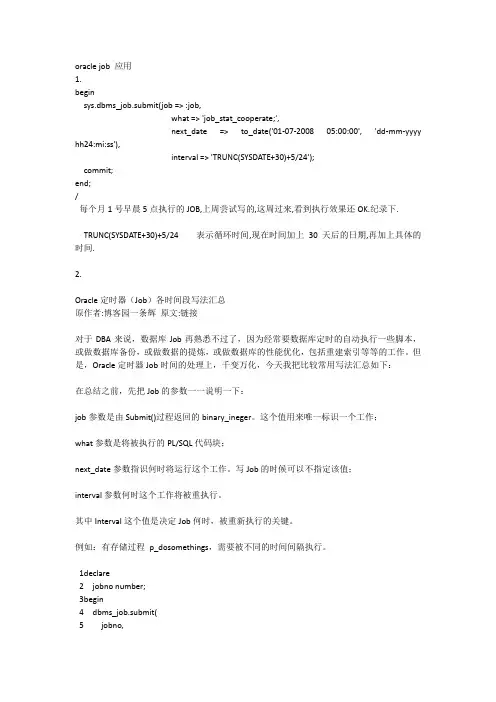
oracle job 应用1.beginsys.dbms_job.submit(job => :job,what => 'job_stat_cooperate;',next_date =>to_date('01-07-2008 05:00:00', 'dd-mm-yyyy hh24:mi:ss'),interval => 'TRUNC(SYSDATE+30)+5/24');commit;end;/每个月1号早晨5点执行的JOB,上周尝试写的,这周过来,看到执行效果还OK.纪录下.TRUNC(SYSDATE+30)+5/24表示循环时间,现在时间加上30天后的日期,再加上具体的时间.2.Oracle定时器(Job)各时间段写法汇总原作者:博客园一条辉原文:链接对于DBA来说,数据库Job再熟悉不过了,因为经常要数据库定时的自动执行一些脚本,或做数据库备份,或做数据的提炼,或做数据库的性能优化,包括重建索引等等的工作。
但是,Oracle定时器Job时间的处理上,千变万化,今天我把比较常用写法汇总如下:在总结之前,先把Job的参数一一说明一下:job参数是由Submit()过程返回的binary_ineger。
这个值用来唯一标识一个工作;what参数是将被执行的PL/SQL代码块;next_date参数指识何时将运行这个工作。
写Job的时候可以不指定该值;interval参数何时这个工作将被重执行。
其中Interval这个值是决定Job何时,被重新执行的关键。
例如:有存储过程p_dosomethings,需要被不同的时间间隔执行。
1declare2 jobno number;3begin4 dbms_job.submit(5 jobno,6 'p_dosomething;', --what7 to_date('20090101020000','yyyy-mm-dd hh24:mi:ss'),--next_date,可以不填8 'Interval时间字符串'--interval,关键设置9 );10 commit;11end;121、每分钟执行Interval =>TRUNC(sysdate,’mi’) + 1 / (24*60)2、每天定时执行例如:每天的凌晨2点执行Interval =>TRUNC(sysdate) + 1 +2 / (24)3、每周定时执行例如:每周一凌晨2点执行Interval =>TRUNC(next_day(sysdate,2))+2/24 --星期一,一周的第二天4、每月定时执行例如:每月1日凌晨2点执行Interval =>TRUNC(LAST_DAY(SYSDATE))+1+2/245、每季度定时执行例如每季度的第一天凌晨2点执行Interval =>TRUNC(ADD_MONTHS(SYSDATE,3),'Q') + 2/246、每半年定时执行例如:每年7月1日和1月1日凌晨2点Interval =>ADD_MONTHS(trunc(sysdate,'yyyy'),6)+2/247、每年定时执行例如:每年1月1日凌晨2点执行Interval =>ADD_MONTHS(trunc(sysdate,'yyyy'),12)+2/24当然上面罗列不可能照顾到方方面面,但是稍微变化一下,就能衍生出无数的例子,聪明的你一定会的吧,我这里就不多罗嗦了。

Legal informationCopyright and License© Copyright 2019 HP Development Company, L.P.Reproduction, adaptation, or translation without prior written permission is prohibited, except as allowedunder the copyright laws.The information contained herein is subject to change without notice.The only warranties for HP products and services are set forth in the express warranty statementsaccompanying such products and services. Nothing herein should be construed as constituting anadditional warranty. HP shall not be liable for technical or editorial errors or omissions contained herein.Edition 1, 10/2019Trademark CreditsAdobe®, Adobe Photoshop®, Acrobat®, and PostScript® are trademarks of Adobe Systems Incorporated.Apple and the Apple logo are trademarks of Apple Inc., registered in the U.S. and other countries.macOS is a trademark of Apple Inc., registered in the U.S. and other countries.AirPrint is a trademark of Apple Inc., registered in the U.S. and other countries.Google™ is a trademark of Google Inc.Microsoft®, Windows®, Windows® XP, and Windows Vista® are U.S. registered trademarks of MicrosoftCorporation.UNIX® is a registered trademark of The Open Group.iiiT able of contents1 Printer overview (1)Warning icons (1)Potential shock hazard (2)Printer views (2)Printer front view (2)Printer back view (4)Interface ports (4)Control-panel view (5)How to use the touchscreen control panel (7)Printer specifications (8)T echnical specifications (8)Supported operating systems (11)Mobile printing solutions (12)Printer dimensions (13)Power consumption, electrical specifications, and acoustic emissions (15)Operating-environment range (15)Printer hardware setup and software installation (16)2 Paper trays (17)Introduction (17)Load paper to Tray 1 (multipurpose tray) (17)Load Tray 1 (multipurpose tray) (18)Tray 1 paper orientation (19)Use alternative letterhead mode (24)Enable Alternative Letterhead Mode by using the printer control-panel menus (24)Load paper to Tray 2 (24)Load Tray 2 (24)Tray 2 paper orientation (26)Use alternative letterhead mode (29)Enable Alternative Letterhead Mode by using the printer control-panel menus (29)Load paper to the 550-sheet paper tray (30)Load paper to the 550-sheet paper tray (30)550-sheet paper tray paper orientation (32)Use alternative letterhead mode (35)Enable Alternative Letterhead Mode by using the printer control-panel menus (35)ivLoad paper to the 2 x 550-sheet paper trays (36)Load paper to the 2 x 550-sheet paper trays (36)2 x 550-sheet paper tray paper orientation (38)Use alternative letterhead mode (41)Enable Alternative Letterhead Mode by using the printer control-panel menus (41)Load paper to the 2,700-sheet high-capacity input paper trays (41)Load paper to the 2,700-sheet high-capacity input paper trays (41)2,700-sheet HCI paper tray paper orientation (43)Use alternative letterhead mode (45)Enable Alternative Letterhead Mode by using the printer control-panel menus (45)Load and print envelopes (46)Print envelopes (46)Envelope orientation (46)Load and print labels (47)Manually feed labels (47)Label orientation (48)3 Supplies, accessories, and parts (49)Order supplies, accessories, and parts (49)Ordering (49)Supplies and accessories (50)Maintenance/long-life consumables (51)Customer self-repair parts (51)Dynamic security (52)Configure the HP toner-cartridge-protection supply settings (53)Introduction (53)Enable or disable the Cartridge Policy feature (53)Use the printer control panel to enable the Cartridge Policy feature (54)Use the printer control panel to disable the Cartridge Policy feature (54)Use the HP Embedded Web Server (EWS) to enable the Cartridge Policy feature (54)Use the HP Embedded Web Server (EWS) to disable the Cartridge Policy feature (55)Troubleshoot Cartridge Policy control panel error messages (55)Enable or disable the Cartridge Protection feature (55)Use the printer control panel to enable the Cartridge Protection feature (56)Use the printer control panel to disable the Cartridge Protection feature (56)Use the HP Embedded Web Server (EWS) to enable the Cartridge Protection feature (56)Use the HP Embedded Web Server (EWS) to disable the Cartridge Protection feature (57)Troubleshoot Cartridge Protection control panel error messages (57)Replace the toner cartridges (58)T oner-cartridge information (58)Remove and replace the cartridges (59)Replace the imaging drums (62)Imaging drum information (62)Remove and replace the imaging drums (63)Replace the toner-collection unit (66)T oner-collection unit information (66)vRemove and replace the toner-collection unit (67)Replace the staple cartridge (M776zs model only) (70)Staple cartridge information (70)Remove and replace the staple cartridge (71)4 Print (73)Print tasks (Windows) (73)How to print (Windows) (73)Automatically print on both sides (Windows) (74)Manually print on both sides (Windows) (74)Print multiple pages per sheet (Windows) (75)Select the paper type (Windows) (75)Additional print tasks (76)Print tasks (macOS) (77)How to print (macOS) (77)Automatically print on both sides (macOS) (77)Manually print on both sides (macOS) (77)Print multiple pages per sheet (macOS) (78)Select the paper type (macOS) (78)Additional print tasks (79)Store print jobs on the printer to print later or print privately (79)Introduction (79)Create a stored job (Windows) (79)Create a stored job (macOS) (80)Print a stored job (81)Delete a stored job (81)Delete a job that is stored on the printer (81)Change the job storage limit (82)Information sent to printer for Job Accounting purposes (82)Mobile printing (82)Introduction (82)Wi-Fi, Wi-Fi Direct Print, NFC, and BLE printing (82)Enable wireless printing (83)Change the Wi-Fi Direct name (83)HP ePrint via email (83)AirPrint (84)Android embedded printing (85)Print from a USB flash drive (85)Enable the USB port for printing (85)Method one: Enable the USB port from the printer control panel (85)Method two: Enable the USB port from the HP Embedded Web Server (network-connectedprinters only) (85)Print USB documents (86)Print using high-speed USB 2.0 port (wired) (86)Method one: Enable the high-speed USB 2.0 port from the printer control panel menus (86)Method two: Enable the high-speed USB 2.0 port from the HP Embedded Web Server (network-connected printers only) (87)vi5 Copy (88)Make a copy (88)Copy on both sides (duplex) (90)Additional copy tasks (92)6 Scan (93)Set up Scan to Email (93)Introduction (93)Before you begin (93)Step one: Access the HP Embedded Web Server (EWS) (94)Step two: Configure the Network Identification settings (95)Step three: Configure the Send to Email feature (96)Method one: Basic configuration using the Email Setup Wizard (96)Method two: Advanced configuration using the Email Setup (100)Step four: Configure the Quick Sets (optional) (104)Step five: Set up Send to Email to use Office 365 Outlook (optional) (105)Introduction (105)Configure the outgoing email server (SMTP) to send an email from an Office 365 Outlookaccount (105)Set up Scan to Network Folder (108)Introduction (108)Before you begin (108)Step one: Access the HP Embedded Web Server (EWS) (108)Step two: Set up Scan to Network Folder (109)Method one: Use the Scan to Network Folder Wizard (109)Method two: Use Scan to Network Folder Setup (110)Step one: Begin the configuration (110)Step two: Configure the Scan to Network Folder settings (111)Step three: Complete the configuration (118)Set up Scan to SharePoint (118)Introduction (118)Before you begin (118)Step one: Access the HP Embedded Web Server (EWS) (118)Step two: Enable Scan to SharePoint and create a Scan to SharePoint Quick Set (119)Scan a file directly to a SharePoint site (121)Quick Set scan settings and options for Scan to SharePoint (122)Set up Scan to USB Drive (123)Introduction (124)Step one: Access the HP Embedded Web Server (EWS) (124)Step two: Enable Scan to USB Drive (124)Step three: Configure the Quick Sets (optional) (125)Default scan settings for Scan to USB Drive setup (126)Default file settings for Save to USB setup (126)Scan to email (127)Introduction (127)Scan to email (127)Scan to job storage (129)viiIntroduction (129)Scan to job storage on the printer (130)Print from job storage on the printer (132)Scan to network folder (132)Introduction (132)Scan to network folder (132)Scan to SharePoint (134)Introduction (134)Scan to SharePoint (134)Scan to USB drive (136)Introduction (136)Scan to USB drive (136)Use HP JetAdvantage business solutions (138)Additional scan tasks (138)7 Fax (140)Set up fax (140)Introduction (140)Set up fax by using the printer control panel (140)Change fax configurations (141)Fax dialing settings (141)General fax send settings (142)Fax receive settings (143)Send a fax (144)Additional fax tasks (146)8 Manage the printer (147)Advanced configuration with the HP Embedded Web Server (EWS) (147)Introduction (147)How to access the HP Embedded Web Server (EWS) (148)HP Embedded Web Server features (149)Information tab (149)General tab (149)Copy/Print tab (150)Scan/Digital Send tab (151)Fax tab (152)Supplies tab (153)Troubleshooting tab (153)Security tab (153)HP Web Services tab (154)Networking tab (154)Other Links list (156)Configure IP network settings (157)Printer sharing disclaimer (157)View or change network settings (157)Rename the printer on a network (157)viiiManually configure IPv4 TCP/IP parameters from the control panel (158)Manually configure IPv6 TCP/IP parameters from the control panel (158)Link speed and duplex settings (159)Printer security features (160)Introduction (160)Security statements (160)Assign an administrator password (160)Use the HP Embedded Web Server (EWS) to set the password (160)Provide user access credentials at the printer control panel (161)IP Security (161)Encryption support: HP High Performance Secure Hard Disks (161)Lock the formatter (161)Energy-conservation settings (161)Set the sleep timer and configure the printer to use 1 watt or less of power (161)Set the sleep schedule (162)Set the idle settings (162)HP Web Jetadmin (163)Software and firmware updates (163)9 Solve problems (164)Customer support (164)Control panel help system (165)Reset factory settings (165)Introduction (165)Method one: Reset factory settings from the printer control panel (165)Method two: Reset factory settings from the HP Embedded Web Server (network-connectedprinters only) (166)A “Cartridge is low” or “Cartridge is very low” message displays on the printer control panel (166)Change the “Very Low” settings (166)Change the “Very Low” settings at the control panel (166)For printers with fax capability (167)Order supplies (167)Printer does not pick up paper or misfeeds (167)Introduction (167)The printer does not pick up paper (167)The printer picks up multiple sheets of paper (171)The document feeder jams, skews, or picks up multiple sheets of paper (174)Clear paper jams (174)Introduction (174)Paper jam locations (174)Auto-navigation for clearing paper jams (175)Experiencing frequent or recurring paper jams? (175)Clear paper jams in the document feeder - 31.13.yz (176)Clear paper jams in Tray 1 (13.A1) (177)Clear paper jams in Tray 2 (13.A2) (182)Clear paper jams in the fuser (13.B9, 13.B2, 13.FF) (188)ixClear paper jams in the duplex area (13.D3) (194)Clear paper jams in the 550-sheet trays (13.A3, 13.A4) (199)Clear paper jams in the 2 x 550 paper trays (13.A4, 13.A5) (206)Clear paper jams in the 2,700-sheet high-capacity input paper trays (13.A3, 13.A4, 13.A5, 13.A7) (213)Resolving color print quality problems (220)Introduction (220)Troubleshoot print quality (221)Update the printer firmware (221)Print from a different software program (221)Check the paper-type setting for the print job (221)Check the paper type setting on the printer (221)Check the paper type setting (Windows) (221)Check the paper type setting (macOS) (222)Check toner-cartridge status (222)Step one: Print the Supplies Status Page (222)Step two: Check supplies status (222)Print a cleaning page (222)Visually inspect the toner cartridge or cartridges (223)Check paper and the printing environment (223)Step one: Use paper that meets HP specifications (223)Step two: Check the environment (223)Step three: Set the individual tray alignment (224)Try a different print driver (224)Troubleshoot color quality (225)Calibrate the printer to align the colors (225)Troubleshoot image defects (225)Improve copy image quality (233)Check the scanner glass for dirt and smudges (233)Calibrate the scanner (234)Check the paper settings (235)Check the paper selection options (235)Check the image-adjustment settings (235)Optimize copy quality for text or pictures (236)Edge-to-edge copying (236)Improve scan image quality (236)Check the scanner glass for dirt and smudges (237)Check the resolution settings (238)Check the color settings (238)Check the image-adjustment settings (239)Optimize scan quality for text or pictures (239)Check the output-quality settings (240)Improve fax image quality (240)Check the scanner glass for dirt and smudges (240)Check the send-fax resolution settings (242)Check the image-adjustment settings (242)Optimize fax quality for text or pictures (242)Check the error-correction setting (243)xSend to a different fax machine (243)Check the sender's fax machine (243)Solve wired network problems (244)Introduction (244)Poor physical connection (244)The computer is unable to communicate with the printer (244)The printer is using incorrect link and duplex settings for the network (245)New software programs might be causing compatibility problems (245)The computer or workstation might be set up incorrectly (245)The printer is disabled, or other network settings are incorrect (245)Solve wireless network problems (245)Introduction (245)Wireless connectivity checklist (245)The printer does not print after the wireless configuration completes (246)The printer does not print, and the computer has a third-party firewall installed (246)The wireless connection does not work after moving the wireless router or printer (247)Cannot connect more computers to the wireless printer (247)The wireless printer loses communication when connected to a VPN (247)The network does not appear in the wireless networks list (247)The wireless network is not functioning (247)Reduce interference on a wireless network (248)Solve fax problems (248)Checklist for solving fax problems (248)What type of phone line are you using? (249)Are you using a surge-protection device? (249)Are you using a phone company voice-messaging service or an answering machine? (249)Does your phone line have a call-waiting feature? (249)Check fax accessory status (249)General fax problems (250)The fax failed to send (250)No fax address book button displays (250)Not able to locate the Fax settings in HP Web Jetadmin (250)The header is appended to the top of the page when the overlay option is enabled (251)A mix of names and numbers is in the recipients box (251)A one-page fax prints as two pages (251)A document stops in the document feeder in the middle of faxing (251)The volume for sounds coming from the fax accessory is too high or too low (251)Index (252)xiPrinter overview1Review the location of features on the printer, the physical and technical specifications of the printer,and where to locate setup information.For video assistance, see /videos/LaserJet.The following information is correct at the time of publication. For current information, see /support/colorljM776MFP.For more information:HP's all-inclusive help for the printer includes the following information:●Install and configure●Learn and use●Solve problems●Download software and firmware updates●Join support forums●Find warranty and regulatory informationWarning iconsUse caution if you see a warning icon on your HP printer, as indicated in the icon definitions.●Caution: Electric shock●Caution: Hot surface●Caution: Keep body parts away from moving partsPrinter overview1●Caution: Sharp edge in close proximity●WarningPotential shock hazardReview this important safety information.●Read and understand these safety statements to avoid an electrical shock hazard.●Always follow basic safety precautions when using this product to reduce risk of injury from fire orelectric shock.●Read and understand all instructions in the user guide.●Observe all warnings and instructions marked on the product.●Use only a grounded electrical outlet when connecting the product to a power source. If you do notknow whether the outlet is grounded, check with a qualified electrician.●Do not touch the contacts on any of the sockets on the product. Replace damaged cordsimmediately.●Unplug this product from wall outlets before cleaning.●Do not install or use this product near water or when you are wet.●Install the product securely on a stable surface.●Install the product in a protected location where no one can step on or trip over the power cord.Printer viewsIdentify certain parts of the printer and the control panel.Printer front viewLocate features on the front of the printer.2Chapter 1 Printer overviewPrinter front view3Printer back viewLocate features on the back of the printer.Interface portsLocate the interface ports on the printer formatter. 4Chapter 1 Printer overviewControl-panel viewThe control panel provides access to the printer features and indicates the current status of the printer.NOTE:Tilt the control panel for easier viewing.The Home screen provides access to the printer features and indicates the current status of the printer.screens.NOTE:The features that appear on the Home screen can vary, depending on the printerconfiguration.Control-panel view5Figure 1-1Control-panel view?i 12:42 PM6Chapter 1 Printer overviewHow to use the touchscreen control panelPerform the following actions to use the printer touchscreen control panel.T ouchT ouch an item on the screen to select that item or open that menu. Also, when scrolling T ouch the Settings icon to open the Settings app.How to use the touchscreen control panel 7SwipeT ouch the screen and then move your finger horizontally to scroll the screen sideways.Swipe until the Settings app displays.Printer specificationsDetermine the specifications for your printer model.IMPORTANT:The following specifications are correct at the time of publication, but they are subject to change. For current information, see /support/colorljM776MFP .T echnical specificationsReview the printer technical specifications.Product numbers for each model ●M776dn - #T3U55A ●Flow M776z - #3WT91A ●Flow M776zs - #T3U56APaper handling specificationsPaper handling features Tray 1 (100-sheet capacity)Included Included Included Tray 2 (550-sheet capacity)IncludedIncludedIncluded8Chapter 1 Printer overview550-sheet paper trayOptional Included Not included NOTE:The M776dn models accept one optional550-sheet tray.Optional Included Included2 x 550-sheet paper tray and standNOTE:The M776dn models accept one optional550-sheet tray that may be installed on top of thestand.Optional Not included Not included2,700-sheet high-capacity input (HCI) paper trayand standNOTE:The M776dn models accept one optional550-sheet tray that may be installed on top of theoptional printer stand.Printer standOptional Not included Not included NOTE:The M776dn models accept one optional550-sheet tray that may be installed on top of theoptional printer stand.Inner finisher accessory Not included Not included Included Automatic duplex printing Included IncludedIncludedIncluded Included Included10/100/1000 Ethernet LAN connection with IPv4and IPv6Hi-Speed USB 2.0Included Included IncludedIncluded Included IncludedEasy-access USB port for printing from a USBflash drive or upgrading the firmwareIncluded Included Included Hardware Integration Pocket for connectingaccessory and third-party devicesHP Internal USB Ports Optional Optional OptionalOptional Optional OptionalHP Jetdirect 2900nw Print Server accessory forWi-Fi connectivity and an additional Ethernet portOptional IncludedIncludedHP Jetdirect 3100w accessory for Wi-Fi, BLE, NFC,and proximity badge readingPrints 45 pages per minute (ppm) on Letter-sizepaper and 46 ppm on A4-size paperEasy-access USB printing for printing from a USBIncluded Included Includedflash driveT echnical specifications9Included Included Included Store jobs in the printer memory to print later orprint privatelyScans 100 pages per minute (ppm) on A4 andIncluded Included Included letter-size paper one-sidedIncluded Included Included 200-page document feeder with dual-headscanning for single-pass duplex copying andscanningNot included Included Included HP EveryPage T echnologies including ultrasonicmulti-feed detectionNot included Included Included Embedded optical character recognition (OCR)provides the ability to convert printed pages intotext that can be edited or searched using acomputerIncluded Included Included SMART Label feature provides paper-edgedetection for automatic page croppingIncluded Included Included Automatic page orientation for pages that haveat least 100 characters of textIncluded Automatic tone adjustment sets contrast,Included Includedbrightness, and background removal for eachpageIncluded Included Includedfolders on a networkIncludedSend documents to SharePoint®Included IncludedIncluded Included Included NOTE:Memory reported on the configurationpage will change from 2.5 GB to 3 GB with theoptional 1 GB SODIMM installed.Mass storage: 500 GB hard disk drive Included Included IncludedSecurity: HP Trusted Platform Module (TPM)Included Included IncludedT ouchscreen control panel Included Included IncludedRetractable keyboard Not included Included Included 10Chapter 1 Printer overviewFax Optional Included IncludedSupported operating systemsUse the following information to ensure printer compatibility with your computer operating system.Linux: For information and print drivers for Linux, go to /go/linuxprinting.UNIX: For information and print drivers for UNIX®, go to /go/unixmodelscripts.The following information applies to the printer-specific Windows HP PCL 6 print drivers, HP print driversfor macOS, and to the software installer.Windows: Download HP Easy Start from /LaserJet to install the HP print driver. Or, go tothe printer-support website for this printer: /support/colorljM776MFP to download the printdriver or the software installer to install the HP print driver.macOS: Mac computers are supported with this printer. Download HP Easy Start either from /LaserJet or from the Printer Support page, and then use HP Easy Start to install the HP print driver.1.Go to /LaserJet.2.Follow the steps provided to download the printer software.Windows 7, 32-bit and 64-bit The “HP PCL 6” printer-specific print driver is installed for this operating system aspart of the software installation.Windows 8.1, 32-bit and 64-bit The “HP PCL-6” V4 printer-specific print driver is installed for this operating systemas part of the software installation.Windows 10, 32-bit and 64-bit The “HP PCL-6” V4 printer-specific print driver is installed for this operating systemas part of the software installation.Windows Server 2008 R2, SP 1, 64-bit The PCL 6 printer-specific print driver is available for download from the printer-support website. Download the driver, and then use the Microsoft Add Printer tool toinstall it.Windows Server 2012, 64-bit The PCL 6 printer-specific print driver is available for download from the printer-support website. Download the driver, and then use the Microsoft Add Printer tool toinstall it.Windows Server 2012 R2, 64-bit The PCL 6 printer-specific print driver is available for download from the printer-support website. Download the driver, and then use the Microsoft Add Printer tool toinstall it.Windows Server 2016, 64-bit The PCL 6 printer-specific print driver is available for download from the printer-support website. Download the driver, and then use the Microsoft Add Printer tool toinstall it.Windows Server 2019, 64-bit The PCL 6 printer-specific print driver is available for download from the printer-support website. Download the driver, and then use the Microsoft Add Printer tool toinstall it.Supported operating systems11macOS 10.13 High Sierra, macOS 10.14 MojaveDownload HP Easy Start from /LaserJet , and then use it to install the print driver.NOTE:Supported operating systems can change.NOTE:For a current list of supported operating systems and HP’s all-inclusive help for the printer, go to /support/colorljM776MFP .NOTE:For details on client and server operating systems and for HP UPD driver support for this printer, go to /go/upd . Under Additional information , click Specifications .●Internet connection●Dedicated USB 1.1 or 2.0 connection or a network connection● 2 GB of available hard-disk space ●1 GB RAM (32-bit) or2 GB RAM (64-bit)●Internet connection●Dedicated USB 1.1 or 2.0 connection or a network connection●1.5 GB of available hard-disk spaceNOTE:The Windows software installer installs the HP Smart Device Agent Base service. The file size is less than 100 kb. Its only function is to check for printers connected via USB hourly. No data is collected. If a USB printer is found, it then tries to locate a JetAdvantage Management Connector (JAMc) instance on the network. If a JAMc is found, the HP Smart Device Agent Base is securelyupgraded to a full Smart Device Agent from JAMc, which will then allow printed pages to be accounted for in a Managed Print Services (MPS) account. The driver-only web packs downloaded from for the printer and installed through the Add Printer wizard do not install this service.T o uninstall the service, open the Control Panel , select Programs or Programs and Features , and then select Add/Remove Programs or Uninstall a Programto remove the service. The file name isHPSmartDeviceAgentBase.Mobile printing solutionsHP offers multiple mobile printing solutions to enable easy printing to an HP printer from a laptop, tablet, smartphone, or other mobile device.T o see the full list and to determine the best choice, go to /go/MobilePrinting .NOTE:Update the printer firmware to ensure all mobile printing capabilities are supported.●Wi-Fi Direct (wireless models only, with HP Jetdirect 3100w BLE/NFC/Wireless accessory installed)●HP ePrint via email (Requires HP Web Services to be enabled and the printer to be registered with HP Connected)●HP Smart app ●Google Cloud Print12Chapter 1 Printer overview。
