WEBADI开发
- 格式:doc
- 大小:82.00 KB
- 文档页数:25
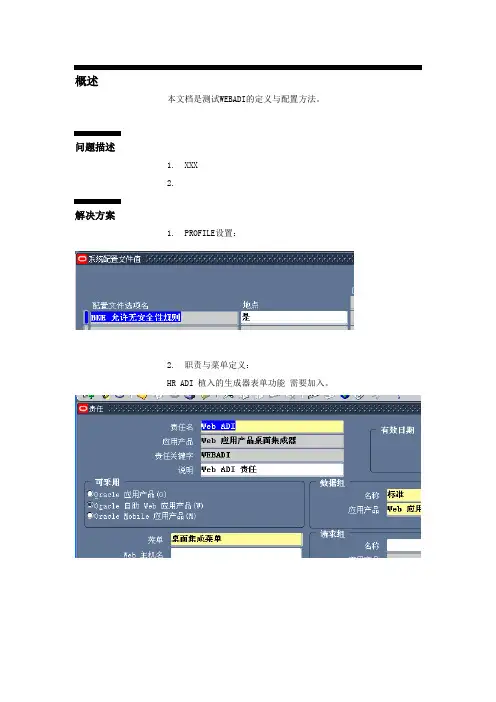
前不久做了一个简单的WEBADI的task, 利用WEBADI批量分配或失效职责.主要功能:1. 用户利用sql导出具备固定格式的txt file(包含用户名,新增标志,职责,应用,起始时间,终止时间)2.用户在webadi向导中导入txt file,自动生成excel 模板进行上传.3.根据模块中的exists flag 来判断职责为新增或失效.后台package:----Function&Procedure declare begin-------------------------PROCEDURE main(p_user_name IN VARCHAR2,p_existing_flag IN VARCHAR2,p_responsibility_key IN VARCHAR2,p_application IN VARCHAR2,p_start_date IN OUT DATE,p_end_date IN OUT DATE);PROCEDURE write_log(p_message_type IN NUMBER, p_message_text IN VARCHAR2);----Function&Procedure declare end---------------------------END glc_mass_assign_resp_pkg;/CREATE OR REPLACE PACKAGE BODY glc_mass_assign_resp_pkg IS----Function&Procedure body begin----------------------------PROCEDURE main(p_user_name IN VARCHAR2,p_existing_flag IN VARCHAR2,p_responsibility_key IN VARCHAR2,p_application IN VARCHAR2,p_start_date IN OUT DATE,p_end_date IN OUT DATE) ISlv_user_id NUMBER;lv_resp_id NUMBER;lv_appl_id NUMBER;lv_count NUMBER;BEGIN--Verify data begin--User nameBEGINSELECT er_idINTO lv_user_idFROM fnd_user fuWHERE er_name = upper(TRIM(p_user_name)) --added by Tony liu on 22-jan-2010AND (fu.end_date IS NULL OR fu.end_date > SYSDATE); EXCEPTIONWHEN no_data_found THENwrite_log(1, 'Failure: Incorrect/Disabled User Name !'); END;--Exist flagIF upper(TRIM(nvl(p_existing_flag, 'Y'))) <> 'Y' ANDupper(TRIM(nvl(p_existing_flag, 'N'))) <> 'N' THENwrite_log(2, 'Failure: Invalid Existing Flag !');END IF;--Responsibility keyBEGINSELECT fr.responsibility_idINTO lv_resp_idFROM fnd_responsibility frWHERE upper(fr.responsibility_key) =upper(TRIM(p_responsibility_key))--added by Tony liu on 22-jan-2010AND (fr.end_date IS NULL OR fr.end_date > SYSDATE); EXCEPTIONWHEN no_data_found THENwrite_log(3, 'Failure: Incorrect/Disabled Responsibility Key!'); END;BEGINIF p_existing_flag = 'N' THENSELECT COUNT(1)INTO lv_countFROM fnd_user_resp_groups_direct fur,fnd_user fu,fnd_responsibility frWHERE er_id = er_idAND fr.responsibility_id = fur.responsibility_idAND er_name = p_user_nameAND fr.responsibility_key = p_responsibility_key;IF lv_count > 0 THENwrite_log(8, 'Failure: Responsibility is already exists!');END IF;END IF;END;--ApplicationBEGINSELECT fat.application_idINTO lv_appl_idFROM fnd_application_tl fatWHERE upper(fat.application_name) = upper(TRIM(p_application)) AND NGUAGE = 'US';EXCEPTIONWHEN no_data_found THENwrite_log(4, 'Failure: Invalid Application Name!');END;--Application and Responsibility checkBEGINSELECT fr.responsibility_idINTO lv_resp_idFROM fnd_responsibility fr, fnd_application_tl fatWHERE upper(fat.application_name) = upper(TRIM(p_application))AND NGUAGE = 'US'AND fat.application_id = fr.application_idAND upper(fr.responsibility_key) =upper(TRIM(p_responsibility_key))--added by Tony liu on 22-jan-2010AND (fr.end_date IS NULL OR fr.end_date > SYSDATE);EXCEPTIONWHEN no_data_found THENwrite_log(9,'Failure: Incorrect combination of Responsibility and Application');END;--User&exist flag&responsibility key&applicationIF p_existing_flag = 'Y' THENBEGINIF fnd_user_resp_groups_api.assignment_exists(user_id => lv_user_id,responsibility_id => lv_resp_id,responsibility_application_id => lv_appl_id) THEN NULL;ELSEwrite_log(6,'Failure: Incorrect existing flag,Cant find the responsibility under the user');END IF;END;END IF;--DateIF nvl(p_end_date, to_date('01-01-3000','dd-mm-yyyy')) <= nvl(p_start_date, SYSDATE) THENwrite_log(5, 'Failure: Start date can not be later than end date!');END IF;--Added by Tony Liu on 22-jan-2010IF p_start_date IS NULL THENBEGINSELECT fur.start_dateINTO p_start_dateFROM fnd_user_resp_groups_direct furWHERE er_id = lv_user_idAND fur.responsibility_id = lv_resp_idAND fur.responsibility_application_id = lv_appl_id;EXCEPTIONWHEN no_data_found THENp_start_date := trunc(SYSDATE);END;END IF;/*IF p_end_date IS NULL THENBEGINSELECT fur.end_dateINTO p_end_dateFROM fnd_user_resp_groups_direct furWHERE er_id = lv_user_idAND fur.responsibility_id = lv_resp_idAND fur.responsibility_application_id = lv_appl_id;EXCEPTIONWHEN no_data_found THENp_end_date := NULL;END;END IF;*/--Verify data end--Responsibility API begin--Invalid responsibilityIF p_existing_flag = 'Y' THENBEGINfnd_user_resp_groups_api.update_assignment(user_id => lv_user_id,responsibility_id => lv_resp_id,responsibility_application_id => lv_appl_id,start_date => trunc(p_start_date),end_date => trunc(p_end_date),description => '');COMMIT;EXCEPTIONWHEN OTHERS THENwrite_log(7,'Failure: API(fnd_user_resp_groups_api.update_assignment) error!'); END;END IF;--Add responsibilityIF p_existing_flag = 'N' THENBEGINfnd_user_resp_groups_api.upload_assignment(user_id => lv_user_id,responsibility_id => lv_resp_id,responsibility_application_id => lv_appl_id,start_date => trunc(p_start_date),end_date => trunc(p_end_date),description => '');COMMIT;EXCEPTIONWHEN OTHERS THENwrite_log(7,'Failure: API(fnd_user_resp_groups_api.upload_assignment) error!');END;END IF;--Responsibility API end--Added by Tony liu on 22-jan-2010IF p_existing_flag IS NULL THEN--check responsibilityIF fnd_user_resp_groups_api.assignment_exists(user_id => lv_user_id,responsibility_id => lv_resp_id,responsibility_application_id => lv_appl_id) THENBEGINfnd_user_resp_groups_api.update_assignment(user_id => lv_user_id,responsibility_id => lv_resp_id,responsibility_application_id => lv_appl_id,start_date => trunc(p_start_date),end_date => trunc(p_end_date),description => '');COMMIT;EXCEPTIONWHEN OTHERS THENwrite_log(7,'Failure: API(fnd_user_resp_groups_api.update_assignment) error!');END;ELSEBEGINfnd_user_resp_groups_api.upload_assignment(user_id => lv_user_id,responsibility_id => lv_resp_id,responsibility_application_id => lv_appl_id,start_date => trunc(p_start_date),end_date => trunc(p_end_date),description => '');COMMIT;EXCEPTIONWHEN OTHERS THENwrite_log(7,'Failure: API(fnd_user_resp_groups_api.upload_assignment) error!');END;END IF;END IF;EXCEPTIONWHEN OTHERS THENwrite_log(9, SQLCODE || ':' || SQLERRM);END main;PROCEDURE write_log(p_message_type IN NUMBER, p_message_text IN VARCHAR2) ISlv_error_code NUMBER;BEGINlv_error_code := to_number('-2000' || to_char(p_message_type));--throw out messagedbms_standard.raise_application_error(lv_error_code, p_message_text);END write_log;----Function&Procedure body end------------------------------END glc_mass_assign_resp_pkg;WEBADI设置过程(copy自我的Design)1.1.GLC: Mass Assign Responsibility (New Integrator)Create WEBADI integrator for update user responsibility.Desktop integration->Create Document->Views: excel2003->Integrator: HRIntegrator Setup->Layout: Integrator Setup->Content: null->Review->Create Documents->Download DocumentThen upload document.If there displays a “ ” in Message , upload is complete.If there displays a “ ” in Message, upload is fail.1.2.GLC_MASS_ASSIGN_RESP (New Function)Create new function in EBS suiteSystem administrator->Application->FunctionFunction name: GLC_MASS_ASSIGN_RESPONSIBILITYFunction type: Subfunction1.2.1.Add function in IT&User’s current menuSystem administrator->Application->MenuUser Responsibility: System administratorIT Responsibility: Desktop IntegratorUser Menu: FND_NAVSEC4.0 (Systemadministrator/security)IT Menu: DESKTOP INTEGRATION MENU1.2.2.Maintain integration and form. function associationsDesktop integration->Create Document->Views: excel2003->Integrator: Maintain integration and form. function associations ->Layout: Form. functionassociations->Content: Mapping: Default Application short name: GLC Integrator user name:GLC: Mass Assign Responsibility->Review->CreateDocuments->Download DocumentIntegrator Application Short Name: GLCIntegrator User Name: GLC: Mass Assign ResponsibilityForm. Function List: GLC_MASS_ASSIGN_RESPThen upload document.After this, IT can create layout and mapping for this integration. User can use this integration to download excel template.1.3.GLC: Mass Assign Responsibility (New Layout)Create new integration layout for new integrationDesktop integration->Define Layout->Integrator:GLC: Mass AssignResponsibility->Layout: new Layout-> Layout name : GLC: Mass AssignResponsibility Layout Key:GLC_MASS_ASSIGN_RESP->Create layoutField name: Come from package input parameters( WEBADI willdelete prepositive “P_”)Placement: LinesDefault Value: Keep blank (or input some specific content)Default Type: None ( or other type , decided by default value)Then save Layout.1.4.GLC: Mass Assign Responsibility (New Mapping)Desktop integration->Define Mapping->Integrator:GLC: Mass AssignResponsibility->Mapping: Define Mapping-> Mapping name : GLC: Mass Assign Responsibility Mapping Key:GLC_MASS_ASSIGN_RESP->Create MappingNumber of mapping columns:6 (same with layout columns)Select source columns for text file and target columns for excel template.Do not enter manually, must select value from LOV.1.5.BNE_MASS ASSIGN RESPONSIBILITY (New Function)Create function for automatic download integrator.1.5.1.Add function in user’s menu and let user download excel template byhimself.Desktop integration->Create Document->Views: excel2003->Integrator:GLC: Mass Assign Responsibility->Layout:GLC: Mass Assign Responsibility->Content: Text file->Content:Parameters (refer to screenshot)->SaveThen save all setupShortcut name: GLC: Mass Assign ResponsibilitySelect “ Save to Shortcut List” and “Save to Form. Function”Settings: all selectedThen save your setup.Save to Shortcut List: Let us download excel template quickly in WEBADI.Save to Form. Function: Let user can download excel template in theirresponsibility.System administrator->function-> Find: “BNE_ %”You can find a function named “BNE_ ”+ Integration user name.Function name: BNE_ MASS ASSIGN RESPONSIBILITYAlso you can change function name and user name to yours favorite. Function name: BNE_MASS ASSIGN RESPONSIBILITYUser function name:@GLC: Mass Assign ResponsibilityAdd this function in user’s menu .System administrator/security/Mass Assign ResponsibilityUser can download excel template via this function.1.5.2.Final function setupAdd “ One Mouse Click” parameters on user’s function.User only need to click menu and select data file to WEBADI. Then excel template will be downloaded and data will be in it.Original statement:bne:page=BneCreateDoc&bne:viewer=BNE:EXCEL2000&bne:reporting=N&bn e:integrator=GLC:GENERAL_2_INTG&bne:layout=GLC:GLC_MASS_ASSIGN_RE SP&bne:content=GLC:GENERAL_2A_CNT&bnectl:file=WM_CONTRACTORS_CONV ERSION_DATA_19793875.csv&bne:map=GLC:GLC_MASS_ASSIGN_RESP需要删除上面红色部分(指定导入的txt file,不需要,由用户动态选择)Changed to:bne:page=BneCreateDoc&bne:viewer=BNE:EXCEL2000&bne:reporting=N&bne:integrator=GLC:GENERAL_2_INTG&bne:layout=GLC:GLC_MASS_ASSIGN_RESP&bne:content=GLC:GENERAL_2A_CNT&bne:map=GLC:GLC_MASS_ASSIGN_RESP&bne:noreview=Yes移植脚本:安装时,需提供下列ldt 文件:for webadi:content / integration / layout / mapping / parameters / securityDownload Script.:1.1.GLC_MASS_ASSIGN_RESP_INTEGRATION.ldt1.1.1.New/Reuse/Copy fromNew1.1.youtN/A1.1.3.FunctionalityUpload integration.--Download IntegrationFNDLOAD apps/$APPS_PASSWORD 0 Y DOWNLOAD $BNE_TOP/admin/import/bneint.lctGLC_MASS_ASSIGN_RESP_INTEGRATION.ldt BNE_INTEGRATORS INTEGRATOR_ASN="GLC"INTEGRATOR_CODE="GENERAL_2_INTG"1.2.GLC_MASS_ASSIGN_RESP_LAYOUT.ldt1.2.1.New/Reuse/Copy fromNewyoutN/A1.2.3.FunctionalityUpload layout.--Download LayoutFNDLOAD apps//$APPS_PASSWORD 0 Y DOWNLOAD $BNE_TOP/admin/import/bnelay.lct GLC_MASS_ASSIGN_RESP_LAYOUT.ldt BNE_LAYOUTS LAYOUT_ASN="GLC"LAYOUT_CODE="GLC_MASS_ASSIGN_RESP"1.3.GLC_MASS_ASSIGN_RESP_CONTENT.ldt1.3.1.New/Reuse/Copy fromNew1.3.youtN/A1.3.3.FunctionalityUpload content.--Download ContentFNDLOAD apps/$APPS_PASSWORD 0 Y DOWNLOAD $BNE_TOP/admin/import/bnecont.lct GLC_MASS_ASSIGN_RESP_CONTENT.ldt BNE_CONTENTS CONTENT_ASN="GLC"CONTENT_CODE="GENERAL_2A_CNT"1.4.GLC_MASS_ASSIGN_RESP_MAPPING.ldt1.4.1.New/Reuse/Copy fromNew1.4.youtN/A1.4.3.FunctionalityUpload mapping.--Download MappingFNDLOAD apps/$APPS_PASSWORD 0 Y DOWNLOAD $BNE_TOP/admin/import/bnemap.lctGLC_MASS_ASSIGN_RESP_MAPPING.ldt BNE_MAPPINGS MAPPING_ASN="GLC"MAPPING_CODE="GLC_MASS_ASSIGN_RESP"1.5.GLC_MASS_ASSIGN_RESP_SECURITY.ldt1.5.1.New/Reuse/Copy fromNew1.5.youtN/A1.5.3.FunctionalityUpload security.--Download SecurityFNDLOAD apps//$APPS_PASSWORD 0 Y DOWNLOAD $BNE_TOP/admin/import/bnesecurity.lct GLC_MASS_ASSIGN_RESP_SECURITY.ldt BNE_SECURED_OBJECTS SECURED_OBJECT_ASN="GLC"SECURED_OBJECT_CODE="GENERAL_2_INTG"1.6.GLC_MASS_ASSIGN_RESP_MENU1.ldt1.6.1.New/Reuse/Copy fromNew1.6.youtN/A1.6.3.FunctionalityUpload user function/menu.FNDLOAD apps//$APPS_PASSWORD O Y DOWNLOAD $FND_TOP/patch/115/import/afsload.lct GLC_MASS_ASSIGN_RESP_MENU1.ldt MENU PARENT_MENU_NAME="FND_NAVSEC4.0"FUNCTION_NAME="BNE_MASS ASSIGN RESPONSIBILITY"1.7.GLC_MASS_ASSIGN_RESP_MENU.ldt1.7.1.New/Reuse/Copy fromNew1.7.youtN/A1.7.3.FunctionalityUploadsecurity function/menu.FNDLOAD apps//$APPS_PASSWORD O Y DOWNLOAD $FND_TOP/patch/115/import/afsload.lct GLC_MASS_ASSIGN_RESP_MENU2.ldt MENU PARENT_MENU_NAME="FND_NAVSEC4.0"FUNCTION_NAME="GLC_MASS_ASSIGN_RESP"Ldt 文件的安装脚本1.8.Sysadmin_Mass_Assign_Responsibility.prog1.8.1.New/Reuse/Copy fromNew1.8.youtN/A1.8.3.FunctionalityWill be executed by concurrent. Program will upload all LDT file.################################################################################# ###### SYSTEM: iFOCUS 11i## PROGRAM NAME: Sysadmin_Mass_Assign_Responsibility.prog## AUTHOR/EMAIL_ID: Tony Liu/rcd463## DATE CREATED: 2009/08/21## LATEST DATE MODIFIED: 2009/08/21#### DESCRIPTION:## The program is useful for upload fndload file for WEBADI## INPUTS:## N/A## OUTPUTS:## N/A## FUNCTION(S) CALLED:## N/A## CAUTIONS:## N/A################################################################################# Revision History## Date Revision Number By Reason/Defect##----------------------------------------------------------------------------- ## 2009/08/21 1.0 Tony Liu Initial creation############################################################################### Script. StartPASS=`cat $APPL_TOP/../.${TWO_TASK}.pass`LOGIN="APPS/$PASS"LOG_DIR=$GLC_TOP/logOUT_DIR=$GLC_TOP/outDIR_FILE=$GLC_TOP/bin## Assigning permission to respective fileschmod 664 $DIR_FILE/GLC_MASS_ASSIGN_RESP_INTEGRATION.ldt chmod 664 $DIR_FILE/GLC_MASS_ASSIGN_RESP_LAYOUT.ldt chmod 664 $DIR_FILE/GLC_MASS_ASSIGN_RESP_MAPPING.ldt chmod 664 $DIR_FILE/GLC_MASS_ASSIGN_RESP_CONTENT.ldt chmod 664 $DIR_FILE/GLC_MASS_ASSIGN_RESP_SECURITY.ldt chmod 664 $DIR_FILE/GLC_MASS_ASSIGN_RESP_MENU1.ldt chmod 664 $DIR_FILE/GLC_MASS_ASSIGN_RESP_MENU2.ldtecho "Begin upload transaction:"## Upload fileecho "Uploading fndload file for integration..."ifFNDLOAD $LOGIN 0 Y UPLOAD $BNE_TOP/admin/import/bneint.lct$DIR_FILE/GLC_MASS_ASSIGN_RESP_INTEGRATION.ldt - CUSTOM_MODE=FORCE >> $OUT_DIR/GLC_MASS_ASSIGN_RESP_INSTALL.outthenecho " "echo " Uploading of GLC_MASS_ASSIGN_RESP_INTEGRATION LDT successful!" echo " "elseecho " "echo " Error in Uploading GLC_MASS_ASSIGN_RESP_INTEGRATION LDT."echo "Please check and rerun"echo "Aborting......"exit 1fiecho "Uploading fndload file for layout..."if FNDLOAD $LOGIN 0 Y UPLOAD $BNE_TOP/admin/import/bnelay.lct$DIR_FILE/GLC_MASS_ASSIGN_RESP_LAYOUT.ldt - CUSTOM_MODE=FORCE >>$OUT_DIR/GLC_MASS_ASSIGN_RESP_INSTALL.outthenecho " "echo " Uploading of GLC_MASS_ASSIGN_RESP_LAYOUT LDT successful!" echo " "elseecho " "echo " Error in Uploading GLC_MASS_ASSIGN_RESP_LAYOUT LDT."echo "Please check and rerun"echo "Aborting......"exit 1fiecho "Uploading fndload file for mapping..."if FNDLOAD $LOGIN 0 Y UPLOAD $BNE_TOP/admin/import/bnemap.lct$DIR_FILE/GLC_MASS_ASSIGN_RESP_MAPPING.ldt - CUSTOM_MODE=FORCE >> $OUT_DIR/GLC_MASS_ASSIGN_RESP_INSTALL.outthenecho " "echo " Uploading of GLC_MASS_ASSIGN_RESP_MAPPING LDT successful!" echo " "elseecho " "echo " Error in Uploading GLC_MASS_ASSIGN_RESP_MAPPING LDT."echo "Please check and rerun"echo "Aborting......"exit 1fiecho "Uploading fndload file for content..."if FNDLOAD $LOGIN 0 Y UPLOAD $BNE_TOP/admin/import/bnecont.lct$DIR_FILE/GLC_MASS_ASSIGN_RESP_CONTENT.ldt - CUSTOM_MODE=FORCE >> $OUT_DIR/GLC_MASS_ASSIGN_RESP_INSTALL.outthenecho " "echo " Uploading of GLC_MASS_ASSIGN_RESP_CONTENT LDT successful!" echo " "elseecho " "echo " Error in Uploading GLC_MASS_ASSIGN_RESP_CONTENT LDT."echo "Please check and rerun"echo "Aborting......"exit 1fiecho "Uploading fndload file for security..."if FNDLOAD $LOGIN 0 Y UPLOAD $BNE_TOP/admin/import/bnesecurity.lct $DIR_FILE/GLC_MASS_ASSIGN_RESP_SECURITY.ldt - CUSTOM_MODE=FORCE >> $OUT_DIR/GLC_MASS_ASSIGN_RESP_INSTALL.outthenecho " "echo " Uploading of GLC_MASS_ASSIGN_RESP_SECURITY LDT successful!" echo " "elseecho " "echo " Error in Uploading GLC_MASS_ASSIGN_RESP_SECURITY LDT."echo "Please check and rerun"echo "Aborting......"exit 1fiecho "Uploading fndload file for user form/menu..."if FNDLOAD $LOGIN 0 Y UPLOAD $FND_TOP/patch/115/import/afsload.lct $DIR_FILE/GLC_MASS_ASSIGN_RESP_MENU1.ldt - CUSTOM_MODE=FORCE >> $OUT_DIR/GLC_MASS_ASSIGN_RESP_INSTALL.outthenecho " "echo " Uploading of GLC_MASS_ASSIGN_RESP_MENU1 LDT successful!" echo " "elseecho " "echo " Error in Uploading GLC_MASS_ASSIGN_RESP_MENU1 LDT."echo "Please check and rerun"echo "Aborting......"exit 1fiecho "Uploading fndload file for security form/menu..."if FNDLOAD $LOGIN 0 Y UPLOAD $FND_TOP/patch/115/import/afsload.lct $DIR_FILE/GLC_MASS_ASSIGN_RESP_MENU2.ldt - CUSTOM_MODE=FORCE >> $OUT_DIR/GLC_MASS_ASSIGN_RESP_INSTALL.outthenecho " "echo " Uploading of GLC_MASS_ASSIGN_RESP_MENU2 LDT successful!" echo " "elseecho " "echo " Error in Uploading GLC_MASS_ASSIGN_RESP_MENU2 LDT."echo "Please check and rerun"echo "Aborting......"exit 1fiecho "Upload fndload file completely"exit 0。