MSR路由器
SSH登录 + RSA认证功能的配置
关键词:MSR;SSH;Stelnet;RSA
一、组网需求:
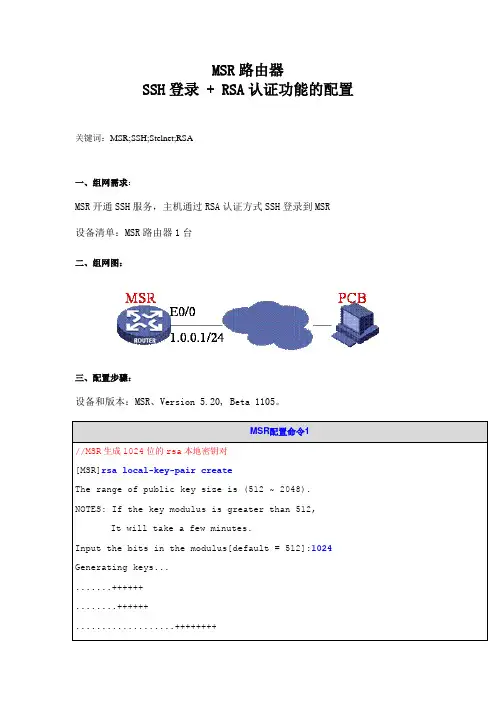
MSR开通SSH服务,主机通过RSA认证方式SSH登录到MSR
设备清单:MSR路由器1台
二、组网图:
三、配置步骤:
设备和版本:MSR、Version 5.20, Beta 1105。
MSR配置命令1
//MSR生成1024位的rsa本地密钥对
[MSR]rsa local-key-pair create
The range of public key size is (512 ~ 2048).
NOTES: If the key modulus is greater than 512,
It will take a few minutes.
Input the bits in the modulus[default = 512]:1024
Generating keys...
.......++++++
........++++++
...................++++++++ ............++++++++
Done!
[MSR]
MSR配置命令2——粘贴客户端SSHKey.exe转换好的公钥
//粘贴主机生成rsakey格式的1024位公钥,命名为msr
[MSR]rsa peer-public-key msr
You already have RSA public key named msr.
RSA public key view: return to System View with "peer-public-key end".
//开始引入公钥
[MSR-rsa-public-key]public-key-code begin
RSA key code view: return to last view with "public-key-code end".